Social Feed

F
Last reply · posted in Old VOOM News and Developments Archive
I have just had voom installed a week ago. I have having a few problems that I need expert advice with.

I have a 57" Hitachi Ultravision widescreen 57T600 model TV it is less than a year old.

http://www.hitachi.us/tv/browse/projection/16-9digital/57T600.shtml

I can only get 480i none of the other settings work. The TV is capable of 480i, 480p, 720p, and 1080i.
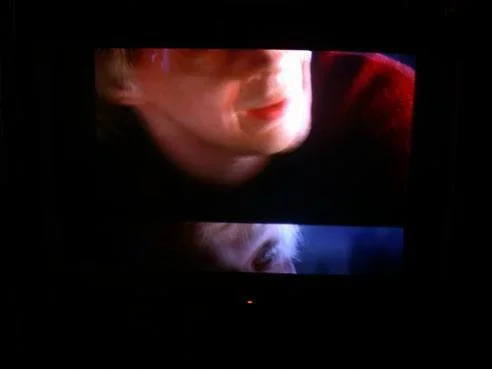
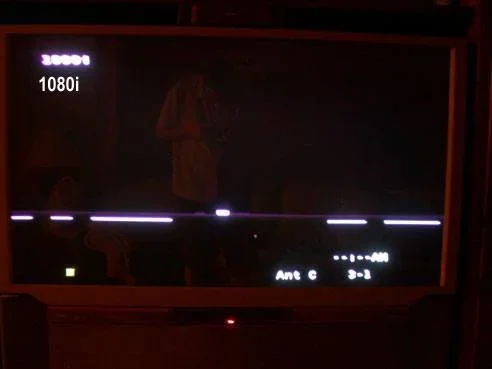
When I switch to 1080i (yes, I tried the red button)I get a partial picture, mainly with a 3/4 split screen and black bars that run diagnolly, I can see th pretty 1080 picture behind the mess though. It looks like when you had a Nintendo hooked up (back in the old days) on channel 3 instead of 4. The problem isnt that simple with this issue. I do see a similarity with ANT C as it looks like the same messed up format 3/4th of the picture with black bars as mentioned above. There is nothing hooked up to ANT C.
I have already had 3 separate visits from technitians over to look at it and they have no idea (2 Voom techs and 1 TV techs). The Voom tech said it was the TV. The TV Techs said it was the voom reciever.
The receiver has been switched along with the DVI cable to no avail.
We have tried every possible setting in the STB and in the TV.
We have tried switching to component but it still only works with 480i
I would really like to keep voom but it looks like I am going to have to cancel if I cant get a better resolution on my TV than 480i. I have spoken with a Hitachi tech and they place the blame on the STB. No other setting other than 480i works.

Please help me to keep my voom service. I have had several techs from both the TV and Voom service to my home I really need an expert that knows what he is doing. The people that came to my home didnt know anymore than I did. The last bit of advice I got was that my TV was incompatible with the Voom STB. Can anyone help me with this issue? :confused:
20 Replies · 3813 views
C
I will send you a private message with some service menu items to look at. I hope it's listed the same on your set.

Is it possible for you to post a picture of what your screen looks like when you try inputing 1080i?
F
Pictures of how it looks in 1080i

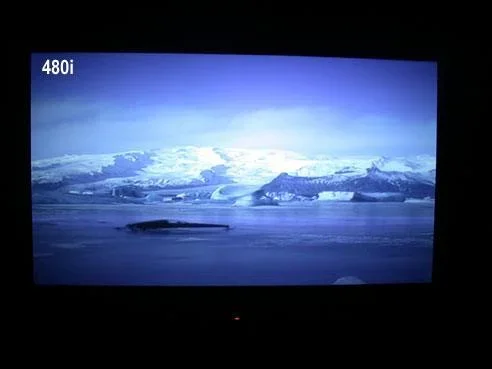
Here are some pictures of what it looks like in 1080i, 480i and ANT C.The camera wasnt able to capture the black bars running across the screen. Behind the 3/4th formating and the bars it looks like a really niced picture in the 1080i mode. Notice how Ant C looks just like 1080i mode with the picture in the same place? Note nothing is hooked up to ANT C.
F
Well,

I just got off the phone with Hitachi Phone support and I think I finally got a solid answer. He said that it sounded to him that it was a equipment problem with the HD equip module inside the TV. I tried every suggestion from everyone and really appreciate all your help - unfortunity none of it worked. I think at this point I am going to demand an authorized hitachi tech to test my HD TV and replace the guts. I will post if this solves the problem. It really is the only thing that make sense. The DVD player works with component and not the HD receiver. Well, it looks like I wont get this fixed in time to see the tyson fight next friday, but I guess he has a few more fights to go before he gets out of debt.
Ilya
Since you are seeing a similar problem on the ANT C input (which has nothing to do with VOOM), the problem must be in your TV set.
P
Augurr said:
Poor Wilt! His email box is going to explode if it hasn't already ;-) I emailed him a few weeks ago about getting a bigger dish to accomodate rain fade, and the last response I got was "checking, wilt". That was the entire reply. So I gave up. Nobody cares about us hicks in the South :no


With the number of e-mails Wilt gets, I don't blame him for keeping his replies short and sweet. His reply to me was "On it - Wilt". And he was. My initially reluctant installers turned up with a 24" dish and a much-upgraded antenna for locals instead of the usual 18" dish and the bottom-feeding stealth antenna, and according to the installer, the changeout was all due to Wilt. If he says he's going to do something, in my experience at least, he will. Give him time. BTW, I'm a southern hick, too.
Former member 208119
Last reply · posted in General Home Theater Equipment

can't wait to see it in person!!!
71 Replies · 3175 views
  • Like
Reactions: navychop and Foxbat
teachsac
A week in and loving the 7ii. Have not seen any blooming. Monday night football in 4K HDR is spectacular. Would love to have had the non reflective screen, but couldn't justify the $3,500.
  • Like
Reactions: Jimbo and reubenray
Jimbo
A week in and loving the 7ii. Have not seen any blooming. Monday night football in 4K HDR is spectacular. Would love to have had the non reflective screen, but couldn't justify the $3,500.
I would have no where to ADD another 20 inches to my display, I've pondered the 75" but really don't need the expense or extra size.

I was considering moving the 65xr A95 into the bed room, but with the addl size, it would have to cover the new sliding door, which means it would have to be at least 4" off the wall, so I'd have to get a Different style Wall Mount ...
On the Priority list, it's pretty low at the moment.
teachsac
I would have no where to ADD another 20 inches to my display, I've pondered the 75" but really don't need the expense or extra size.

I was considering moving the 65xr A95 into the bed room, but with the addl size, it would have to cover the new sliding door, which means it would have to be at least 4" off the wall, so I'd have to get a Different style Wall Mount ...
On the Priority list, it's pretty low at the moment.
I moved in to take care of my dad. He had my 14 year old Sharp 80LE844. It put out a great picture still, but time for that upgrade.
  • Like
Reactions: Jimbo
Jimbo
I moved in to take care of my dad. He had my 14 year old Sharp 80LE844. It put out a great picture still, but time for that upgrade.
He'll see better too once you change it. :)
teachsac
He'll see better too once you change it. :)
Seeing isn't the problem. It's hearing.😁
  • Like
Reactions: Jimbo
navychop
What? SPEAK UP!
S
Seeing isn't the problem. It's hearing.😁
it could be worse. your ole lady could be getting you some blue M&M'S :biggrin :oops:
S
Seeing isn't the problem. It's hearing.😁
I have selective hearing. sorry you wern't selected today.tomorrow isn't looking good either:biggrin
  • Like
Reactions: navychop
R
Seeing isn't the problem. It's hearing.😁
That's what the volume buttons are for.
teachsac
That's what the volume buttons are for.
I would like to keep my hearing.
meStevo
Lifetime Supporter
Last reply · posted in The Sports Section
Schedule drops tomorrow. Mandatory mini camps in June. Hall of Fame game August 6th.
159 Replies · 5105 views
  • Like
Reactions: Jimbo and dfergie
HipKat
Balls

Tom Jackson. If you guys are like me, in your 40s or older, you know what I'm talking about. Before the stupid shows of today that rely on hot takes and loud idiots, there was Boom and TJ on Primetime every Sunday. It was a religion. Safe travels, sir. Thank you for everything.

Dallas O. That offense is a juggernaut. Unreal how easily they move the ball.
Denver. The inexplicable team wins their 4th or 5th straight; I've lost count. They're on a 16-game winning streak in games decided by 8 or fewer points. This is ridiculous. Their D isn't as good last year, and their O hurts my eyes. How do they win? It's a serious question.
Giants. Did us a solid by taking care of the Jags
Chiefs. Their calendar has been a cakewalk, and they've won accordingly, looking good too.
Lions. Atop the very competitive NFC North.
Panters. Atop the unserious NFC South.
SF. Dudes … the Niners look like the best team in the league. They handled the Vikings with ease. The offense just rolls, and their D is sneaky good.
Washington. Just like the Giants, they did Buffalo a solid with that W vs. Cincy. If we win out vs. the AFC, we are the 1 seed no matter what the others do.


Goats
Steelers. Losing to the Joe Milton-led Eagles should disqualify them from the rest of the season.
Bears vs Saints game. Snooze fest.
Chargers. Lost to the Jets. The J E T S FFS. Guess it's good for Aaron Glenn's continuity and that I celebrate.
Indy. 3 points. Uno, dos, tres. That was it. Fire everyone.
Vikings. Looked like crap. Cousins is a dick. Even Jefferson fumbled.
Tampa. Will continue to lose as long as they employ Todd Bowles.
Ravens. I think that's like 5 losses in a row. I get it that you're Lamarless, but plenty of teams have won this year playing their backup QB.
rvvaquero
Dallas O. That offense is a juggernaut. Unreal how easily they move the ball.
They are looking good now, but earlier in the year they couldn't pass protect or run the ball. Unfortunately, football requires both offense and defense to get anywhere. Their defense plays tough, except for 5 or 6 plays a game, which is enough to beat them. Penalties and stupid mistakes still haunt them though.
SF. Dudes … the Niners look like the best team in the league. They handled the Vikings with ease. The offense just rolls, and their D is sneaky good.
Yeah, SF is hot right now, hope they can keep it up. They've got the most impressive receiver group in the league, IMO. Evans, Allen, Samuel, Kittle, and McCaffrey out of the back field. I saw a graphic on TV during the game, something like five out of all of the receivers (seven or so) over 30 years old. Experience will overcome physical shortcomings many times.
  • Love
  • Like
Reactions: gms49ers and AZ.
HipKat
They are looking good now, but earlier in the year they couldn't pass protect or run the ball. Unfortunately, football requires both offense and defense to get anywhere. Their defense plays tough, except for 5 or 6 plays a game, which is enough to beat them. Penalties and stupid mistakes still haunt them though.

Yeah, SF is hot right now, hope they can keep it up. They've got the most impressive receiver group in the league, IMO. Evans, Allen, Samuel, Kittle, and McCaffrey out of the back field. I saw a graphic on TV during the game, something like five out of all of the receivers (seven or so) over 30 years old. Experience will overcome physical shortcomings many times.
Not to mention, they've got a heck of a good quarterback
meStevo
Rodgers on Pat McAfee today went completely scorched Earth on Mike McCarthy.


View: https://x.com/NFL_DovKleiman/status/2125665258563928139?a=uAUHiO1rUE_ugVelp5Y&s=20
  • Wow
Reactions: Mike0616
meStevo
Steelers release Aaron Rodgers.

1795637176567.webp


Bobby Jindal Fire GIF
HipKat
Rodgers on Pat McAfee today went completely scorched Earth on Mike McCarthy.


View: https://x.com/NFL_DovKleiman/status/2125665258563928139?a=uAUHiO1rUE_ugVelp5Y&s=20

I hate Rodgers. Great Thanksgiving gift
osu1991
Steelers released Rodger's a few hours later. I suspect they'll be looking for a new head coach in the offseason too.
BlackHitachi
Supporting Founder
Last reply · posted in Movie Talk
Since the Reds have there thread we should too!

Last watched Nine inch Nails
Next 3:10 to Yuma
5425 Replies · 515284 views
Foxbat
After "VisionQuest" was over, I watched "Avengers: Infinity War" last night and "Avengers: Endgame" tonight.
dishstaller
One of my top 10 favorite movies of all time. Complex and great soundtrack.

grand.webp
dishstaller
This is another one of those mini-movies that independent movie creators are making.
This one is called 6 Minutes of War. You can turn on the English subtitles.


View: https://www.youtube.com/watch?v=gfHXYKX85jE
Foxbat
After "VisionQuest" was over, I watched "Avengers: Infinity War" last night and "Avengers: Endgame" tonight.
Disney messed me up. I saw the "Encore" edition of "Endgame" was now on Disney+. I figured I would put it on to see what was different. I could have just jumped to the last ten minutes of the movie and saved three hours.
long_time_Dish
Disney messed me up. I saw the "Encore" edition of "Endgame" was now on Disney+. I figured I would put it on to see what was different. I could have just jumped to the last ten minutes of the movie and saved three hours.
Thank you for the heads-up on that! You saved me three hours.
G
Last reply · posted in DISH Network Support Forum
After a strange reboot last night in the middle of viewing, this morning several more reboots and about a half an hour download.
14 Replies · 1159 views
Almighty1
Just did the update check manually about an hour ago with Hopper 3 on H713 and Hopper Plus on P15403.
Noticed something new when I clicked on the Update Software, it presented a pop-up as follows:
"Update software 1573
Update later Update now Cancel" with those three buttons which did not exist before.

After updating the H715 - I guess there must be major bugs as both H709 and H714 were skipped.

So here are the issue(s):

Issue #1
It did fix the problem with H713 which was:
"One of the problems I am seeing is that the Available Joey Software section no longer is showing the Android TV versions even after a manual software reset twice and the nightly reboot. Until it does, nether Technician Android TV download and Hopper Plus is able to check, download and update the Android TV software."

This was a major problem with H703.

H710 removed that dependency so H711 and H712 were working without that dependency but H713 brought it back which is fixed in H715 as no P versions or Android TV versions are shown in the Available Joey Software on the main Diagnostics screen.
However, with that said, the TECHNICIAN SETTINGS, Download ATV (Android TV) Files is not working correctly as the Download ATV Files shows:
"Download ATV Files 3000
Download in progress. This operation will be
complete when the files are downloaded

Joey 4 : P554- Failed
Joey 4 : P55403- Failed
Wireless Joey 4 : P654- Failed
Wireless Joey 4 : P65403- Complete
HopperPlus : P154- Complete
HopperPlus : P15403- Failed

OK"
From what I can tell, each of them goes through the Downloading followed by the Processing stages first before it goes into the Failed or Complete stage. It seemed to be going in a loop earlier as it will start downloading from the first item being the Joey 4 each time before it eventually stopped. This is the first time ever since 2023 that I had ever seen it Failed.

With that said, the dependency appears to still be required for the Hopper Plus to check, download and update the Android TV software as it says Failed, No Target when going to "Device Preferences", About, "Software Update"

Issue #2
Still cannot cast to Hopper 3 with Hopper Plus(Software P15317) with the Hopper Plus "Google Chromecast Built-In" feature" as it shows up as a casting device when the Hopper Plus is online and disappears when the Hopper 3 and Hopper Plus does it's nightly reboots but times out when one tries to cast to it and always shows up as Not available in the Google Home app on Android phone. No one else anywhere on the internet had confirmed whether it is working for them or not. Per brittanygarden in DM on October 16, 2026:
"We've been working with Google on this. We have a fix on the Google side projected for Q4. I know we're in Q4 now, but I will try to get a narrowed down timeline for you."

brittanygarden and Rick Durham

jsmit86 and naptime - If you are able to use H715, does the issue mentioned below still exist?
  • Like
Reactions: charlesrshell
jsmit86
Just did the update check manually about an hour ago with Hopper 3 on H713 and Hopper Plus on P15403.
Noticed something new when I clicked on the Update Software, it presented a pop-up as follows:
"Update software 1573
Update later Update now Cancel" with those three buttons which did not exist before.

After updating the H715 - I guess there must be major bugs as both H709 and H714 were skipped.

So here are the issue(s):

Issue #1
It did fix the problem with H713 which was:
"One of the problems I am seeing is that the Available Joey Software section no longer is showing the Android TV versions even after a manual software reset twice and the nightly reboot. Until it does, nether Technician Android TV download and Hopper Plus is able to check, download and update the Android TV software."

This was a major problem with H703.

H710 removed that dependency so H711 and H712 were working without that dependency but H713 brought it back which is fixed in H715 as no P versions or Android TV versions are shown in the Available Joey Software on the main Diagnostics screen.
However, with that said, the TECHNICIAN SETTINGS, Download ATV (Android TV) Files is not working correctly as the Download ATV Files shows:
"Download ATV Files 3000
Download in progress. This operation will be
complete when the files are downloaded

Joey 4 : P554- Failed
Joey 4 : P55403- Failed
Wireless Joey 4 : P654- Failed
Wireless Joey 4 : P65403- Complete
HopperPlus : P154- Complete
HopperPlus : P15403- Failed

OK"
From what I can tell, each of them goes through the Downloading followed by the Processing stages first before it goes into the Failed or Complete stage. It seemed to be going in a loop earlier as it will start downloading from the first item being the Joey 4 each time before it eventually stopped. This is the first time ever since 2023 that I had ever seen it Failed.

With that said, the dependency appears to still be required for the Hopper Plus to check, download and update the Android TV software as it says Failed, No Target when going to "Device Preferences", About, "Software Update"

Issue #2
Still cannot cast to Hopper 3 with Hopper Plus(Software P15317) with the Hopper Plus "Google Chromecast Built-In" feature" as it shows up as a casting device when the Hopper Plus is online and disappears when the Hopper 3 and Hopper Plus does it's nightly reboots but times out when one tries to cast to it and always shows up as Not available in the Google Home app on Android phone. No one else anywhere on the internet had confirmed whether it is working for them or not. Per brittanygarden in DM on October 16, 2026:
"We've been working with Google on this. We have a fix on the Google side projected for Q4. I know we're in Q4 now, but I will try to get a narrowed down timeline for you."

brittanygarden and Rick Durham

jsmit86 and naptime - If you are able to use H715, does the issue mentioned below still exist?
I have not been updated to 715 yet. I am on a QE "Beta" or Test version that did fix the audio issue. The last communication I had with the team mentioned that the full release of that fix was likely in December.
It would be nice to know if 715 does solve that issue of no audio when Dolby is ON, during 4K HDR events.
jsmit86
I have not been updated to 715 yet. I am on a QE "Beta" or Test version that did fix the audio issue. The last communication I had with the team mentioned that the full release of that fix was likely in December.
It would be nice to know if 715 does solve that issue of no audio when Dolby is ON, during 4K HDR events.
I got updated to 715 last week, and I can confirm that it has solved the no dolby audio bug on 4K HDR events.
R
I got updated to 715 last week, and I can confirm that it has solved the no dolby audio bug on 4K HDR events.
When I watched the LSU/Texas A&M game in 4K HDR I was able to get dolby audio. I believe it was on ABC. I have the 715 update.
S
When I watched the LSU/Texas A&M game in 4K HDR I was able to get dolby audio. I believe it was on ABC. I have the 715 update.
i have the 715 update and i rewound a program and the f**king thing froze up!!! be ware!!!
rvvaquero
I think 715 added some more glitches to the remote problem. At least three times since that update, using my 54 remote, when hitting various buttons, it has turned off my TV. The last time it happened, I had hit the DVR button. I've never seen that issue before. It usually just puts the receiver in standby when it screws up.

What's going on, did DISH hire a new programmer or something? After years of no problems at all with the remote, now they are many and often.
S
I think 715 added some more glitches to the remote problem. At least three times since that update, using my 54 remote, when hitting various buttons, it has turned off my TV. The last time it happened, I had hit the DVR button. I've never seen that issue before. It usually just puts the receiver in standby when it screws up.

What's going on, did DISH hire a new programmer or something? After years of no problems at all with the remote, now they are many and often.
Haven't seen any of those issues yet.
  • Like
Reactions: charlesrshell
Redneck_Randy
Why does Micro$lop come to mind everytime I read follow ups in this thread......
S
Why does Micro$lop come to mind everytime I read follow ups in this thread......
Because it sucks
M
i have the 715 update and i rewound a program and the f**king thing froze up!!! be ware!!!
Deleting a recording has froze my Hopper a couple of times since 715 update. No issues before 715. Sometimes it is fine after deleting and sometimes it freezes. Can bring up home and guide but can't play anything and always comes back to the recording I deleted with close, showtimes and stop screen. Close just takes to a black screen.
  • Like
Reactions: charlesrshell
long_time_Dish
The IR remote (and evidently it affects Dish remotes in some ways too) started with H711. Can that please be fixed? It's been going on since August 10th.

brittanygarden
  • Like
Reactions: charlesrshell
Scott Greczkowski
Staff member HERE TO HELP YOU! Cutting Edge
Last reply · posted in The Chit Chat Club
Sometimes a thread gets so many posts in it that is can cause issues for the server so that why today we introduce The Song Name Game Part 3!

So let the game continue!

The last song was added by Bobby who posted...

One Meat Ball - Andrews Sisters

CONTINUE ON AND HAVE FUN! WELCOME HOME TO SATELLITEGUYS.US!

Here are the original rules for the game as posted by WebbyDude back in 2006. http://www.satelliteguys.us/threads/68645-Song-Name-Game

Just name a song title and the band who performed it. The next person does the same thing, but needs to list a song title or band name which includes a word from the previous entry. Pick songs from any genre.

Example:

Long Live Rock and Roll -- Rainbow

Rainbow in the Dark -- Dio

Another example:

Ride the Lightning -- Metallica

Lightning Strikes -- Ozzy Osbourne


Get it?


An additional note: we all know that song titles, sometimes, use profane words. Because this is a family friendly website it is advised that you clean up that title up a bit. This is accomplished by using something like sh!t instead of the real word. Thanks....
68971 Replies · 2708882 views
  • Like
Reactions: c-spand
harshness
Lonesome Loser - Little River Band
Bobby
Long Lonesome Highway - Michael Parks
  • Like
Reactions: RaiderPower
sdfntx
I'm So Lonesome I Could Cry - B.J. Thomas
EatMyVolts
Judy's Turn to Cry -- Lesley Gore
long_time_Dish
Cry To Me - Heart
TWiT Tech Podcast Network
· posted in TWiT Tech Podcast Network
0 Replies · 12 views
Mark609
Last reply · posted in DISH Network Support Forum
Help! Double pops, quite loud, are driving me crazy on my Buckeye Hypex NCx500 3 channel amp, only on DISH sources. 7.2.4

Every time the program source changes from a commercial back to a program or vice vs I get 2 loud pops. Where it was once occasional, it's now all the time. Kicker is I did not have these issues with previous external LCR amps/pre-amp out nor the internal A/B amps in my Anthem MRX1140 that was driving LCR a while back.

DISH Tech stayed with me on the phone linking my unit to them about a month ago but it didn't help.

Beginning to think I've got a bad unit or is a software update issue?

Am using new 1.5' Monoprice XLR->RCA cables.
1 Replies · 95 views
Almighty1
That double pop when transitioning between a commercial and the main program usually points to an audio format handshake lag. When the Hopper 3 switches audio streams—like moving from a standard 2.0 PCM commercial block back to a 5.1 Dolby Digital program stream—the digital audio lock drops for a microsecond.
If your AVR or soundbar doesn't mute fast enough during that transition, or if the aging hardware on an older Hopper 3 passes a sharp unmuted spike through the HDMI/Optical line during the handshake change, you get those exact loud pops. Since it went from occasional to constant, a few things are worth checking to narrow it down:
  1. Test PCM Mode: Go into the Hopper 3 settings under Settings > Audio > Digital Audio Output and temporarily change it from Dolby Digital / PCM to PCM Only. If the popping stops completely, you know it's definitely a format handshake glitch between the Hopper and your sound system during stream transitions.
  2. Audio Delay Toggle: Check your soundbar or AV receiver settings to see if there is an option for audio delay, lipsync, or an audio format lock mode. Sometimes introducing a tiny delay or forcing a static format handles the transition smoother.
  3. Hardware Aging: If it still does it in PCM mode, it could unfortunately be internal. Electrolytic capacitors in older Hopper 3 units degrade over time. When they start failing in the power or audio output stages, voltage instabilities manifest as line pops during rapid source and bitstream changes.
Are you running your audio via HDMI directly to the TV, or using Optical/ARC out to an external soundbar or AVR? Sharing your audio path might help narrow down a workaround.
meStevo
Lifetime Supporter
Last reply · posted in The Chit Chat Club
A continuation of a thread from the pub, just general discussion of AI.

Brief 60 minute clip about next gem autonomous fighters - not remote controlled, but rather collaborating with controllers and aircraft in the theater.


View: https://youtu.be/DRm0mbp_n1k


We've literally got a movie already about this ;)


View: https://youtu.be/a2PW7a9ViDc
73 Replies · 1638 views
dishstaller
In this clip, Matt Walsh discusses how AI is making a lot of sites useless


View: https://www.youtube.com/watch?v=hi-WOwZDFTI
osu1991

Microsoft has filed a patent application for a new AI technology that can alter what people say during live broadcasts. The technology is designed to automatically identify what is being said and can remove or replace words, as well as adjust the speaker's mouth movements to match the edited audio, reports Futurism.
harshness
The technology is designed to automatically identify what is being said and can remove or replace words, as well as adjust the speaker's mouth movements to match the edited audio, reports Futurism.
This technology should be an expressly prohibited application.
dishstaller
This technology should be an expressly prohibited application.
Agreed. There is no legit use for anything like this......NONE!!
Crap like this could easily start a major war if not WWIII itself.
  • Like
Reactions: Bobby and FTA4PA
meStevo
A presentation via the new Claude Opus 5.6 which hasn't been actually released yet.


Some other cool demos out too.


View: https://x.com/N1njaCodex/status/2125285452274126856?a=yx5CNCe-GB4ZHRvS2gM&s=20