Social Feed

H
Last reply · posted in DIRECTV General Forum
Can any of you point me to a website that clearly shows how a satellite system is installed? I'm trying to understand the entire process of how the wiring is done.

I know you set the dish pointing south, either on a roof or on a pole, and your receiver goes near the TV. I know wires run from the dish. But what I don't know is where the wires go from the dish to the receiver. I have no idea where they enter the house, and where in the house are the put to get to the receiver in the room w/ the TV.
9 Replies · 2044 views
charper1
typical? meaning standard, means it will run along the outside where it is easy for the installer even if it over 35 feet. if you want it "hidden" in the attic or basement you will have to ask for it up front. every install is different. make sure they use RG6 and try, if possible, not to use existing cable unless you are sure it is RG6.
Neutron
Fortunately my house was new enough to already have RG-6 existing. I have never had trouble with it. :)

Now if I could only get rid of the graininess of the HD picture on my TV....
charper1
what brand & model? what type of connection and cable? does it have digital 3D Y/C comb filter? has it been calibrated?

Brightness

The brightness setting is actually officially called black level. The brightness control changes the color and brightness of black within the picture. Most times the brightness control is set way too high in order to give a floor model of a TV an overall bright picture. When turning down the brightness control, you want to adjust it so that the darkest areas of the picture are black, but not so much that you lose detail. Take a dark alleyway image from a DVD or on TV, and adjust is so that black is black, and that you can still see the detail on images in the dark.

Contrast/Picture


This control is also called the white level. It controls the overall color of white within the image. This control is also often set very high in TVs right out of the box. You will probably end up turning this control down to between 40-60% of its available level. You want to make sure that edges of bright white images do not appear blurred, or what is technically called "blooming." This setting is especially important to turn down in Plasma and Rear Projection TVs as it is one of the major contributors to an increased risk of burn in.

Sharpness


Sharpness is a control that artificially enhances the edges of images on the TV screen. It is probably the most over used control on most TV sets today. Most people see sharpness and think "I want as sharp a picture as possible, so I'll just turn it all the way up." In fact, you will want to take sharpness almost all the way down and off is usually the most preferable setting for this control. In trying to enhance the edges of objects on the screen, it's more likely that it adds picture artifacts, making edges look fuzzy, or like they have a halo. If the source material is good (i.e. you have a really strong cable signal) you may find it does help the picture slightly. Be judicious with this control and never turn it all the way on.

Color


Color is a more personal setting, in that different people perceive color and find different amounts of color pleasing. Color is often set to high on a TV out of the box, but it may not be as drastically high as some of the other settings. Setting the color level should be done with an image whose color you know well, things like school buses, stop signs, and other objects to which you have some reference in real life. Color should appear natural and not overemphasized. You want the school bus to appear yellow, but not fluorescent or dull.

Tint


Tint is something that is probably best left in the middle. Even after calibrating several of my TVs, I have almost always found that the middle is the best setting for this level. If you do change this setting from the middle, only change it a few notches.

Color Temperature


Color temperature is a setting that most people set to "warm." Even though color is a personal preference, "warm" is not usually the most accurate setting. It over emphasizes red tones, and makes pale people look tan. I always recommend adjusting the setting to normal, or even cool in some instances.

Now, after you have calibrated your TV set, it will look different. Give yourself time to adjust to your new settings. Do not look at your set and say, "it doesn't look good, I'll just put it back to the way it was." Wait at least a week, and re-examine the picture again. Many people are so used to watching an improperly calibrated picture that they are actually used to seeing a bad picture. If you give yourself time to adjust, you will probably start to notice details and parts of the picture you have never seen before.

It is also important to note that on some TVs there are different picture settings for each video input. So check you settings and see if they have been set for all inputs or just one. You may have to attach a DVD source to each input you plan to watch in order to calibrate it properly. If you are watching regular cable, and have no access to put a DVD into that co-axial input, you may just have to try and find a movie channel and attempt to adjust your settings with a moving picture.

All of the settings we made above were just made with whatever content you could find. Maybe a DVD (paused on specific images), or a TV movie. But, you can purchase a DVD made specifically made for calibrating you TV set. These DVDs have varieties of test patterns which will allow you to make much more accurate adjustments. They are a wise investment, usually in the neighborhood of $25-$50, and should be used on every TV in your house in order to keep you TVs running smoothly and at their peak performance.

If calibrating your set does not seem like a task you feel competent in tackling by yourself, you can hire a professional to do the work for you. You will want to locate an ISF certified technician to come and calibrate your set. ISF stands for Imaging Science Foundation, and is a body that trains and certifies technicians with courses covering the professional calibration of video displays. They will use equipment designed specifically for measuring the parameters of the TV set, and will spend several hours getting your TV picture perfect.

They will also be able to access service settings that the general consumer does not have access to. Even people who have noticed a fantastic difference after they have calibrated their own sets with a DVD calibration disc, say that they didn't know their set could get any better until they had an ISF technician come and calibrate their set professionally. You will pay for this calibration though. Prices most likely running in the neighborhood of $200 and up. Check with your local ISF technician for exact pricing.

Whatever you do, at the least try to make the basic video calibrations yourself especially if you have not changed the default picture settings on your TV. As a general rule, you should turn down the contrast a fair amount, cut down the brightness, reduce sharpness to the off position or very close to it and adjust color so that objects look natural and not over emphasized. In the long run your set will perform better, last longer, and will give you the full enjoyment of any kind of picture, and especially an HD picture.
Neutron
I've got an HTL-HD using DVI on an RCA model D52W20 52". I have already adjusted the contrast and brightness settings down. I have already set the color temp to normal and even cool just to see. I believe it has the comb filter. The cable is the one that came with the receiver.

I wish I had a DVD player that used DVI so I could use the calibrate DVD on it. I know those are component specific.
charper1
I would call and have a tech service and calibrate the set regardless of its age. I have read numerous issues reported about the Thompson products, so if you are still under warranty I would call RCA support, then get a tech.

This might help too:RCA D52W20 Service Menu

1. Start with the tv turned OFF.
2. Using the buttons on the front of the tv...press and hold both the CHANNEL DOWN and VOLUME DOWN buttons together. Hold them in for about 15 seconds. When you see the POWER light turn on release the buttons.

In a few seconds the tv picture will will appear with the Service Menu being displayed.

Be sure to allow the tv to warm up for at least 30 minutes before making adjustments. Also, be sure to write down your orginal settings before you make any changes so you can return to them if needed.
Scott Greczkowski
Staff member HERE TO HELP YOU! Cutting Edge
Last reply · posted in The Chit Chat Club
Sometimes a thread gets so many posts in it that is can cause issues for the server so that why today we introduce The Song Name Game Part 3!

So let the game continue!

The last song was added by Bobby who posted...

One Meat Ball - Andrews Sisters

CONTINUE ON AND HAVE FUN! WELCOME HOME TO SATELLITEGUYS.US!

Here are the original rules for the game as posted by WebbyDude back in 2006. http://www.satelliteguys.us/threads/68645-Song-Name-Game

Just name a song title and the band who performed it. The next person does the same thing, but needs to list a song title or band name which includes a word from the previous entry. Pick songs from any genre.

Example:

Long Live Rock and Roll -- Rainbow

Rainbow in the Dark -- Dio

Another example:

Ride the Lightning -- Metallica

Lightning Strikes -- Ozzy Osbourne


Get it?


An additional note: we all know that song titles, sometimes, use profane words. Because this is a family friendly website it is advised that you clean up that title up a bit. This is accomplished by using something like sh!t instead of the real word. Thanks....
68537 Replies · 2673518 views
  • Like
Reactions: c-spand
long_time_Dish
Little Bit Of Light - Strange Weather
  • Like
Reactions: dishstaller
EatMyVolts
A Little Bit of Soap -- The Jarmels
long_time_Dish
Give A Little Bit - Supertramp
dishstaller
Little Wing - Jimi Hendrix
long_time_Dish
With A Little Luck - Wings
meStevo
Lifetime Supporter
Last reply · posted in The Sports Section
Schedule drops tomorrow. Mandatory mini camps in June. Hall of Fame game August 6th.
116 Replies · 1826 views
  • Like
Reactions: Jimbo and dfergie
Foxbat
I guess even the patience of us laid-back Hoosiers has its limits:
rvvaquero
I guess even the patience of us laid-back Hoosiers has its limits:
Be nice to see a Cowboy headline like that.
M
I guess even the patience of us laid-back Hoosiers has its limits:

Can we expect to see a new coach if we say "pretty please?"
  • Like
Reactions: Foxbat
Foxbat
Jeeez, Week 6, no lead is safe…
Peter Parker
Supporting Founder Lifetime Supporter
Last reply · posted in DISH Network Support Forum
No idea what improvements might be involved.
24 Replies · 1056 views
  • Like
Reactions: LQQK and reubenray
N
I'm getting fabulous picture on Ch. 148 4k, but zero audio with H713. This is with a recorded show (Notre Dame game). Anyone else have this? Audio is fine on every other channel.
  • Like
Reactions: charlesrshell
jsmit86
I'm getting fabulous picture on Ch. 148 4k, but zero audio with H713. This is with a recorded show (Notre Dame game). Anyone else have this? Audio is fine on every other channel.
It's a known issue.
For a temporary fix, go into the menu, Audio, and turn Dolby Audio "OFF". You will have PCM stereo audio.

I was able to give the tech ops team some data logs so they could diagnose the problem, and they rolled me back to H708 temporarily. It fixed that issue.

They let me know that they understand what caused the issue, and it will be fixed within a few weeks in a new update.
long_time_Dish
They let me know that they understand what caused the issue, and it will be fixed within a few weeks in a new update.
Oh, you mean "soon"? :biggrin
Almighty1
It's a known issue.
For a temporary fix, go into the menu, Audio, and turn Dolby Audio "OFF". You will have PCM stereo audio.

I was able to give the tech ops team some data logs so they could diagnose the problem, and they rolled me back to H708 temporarily. It fixed that issue.

They let me know that they understand what caused the issue, and it will be fixed within a few weeks in a new update.
I guess they will be busy when lots of people start asking for rollbacks to H708 now that you mention that downgrades of software does exist because it will likely fix the OTA Single Tuner and the IR Remote problems in H710-H713.
navychop
it will likely fix the OTA Single Tuner

:popcorn
  • Like
Reactions: charlesrshell
dishstaller
it will likely fix the OTA Single Tuner
🤣

Oh....you were serious
  • Like
Reactions: charlesrshell
teachsac
Staff member HERE TO HELP YOU!
Last reply · posted in TV Shows
Hondo is back with a new squad 9/25 only on Starz.


View: https://m.youtube.com/shorts/b0gPzA8KHEQ
7 Replies · 100 views
  • Like
Reactions: dfergie
K
Never watched the previous shows, so doubtful.
teachsac
Started watching yesterday. Not too bad.
Scott Greczkowski
Wife likes it.
  • Like
Reactions: teachsac
teachsac
I like Zyra from La Brea (one with the prosthetic).
dfergie
Staff member HERE TO HELP YOU!
Last reply · posted in TV Shows
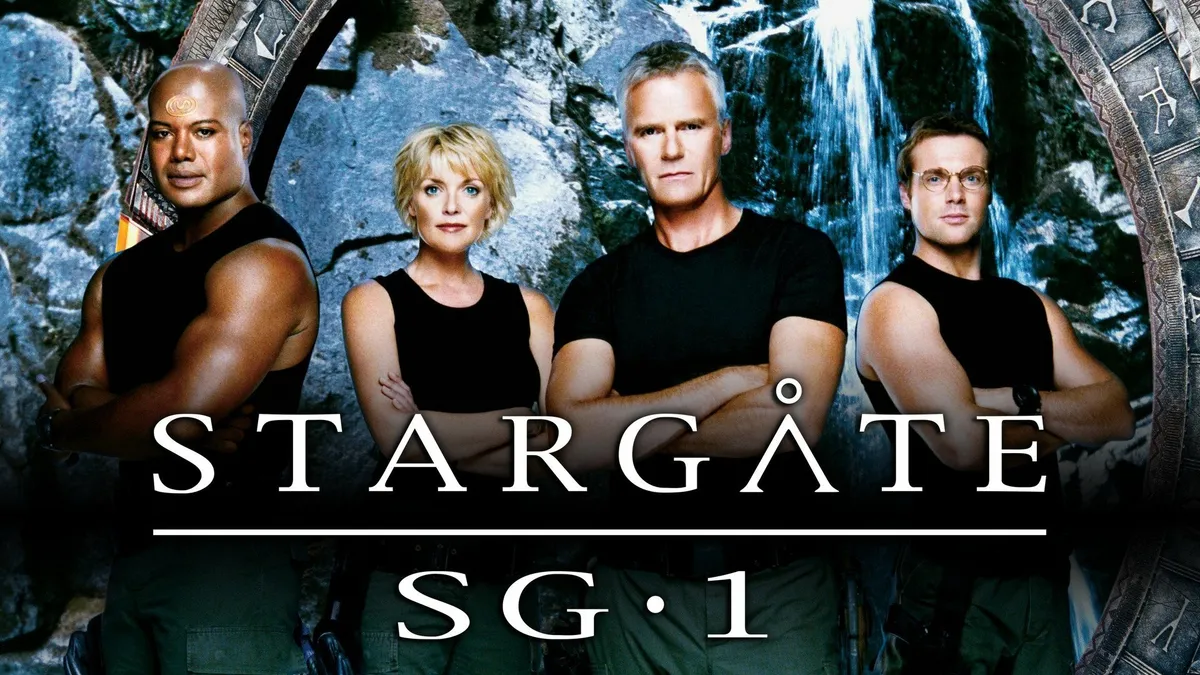
Stargate SG-1 cancelled, Atlantis renewed
clear.gif

Monday - August 21, 2006 | by Darren Sumner
clear.gif

The future of Stargate is in question today, as SCI FI Channel has cancelled the long-running Stargate SG-1, Multichannel News reported today and a GateWorld source has confirmed. The news regrettably follows the airing of the show's milestone two-hundredth episode on Friday.

Stargate Atlantis, meanwhile, has been renewed for a fourth season, with the network hoping to see that the spin-off series can stand alone, according to a source.
Source Gateworld
2033 Replies · 184131 views
R
I have gotten back into watching SG-1 and I have recorded most of the episodes to binge watch. What episodes are about the Antarctic or was this a movie? Also where could I watch the SG-1 movies?
osu1991
long_time_Dish
I have gotten back into watching SG-1 and I have recorded most of the episodes to binge watch. What episodes are about the Antarctic or was this a movie? Also where could I watch the SG-1 movies?
Well, there are a couple involving the Antarctic. "Solitudes", S1 E17 (one of my favorites), Then, "Lost City', S7 E21 and E22. Then, in the SGA pilot, "Rising", S1 E1 and E2, it starts out in the Antarctic for about the first 20 minutes or so.
R
Well, there are a couple involving the Antarctic. "Solitudes", S1 E17 (one of my favorites), Then, "Lost City', S7 E21 and E22. Then, in the SGA pilot, "Rising", S1 E1 and E2, it starts out in the Antarctic for about the first 20 minutes or so.
Which one has O'Neil being Ancients? I am at the end of Season 8 now.
long_time_Dish
Which one has O'Neil being Ancients? I am at the end of Season 8 now.
If I understand your question, O'Neill had the Ancient's knowledge in the "Lost City" two-part episode. That was when Anubis attacked Earth and there was a big battle over Antarctica.
  • Like
Reactions: Foxbat
Ramy
Supporting Founder
Last reply · posted in The Sports Section
Really excited for this season with Kentucky having a new coach and some really exciting recruits. Probably won't last long, but here's hoping this season is great.
152 Replies · 1932 views
  • Haha
Reactions: Mike0616
Foxbat
Best fan sign I saw during the ND-BYU game: "Bear ate your Lucky Charms!" (Bear being the Cougars' QB). I was going to suggest, "Have you or your team been involved in a Carr crash?"
  • Haha
Reactions: Jimbo and Mike0616
M


They get cruel sometimes, very very cruel.😈. Hated to see my dawgs go down but I still say being ranked #1 is a hex on you!
  • Like
Reactions: Howard Simmons
Jimbo
They get cruel sometimes, very very cruel.😈. Hated to see my dawgs go down but I still say being ranked #1 is a hex on you!
Yup, I agree, I'd rather be 2 or 3 till the last few weeks.
  • Like
Reactions: Mike0616