

Social Feed
The box always worked SORTOF but lately , I was unable to tune in channels.
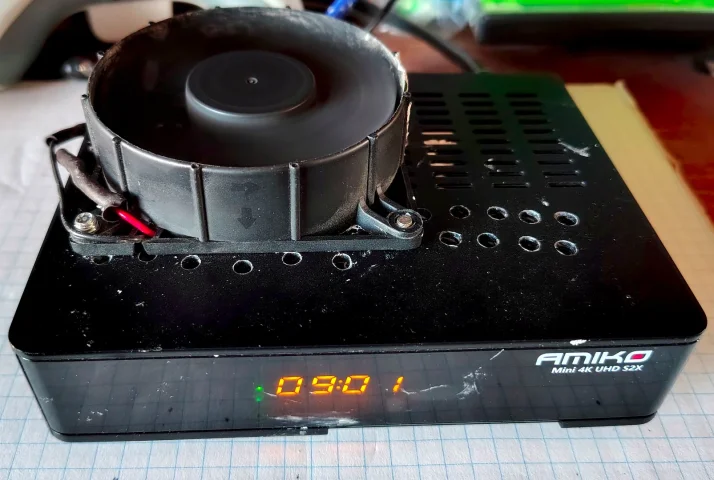
Someone here suggested a new power supply. Good suggestion. It worked a little better for a little while but after warming up NO CHANNELS. Warming up? Maybe it needs better cooling. So I hacked it and installed a fan. See photo.
That only worked for a 15-20 minutes. Can anyone guess what the real problem was?
0 Replies
·
5 views
The box always worked SORTOF but lately , I was unable to tune in channels.
Someone here suggested a new power supply. Good suggestion. It worked a little better for a little while but after warming up NO CHANNELS. Warming up? Maybe it needs better cooling. So I hacked it and installed a fan. See photo.
That only worked for a 15-20 minutes. Can anyone guess what the real problem was?
Someone here suggested a new power supply. Good suggestion. It worked a little better for a little while but after warming up NO CHANNELS. Warming up? Maybe it needs better cooling. So I hacked it and installed a fan. See photo.
That only worked for a 15-20 minutes. Can anyone guess what the real problem was?
0 Replies
·
6 views
Booredatwork.com
Time for another AWESOME video from BoredAtWork!
View: https://www.youtube.com/watch?v=NF9demK0Sc4
Direct YouTube Link - Motorola Signature 27 Unboxing!!!
Booredatwork.com Website
Booredatwork on Facebook
View: https://www.youtube.com/watch?v=NF9demK0Sc4
Direct YouTube Link - Motorola Signature 27 Unboxing!!!
Booredatwork.com Website
Booredatwork on Facebook
0 Replies
·
9 views
TWiT Tech Podcast Network
Time for another AWESOME video from the TWIT Network!
View: https://www.youtube.com/watch?v=LB53L19zML8
Direct YouTube Link - MacBreak Weekly 1052
TWIT's Website
TWIT Live Feed
View: https://www.youtube.com/watch?v=LB53L19zML8
Direct YouTube Link - MacBreak Weekly 1052
TWIT's Website
TWIT Live Feed
0 Replies
·
7 views
Linus Tech Tips
Time for another AWESOME video from Linus Tech Tips!
View: https://www.youtube.com/shorts/h6zJEfOFdgo
Direct YouTube Link - Winning an Amazon Ember Artline!
Linus on Facebook
The LTT Store
View: https://www.youtube.com/shorts/h6zJEfOFdgo
Direct YouTube Link - Winning an Amazon Ember Artline!
Linus on Facebook
The LTT Store
0 Replies
·
10 views


Sony’s Dazzling New Display Adds to the RGB LED TV Hype
Sony’s incoming RGB tech joins Hisense and Samsung in the race to define the future of LED TVs.
can't wait to see it in person!!!
64 Replies
·
2965 views


Staff member
HERE TO HELP YOU!
Cutting Edge
Sometimes a thread gets so many posts in it that is can cause issues for the server so that why today we introduce The Song Name Game Part 3!
So let the game continue!
The last song was added by Bobby who posted...
One Meat Ball - Andrews Sisters
CONTINUE ON AND HAVE FUN! WELCOME HOME TO SATELLITEGUYS.US!
Here are the original rules for the game as posted by WebbyDude back in 2006. http://www.satelliteguys.us/threads/68645-Song-Name-Game
Just name a song title and the band who performed it. The next person does the same thing, but needs to list a song title or band name which includes a word from the previous entry. Pick songs from any genre.
Example:
Long Live Rock and Roll -- Rainbow
Rainbow in the Dark -- Dio
Another example:
Ride the Lightning -- Metallica
Lightning Strikes -- Ozzy Osbourne
Get it?
An additional note: we all know that song titles, sometimes, use profane words. Because this is a family friendly website it is advised that you clean up that title up a bit. This is accomplished by using something like sh!t instead of the real word. Thanks....
68961 Replies
·
2706762 views


Supporting Founder
Since the Reds have there thread we should too!
Last watched Nine inch Nails
Next 3:10 to Yuma
Last watched Nine inch Nails
Next 3:10 to Yuma
5423 Replies
·
515007 views


Hello Folks...
I'm a complete newbi to all this, so please forgive me if I ask FAQs, or seem out in the weeds.
My neighbor recently moved and gave me his FTA set-up before he left.
We installed it on/in my house. The equipment consistes of:
GTMedia V8x STB/Receiver
Foretec Star Ku dish & rotor
According to him and a sky view map I found online I can see Sats in the range:
Start: 22.0W Ku-band SES 4
End: 133.0W Ku-band Galaxy 33
These are all programmed into the STB and I have confirmed I can point to each of the sats in the range.
Here's where I am confused and need some help:
I deleted all the "channels", set the unit to 22.0W Ku-band SES 4,
and started a multi-sat Blind scan (FTA only, TV only) of all the sats that are programmed in the arc.
However, when it was done it only showed "channels" for a hand full of the sats that are programmed, and
only a few signals per sat.
When I look online at the published sat guides (line Lyngsat and others) they are listing oodles of stas/channes/transpondes/etc.
But, I sure don't seem to be seeing any/all of this stuff.
Do I need to program all of these individual TP frequencies, SRs, polarities listed for each of these sats into my STB
in order for me to see this, OR does the "Blind Scan" just automatically look for all of this, and add it if something is found?
If I DO need to hand enter all this stuff into my STB, is there an autoated way to do it, or a download I can get/load that does
it for me?? For example my STB has:
22.0W Ku-band SES 4
TP: 10986 SR: 45000 Polarity: V
In it's on screen list of sat/TP
BUT, I see the following when I look online:
22.0W Ku-band SES 4
TP: 10986 SR: 45000 Polarity: V or 13 DVB-S2
TP: 11051 SR: 45000 Polarity: V or 13 DVB-S2
TP: 11111 SR: 45000 Polarity: V or 13 DVB-S2
TP: 11171 SR: 45000 Polarity: V or 13 DVB-S2
TP: 11534 SR: 7200 Polarity: H or 18 DVB-S2
TP: 11544 SR: 7200 Polarity: H or 18 DVB-S2
TP: 11551 SR: 45000 Polarity: V or 13 DVB-S2
TP: 11611 SR: 45000 Polarity: V or 13 DVB-S2
TP: 11671 SR: 30000 Polarity: V or 13 DVB-S
TP: 12002 SR: 2500 Polarity: V or 13 DVB-S2
TP: 12530 SR: 30000 Polarity: V or 13 DVB-S2
TP: 12539 SR: 4800 Polarity: H or 18 DVB-S2
TP: 12570 SR: 30000 Polarity: V or 13 DVB-S2
TP: 12610 SR: 30000 Polarity: V or 13 DVB-S2
TP: 12650 SR: 30000 Polarity: V or 13 DVB-S2
TP: 12672 SR: 27500 Polarity: H or 18 DVB-S
TP: 12690 SR: 30000 Polarity: V or 13 DVB-S2
TP: 12730 SR: 30000 Polarity: V or 13 DVB-S2
Am I not seeing anything on this sat because I don't have this long list of TPs programmed in?
Should the "Blind Scan" be finding these regardless, assuming there's a signal there?
Is there a eazy way to get these into my STB, assuming I need to add them, that doesn't
require me to spend 3 days punching them in by hand from the remote?? (e.g. download from net and upload to STB??)
Again, sorry this is so long, and If I'm asking something obvious and super newbi. Forgive me if this is posted to the wrong forum,
or if there is someplace I need to go where this is already laid ot.
I really appreciate your time to consider my question!
MK - MrQRO
11 Replies
·
195 views


Supporting Founder
Lifetime Supporter
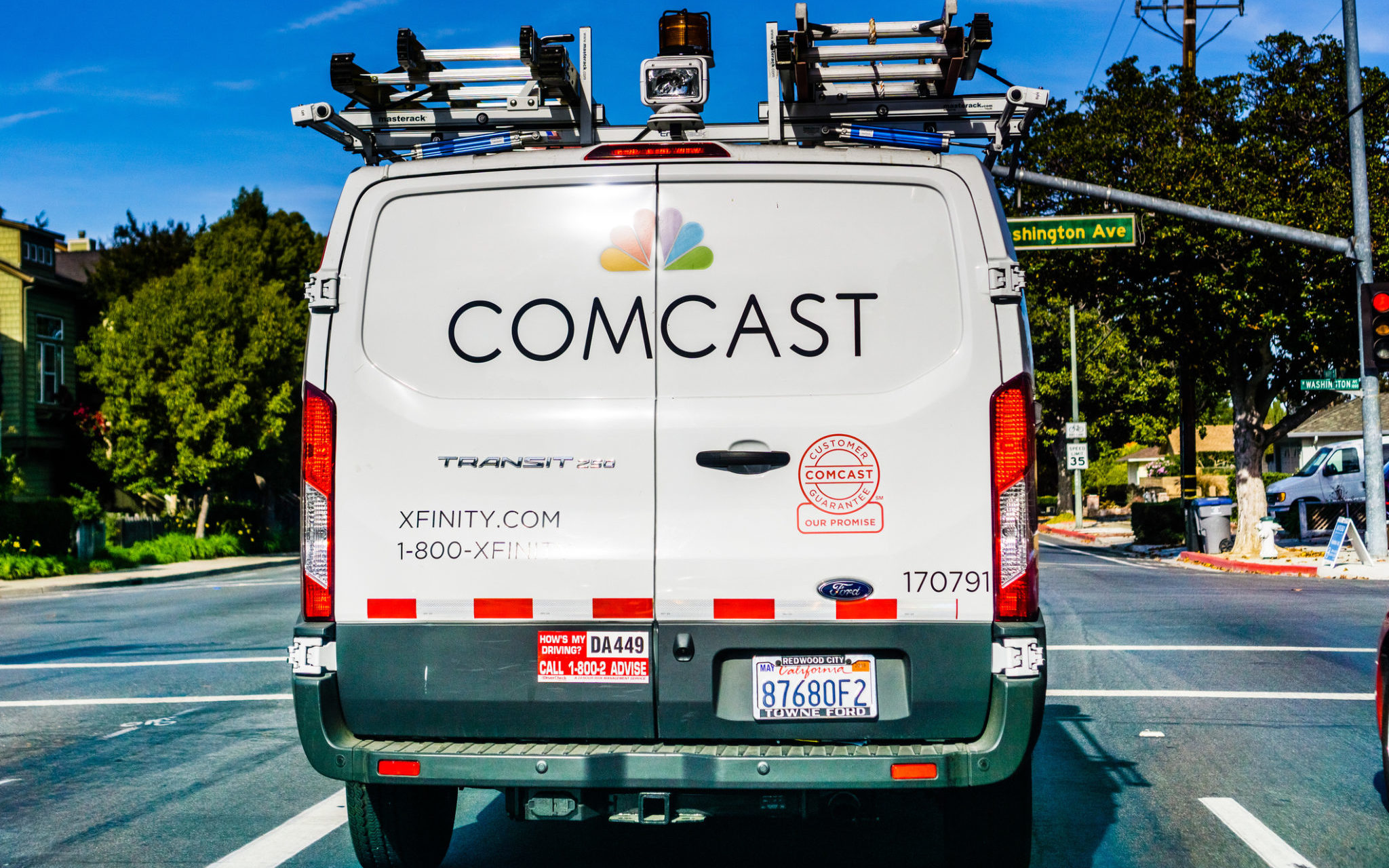
Comcast is the first to report, with a massive 274,000 loss in video subscribers.
In the 3Q of 2016, Comcast had 21.42 million video subscribers and was the #1 provider, now at 10.39 million and is the #3 Provider, YTTV is #2 ( who also surpassed DirecTV-8 Million and Dish-under 5 Million), Charter/Spectrum is #1.
 cordcuttersnews.com
In the 3Q of 2016, Comcast had 21.42 million video subscribers and was the #1 provider, now at 10.39 million and is the #3 Provider, YTTV is #2 ( who also surpassed DirecTV-8 Million and Dish-under 5 Million), Charter/Spectrum is #1.
Comcast Just Lost 274,000 TV Customers & 144,000 Internet Customers In Just Three Months | Cord Cutters News
Comcast Corporation reported its third-quarter 2026 results on October 22, showing continued erosion in its domestic residential broadband internet and video customer bases as competitive pressures intensified across the connectivity market. The company recorded a net loss of 144,000 domestic...
cordcuttersnews.com
45 Replies
·
3015 views


I would like to be in cutting edge, I have a need for two devices specifically because of the eithernet.
1 Replies
·
83 views
