Social Feed

P
· posted in SiriusXM Satellite Radio
Well, I recieved the Arkon SR85 in the mail yesterday, got it installed and have to say initial thoughts on it are good to excellent. I'll first start off with a description of what is included in the package. There is a gooseneck, an adapter to put into your cigarette lighter with a 12v plug in on it, and a mounting attachment for cell phones or PDA's.

When I opened up the package, I was a little worried seeing that it is a gooseneck style mount. I had tried one before and it failed completely on me. After installing this one, gooseneck style has won me over! As you can see below, this is the attachment that you install into the Cig lighter in your vehicle, then attach the gooseneck to it. I opted not to use this, as I already have two 12v's in front and the size of the whole setup is increased quite a bit more.

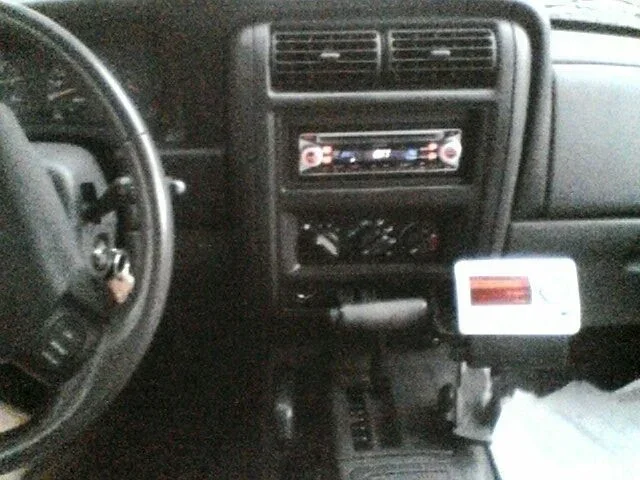
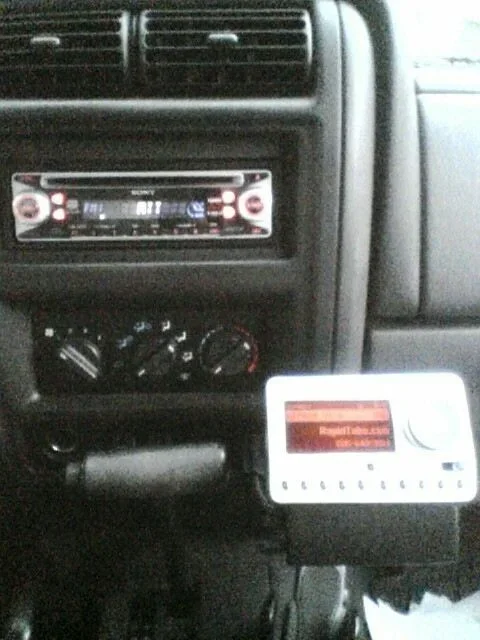
Installation was very simple. The gooseneck has the correct end for the Skyfi already to go so all you have to do is slip it right on. Then plug the other end into your cig lighter, bend the gooseneck and your all set. As you can see below, the final installation is fairly clean. It would be nice it have an open tube in the gooseneck for the wires, but using wire ties will do. The ability to aim my SkyFi how I want, and having it up higher compared to my old install is awesome.

I noticed that the Skyfi does bounce VERY MINIMALLY, and at first I thought it was the Gooseneck. I then noticed that it is the plastic holding my Cig Lighter that is weak and makes the unit shake over bumps. Please understand, when I say shake, I mean VERY VERY minimally. It has to be a fairly large bump to make it do it, and again, it doesn't seem to be the gooseneck doing it. The whole unit seems very tight, although getting the Skyfi out of it's cradle does take some practice. The gooseneck does bend when you take the skyfi out so using two hands is a must. With the other gooseneck that I tried, when I drove it would slowly start to tilt to one side or the other. With Arkon's, there is a tightening nut that increases the rubber ring that goes into the cig lighter. Once its tightened, its going NO WHERE!

Final thoughts, like I said, I had a sour taste in my mouth from previous gooseneck styles but this has comforted those. I am very particular about looks and clean installations in my vehicle (1999 Jeep Cherokee)and have no problems with this one at all. BTW, us jeep owners now that finding a place to mount anything inside can be very difficult, this fixed that for me! The unit is solid except for having to use two hands to take the Skyfi out of it's crib. All in all, will I keep using the unit? Yep. Would I buy this unit if I saw it in the store? No, and the reason is because of the bad experience I had with goosenecks before. Would I buy this unit if I had tried it and saw it in the store? Absolutely!

0 Replies · 2788 views
Z
Last reply · posted in DISH Network Support Forum
I moved my H3 from the Coach to the Park Model and the signal is weak. On the Coach I had the Winegard Trav'ler. At the Park Model I got a fixed dish setup from Solid Signal. DISH Network Triple LNB HD Western Arc (VOOM) Dish Antenna(DISH1000.2). Just couldn't get it to pickup a signal. Took the LNB from the Coach and I got a signal that gave me service but the slightest foul weather it was out. Apparently the LNB from Solid Signal was a Reman piece. I complained and they refunded me. So now I'm thinking that my Coach LNB is getting weak and I should get a new one. From what I've read here that any that you get for DISH is Reman even if it says that it's new it's a Reman? How do I tell if my LNB is 100%? And what I'm buying is good too. Do the LNB's fail because of sun damage to the white horns on them? The two triple LNBs I see are the 145511 and the 151027 Hybrid? (I think I have this one). My system consists of the above dish and LNB, a DPH42 Switch and a power inserter and a splitter node then to the H3 receiver. Thoughts? Thanks
1 Replies · 31 views
HipKat
I moved my H3 from the Coach to the Park Model and the signal is weak. On the Coach I had the Winegard Trav'ler. At the Park Model I got a fixed dish setup from Solid Signal. DISH Network Triple LNB HD Western Arc (VOOM) Dish Antenna(DISH1000.2). Just couldn't get it to pickup a signal. Took the LNB from the Coach and I got a signal that gave me service but the slightest foul weather it was out. Apparently the LNB from Solid Signal was a Reman piece. I complained and they refunded me. So now I'm thinking that my Coach LNB is getting weak and I should get a new one. From what I've read here that any that you get for DISH is Reman even if it says that it's new it's a Reman? How do I tell if my LNB is 100%? And what I'm buying is good too. Do the LNB's fail because of sun damage to the white horns on them? The two triple LNBs I see are the 145511 and the 151027 Hybrid? (I think I have this one). My system consists of the above dish and LNB, a DPH42 Switch and a power inserter and a splitter node then to the H3 receiver. Thoughts? Thanks
Get rid of the triple, the 42 switch, and the power inserter, and see if you can get a Dish 500 kit with a Western Arc Hybrid Twin LNBF. That is compatible with ALL receivers now and is what is used on all installations (Western Arc)
WarpSpeed
· posted in FTA Receiver / Equipment Support
Greetings to all fellow FTA enthusiasts. Does anyone here have a stable firmware for an Amiko A3?

After a long absence on this forum, it's good to recognize a few good old names and loyal supporters. I am testing some older satellite receivers and listing them for sale and wanted to update them before doing so. In the case of the Amiko A3, I noticed it is stuck on Boot, so needs a firmware update. Your help much appreciated.

Currently using a GTMedia, AzBox has gone, have a U4Quad and this Amiko A3 going cheap just to clear the storage. Also some little used high-end C/Ku LNB feeds and polarization motors. 73/K3WN
0 Replies · 1 views
Almighty1
Last reply · posted in DISH Network Support Forum
Troubleshooting Indicator: If you Download ATV Files under Diagnostics > Receiver > Tools > TECHNICIAN SETTINGS and find that after waiting an hour or more, the selected file components do not all complete successfully and remain stuck in an incomplete or failed state, you will need to perform the isolation sequence outlined below to clear out the broken cache.

Why the "Download ATV Files" Loop Gets Stuck
When you trigger Download ATV Files under Diagnostics > Receiver > Tools > TECHNICIAN SETTINGS, the system treats it as a critical update deployment rather than a standard app download. If a few file segments fail to download or verify due to a local network hiccup, the system gets trapped in an unresolved "In Progress" limbo state.

A standard red button reset or letting the nightly system updates run will not clear it for two main reasons:

  1. NVRAM State Preservation: The Hopper 3 runs a customized Linux OS that writes active update installation flags directly to its NVRAM (Non-Volatile RAM). This safety feature prevents the receiver from getting "bricked" during an unexpected power outage. A standard soft reboot instructs the system to protect these logs, causing the bootloader to read the unfulfilled update tag on startup and immediately reload the stuck loop.
  2. The Hopper Plus Memory Handshake: The Hopper Plus is an independent Android TV computer with its own power supply. If you reboot the Hopper 3 but leave the Hopper Plus plugged into the wall, the Hopper Plus never resets. The millisecond the Hopper 3 wakes back up, the Hopper Plus re-establishes its hardware handshake and signals the receiver: "I am still awake, and I am still missing files." This immediate hardware trigger forces the Hopper 3 to instantly reload the "In Progress" flag back into active memory.

To clear it, you must create a temporary environmental vacuum that forces the Linux kernel to break its own safety protocols and abort the task.

__________________________________________________

Step-by-Step Isolation & Reset Instructions

Step 1: Kill the Internet Connection (Mandatory)
You must completely block the receiver from reaching the internet so it cannot instantly re-authenticate and fetch the broken file headers on boot.

  • If using Ethernet (with or without Wi-Fi backup): Physically unplug the Ethernet cable from the back of the Hopper 3 receiver. If you have ever used Wi-Fi in the past, you must also execute the Wi-Fi removal steps below so it does not fallback to wireless.
  • If using Wi-Fi Only: Clear out your saved network credentials using this specific remote sequence:
    1. Open the Diagnostics menu.
    2. Select Internet → Internet Settings.
    3. Press Info, then press Recall.
    4. Select Yes on the Clear Wireless Settings prompt.

__________________________________________________

Step 2: Execute the Hardware Reset

Path A: For a Standalone Hopper 3 (No Hopper Plus Attached)
Because a standalone unit handles everything inside its core satellite registers, it requires a complete electrical power drain to wipe the background cache. Using the front-panel power hold allows you to execute a true cold boot without unplugging cables from the wall.
  1. Disconnect the internet using the steps in Step 1.
  2. Open the front-right door panel on your Hopper 3 receiver to reveal the physical buttons.
  3. Press and hold down the large, square physical Power button (located on the far left of the row) for 20 to 30 full seconds. Note: The solid green power light will turn off immediately—keep holding firmly through an intentional out-loud countdown to completely discharge the board memory.
  4. Release the button.

Path B: For a Hopper 3 with a Hopper Plus Module
The presence of the Hopper Plus allows you to use a front-panel hardware override to clear the loop without reaching behind a heavy equipment stack to pull the Hopper 3's power cord, provided the external module is simultaneously isolated.
  1. Disconnect the internet using the steps in Step 1.
  2. Unplug the physical Hopper Plus power adapter directly from the wall outlet (this drops its independent data cache).
  3. Open the front-right door panel on your Hopper 3 receiver to reveal the physical buttons.
  4. Press and hold down the large, square physical Power button (located on the far left of the row) for 20 to 30 full seconds. Note: The solid green power light will turn off immediately—keep holding firmly through an intentional out-loud countdown.
  5. Release the button.

__________________________________________________

Step 3: The 30-Minute Timeout Buffer
Leave the system completely alone and undisturbed for 30 minutes.

When the Hopper 3 boots up completely offline with no network and no companion hardware attached, the update manager tries to read the pending download script and hits a hard boundary error wall. It will enter an internal background retry loop. Allowing it to sit for 30 minutes ensures that this background network clock completely expires, forcing the Linux kernel to finally abort the task, wipe the temporary memory stack, and flush the stuck "In Progress" text block under Diagnostics > Receiver > Tools > TECHNICIAN SETTINGS > Download ATV Files back to its clean default state. This window also ensures the system has ample time to safely detect and remount any connected external hard drives (EHDs).

__________________________________________________

Step 4: Reconnecting the Environment
After the 30-minute window has passed, the background tile will be completely flushed. Follow the specific path that matches your connection type:

  • For All Wired/Ethernet Setups (Standalone or with Hopper Plus):
    Plug your physical Ethernet cable directly back into the port on the Hopper hardware. The connection will initialize automatically. If you have a Hopper Plus module, you can now plug its power adapter back into the wall outlet as well.
  • For a Standalone Hopper 3 on Wi-Fi:
    Navigate back to your network settings and run the Wi-Fi setup again to enter your wireless credentials and connect the base receiver to your home network.
  • For a Hopper 3 with a Hopper Plus on Wi-Fi:
    1. First, plug the Hopper Plus power adapter back into the wall outlet and wait a moment for the status light to turn solid white and restore your video display link.
    2. Second, once the Hopper Plus is powered up, use your remote to access the network menus and perform the wireless Wi-Fi setup to re-authenticate with your home router.

PRO-TIP FOR HOPPER PLUS USERS: Once your internet connection is fully restored and you navigate back into Diagnostics > Receiver > Tools > TECHNICIAN SETTINGS > Download ATV Files, do not start a full download right away. Instead, isolate and download just the specific Hopper Plus files first. Letting those fully complete before running a full broad download will drastically lower the risk of hitting another partial packet validation failure.
1 Replies · 82 views
  • Love
Reactions: HipKat
HipKat
Troubleshooting Indicator: If you Download ATV Files under Diagnostics > Receiver > Tools > TECHNICIAN SETTINGS and find that after waiting an hour or more, the selected file components do not all complete successfully and remain stuck in an incomplete or failed state, you will need to perform the isolation sequence outlined below to clear out the broken cache.

Why the "Download ATV Files" Loop Gets Stuck
When you trigger Download ATV Files under Diagnostics > Receiver > Tools > TECHNICIAN SETTINGS, the system treats it as a critical update deployment rather than a standard app download. If a few file segments fail to download or verify due to a local network hiccup, the system gets trapped in an unresolved "In Progress" limbo state.

A standard red button reset or letting the nightly system updates run will not clear it for two main reasons:

  1. NVRAM State Preservation: The Hopper 3 runs a customized Linux OS that writes active update installation flags directly to its NVRAM (Non-Volatile RAM). This safety feature prevents the receiver from getting "bricked" during an unexpected power outage. A standard soft reboot instructs the system to protect these logs, causing the bootloader to read the unfulfilled update tag on startup and immediately reload the stuck loop.
  2. The Hopper Plus Memory Handshake: The Hopper Plus is an independent Android TV computer with its own power supply. If you reboot the Hopper 3 but leave the Hopper Plus plugged into the wall, the Hopper Plus never resets. The millisecond the Hopper 3 wakes back up, the Hopper Plus re-establishes its hardware handshake and signals the receiver: "I am still awake, and I am still missing files." This immediate hardware trigger forces the Hopper 3 to instantly reload the "In Progress" flag back into active memory.

To clear it, you must create a temporary environmental vacuum that forces the Linux kernel to break its own safety protocols and abort the task.

__________________________________________________

Step-by-Step Isolation & Reset Instructions

Step 1: Kill the Internet Connection (Mandatory)
You must completely block the receiver from reaching the internet so it cannot instantly re-authenticate and fetch the broken file headers on boot.

  • If using Ethernet (with or without Wi-Fi backup): Physically unplug the Ethernet cable from the back of the Hopper 3 receiver. If you have ever used Wi-Fi in the past, you must also execute the Wi-Fi removal steps below so it does not fallback to wireless.
  • If using Wi-Fi Only:Clear out your saved network credentials using this specific remote sequence:
    1. Open the Diagnostics menu.
    2. Select Internet → Internet Settings.
    3. Press Info, then press Recall.
    4. Select Yes on the Clear Wireless Settings prompt.

__________________________________________________

Step 2: Execute the Hardware Reset

Path A: For a Standalone Hopper 3 (No Hopper Plus Attached)
Because a standalone unit handles everything inside its core satellite registers, it requires a complete electrical power drain to wipe the background cache. Using the front-panel power hold allows you to execute a true cold boot without unplugging cables from the wall.
  1. Disconnect the internet using the steps in Step 1.
  2. Open the front-right door panel on your Hopper 3 receiver to reveal the physical buttons.
  3. Press and hold down the large, square physical Power button (located on the far left of the row) for 20 to 30 full seconds. Note: The solid green power light will turn off immediately—keep holding firmly through an intentional out-loud countdown to completely discharge the board memory.
  4. Release the button.

Path B: For a Hopper 3 with a Hopper Plus Module
The presence of the Hopper Plus allows you to use a front-panel hardware override to clear the loop without reaching behind a heavy equipment stack to pull the Hopper 3's power cord, provided the external module is simultaneously isolated.
  1. Disconnect the internet using the steps in Step 1.
  2. Unplug the physical Hopper Plus power adapter directly from the wall outlet (this drops its independent data cache).
  3. Open the front-right door panel on your Hopper 3 receiver to reveal the physical buttons.
  4. Press and hold down the large, square physical Power button (located on the far left of the row) for 20 to 30 full seconds. Note: The solid green power light will turn off immediately—keep holding firmly through an intentional out-loud countdown.
  5. Release the button.

__________________________________________________

Step 3: The 30-Minute Timeout Buffer
Leave the system completely alone and undisturbed for 30 minutes.

When the Hopper 3 boots up completely offline with no network and no companion hardware attached, the update manager tries to read the pending download script and hits a hard boundary error wall. It will enter an internal background retry loop. Allowing it to sit for 30 minutes ensures that this background network clock completely expires, forcing the Linux kernel to finally abort the task, wipe the temporary memory stack, and flush the stuck "In Progress" text block under Diagnostics > Receiver > Tools > TECHNICIAN SETTINGS > Download ATV Files back to its clean default state. This window also ensures the system has ample time to safely detect and remount any connected external hard drives (EHDs).

__________________________________________________

Step 4: Reconnecting the Environment
After the 30-minute window has passed, the background tile will be completely flushed. Follow the specific path that matches your connection type:

  • For All Wired/Ethernet Setups (Standalone or with Hopper Plus):
    Plug your physical Ethernet cable directly back into the port on the Hopper hardware. The connection will initialize automatically. If you have a Hopper Plus module, you can now plug its power adapter back into the wall outlet as well.
  • For a Standalone Hopper 3 on Wi-Fi:
    Navigate back to your network settings and run the Wi-Fi setup again to enter your wireless credentials and connect the base receiver to your home network.
  • For a Hopper 3 with a Hopper Plus on Wi-Fi:
    1. First, plug the Hopper Plus power adapter back into the wall outlet and wait a moment for the status light to turn solid white and restore your video display link.
    2. Second, once the Hopper Plus is powered up, use your remote to access the network menus and perform the wireless Wi-Fi setup to re-authenticate with your home router.

PRO-TIP FOR HOPPER PLUS USERS: Once your internet connection is fully restored and you navigate back into Diagnostics > Receiver > Tools > TECHNICIAN SETTINGS > Download ATV Files, do not start a full download right away. Instead, isolate and download just the specific Hopper Plus files first. Letting those fully complete before running a full broad download will drastically lower the risk of hitting another partial packet validation failure.
Step 2, path b - put the hdmi cable back in the Hopper
dishstaller
Pub Member / Supporter Lifetime Supporter
Last reply · posted in The Chit Chat Club
Didn't see a thread like this so I figured why not start one. This is about natural supplements. If you aren't into supplements, fine, but please let those of us who do want to discuss this discuss it.

The first one I wanted to mention has been a real life changer. I'm 62 and still do all of my own install work at my business....also do all the yard work at the house. A few years ago I started noticing that I was losing my range of movement, it was even getting hard to bend over and lace up my boots. Almost got stuck in an attic because I couldn't get turned around once the work was done. Didn't think much of it and figured with age comes stiffness that was only going to get worse as time went on.
It was then that I stumbled across a video which was discussing rotator cuff tears and why they were to prevalent these days. Turns out, the culprit is a simple deficiency in MANGANESE which is key in keeping your tendons flexible. Most anti-biotics strip your body of any manganese it might have had which is why certain anti-biotics, especially those in the Cipro family. I actually knew a man who had two tendons tear while on that stuff.
Went to Amazon and ordered some manganese. Now it took a while, it wasn't instant, but gradually I have regained all of my flexibility. I can bend over and touch my toes while standing with no pain and putting on my boots is no longer a chore.
Pretty cheap too. The bottle I ordered was a 200 ct for under $13. They said to take double the normal dose for the first month because most people are severely lacking, then go to one a day.
14 Replies · 465 views
  • Like
Reactions: reubenray
dishstaller
Another supplement I wanted to mention was Luteolin. This has two major benefits
1) it helps improve your memory
2) it has a unique anti-greying affect. Saw a Daily Mail news story about a year ago I guess and they were testing different antioxidants on black mice and found that the ones they gave luteolin to barely greyed at all where the control group greyed normally. Has something to do with this stuff preventing the hair roots from becoming damaged which is one of the causes of going grey.

Now I've been taking this supplement for a long time and at 62 I barely have any grey hairs at all.
If it would only help improve my ability to remember NAMES!!
R
Another supplement I wanted to mention was Luteolin. This has two major benefits
1) it helps improve your memory
2) it has a unique anti-greying affect. Saw a Daily Mail news story about a year ago I guess and they were testing different antioxidants on black mice and found that the ones they gave luteolin to barely greyed at all where the control group greyed normally. Has something to do with this stuff preventing the hair roots from becoming damaged which is one of the causes of going grey.

Now I've been taking this supplement for a long time and at 62 I barely have any grey hairs at all.
If it would only help improve my ability to remember NAMES!!
It's too late for me. My hair is all gray.
  • Like
Reactions: Bobby
R
Anyone recommend any of the "Brain" supplements to help with memory?
dishstaller
Anyone recommend any of the "Brain" supplements to help with memory?
Well, besides Luteolin, which I already mentioned. I also take Creatine which helps with memory and mental fatigue. It also helps with faster recovery times when doing hard physical labor, or workouts.
  • Like
Reactions: reubenray
dishstaller
Came across this video the other night. I had never heard of the disease Pellagra. This highlights the importance of supplements these days. The simple lack of this ONE vitamin was actually killing people at a very high rate.


View: https://www.youtube.com/watch?v=7Qs7v4oWSng&t=1s
b4pjoe
Pub Member / Supporter Cutting Edge
Last reply · posted in Computers and Gadgets
18 Replies · 227 views
rvvaquero
Gemini is my go-to source for tech support on just about everything nowadays. They access the same info that the tech support folks for Company ABC do, yet they read and relay it and make suggestions much quicker and in a language I can actually understand.

Example: I bought a new treadmill and was trying to get it to interact with a workout app on my iphone and apple watch. The app kept dropping the connection to the machine. Contacting tech support (in the Phillipines) for the treadmill company went on for a couple of weeks with no helpful info exchange. They kept me jumping through hoops. The app creator has not responded to this day. Less than an hour on the computer with Gemini had the problem identified and a workaround solution found.

I have several other examples involving cameras, charging devices, iPhone issues, etc., all solved quickly and correctly through Gemini. I even use it for recipes and cooking methods, especially on the pellet grill. Why constantly have to find and read all those manuals, let the AI guy do it for me.
Jimbo
Gemini is my go-to source for tech support on just about everything nowadays. They access the same info that the tech support folks for Company ABC do, yet they read and relay it and make suggestions much quicker and in a language I can actually understand.

Example: I bought a new treadmill and was trying to get it to interact with a workout app on my iphone and apple watch. The app kept dropping the connection to the machine. Contacting tech support (in the Phillipines) for the treadmill company went on for a couple of weeks with no helpful info exchange. They kept me jumping through hoops. The app creator has not responded to this day. Less than an hour on the computer with Gemini had the problem identified and a workaround solution found.

I have several other examples involving cameras, charging devices, iPhone issues, etc., all solved quickly and correctly through Gemini. I even use it for recipes and cooking methods, especially on the pellet grill. Why constantly have to find and read all those manuals, let the AI guy do it for me.
I generally check Google ... (or Alexa)
rvvaquero
I generally check Google ... (or Alexa)
Gemini is Google's AI. What it does in a few seconds is summarize what it takes me an hour or more of searching and reading and sorting to do. I mean, I can go to Reddit, do a search, and read 15 different threads trying to glean the information that Gemini (Google) finds in two seconds.
Jimbo
Gemini is Google's AI. What it does in a few seconds is summarize what it takes me an hour or more of searching and reading and sorting to do. I mean, I can go to Reddit, do a search, and read 15 different threads trying to glean the information that Gemini (Google) finds in two seconds.
I still say, AI is what wev'e always used, just never gave it a name before.

Ask Google a question, then ask Gemini the question, how much difference is there ?
rvvaquero
I still say, AI is what wev'e always used, just never gave it a name before.

Ask Google a question, then ask Gemini the question, how much difference is there ?
WHEN YOU ASK GOOGLE A QUESTION, GEMINI IS WHAT ANSWERS YOU. I just ask a question in my search bar on Firefox, using Google as my search engine, and Gemini gives an answer. Google also gives links to webpages with the same information if I want to read all that, but Gemini gives the summary at the top, with links to it's sources.
harshness
Google also gives links to webpages with the same information if I want to read all that, but Gemini gives the summary at the top, with links to it's sources.
What bothers me here is that when Gemini makes a specious claim, the citation it links to too frequently doesn't support the assertion. Come to think of it, this happens most often with Reddit citations.

In the DIRECTV subreddit in particular, there have been quite a few instances where the initial post is deleted, yet the responses remain.
  • Like
Reactions: rvvaquero
dishstaller
What bothers me here is that when Gemini makes a specious claim, the citation it links to too frequently doesn't support the assertion.
Yep, I just ran into this over the weekend. Caught Google using circular reasoning, when I dug deeper into the topic it just doubled down. It was using logic that was akin to "the pie I made is the best pie in the world because in all the world there isn't a better pie".
The thing that bothers me is that FAR too many people refuse to challenge what they are told. If they read it, then it must be truth. Very dangerous mindset.
  • Like
Reactions: rvvaquero
rvvaquero
I agree with you both. I have found, though, that when dealing with technical issues that Gemini will frequently consult user manuals or tech documents directly from the manufacturer which are not always easily found or accessible for me when searching their website.

Just to follow up on what I told Jimbo, I use a computer and browser most of the time. However, I realize that many just "hey google" on their phones. It's worth noting that generally when you ask google on your phone, it is Gemini which answers.
Jimbo
WHEN YOU ASK GOOGLE A QUESTION, GEMINI IS WHAT ANSWERS YOU. I just ask a question in my search bar on Firefox, using Google as my search engine, and Gemini gives an answer. Google also gives links to webpages with the same information if I want to read all that, but Gemini gives the summary at the top, with links to it's sources.
That confirms what I said earlier, that Gemini (AI) is what answers regardless, so we really have no choice anymore.
  • Like
Reactions: dishstaller
cp2k
Lifetime Supporter
Last reply · posted in The Chit Chat Club
I thought this would be a fun thread to get started as AI (or SI, whichever you prefer) is becoming more useful and common place. I admit I was slow to jump on the AI bandwagon, but lately I've found all kinds of uses for it both at work and at home.

I primarily use Gemini and Claude at this point. As a few examples, here are some things I've found it useful for:
  • Our district uses an antiquated way of connecting laptops to the Wi-Fi network that Microsoft keeps breaking, so I had Gemini write a PowerShell GUI type script for our school tech to use to fix it. She just runs it via a .bat file, clicks one of two buttons based on what it tells her the machine needs, restarts, and it works.
  • I had Claude build me a similar PowerShell GUI front end for ffmpeg and yt-dlp that allows me to "Time Record" online radio and video streaming sites (so long as they aren't copy protected). It also made me a small Chrome extension that automatically gives me the actual stream URL when I visit the site.
  • Most of our TVs are Fire TV edition TVs (basically aftermarket TVs running Amazon's Fire OS system) and they've gotten dreadfully slow over the years. I read about a github called Dumb TV that helps to clean them up. I had Claude re-write it Go for me so it runs from my PC in a web browser. It did a great job, and stripped it down to a basic home screen with app tiles and a row of buttons for the inputs.
  • I follow a couple of job information sites that don't have any way of sending updates when new jobs are posted. I had Gemini write me a Google Script that checks the site daily, and then e-mails me when new jobs are posted in the categories I chose.
  • Likewise, our state department of education has a memos site where they post memos of important information on a weekly basis. I also had it give me a script to pick those up, and send them to my e-mail daily.
  • On that front, I also have a Google Script that now sends my wife an e-mail every morning of all the Christmas TV shows and movies airing that day, and the following day. It pulls it from one of the many websites devoted to Christmas TV schedules, and filters it by the channels we selected.
Projects I'm working on:

Our emergency services moved to a NXDN48 Trunked radio system a few years ago, and one of the best ways I've found to locate new talkgroups is to use an RTL-SDR stick. I've had it design/create front ends for both DSDPlus fastlane, and DSD-FME that allow me to choose which of the sites our county relies on , and what talkgroups I want to listen to, and then launch them. I'm waiting on a new SDR stick to arrive before I can test those.
6 Replies · 119 views
  • Like
Reactions: meStevo
meStevo
On Muse I've got my assistant modeled after a hearld of Galactus 🤣

I really like the feed in Muse, naturally curated based on a combination of my email events and the things it knows about me.

Anyways, here's what I've got him doing for me:

- Have a job search recurring task / dashboard. Primarily it looks for jobs in my line of work (IT Support / Administration of Collaboration tools - Jira / Slack / Monday, etc) and identifies gaps in my skills, and populates another dashboard with action items to help close those gaps.

A couple examples from that board:
1795423755790.webp

1795423890047.webp

​
- Another vector for the above, I saw an interesting course about making games w/ AI, and instead of signing up (and paying $) I pointed Muse at it, had it build curriculum, etc and it lives on my skill gap dashboard. These seem like small tasks / one-liners, but they basically represent sessions with Claude or Muse working through those topics and each will become a set of deliverables once fleshed out.

1795423804180.webp

I've got it tracking my options around my EV, as I've got a year left on my lease. Keep it, dump it and get a used one, or consider other options? I'm tracking those data points monthly.

1795424186172.webp
1795424207890.webp

1795424559971.webp

Over in Claude, I've got a few things going.

I've got a project for all my WoW related queries, just a place to keep them all in one place. This is basically the Google replacement. Instead of digging through results or digging into the UI of the usual sites for resources, I just have a quick conversation here.
1795424729494.webp


I'll spare some of the details here, as they're not all doing great 👿 but I've got a dashboard that aggregrates the 4 kids class and assignment data, so it's easier for me to go over it with them. It links back to those resources too, and is formatted like a report card.

1795424878719.webp

This is one I'm thinking about expanding, having agent(s) reach out and request updates from the kids and stuff, interact with them for updates.

I did have Claude make a game kinda randomly the other day. Had it recreate Aerobiz, but it's pretty soulless. It's functional, but doesn't capture anything about what made Aerobiz a good game. But it was a neat exercise, just needs revisions, more context, etc. Probably done w/ this, but was kind of interesting.

1795425003410.webp

1795425019296.webp


Some other one-off artifacts include a network diagram, and some docs I built around selling our Raiders season tickets.

Combined I probably use Muse and Claude a few dozen times a day. Gemini gets some usage as well, but mostly on the go via my phone or car, and anything beyond that is overlapping use (like job search stuff) to kinda sanity check / provide data to the other agent.

All that's before I even get into work stuff, which uses AI pretty extensively now. Starting with Claude Cowork, which every morning summarizes my last day's worth of email, as well as any outstanding tickets. It also prioritizes them and highlights anything directly from my manager or management. Working on some skills for it to better automate some of my day to day user provisioning in Monday.
  • Like
Reactions: cp2k
cp2k
On Muse I've got my assistant modeled after a hearld of Galactus 🤣

I really like the feed in Muse, naturally curated based on a combination of my email events and the things it knows about me.

Anyways, here's what I've got him doing for me:

- Have a job search recurring task / dashboard. Primarily it looks for jobs in my line of work (IT Support / Administration of Collaboration tools - Jira / Slack / Monday, etc) and identifies gaps in my skills, and populates another dashboard with action items to help close those gaps.

A couple examples from that board:
View attachment 195686
View attachment 195688
​
- Another vector for the above, I saw an interesting course about making games w/ AI, and instead of signing up (and paying $) I pointed Muse at it, had it build curriculum, etc and it lives on my skill gap dashboard. These seem like small tasks / one-liners, but they basically represent sessions with Claude or Muse working through those topics and each will become a set of deliverables once fleshed out.


I've got it tracking my options around my EV, as I've got a year left on my lease. Keep it, dump it and get a used one, or consider other options? I'm tracking those data points monthly.


Over in Claude, I've got a few things going.

I've got a project for all my WoW related queries, just a place to keep them all in one place. This is basically the Google replacement. Instead of digging through results or digging into the UI of the usual sites for resources, I just have a quick conversation here.
View attachment 195692

I'll spare some of the details here, as they're not all doing great 👿 but I've got a dashboard that aggregrates the 4 kids class and assignment data, so it's easier for me to go over it with them. It links back to those resources too, and is formatted like a report card.


This is one I'm thinking about expanding, having agent(s) reach out and request updates from the kids and stuff, interact with them for updates.

I did have Claude make a game kinda randomly the other day. Had it recreate Aerobiz, but it's pretty soulless. It's functional, but doesn't capture anything about what made Aerobiz a good game. But it was a neat exercise, just needs revisions, more context, etc. Probably done w/ this, but was kind of interesting.

View attachment 195695
View attachment 195696

Some other one-off artifacts include a network diagram, and some docs I built around selling our Raiders season tickets.

Combined I probably use Muse and Claude a few dozen times a day. Gemini gets some usage as well, but mostly on the go via my phone or car, and anything beyond that is overlapping use (like job search stuff) to kinda sanity check / provide data to the other agent.

All that's before I even get into work stuff, which uses AI pretty extensively now. Starting with Claude Cowork, which every morning summarizes my last day's worth of email, as well as any outstanding tickets. It also prioritizes them and highlights anything directly from my manager or management. Working on some skills for it to better automate some of my day to day user provisioning in Monday.

That's awesome. Some of those I haven't really thought of yet myself.

Speaking of games, my daughter is in 3rd grade and waited until the last minute to tell us the other night that she had a test on Landforms & Climates. She didn't want any kind of activity or practice test which is what I normally have Gemini do, so I had it make her a nice Jeopardy game instead. It did great. It was two rounds, with final jeopardy. I mirrored it from my iPad to the TV screen and I was the "host". She loved it, and made 100 on the test so I consider that a win.
  • Like
Reactions: Foxbat and dfergie
cp2k
Some more projects I've worked on so far with Claude.

I enjoy listening to streaming audio feeds of sports games sometimes, so I had it help me build a two part front end for ffmpeg and yt-dlp that allows me to listen to, and record, streaming feeds if I want to. I also fed Gemini some affiliate lists for different sports broadcasts, and it helped me narrow down the stations most likely to not black out their play by play feeds like they are supposed to in some cases because the stations are in too small of a market, or just don't have the resources to staff their buildings on weekends. That allowed me to add some presets to the setup for different leagues.

I also built a DirecTV Scheduler, that can automatically detect the receivers in the house using the Genie's IP address. It then allows me to either tune the channel by typing in the channel number and hitting tune on any receiver, or I can schedule it to change channels at a set day/time. The cycle can repeat on any combination of days, every day, weekly, etc.
comfortably_numb
Just don't be mean to Claude, it gets butthurt and reports you to the FBI.
b4pjoe
I also built a DirecTV Scheduler, that can automatically detect the receivers in the house using the Genie's IP address. It then allows me to either tune the channel by typing in the channel number and hitting tune on any receiver, or I can schedule it to change channels at a set day/time. The cycle can repeat on any combination of days, every day, weekly, etc.
Can you elaborate on how you accomplished this?
Scott Greczkowski
Staff member HERE TO HELP YOU! Cutting Edge
Last reply · posted in The Chit Chat Club
Sometimes a thread gets so many posts in it that is can cause issues for the server so that why today we introduce The Song Name Game Part 3!

So let the game continue!

The last song was added by Bobby who posted...

One Meat Ball - Andrews Sisters

CONTINUE ON AND HAVE FUN! WELCOME HOME TO SATELLITEGUYS.US!

Here are the original rules for the game as posted by WebbyDude back in 2006. http://www.satelliteguys.us/threads/68645-Song-Name-Game

Just name a song title and the band who performed it. The next person does the same thing, but needs to list a song title or band name which includes a word from the previous entry. Pick songs from any genre.

Example:

Long Live Rock and Roll -- Rainbow

Rainbow in the Dark -- Dio

Another example:

Ride the Lightning -- Metallica

Lightning Strikes -- Ozzy Osbourne


Get it?


An additional note: we all know that song titles, sometimes, use profane words. Because this is a family friendly website it is advised that you clean up that title up a bit. This is accomplished by using something like sh!t instead of the real word. Thanks....
68948 Replies · 2704863 views
  • Like
Reactions: c-spand
dishstaller
Hold On Loosely - 38 Special
  • Love
Reactions: RaiderPower
long_time_Dish
Hold On - Kansas
  • Like
Reactions: ClarkGable
H
You've Really Got A HOLD ON Me-The Miracles
  • Like
Reactions: ClarkGable
ClarkGable
Hold On Tight - Electric Light Orchestra
harshness
Light Up - Styx
Ramy
Supporting Founder
Last reply · posted in The Sports Section
Really excited for this season with Kentucky having a new coach and some really exciting recruits. Probably won't last long, but here's hoping this season is great.
229 Replies · 7007 views
  • Haha
Reactions: Mike0616
Ronnie-
Sheesh. Bad day for the Big 10 yesterday as far as playoff contenders go. They may go to having a single team in the playoffs at this point.

Interesting games however.
Jimbo
Sheesh. Bad day for the Big 10 yesterday as far as playoff contenders go. They may go to having a single team in the playoffs at this point.

Interesting games however.
Yup ....
When the mighty sec play one another, they consider it a Good Loss and don't lose any positions ...
When a Big Ten team loses a game against one another ... it's oh they were never any good anyways, lets throw them out of the ranked teams.
  • Haha
Reactions: Mike0616
M
Yup ....
When the mighty sec play one another, they consider it a Good Lose and don't lose any positions ...
When a Big Ten team loses a game against one another ... it's oh they were never any good anyways, lets throw them out of the ranked teams.

You must've missed the fact that the SEC had another win against the B10 yesterday. Chattanooga is a B10 school, right?
You and my wife outta talk, she's a crazy bucknut fan too.
  • Wow
Reactions: Jimbo
Jimbo
You must've missed the fact that the SEC had another win against the B10 yesterday. Chattanooga is a B10 school, right?
You and my wife outta talk, she's a crazy bucknut fan too.
Chattanooga and Wofford is the sec's version of "Oh we Can't Play a REAL team before our Rivalry game" team.

This is the sec's take a week off in the end of the year week .... NONE of them should get ANY Credit for any of this weeks games if you play one of them.

Add Samford to the list as well .... missed another, Tennessee STATE
I think that ends next year when they have to schedule a Conference team (pulse or not)

However, after looking at the schedule, those were the only Non Conference Patsies.

Due to the fact that the conferences have grown way out of proportion, theres only so many they can still find that were not already playing.
Ronnie-
Chattanooga and Wofford is the sec's version of "Oh we Can't Play a REAL team before our Rivalry game" team.

This is the sec's take a week off in the end of the year week .... NONE of them should get ANY Credit for any of this weeks games if you play one of them.
I guess they should schedule Portland State, Howard, Western Illinois, Eastern Illinois, ect. You know, some of those powerhouse teams on B10 schedules.

Or is playing those at the beginning of the year the only acceptable way to do it?

Im not a fan of the cupcake games either, but all the conferences have them scattered out.

Fortunately, this will be coming to an end in the near future.

What it will mean for some of these teams that use these beatings to fund their athletic programs remains to be seen.
  • Like
Reactions: AZ.
Jimbo
I guess they should schedule Portland State, Howard, Western Illinois, Eastern Illinois, ect. You know, some of those powerhouse teams on B10 schedules.

Or is playing those at the beginning of the year the only acceptable way to do it?

Im not a fan of the cupcake games either, but all the conferences have them scattered out.

Fortunately, this will be coming to an end in the near future.

What it will mean for some of these teams that use these beatings to fund their athletic programs remains to be seen.
They ARE games that are intended to be early season games to get your team ready for the regular football schedule, conference games.

Personally, I rather see the Big games, Texas vs Ohio State, in week 3, 2 would be ok, but 3 is better, this way you get a more polished game without the early season penalties due to lack of playing people.

Play the games that pay for the school entire yearly sports dept early, get them out of the way .
I understand that the Big Ten plays the MAC, mainly In State, this way they keep the money In State ...

What group of 6 conference is Wofford and Samford and Tennessee State from again, little sisters of the pooor conference doesn't couldn't, unless they would like to put all that money to Them.
Ronnie-
They ARE games that are intended to be early season games to get your team ready for the regular football schedule, conference games.
According to who exactly? A cupcake is a cupcake, no matter when you eat it.

Play the games that pay for the school entire yearly sports dept early, get them out of the way .
I get thats when you want it, as thats how yall do it. I personally dont care when its played, and would prefer to have other big name matchups instead. But if those are scheduled, play em whenever.

I understand that the Big Ten plays the MAC, mainly In State, this way they keep the money In State ...

What group of 6 conference is Wofford and Samford and Tennessee State from again, little sisters of the pooor conference doesn't couldn't, unless they would like to put all that money to Them.
Samford is in state for Auburn.

Woffard and Chattanooga are FSC schools, same as Portland State, Howard, and the others that are on B10 schedules.
I get it, you dont care when they do it and do when its the SEC. It is what it is.
Jimbo
According to who exactly? A cupcake is a cupcake, no matter when you eat it.


I get thats when you want it, as thats how yall do it. I personally dont care when its played, and would prefer to have other big name matchups instead. But if those are scheduled, play em whenever.


Samford is in state for Auburn.

Woffard and Chattanooga are FSC schools, same as Portland State, Howard, and the others that are on B10 schedules.
I get it, you dont care when they do it and do when its the SEC. It is what it is.
None of those have ever played a Big Ten team at least in the last 30 years.
Ronnie-
None of those have ever played a Big Ten team at least in the last 30 years.
Every team I named a couple of posts above played a B10 team this very season. I didnt just pull random teams out of a hat and throw them on a wall to see if you would notice.

Indiana played Howard. Oregon played Portland State. ect.
Jimbo
Every team I named a couple of posts above played a B10 team this very season. I didnt just pull random teams out of a hat and throw them on a wall to see if you would notice.

Indiana played Howard. Oregon played Portland State. ect.
Ok, I hadn't seen that, I was thinking of my Buckeyes, didn't search the other teams.
Shame on them for counting them towards thier team record.

Buckeyes typically play an In State team to help them Fund thier school , Bowling Green, Toledo, Akron, Youngstown (Tressel ), over the years. With the exception of Youngstown State they are all MAC schools, 1 step down.
(I really wish they would form thier own conference, none of them could ever compete in a P4 Playoff week after week.) and have thier own Playoff, it would draw thier own money and crowds.
osu1991
Cupcakes shouldn't be played during the playoff ranking parts of the season or the teams should be dropped accordingly for playing a nobody during that part of the season. Just another reason I don't really pay attention to college football anymore. I've watched maybe 5 entire games this season and parts of 2-3 more.
osu1991
secshorts..my main reason for even following much of college football anymore :D
  • Like
  • Haha
Reactions: Jimbo and Foxbat
ewindowman
Lifetime Supporter
Last reply · posted in DISH Network Support Forum
Looks like dish is Bankrupt. Filling tomorrow Tuesday June 30th
580 Replies · 23659 views
Almighty1

I won't even consider Starlink until they deliver competitive pricing and matching performance, meaning a symmetrical 1Gbps connection. Paying a higher premium for worse speeds, less bandwidth, and higher latency makes absolutely no sense.
S
.I won't even consider Starlink until they deliver competitive pricing and matching performance, meaning a symmetrical 1Gbps connection. Paying a higher premium for worse speeds, less bandwidth, and higher latency makes absolutely no sense.
either would i seeings how i pay 29.99 for a 5 gig fiber pipe with free sunday ticket :). and i pay 19.99 for att internet air for travel. and BTW how long has elon been touting gig speeds :rolleyes: :rolleyes:
fmj77
either would i seeings how i pay 29.99 for a 5 gig fiber pipe with free sunday ticket :). and i pay 19.99 for att internet air for travel. and BTW how long has elon been touting gig speeds :rolleyes: :rolleyes:
The new version 3 satellites going up now are the ones capable of providing gig speeds. I couldn't care less about having 1 Gbps though. It's overkill for the vast majority of households.
Almighty1
The new version 3 satellites going up now are the ones capable of providing gig speeds. I couldn't care less about having 1 Gbps though. It's overkill for the vast majority of households.
Saying 1 Gbps is 'overkill' completely ignores both the physics of satellite bandwidth and how internet usage evolves.
First, when SpaceX or Amazon talks about 'gigabit speeds' on newer low Earth orbit networks, they are referring to the total aggregate bandwidth of the beam shared across an entire cell sector, not individual user speeds. Because satellite is a shared medium, that capacity is split among hundreds of active users simultaneously, causing speeds to fluctuate heavily during peak hours. In fact, for Amazon's newly rebranded satellite network (Amazon Leo, formerly Project Kuiper), true gigabit performance is explicitly locked behind their massive 'Leo Ultra' enterprise-grade terminal (measuring 19x30 inches) and tested under empty, ideal conditions. The standard residential terminal that average home users will actually get is capped at a maximum download speed of around 400 Mbps.
Second, only looking at downloads misses the real bottleneck: upload speeds. Starlink's uploads are notoriously weak (often hovering between 10–25 Mbps). Symmetrical gigabit connections aren't about overkill; they are about eliminating asymmetrical choking when running high-bandwidth applications, heavy multi-device smart homes, or massive data uploads concurrently.
Finally, the 'overkill' argument never ages well. Decades ago, people thought a DS1/T1 line at 1.544 Mbps was an absurd amount of overkill that a single household could never saturate. Then companies moved to massive DS3/T3 lines at 45 Mbps, which were meant to support entire corporate headquarters with hundreds of employees. Today, a single 4K video stream and a couple of active smart home devices will completely choke a 45 Mbps pipe. Bandwidth demands scale exponentially. Settling for lower bandwidth, weak uploads, and high latency at a higher premium makes zero sense when symmetrical terrestrial networks deliver far better performance for less money.
  • Like
Reactions: charlesrshell
fmj77

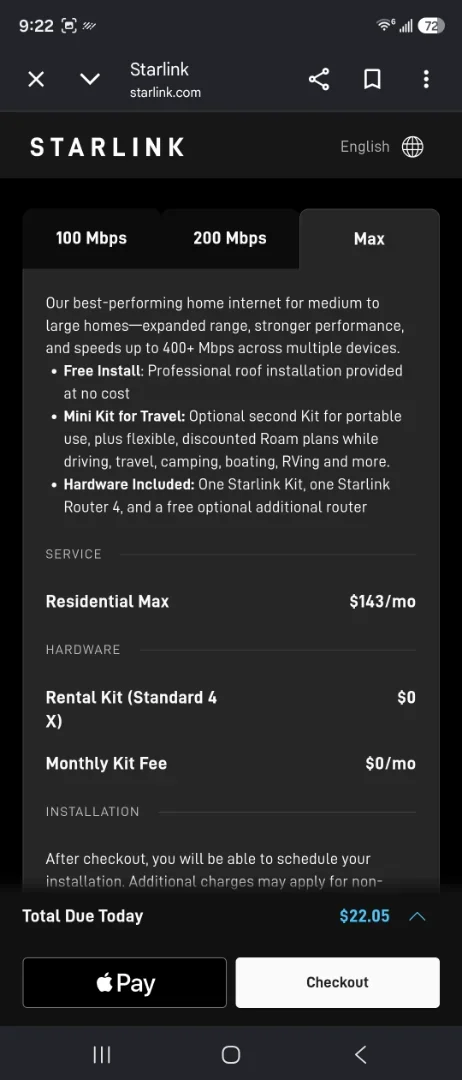
Oh well, but 300Mbps down/100Mbps up for $40 is still significantly cheaper than 400Mbps down/10Mbps-25Mbps up Starlink for $130 as you already have 75Mbps(650%)-90Mbps(800%) more on the upload side and 75% or 100Mbps(25%) less on the download side paying 31% of the $130 price. The 100Mbps upload is already good since the best here is 1.2Gbps down/35Mbps up when it comes to cable broadband which is the best around here. 1Gbps is the minimum here needed to get anything above 10Mbps for upload and with things like DISH Anywhere and the Ring Video Doorbells that meets the 25Mbps requirement would be at 35Mbps upload which is either 1Gbps or 1.2Gbps but in reality, the provisioning is always 20% higher in speeds so 1Gbps is really 1.2GBps and 1.2Gbps is really 1.44Gbps with the upload speeds being 42Mbps in actual use provided one has a 2.5Gbps or higher LAN beyond the router/modem as 1Gbps Gigabit Ethernet will max out at 940Mbps due to overhead.
Not all fiber and cable providers are created equal. Infrastructure varies wildly where in some areas it might be very reliable, but in the next town over customers experience constant outages and downtime. Many of those customers favor reliability over cost and end up switching to Starlink because of that.
Almighty1
Not all fiber and cable providers are created equal. Infrastructure varies wildly where in some areas it might be very reliable, but in the next town over customers experience constant outages and downtime. Many of those customers favor reliability over cost and end up switching to Starlink because of that.
The problem with that argument is it treats Starlink like a premium, guaranteed service just because it carries a premium price tag.
In reality, standard Starlink is a consumer-grade connection, not a business-grade service with a Service Level Agreement (SLA). Even if you step up to Starlink's formal Business tier (Local Priority) to secure their 99.9% network availability SLA, you aren't buying true performance consistency. You are just paying a massive premium—from $55 all the way up to $530+ a month—to buy a financial safety net for a connection that handles data limits poorly. The moment you exhaust your monthly Priority Data allotment, Starlink brutally throttles your business line down to a practically unusable 1 Mbps download and 0.5 Mbps upload unless you pay overages.
An SLA cannot rewrite the laws of physics. If a customer actually wants guaranteed reliability at a high standard—like a 400Mbps symmetrical line with locked-in latency and zero packet loss—they cannot rely on a satellite dish. They need a dedicated terrestrial enterprise circuit from a high-volume telecom provider known to be reliable, which easily costs $500 to over $1,000 a month. Otherwise, they are just paying a 225% premium to play a different residential lottery, or overpaying for a satellite SLA that only offers a small billing credit when the sky is blocked or the network is congested.
Whether you pay $40 for consumer-grade cable/fiber broadband or $130 for Starlink Residential, you are buying a "best-effort" consumer tier. The provider owes you absolutely nothing in terms of guaranteed uptime, packet loss, or repair speeds, and performance speeds are entirely unguaranteed except for the minimum speed. Even on the Business plans, the priority data only puts you at the front of the line; it cannot magically create bandwidth out of thin air if a satellite beam is completely oversaturated.

Because there are no physical performance guarantees, the infrastructure lottery applies across the board. It can also easily work in reverse—where someone buys the expensive $130 Starlink connection only to find it completely unreliable, ultimately switching back to the $40 option for stability.
  • The Starlink Lottery: One person pays the premium, has completely clear sightlines, low local user density, and gets a decent connection. Another person pays the exact same amount, but because of a single tree branch, weather degradation, or a congested suburban cell, they experience severe evening jitter and constant micro-drops.
  • The Terrestrial Lottery: One person pays $40 on a newly upgraded wired node and gets flawless uptime. A mile away, another customer pays $40 but suffers constant drops because of water in a legacy junction box or line noise from a neighbor.
Worse yet, switching to satellite actively breaks specific high-demand applications. For example, trying to use DISH Anywhere will choke severely on Starlink. Because DISH Anywhere relies entirely on the home internet's upload pipe to stream place-shifted video out to your mobile devices, it will completely saturate Starlink's narrow, volatile upload pipe. When that upload capacity is entirely filled, it triggers severe network starvation—blocking critical inbound acknowledgment packets (ACKs) and blowing out latency until the entire internet connection drops and becomes completely unavailable for any other device in the household. Because an unavailable connection is the exact same thing as an unreliable connection, this saturation breaks the utility of your entire setup.
Switching to Starlink isn't a magical fix for unreliability; it's just paying triple the price to swap a ground-based gamble for a space-based gamble. If a user truly cannot afford a single drop for their livelihood or their high-end streaming applications, they shouldn't be looking at a satellite dish—they need to be paying the real enterprise rates of $500+ a month for a dedicated terrestrial business line with a contractual multi-nine percent uptime guarantee.

Ultimately, instead of overpaying for a different set of tech headaches, one should just get a service that meets all of their technical needs and remains stable at the lowest cost possible. If a standard $40 wired broadband line works reliably for what you do, throwing an extra 225% at a satellite provider—SLA or not—is a complete waste of money.
  • Like
Reactions: charlesrshell
S
Not all fiber and cable providers are created equal. Infrastructure varies wildly where in some areas it might be very reliable, but in the next town over customers experience constant outages and downtime. Many of those customers favor reliability over cost and end up switching to Starlink because of that.
  • Like
Reactions: charlesrshell
S
The problem with that argument is it treats Starlink like a premium, guaranteed service just because it carries a premium price tag.
In reality, standard Starlink is a consumer-grade connection, not a business-grade service with a Service Level Agreement (SLA). Even if you step up to Starlink's formal Business tier (Local Priority) to secure their 99.9% network availability SLA, you aren't buying true performance consistency. You are just paying a massive premium—from $55 all the way up to $530+ a month—to buy a financial safety net for a connection that handles data limits poorly. The moment you exhaust your monthly Priority Data allotment, Starlink brutally throttles your business line down to a practically unusable 1 Mbps download and 0.5 Mbps upload unless you pay overages.
An SLA cannot rewrite the laws of physics. If a customer actually wants guaranteed reliability at a high standard—like a 400Mbps symmetrical line with locked-in latency and zero packet loss—they cannot rely on a satellite dish. They need a dedicated terrestrial enterprise circuit from a high-volume telecom provider known to be reliable, which easily costs $500 to over $1,000 a month. Otherwise, they are just paying a 225% premium to play a different residential lottery, or overpaying for a satellite SLA that only offers a small billing credit when the sky is blocked or the network is congested.
Whether you pay $40 for consumer-grade cable/fiber broadband or $130 for Starlink Residential, you are buying a "best-effort" consumer tier. The provider owes you absolutely nothing in terms of guaranteed uptime, packet loss, or repair speeds, and performance speeds are entirely unguaranteed except for the minimum speed. Even on the Business plans, the priority data only puts you at the front of the line; it cannot magically create bandwidth out of thin air if a satellite beam is completely oversaturated.

Because there are no physical performance guarantees, the infrastructure lottery applies across the board. It can also easily work in reverse—where someone buys the expensive $130 Starlink connection only to find it completely unreliable, ultimately switching back to the $40 option for stability.
  • The Starlink Lottery: One person pays the premium, has completely clear sightlines, low local user density, and gets a decent connection. Another person pays the exact same amount, but because of a single tree branch, weather degradation, or a congested suburban cell, they experience severe evening jitter and constant micro-drops.
  • The Terrestrial Lottery: One person pays $40 on a newly upgraded wired node and gets flawless uptime. A mile away, another customer pays $40 but suffers constant drops because of water in a legacy junction box or line noise from a neighbor.
Worse yet, switching to satellite actively breaks specific high-demand applications. For example, trying to use DISH Anywhere will choke severely on Starlink. Because DISH Anywhere relies entirely on the home internet's upload pipe to stream place-shifted video out to your mobile devices, it will completely saturate Starlink's narrow, volatile upload pipe. When that upload capacity is entirely filled, it triggers severe network starvation—blocking critical inbound acknowledgment packets (ACKs) and blowing out latency until the entire internet connection drops and becomes completely unavailable for any other device in the household. Because an unavailable connection is the exact same thing as an unreliable connection, this saturation breaks the utility of your entire setup.
Switching to Starlink isn't a magical fix for unreliability; it's just paying triple the price to swap a ground-based gamble for a space-based gamble. If a user truly cannot afford a single drop for their livelihood or their high-end streaming applications, they shouldn't be looking at a satellite dish—they need to be paying the real enterprise rates of $500+ a month for a dedicated terrestrial business line with a contractual multi-nine percent uptime guarantee.

Ultimately, instead of overpaying for a different set of tech headaches, one should just get a service that meets all of their technical needs and remains stable at the lowest cost possible. If a standard $40 wired broadband line works reliably for what you do, throwing an extra 225% at a satellite provider—SLA or not—is a complete waste of money.
You forgot the dynamic pricing scheme also and the reactivation fee if ones in a high demand area. It's been said on fb a reactivation fee is 1,500.00 f that
  • Like
Reactions: charlesrshell
S
Not all fiber and cable providers are created equal. Infrastructure varies wildly where in some areas it might be very reliable, but in the next town over customers experience constant outages and downtime. Many of those customers favor reliability over cost and end up switching to Starlink because of that.
If you can do it the best thing to do is switch providers once the promos end. You may get lucky enough to get another one or you might end up leaving. Once my deals are over I cancel.
  • Like
Reactions: charlesrshell
P
You forgot the dynamic pricing scheme also and the reactivation fee if ones in a high demand area. It's been said on fb a reactivation fee is 1,500.00 f that
that isnt a fixed "congestion" fee--can be anywhere from a 100 to the 1500 which you can get hit with if your area is overloaded and you switched to say a mobile plan but now want your residential spot back--terms say you can lose it no guarantees--also you can avoid it by just using a mobile plan for the moment although it will cost more monthly then keep checking on upgrading back to a residential plan without the congestion fee
  • Like
Reactions: slow_poke_pete
Foxbat
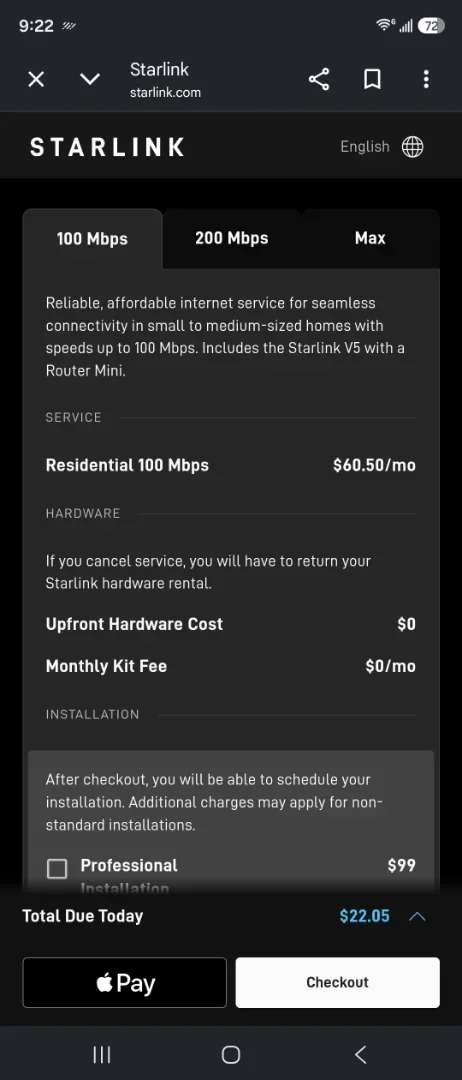
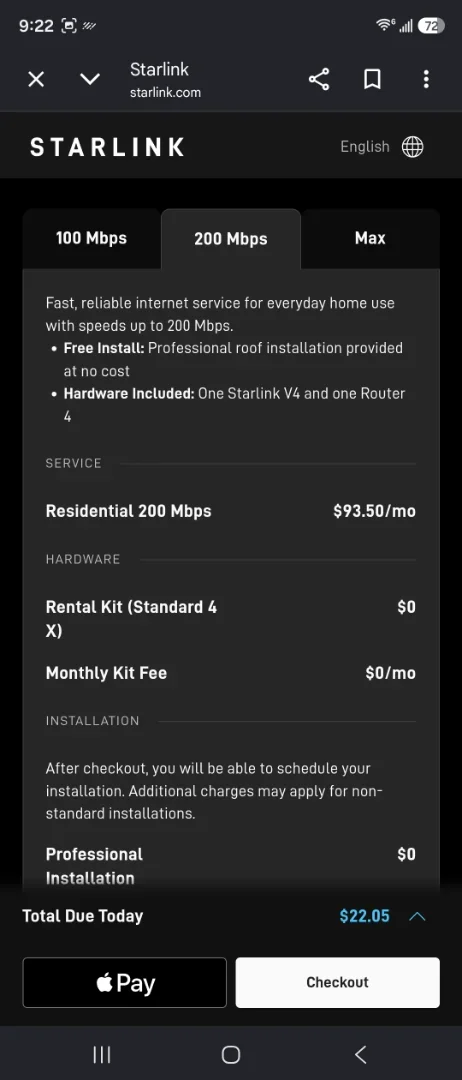
The Mobile Plans are based on Data Consumption where the Residential Plans are based on Data Rates. Most people can get by with 100 Mbps if they're coming from an older DSL or ancient cable ISP.
K
Pub Member / Supporter Lifetime Supporter
Last reply · posted in TV Shows
'Rockford Files' Reboot Gets NBC Pilot Order

I grow tired of all the reboots. Most I don't bother with but will depend on the actor chosen.
26 Replies · 1615 views
MikeD-C05
Why not come up with another concept entirely. Why is everything a Reboot? It is more like the creators are hoping that people who liked the original show, will tune in to see if the new one is like the old one. :smug
K
January? OK.

I'm sure I will check it out. Not getting my hopes up but I did enjoy the actor in SEAL Team. Never saw any of his earlier work.
long_time_Dish
The one where Beth is telling him about her cat is one of my favorites. "...he's not very discriminating". 🤣
M
Why not come up with another concept entirely. Why is everything a Reboot? It is more like the creators are hoping that people who liked the original show, will tune in to see if the new one is like the old one. :smug
I would like a reboot of Sea Hunt with Lloyd Bridges. As kid I liked the underwater scenes. By today's standards the old black and white under water scenes were lousy, so with new underwater scenes with modern cameras, they would look great. Instead of continuing it as the original Sea Hunt, the lead actor could be portrayed as Mike Nelson's grandson.
  • Like
Reactions: dfergie
M
January? OK.

I'm sure I will check it out. Not getting my hopes up but I did enjoy the actor in SEAL Team. Never saw any of his earlier work.
He was the the series TV Bones years ago. From 2005 to 2017. He was F.B.I. Special Agent Seeley Booth.
From Wikipedia: Bones is a police procedural drama based on forensic anthropology and archaeology, starring Emily Deschanel and David Boreanaz. The series ran for 12 seasons and 246 episodes, and was loosely inspired by the novels of Kathy Reichs.
I thought it was a good series. You can find on Hulu and probably other streaming services. I even think you can find it Dish Satellite.
  • Like
Reactions: dfergie
KAB
KAB
He was the the series TV Bones years ago. From 2005 to 2017. He was F.B.I. Special Agent Seeley Booth.
From Wikipedia: Bones is a police procedural drama based on forensic anthropology and archaeology, starring Emily Deschanel and David Boreanaz. The series ran for 12 seasons and 246 episodes, and was loosely inspired by the novels of Kathy Reichs.
I thought it was a good series. You can find on Hulu and probably other streaming services. I even think you can find it Dish Satellite.
You forgot Angel (5 seasons), and Buffy the Vampire Slayer (as Angel, better part of 3 seasons, then off and on the next 4).
  • Like
Reactions: Foxbat and dfergie