New installation (not so pretty), Hopper + Super Joey

upsss

SatelliteGuys Pro
Jun 24, 2010
529
68
AZ
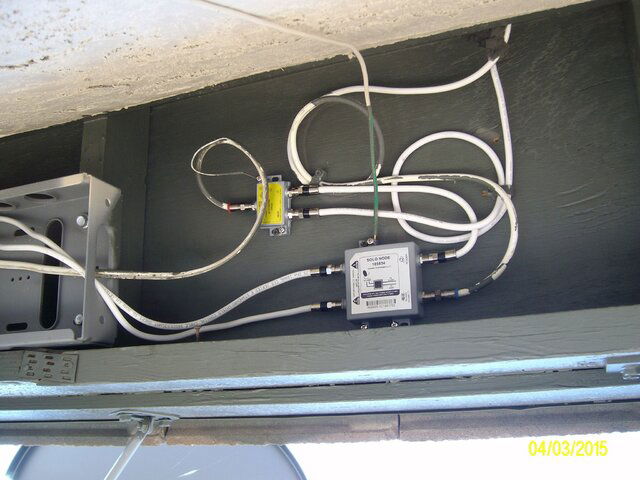
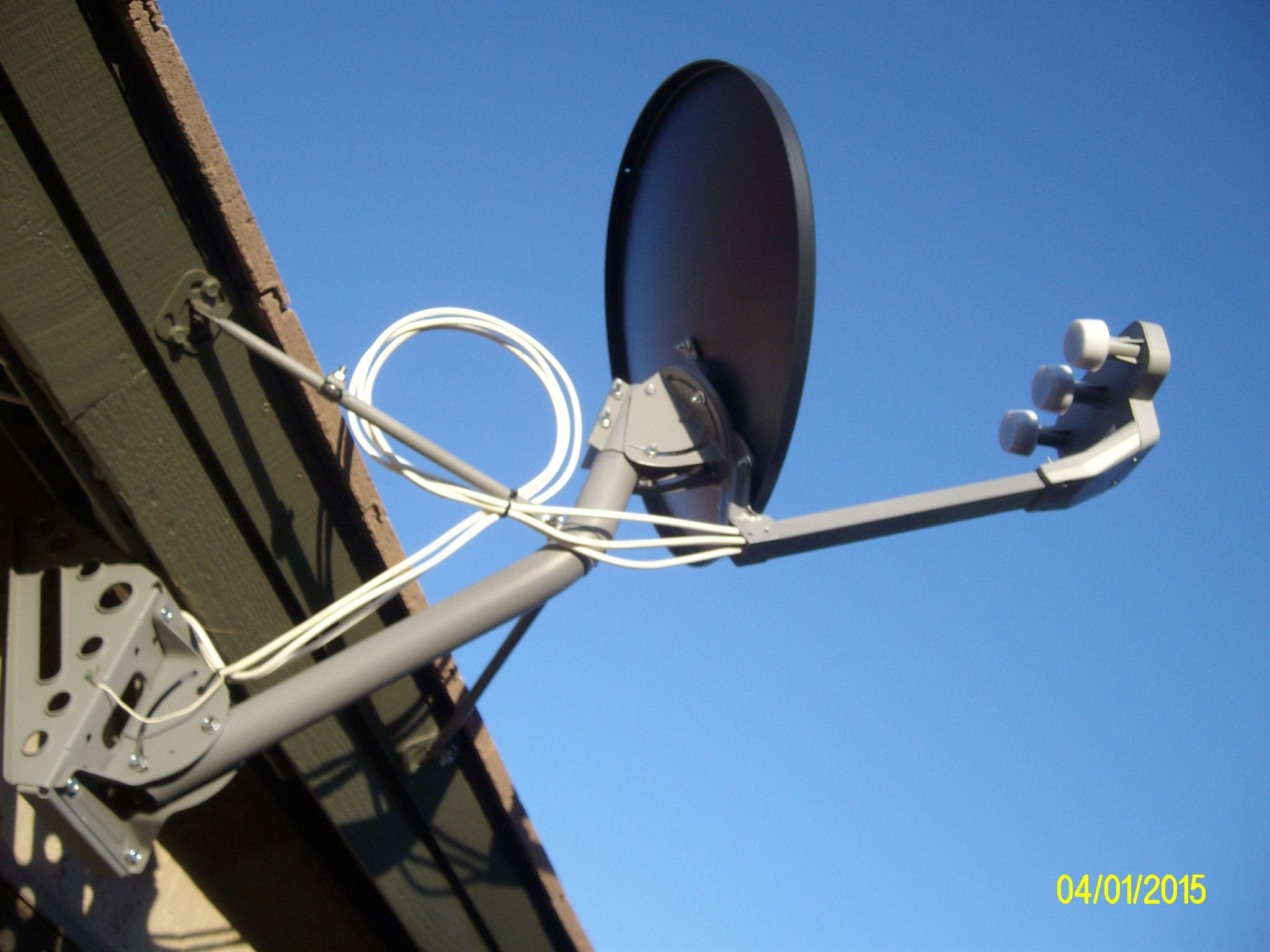
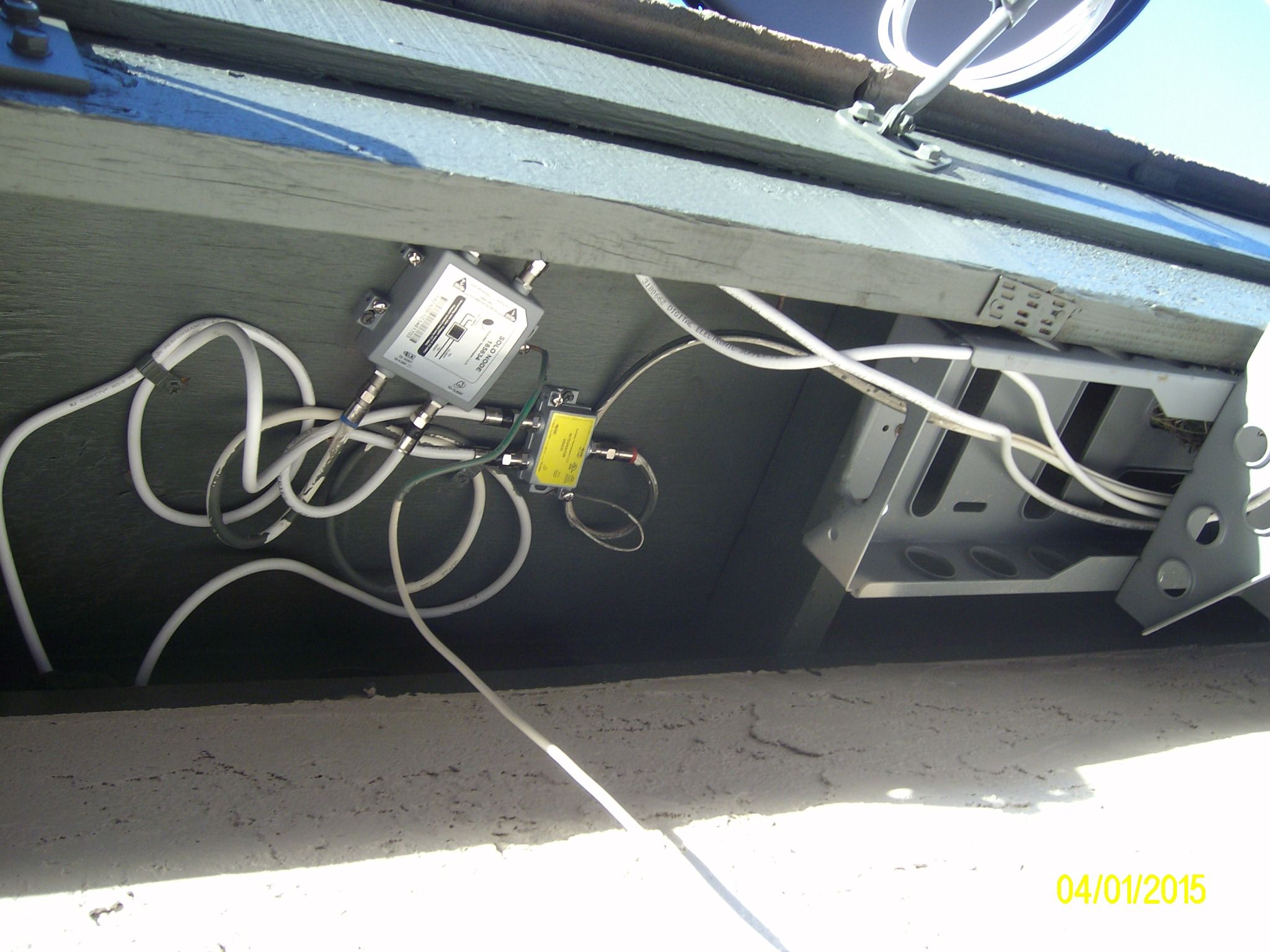
Yesterday I had a Hopper with a super Joey installed by a Dish Contractor (replacing my DirecTV). As you can see from the pictures, not a very pretty installation (btw, one story house).

The installer reused the original DirecTV coax cable from their dish to a grounding block (it is the coax that is partially painted). He reused also the DirecTV foot mount and the mast. To be fair, I did ask him to see if he can use the DirecTV eave mount because it is much better than any of the mounts that Dish is using in our area. However, I didn't expect him to reuse the mounting foot and the mast especially since the DirecTV mast is larger in diameter than the DISH. What he ended up doing is spreading the Dish mast clamp to fit over the DirecTV mast and using much longer screws to clamp it together. Everything else under the eave looks like it was thrown together by a kid. BTW, he didn't run new coax cables to the house, the original cables were perfect and it still took him 3 hours to do the install. Am I too critical of this installer?

OK, now for my real problem. The Hopper is wired directly to my Router and I have no problems accessing the Internet on that TV. However on the Joey's TV, I have no access to the internet. I thought that all Joeys have access to the Internet once the Hopper is connected to the Internet, or did this guy screwed it up completely.
SANY1778.JPG


SANY1776.JPG
 

ChadT41

THE BEST THERE HAS EVER BEEN
Apr 20, 2014
11,083
4,515
Mesa, Az
For Joeys to have access, you must bridge the connection(also it can take 72 hours for certain features to work, and this falls in the arena)... Menu>Settings>Network Setup> Broadband>Network Deatils>Bridging>Enable>Save
 
  • Like
Reactions: upsss

Claude Greiner

SatelliteGuys Master
Supporting Founder
Sep 8, 2003
13,213
3,776
Detroit - The Paris of the Midwest
Unless for some reason your under the eve mount could not be used with a standard Dish mounting bracket, I would at the very least installed the proper mast.

The wiring on this could be neater.

No issues with him using the existing wiring, but once an installer uses that wiring they take responsibility for it and need to clean it up and make it look nice.
 

Chris Leer

SatelliteGuys Guru
Nov 8, 2010
121
14
the only way that all of the joey receivers can have access to the internet is you have purchase an device called an hopper internet connector (HIC) and if you don't have that than all of your joeys can't access the internet so i suggest calling dish network or the contractor that put the dish up for you to come back out and to finish the install of the (HIC).
 

charlesrshell

SatelliteGuys Crazy
Lifetime Supporter
Jan 14, 2006
11,434
6,194
O'Fallon, IL
the only way that all of the joey receivers can have access to the internet is you have purchase an device called an hopper internet connector (HIC) and if you don't have that than all of your joeys can't access the internet so i suggest calling dish network or the contractor that put the dish up for you to come back out and to finish the install of the (HIC).
What about connecting Joeys direct to your router by Ethernet cable or wireless adapter attached to the Joey? That should give access to the internet, right?
 

raysmith

SatelliteGuys Family
Dec 30, 2005
50
6
Batavia, Illinois
the only way that all of the joey receivers can have access to the internet is you have purchase an device called an hopper internet connector (HIC) and if you don't have that than all of your joeys can't access the internet so i suggest calling dish network or the contractor that put the dish up for you to come back out and to finish the install of the (HIC).

I am upgrading to a 2 Hopper; 2 Joey system next week so I was saving my questions for when I have it up and running - but this surprised me. I thought that if you connect one Hopper to the Internet, that was sufficient for the whole system including the other Hopper and the two Joeys, assuming the Hoppers are bridged. I thought the HIC was only used when one of the Hoppers could not be directly connect to the Internet.

I checked the Job Aid that was posted here and it says, "Direct Ethernet cable connection from router/switch to Hopper is always the preferred connection if the router is nearby" and "If Hopper is IP-connected, it shares connection with all linked Joeys so they can enjoy IP features as well"

Is that incorrect?

Ray
 

ChadT41

THE BEST THERE HAS EVER BEEN
Apr 20, 2014
11,083
4,515
Mesa, Az
the only way that all of the joey receivers can have access to the internet is you have purchase an device called an hopper internet connector (HIC) and if you don't have that than all of your joeys can't access the internet so i suggest calling dish network or the contractor that put the dish up for you to come back out and to finish the install of the (HIC).
that is if bridging is not going to be performed. The HIc is not necessary.

What about connecting Joeys direct to your router by Ethernet cable or wireless adapter attached to the Joey? That should give access to the internet, right?
technically, no. I have heard folks have success with that, but no, the Internet passes through the Hopper, and when bridging is enabled, flows through the MOCA
 
  • Like
Reactions: upsss

ChadT41

THE BEST THERE HAS EVER BEEN
Apr 20, 2014
11,083
4,515
Mesa, Az
I am upgrading to a 2 Hopper; 2 Joey system next week so I was saving my questions for when I have it up and running - but this surprised me. I thought that if you connect one Hopper to the Internet, that was sufficient for the whole system including the other Hopper and the two Joeys, assuming the Hoppers are bridged. I thought the HIC was only used when one of the Hoppers could not be directly connect to the Internet.

I checked the Job Aid that was posted here and it says, "Direct Ethernet cable connection from router/switch to Hopper is always the preferred connection if the router is nearby" and "If Hopper is IP-connected, it shares connection with all linked Joeys so they can enjoy IP features as well"

Is that incorrect?

Ray
Hic is not necessary. One hopper connected is enough, as long as bridging is enabled. With a 2 hopper setup, you only enable bridging on the hopper that is connected to the Internet. Make sure the other one is bridging off.
 

harshness

SatelliteGuys Master
May 5, 2007
20,558
5,713
Salem, OR
I'd cut the zip tie on the mounting foot. It is putting a sharp bend the in the cables. It is odd that the service loop is mounted loop up.
 

JSheridan

SatelliteGuys Master
Lifetime Supporter
Feb 16, 2008
8,903
10,040
USA
the only way that all of the joey receivers can have access to the internet is you have purchase an device called an hopper internet connector (HIC) and if you don't have that than all of your joeys can't access the internet so i suggest calling dish network or the contractor that put the dish up for you to come back out and to finish the install of the (HIC).

This is NOT true. A HIC is NOT necessary for Joey internet access.
 

charlesrshell

SatelliteGuys Crazy
Lifetime Supporter
Jan 14, 2006
11,434
6,194
O'Fallon, IL
technically, no. I have heard folks have success with that, but no, the Internet passes through the Hopper, and when bridging is enabled, flows through the MOCA

I use to have all my four Hoppers and Joey connected by Cat5 cable from each unit to my router via several switches. All Hoppers were in Ethernet mode and everything worked great. When I got my first Wireless Joey I couldn't get it to see all Hoppers in the DVR dropdown menu untill I removed all Cat5 cables going to my router with the exception of one Hopper and then switched everything to MoCA mode. The Wireless Joey then could see all four Hoppers. I don't know why the Wireless Joey only works properly in MoCA mode, maybe it was me not setting it up correctly. One of these days I will reinstall all the Cat5 cables and try out the Wireless Joey again with everything in Ethernet mode to see if it will properly.
 

raysmith

SatelliteGuys Family
Dec 30, 2005
50
6
Batavia, Illinois
Hic is not necessary. One hopper connected is enough, as long as bridging is enabled. With a 2 hopper setup, you only enable bridging on the hopper that is connected to the Internet. Make sure the other one is bridging off.

Thanks Chad. That's what I thought. I am looking forward to my Hopper installation next week and will probably have more questions eventually. I will wait a few days for things to settle in and I get some hands on experience with it first.

Ray
 

upsss

SatelliteGuys Pro
Jun 24, 2010
529
68
AZ
For Joeys to have access, you must bridge the connection(also it can take 72 hours for certain features to work, and this falls in the arena)... Menu>Settings>Network Setup> Broadband>Network Deatils>Bridging>Enable>Save

THANKS Chad, that was it. The Bridging was disabled, on the Broadband menu it clearly said that "Router Not Detected". Once I enabled it, within a minute or two I had full Internet and Media access on the Joey!:clapping
 
  • Like
Reactions: ChadT41

upsss

SatelliteGuys Pro
Jun 24, 2010
529
68
AZ
OK, with very little effort I cleaned up a little the wiring mess and I didn't replace any cables. As a Ham Radio for over 50 years, 3 days was as long as I could look at this mess.

BTW, the coax loops that you see on most installations are called a Drip Loop and their purpose is to prevent moisture, rain and snow from traveling along the cable and enter the connectors. If you look at my original pictures, the installer created the loop facing UP which defeat the purpose of it. Obviously, he didn't understand what he was doing.
 

Attachments

  • SANY1785.JPG
    SANY1785.JPG
    380.7 KB · Views: 796
  • SANY1786.JPG
    SANY1786.JPG
    351.9 KB · Views: 1,870

tedb3rd

SatelliteGuys Pro
Pub Member / Supporter
Lifetime Supporter
Feb 27, 2006
425
112
Rome, Georgia, United States
If you're on this forum, you're not the average customer. MOST customers probably never go out and check the wiring for neatness. If the installer was willing to grant your request to use the old mast, he probably would have made the cables a little neater if you had asked him.

The way he used the mast is good in a way... By using the existing parts then that's just fewer holes that would be drilled into the house (thus) less chances of water getting in later. As long as the dish itself doesn't wobble!

It beats this installation!:
http://www.ecoustics.com/electronics/forum/home-video/210134.html
 
  • Like
Reactions: Troch77

Unpluggedtech

Active SatelliteGuys Member
Apr 13, 2010
18
4
lawrenceville
I am upgrading to a 2 Hopper; 2 Joey system next week so I was saving my questions for when I have it up and running - but this surprised me. I thought that if you connect one Hopper to the Internet, that was sufficient for the whole system including the other Hopper and the two Joeys, assuming the Hoppers are bridged. I thought the HIC was only used when one of the Hoppers could not be directly connect to the Internet.

I checked the Job Aid that was posted here and it says, "Direct Ethernet cable connection from router/switch to Hopper is always the preferred connection if the router is nearby" and "If Hopper is IP-connected, it shares connection with all linked Joeys so they can enjoy IP features as well"

Is that incorrect?

Ray

Did you upgrade to Hopper 3 yet?
 

Hopper 3 connect Joey with Ethernet only

Update: inconsistent signal strength

Users Who Are Viewing This Thread (Total: 0, Members: 0, Guests: 0)

Who Read This Thread (Total Members: 1)

Latest posts