

Revolving Background Wallpaper?

Status
Not open for further replies.

DWS44

SatelliteGuys Master
Original poster
Supporting Founder
Apr 14, 2004
7,446
4,682
Rock Hill, SC
A few minutes ago, I started seeing a revolving background wallpaper appear on the main homepage? Its quite distracting, changing ever second or two. Is there a way to turn that off and get back to the normal dark gray background? This is viewing on Chrome on my Win7 machine with the "Dark" forum theme.
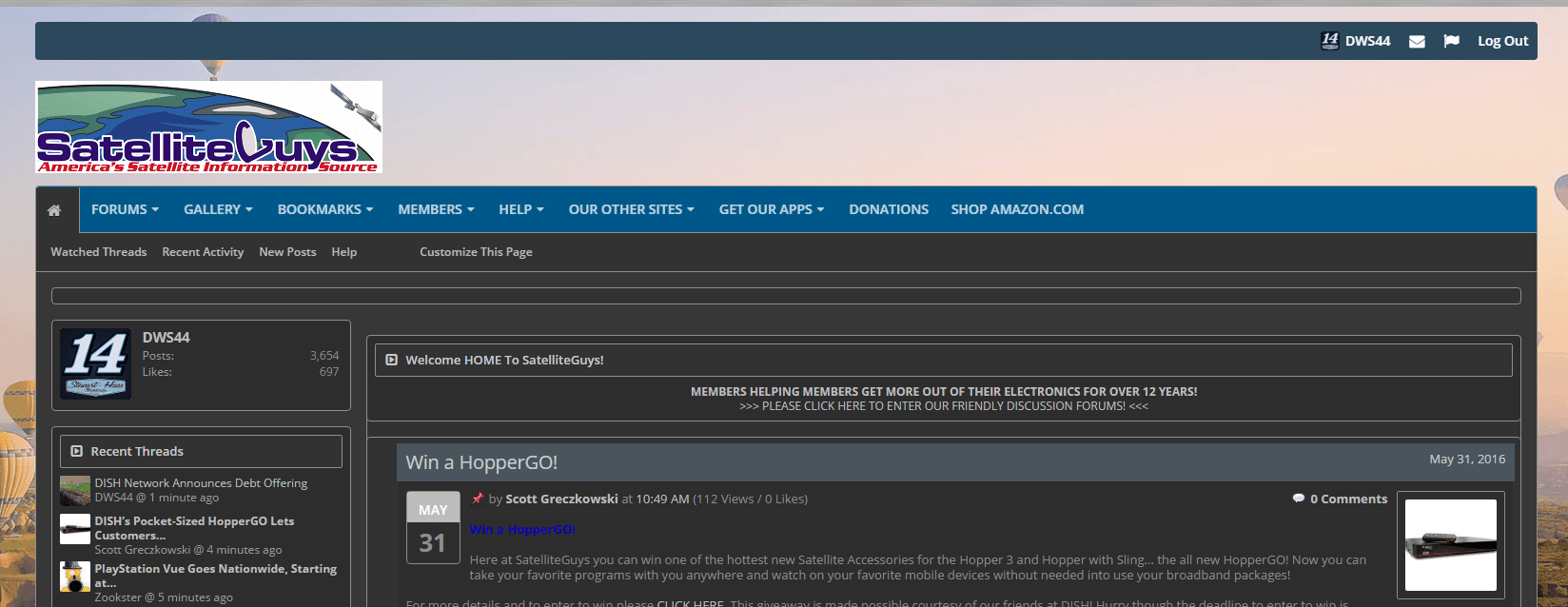
upload_2016-6-8_15-46-19.png
 
I have tried it on 3 different machines here in the office and used a bunch of different browsers using DARK and not having this issue.

Anyone else having it?
 
Yep doing it here also, in the dark theme.

PLEASE LOG IN TO GET RID OF THESE ADS!
 
I will add this is happening no matter what browser I try.
Must be something in the last Xen update that was released the other day...assuming you applied it.
 
Wait it is happening to me here too!

I rebooted the computer and its doing it to me on the Homepage...

Where the hell is it coming from? The only thing I did today was update the Tapatalk Plugin for the SatelliteGuys app...

Grrr...
 
Nope haven't applied it yet.
Yep, I see, just tried to use spoiler tags and I see they are still broken. :D

PLEASE LOG IN TO GET RID OF THESE ADS!
 
Working fine for me under all the skins. Try clearing your cache. (This is a brand new PC so nothing old stuck in it) :D
 
The Spoiler worked for me (using the [ spoiler ] and [ /spoiler ] codes...

like this!
If you do it manually it works fine. If you try and do it by hitting the little + sign above it won't.

PLEASE LOG IN TO GET RID OF THESE ADS!
 
BTW the revolving background is gone.
 
Hello told you I was testing. :D

PLEASE LOG IN TO GET RID OF THESE ADS!
 
Status
Not open for further replies.

Click hijacking (might be on my end)

A idea for the PIT

Users Who Are Viewing This Thread (Total: 0, Members: 0, Guests: 0)

Who Read This Thread (Total Members: 1)