

Social Feed
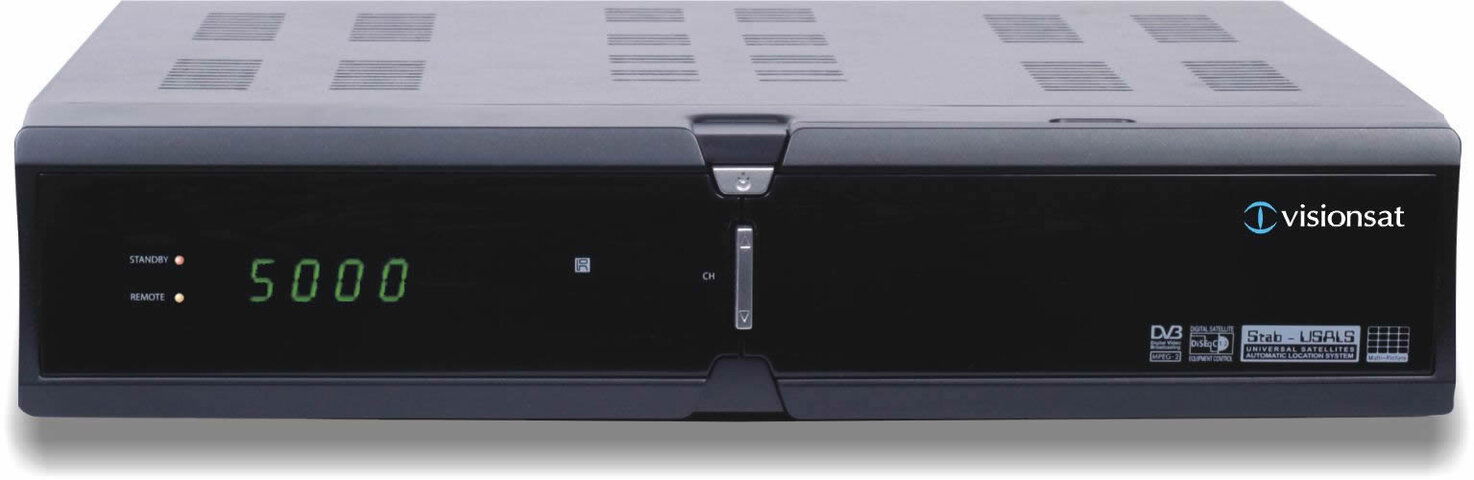
I recently had the pleasure of trying out the new Visionsat IV200 PVR Plus. Have you ever read great things that a box claims to do, only to be disappointed? You won't be disappointed with the Visionsat.
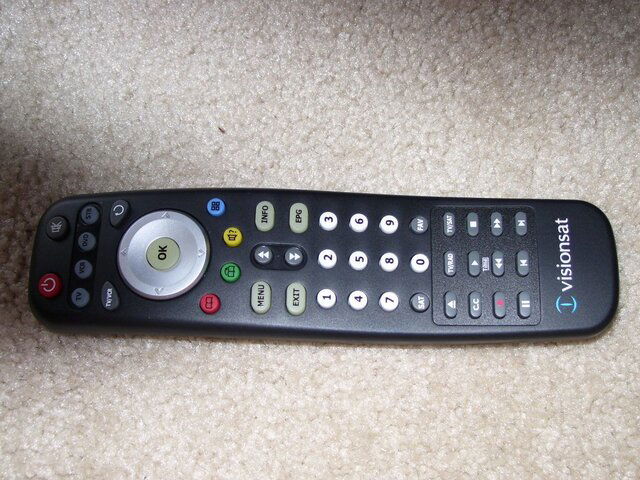
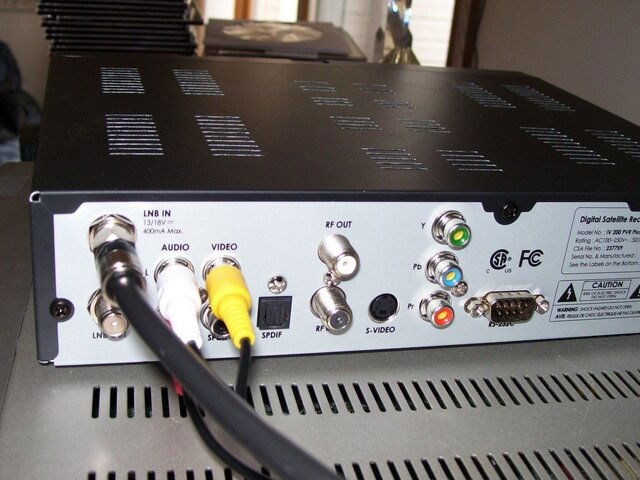
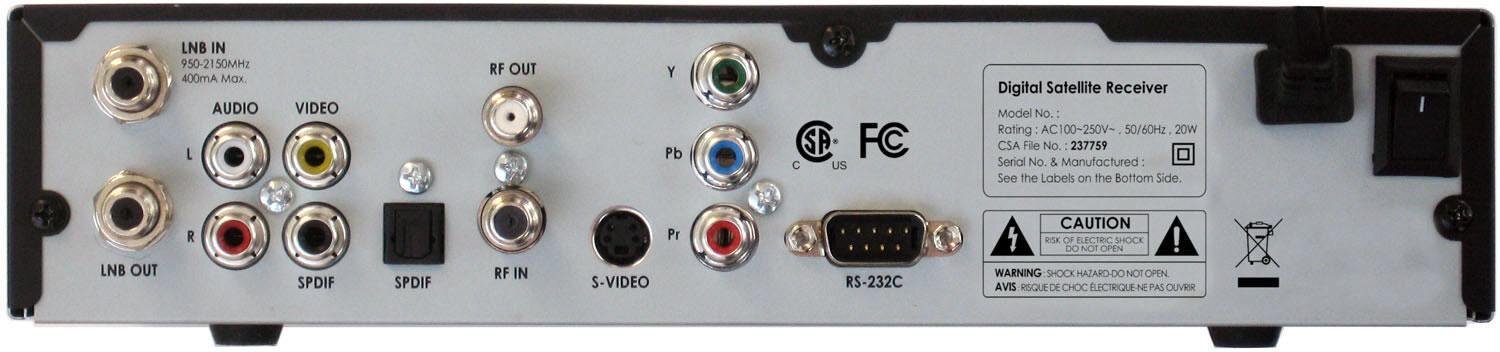
When the package arrived, I pulled out the box, remote and the a/v cable. The unit does come with 2 remotes. One has PVR functions and one does not. There was a manual in there but we all know how they are The box is really light and has a bunch of connectors on the back including component, S-Video, A/V outputs and both coaxial & optical outputs for AC-3 along with the usual coaxial connectors for sat in, loop out and rf in & out.
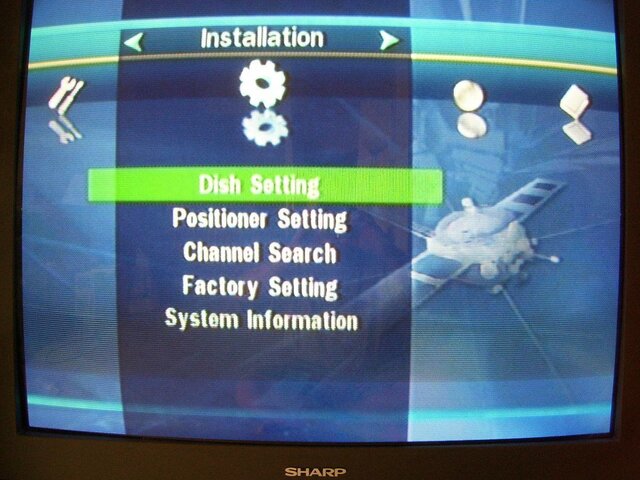
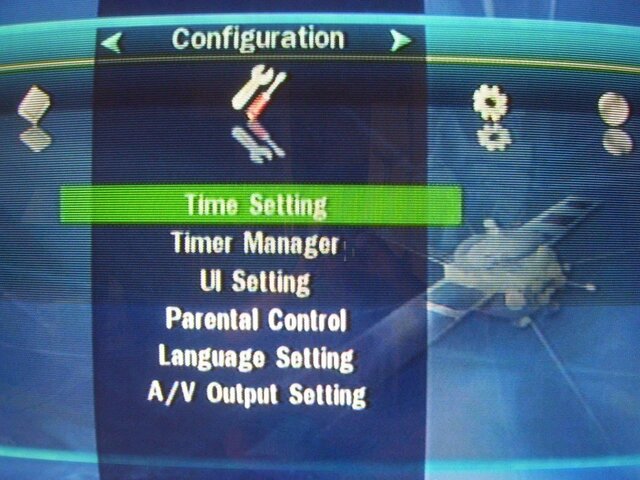
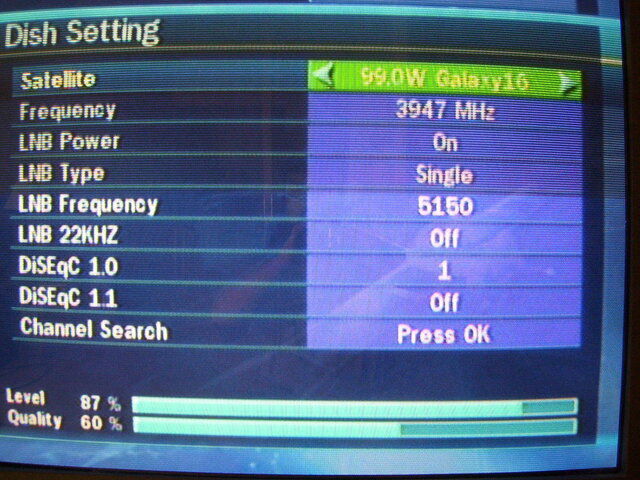
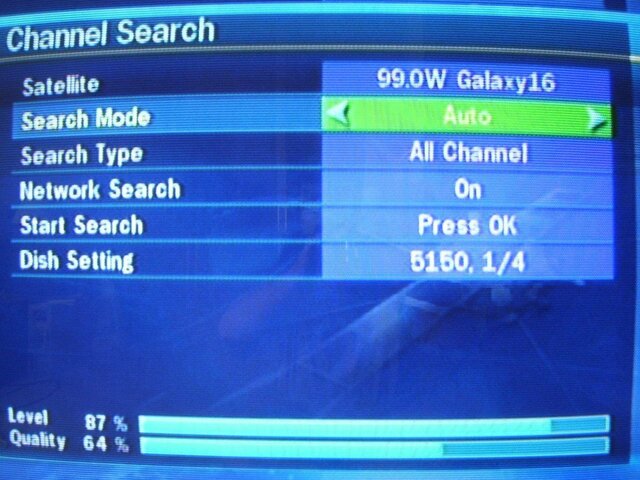
Since most manuals aren't the best, I decided to just set it up and see what happens. For the original setup, I used my G4/G10 setup which is G4 (G16) and G10 combined into a 4x4 multiswitch. After setting up my language & time zone, I went to the main menu. The menus are really well put and simple to understand. I selected Dish Setup and away we went. The satellite list is in order from east to west. I did notice that Amazonas is the farthest East satellite in the list. So if you can see the Atlantic satellites, they will have to be added. There are options to add satellites. So I selected G4...oh wait. The option is G16. Yes, they have the new names in there Selected my LNB Type, Frequency, and 22K. The first thing I noticed was Diseqc 1.1 Yes the box will support a 8x1 multiswitch. You have options of Diseqc 1.0, 1.1 & 22k so you can use a multitude of switches and the Visionsat will handle them. Scrolled down to Scan and now hit "OK" which brings you to a separate screen. This is nice as you don't have to back out to jump menu's. You can move from submenu to submenu. Options for scanning are
Auto-Scans all active TP's logged in receiver
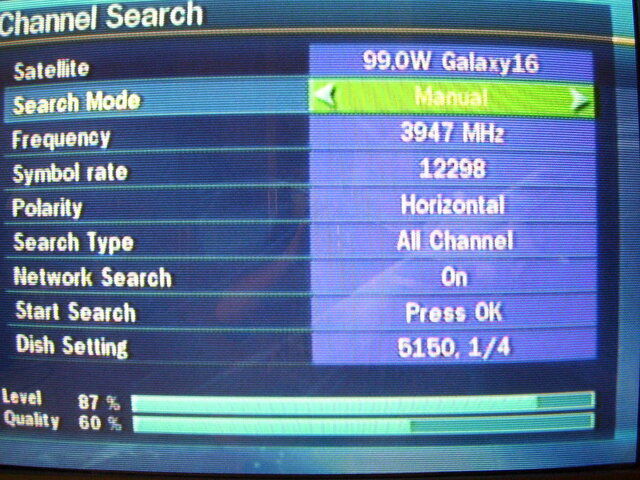
Manual-Allows you to select a TP. You can also enter new transponders from this screen
Blind-self explanatory. We'll get into that soon
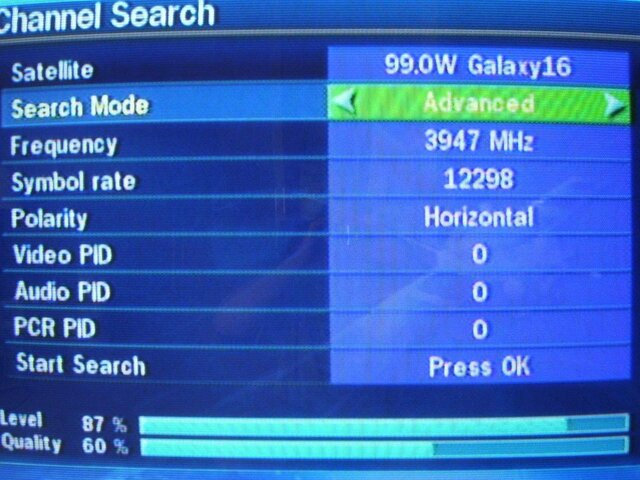
Advanced-Allows you to manually enter PID info (this will work on those tricky manual PIPD entry issues)
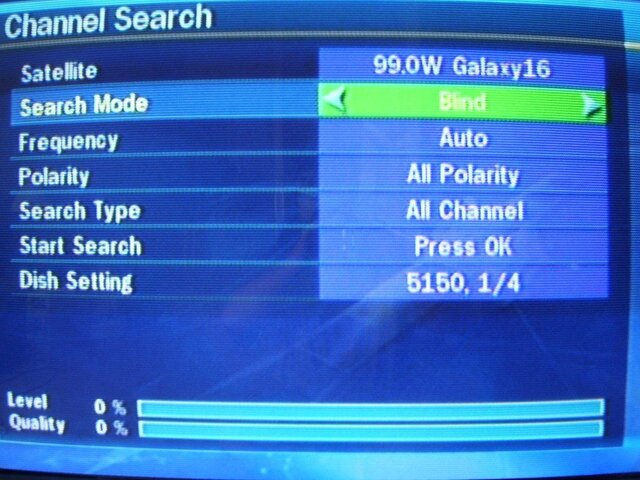
So I figured lets try a blind scan. The box claimed blind scan so lets see if it can live up to it (since we know some boxes claim blind scan only to either not have it or not work). You have 2 options
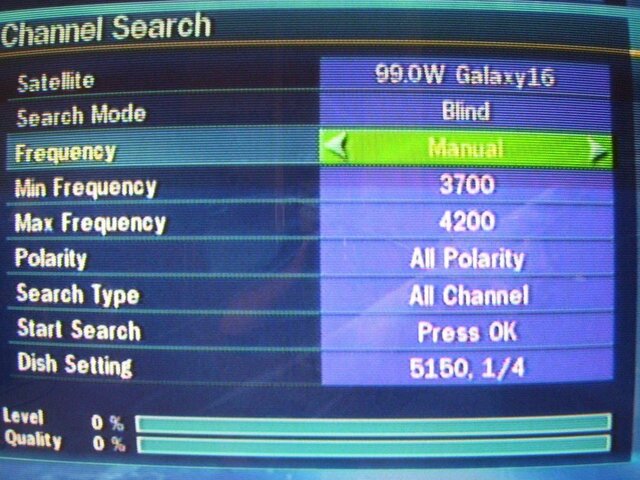
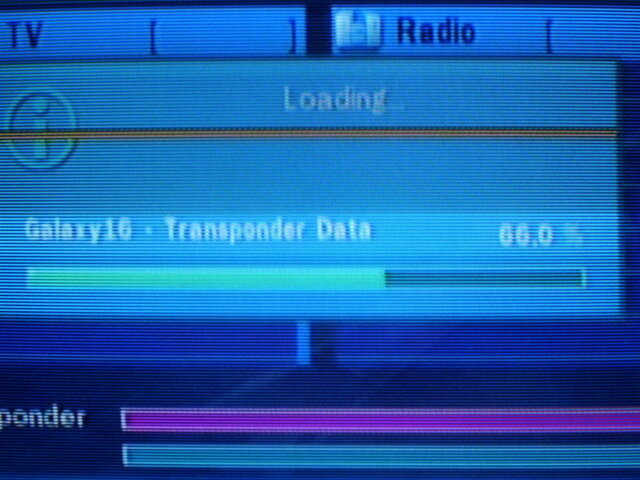
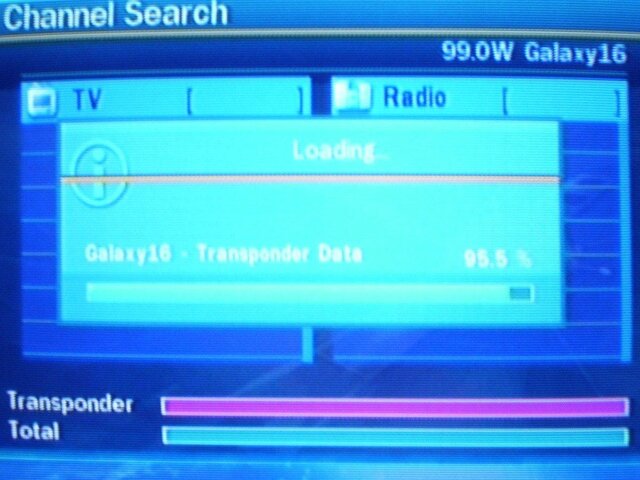
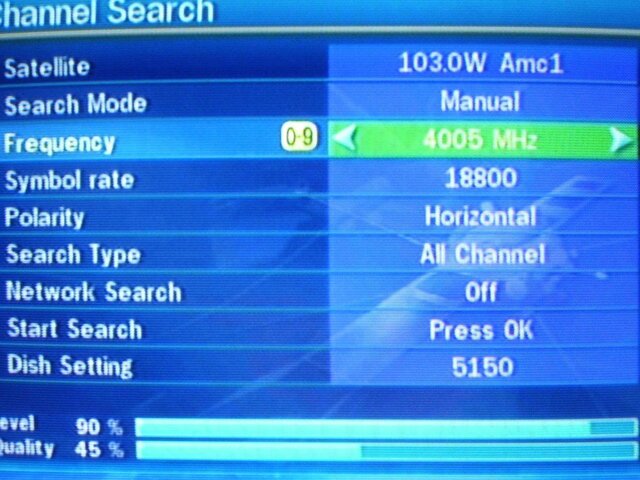
Auto-Scans the whole band (3400-4200 on C-Band) or Manual (allows you to select a frequency range). So I left everything as is (both polarities, show all) and hit scan. The neat thing is the last option is "Dish Setting" which shows what LNB LO and Diseqc (if applicable) its set up for. Scroll to that and hit "OK" and it goes back to the first menu we were at. The box now started blind scanning. One really cool feature is it shows how far in percentage the blind scan is done. The one thing I don't like is it doesn't show what transponders it picked up until the end. So I don't know if it picked up no transponders or 40. Once the blind scan is done, then it scans those TP's and logs the channels. So you can see what new transponders it picks up. The blind scan is rather fast. Not as fast as a Coolsat but much faster than my Pansat or Fortec. The Visionsat is also accurate and picks up all transponders (the Coolsat has been known to skip TP's). Once the scan was done it tells you how many channels it logged (both TV & Radio). Hit OK and it goes to the first TV channel which in this case was CBS. I repeated the above info with G10 and got the channels all logged in. I did try a TP scan originally on G10 and it got most everything. The transponder list is pretty current. One minor drawback is right now there is only one satellite listed per slot. So if there is C & KU on a satellite (like G10) it lists both C & KU frequencies. Don't worry. If there is DBS & KU (like 129 or 91) those are 2 different satellites.
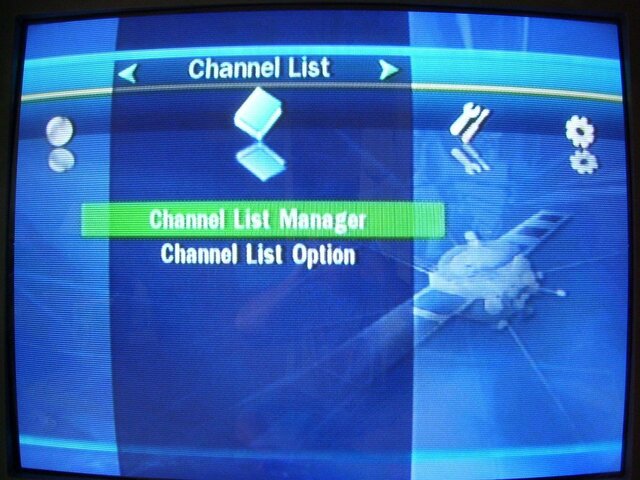
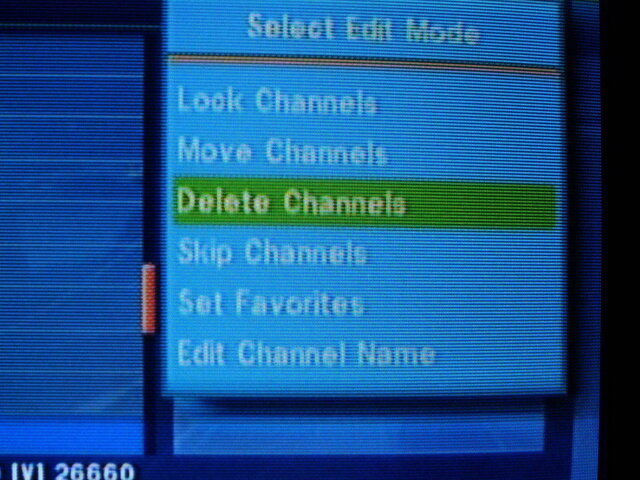
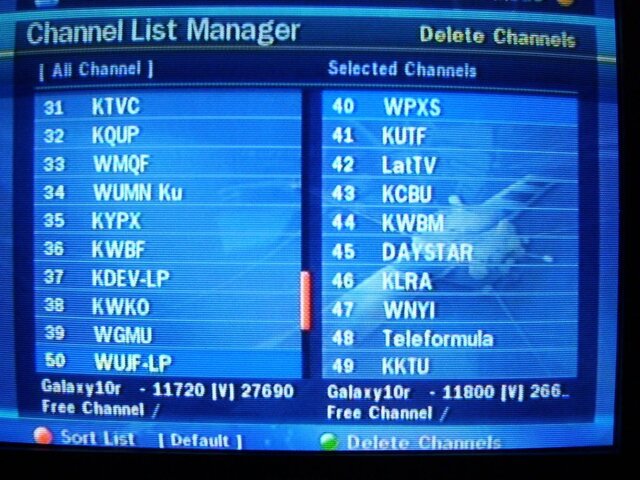
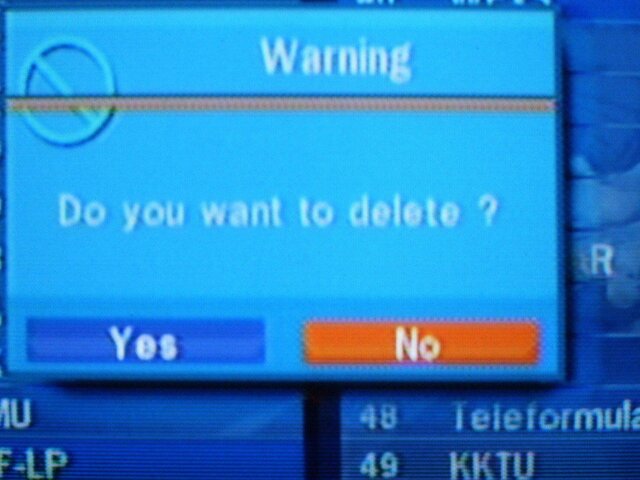
Hit OK and it shows the channel list. What is nice is at the bottom it lists the TP/Satellite info. Channel change is rather fast. Hit "Info" and it shows the channel info plus PIDS in the middle of the screen. The signal meter looks true unlike some boxes. I have seen everything from 26% to 90% Also it seems to hold the lower quality feeds better than some other boxes. Channel editing options are rather easy. One screen gives you the option to move, change, lock & delete. To delete, select the channel you want to delete and hit OK. It puts it on the screen into the right column but doesn't delete it until you say delete. You can also scroll through the list on the "soon to be deleted" channel and rescue one if you screw up Editing names is very easy as is moving them around and sorting them by satellite. You can do this with the remote or use the channel editing software for it (it does not work with ChannelMaster but their channel editing program works pretty slick). I hooked up my 8x1 diseqc to see if it could handle it. Set up my G10/G4 setup, a feed from the motorized and a line from 119. I used ports 3,5,7 on the switch. The Visionsat handled it flawlessly including the port 5 22k on that G10 is on.
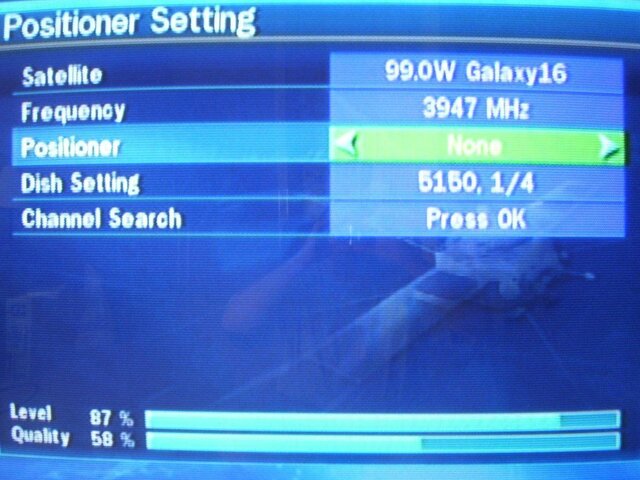
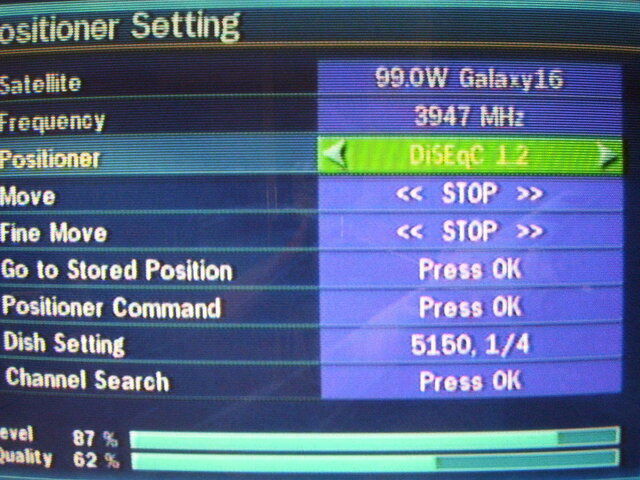
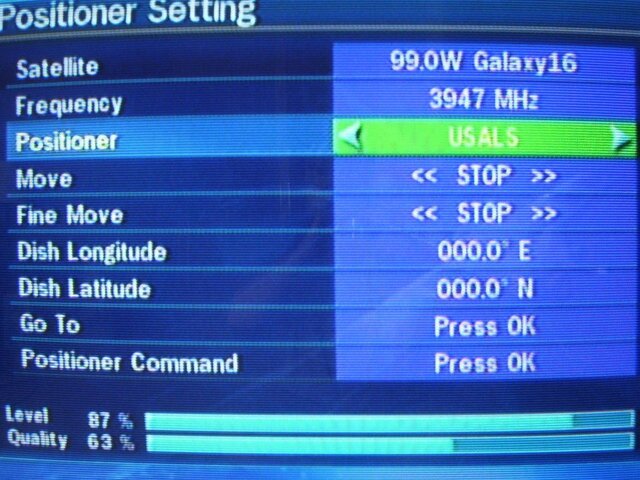
So I figured "box understands the simple things..lets try motorized". So I reset the box and hooked up to my motorized. Powered the box back on and selected G26. Selected the right LNB LO and went into the motor setup. The Visionsat will work with both USALS and Diseqc 1.2
So I tried USALS. Entered my info and stored the satellite. Did a blind scan for KU. Now here is where I noticed it took a long time to scan KU. Took almost 10 minutes just to scan the satellite. So I went into the manual blind scan. For some odd reason, the defaults for "auto" are 10700-12900 So thats why it took so long. It's scanning more than it should. Changed to 11700-12200 and let it scan. Took less than 5 minutes this time. Once those channels were logged I went next door to G3 and set up USALS. They were bang on (best quality spot). You can fine tune USALS if you want (which is really cool). Scanned in CCTV and then went to G11. Again USALS was bang on. So I started going east to each satellite. USALS was bang on every time. Then I got to AMC2...uh oh....its not an option. So I went to AMC9 and continued. Once I got to AMC6 I had gone to the far eastern satellite. Then I started with the western satellites. So after an hour or so I was set up 100%...now to check out USALS. Went to AMC6 over to G10 to G11 to IA7 to...well you get the point. I pretty much wanted to see if USALS would stay locked on properly and it did. You can fine tune adjustments even if the unit is in USALS mode (major plus there). I flipped to Diseqc 1.2 to tune in the DBS slots since the LNB is off by 5 degrees. There is a motor option and a fine tune option. I used the motor to get in the neighborhood of the satellite and then fine tune to finish it up. Diseqc 1.2 kept the position even after moving off the satellite.
I hooked up an optical cable to my receiver to see if the AC-3 would work. Tuned up the PBS channels and sound came out of the speakers of the receiver.
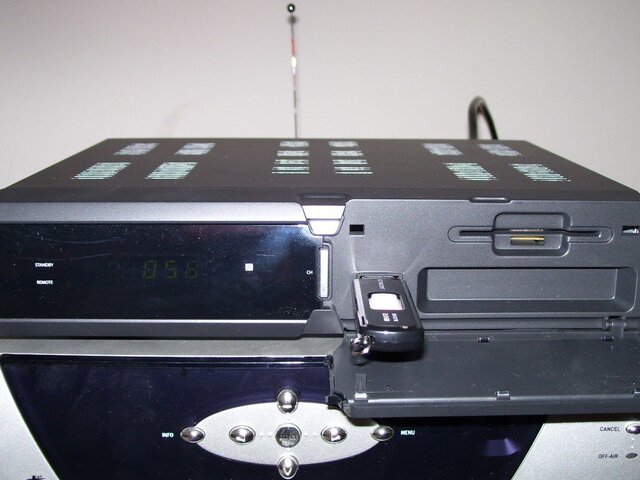
Now that I have channels logged in and USALS set up, now lets try out the PVR. It does not come with one but takes any Flash Drive or external hard drive as long as it has USB 2.0. The unit will accept a hard drive up to 500GB. This is nice compared to other boxes that have a PVR built in. Those you're limited to a specific drive size or in some cases it will only accept a specific drive. This will work with ANY 2.0 compatible drive so you can go to your local computer shop/big box retailer and get the hard drive you want.
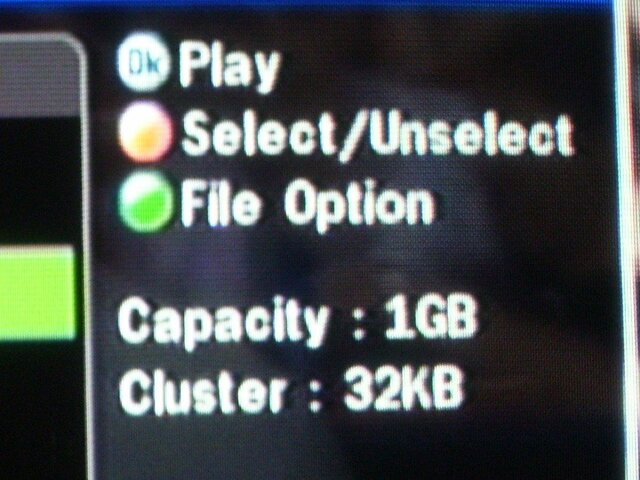
I didn't have either handy so I went and purchased a 2GB flash drive that was on sale. I figured why spend the money on a hard drive if it didn't work? (I've been burned before) so I'll try a 2GB flash drive first. Here is where the fun began. Plugged in drive and it wouldn't accept it. So I powered unit off, plugged in the drive and powered back on...nothing. By the way to see if it works its an option in the menu to format it. Since it was greyed out it wouldn't give me that option. So after a few different tried I finally figured out how to make it work.
1. Turn the unit on
2. Shut off with the switch
3. Insert drive
4. Turn back on with switch
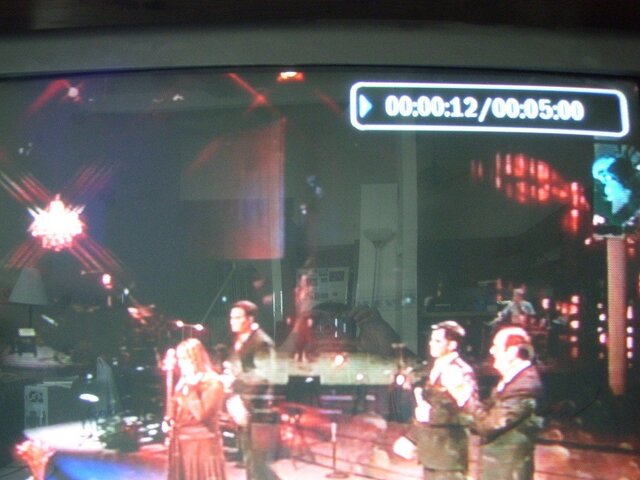
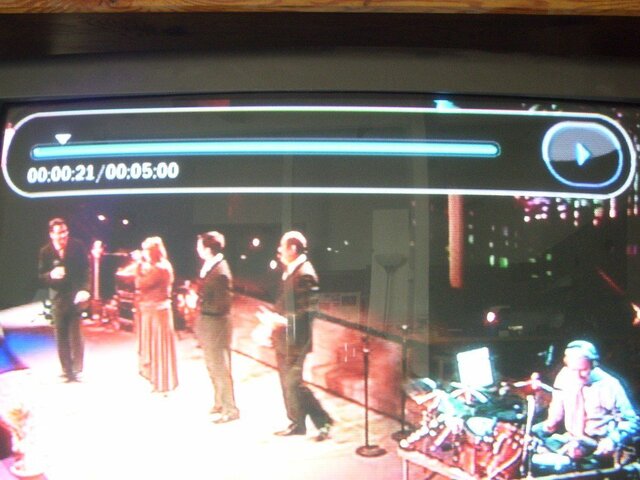
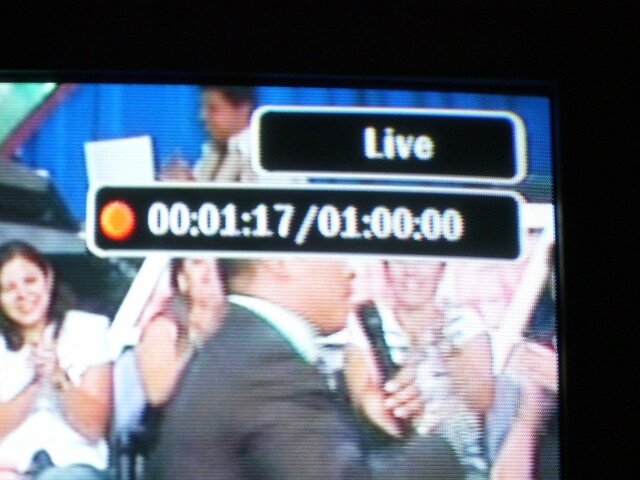
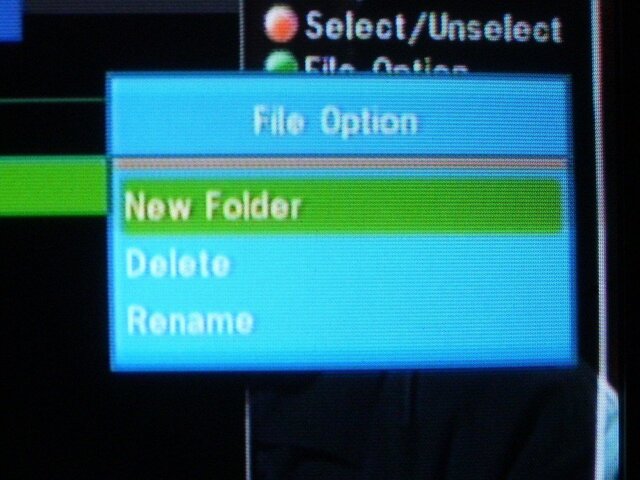
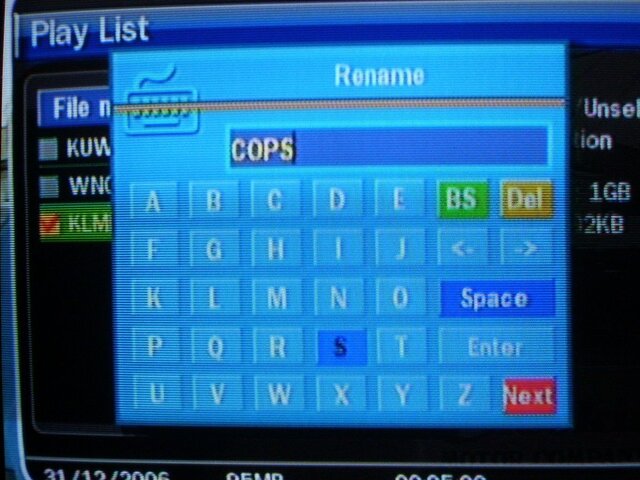
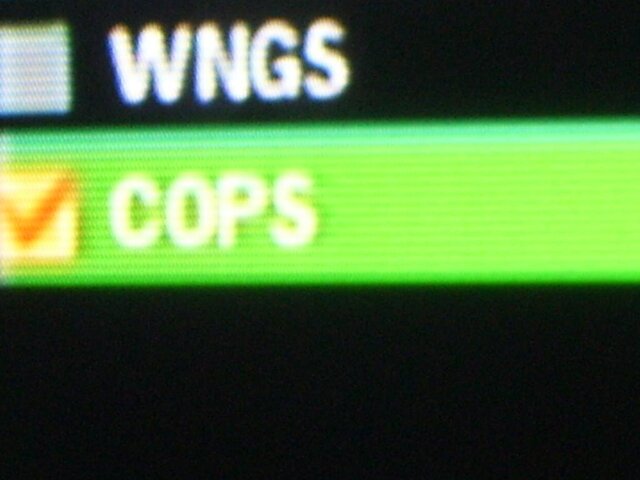
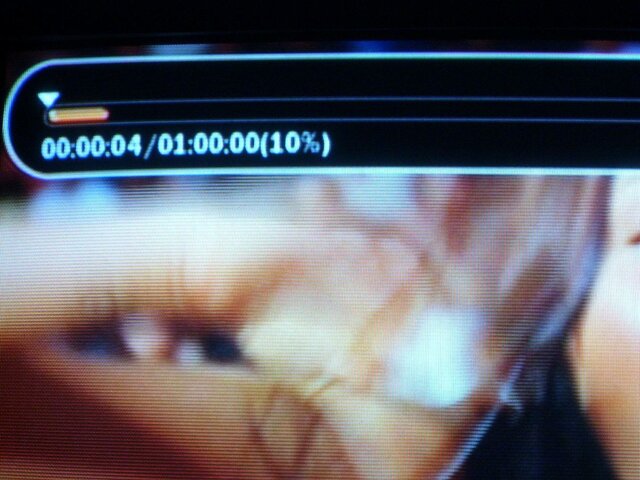
This was the way I got it to work. So I formatted the drive and started recording stuff. That 2GB drive gave me a 1 hour recording time. Recording is easy. See what you like, hit record. It says "recording begin" and in the corner it shows that its recording. Press info and it shows how far its been recording. You cannot change channels since it's a single tuner but you can start at the beginning of the program while its recording. So if you start recording the game, go do some laundry and come back up and you missed a good play or a home run, you can go back and watch it and it will still record. You have full PVR functions while its still recording. One press of the info button and it shows how far "behind" you are. Press OK and it shows at the top of the screen the record length and in a percentage of how far behind you are. I recorded a couple channels. To bring up the record list, press eject button (don't ask me why) and it shows on screen the list of programs. It lists it by channel as logged on the channel list. You can rename the show if you'd like (so instead of it saying "KLMN" I changed it to "Cops". You can replay from here and have a full PVR function (fast forward, pause, rewind, etc). The good part is I've worked with other boxes that stutter when playing back the program. This one doesn't. It plays back nice and clean. So you can record it to a DVD or if you have the correct program on your computer, you can play it on your computer. It uses a .ts format.
I also went in and set a few timers to see if they would record. The clock is bang on which is good if you want to record. Just go in, set the times and channel. Select "play" if you don't have a drive hooked up or "record" and it will record to the drive. I tried it on a fixed system and a motorized and both went off without a hitch. I did find out the minimum recording is 5 minutes though.
Some of the features are
Personal Video Recorder (PVR) Ready via USB 2.0
USB 2.0 Host Support (MP3 Player and JPEG Viewer)
MPEG-II Digital and Fully DVB Compliant
Blind Scan
Multi-LNB Controlled by DiSEqC Control Version 1.0, 1.2 and USALS
Multi-Satellite Search
On-Screen Display with 16 bit Color Full Resolution
Favorite Channel Groups
Powerful Channel Control by Favorites, Lock, Skip, Move and Delete
Channel Sorting by PID, Alphabet, Transponder and CAS
Multi-language Supported (OSD & Menu)
Closed Caption Support (OSD and VBI Insertion)
Maximum 5,000 Channels Programmable
Multi-Picture Display
Zoom Function in Pause
Parental Lock / Receiver Lock
CVBS Video and Audio Output via RCA
Component Y/Pb/Pr Output via RCA
S-VHS Video Output
Optical and Coaxial Output for Digital Audio
Software and Channel Database Upgrade via RS-232 and USB
2 Universal Remote Controls
Smart Card Reader
If I had to rate the features on the box (1 being bunk 10 being great)
-Satellite list setup-7 (having the new channel names is a plus but not having AMC2 is not good. The farthest East satellite in the list is Amazonas. Also having only one satellite per slot even if there is a C & KU there isn't the best. I heard they are working on those issues)
-Transponder list-9 (Very up to date with some rather new TP's that I've seen)
-Blind Scan-8.5 (I'll explain more)
-AC3-9.5 (works flawlessly)
-Ease of Remote-8.5 (The remote is kinda cheaply made but the buttons are well spread out)
-USALS-10 (bang on)
-Motor options-9.5 (easy to use Diseqc 1.2)
-Menu setups-9.5 (very easy to set up and move between menus)
-Handling of Diseqc switches-10 (the fact it can flawlessly handle a 8x1 multiswitch with 22k is a major plus
-Channel List-7.5 (I'll explain more)
-Ease of moving/changing names/deleting-9
-PVR-9.5 (love the option to add a PVR and can add whatever size drive I want)
There are a couple minor drawbacks on the unit. They are rated between 1 & 5. 1 is a minor nuisance. 5 is a major issue. There was one issue with the original factory software and that was it wouldn't work with a 22k switch for some reason. Even though the 22k was turned on it wouldn't work. Load the newest factory software and that issue is resolved. I'm not considering that on the list because the newest software takes care of it
-the blind scan. I already mentioned it above but on KU if you leave it at auto it scans from 10700-12900 which just makes scans go long. So you have to change it to manual and set from 11700-12200. Nuisance factor for me is a 1. Its no biggie. Just one extra step to do. Some people may not like it.
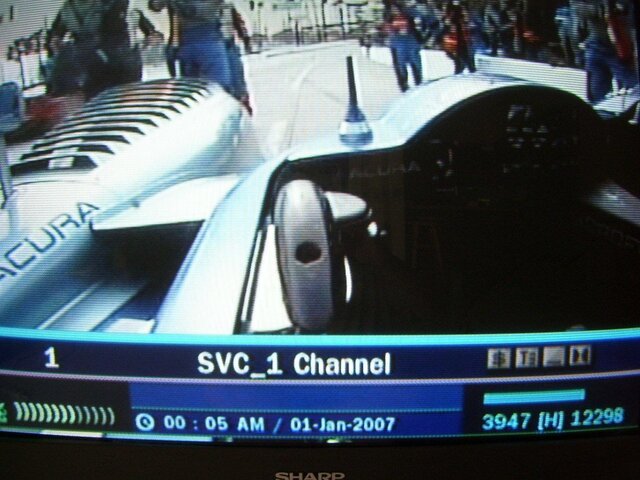
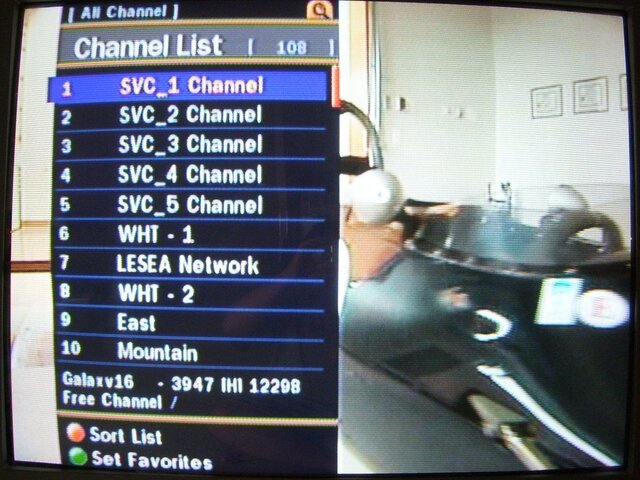
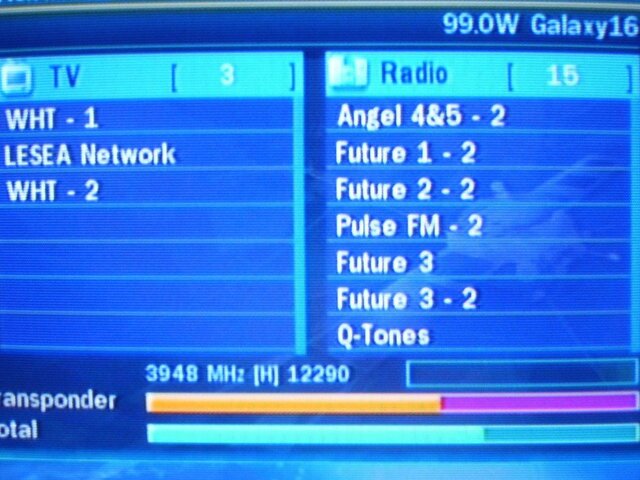
-Channel issue. I noticed this right away. There is an issue right now with the "no name" channels. You know the ones that say "TV1" or the frequency or nothing. Well the Visionsat just wants to name it. I scanned G4 and got the nets which show blank names. When I did the blind scan the first channel it logged was WHT (World Harvest TV). Here's the issue. Any channel that doesn't log a name will log the name the same as the first channel that does. Confused? Well when I blind scanned, it relogged the nets as "WHT" so now it showed the first 6 channels as "WHT" when the first 5 should be blank. This is a 3 on the nuisance scale for me. Luckily I was able to find a copy of the channel editor to change names on the computer. I hear they are fixing that issue soon. I did find a workaround of it. If you do a manual scan on those TP's that you know won't have an ID (like the 12114 TP on G10) it will show "SVC 1 Channel". So that isn't too bad.
The box will not do HD or 4:2:2 but I knew that coming in. All and all this is an awesome box and I would highly recommend. Between the capability to handle a larger multiswitch with ease (no needing to set up motor functions to operate the switch) to bang on USALS to a PVR makes this a great beginner or advanced unit. Honestly I haven't had this much fun in a while when trying a new box. The menu setups are very easy to work with for a beginner or veteran. The blind scan is quick and very accurate (this is a BIG plus for me...give me an accurate blind scan that doesn't take 15 minutes to go through). Everything the box says it can do it does. There are no false promises (oh blind scan is coming, AC-3 will work later if you download illegal software in it) with the box. The fact it can be used plain or with a hard drive is a plus in my book. I have a stand alone DVD recorder/Hard drive that I will probably hook it up to but for those that don't, they can add one with ease.
Thanks to SatelliteAV for the opportunity to review the Visionsat. Like I say I haven't had this much fun with a new receiver in a while. Other than the initial insertion of the flash drive issue, I never got frustrated like I have with other boxes. I am one happy camper and can't wait for fall sports season when I can have 2 boxes scanning the feeds quickly
When the package arrived, I pulled out the box, remote and the a/v cable. The unit does come with 2 remotes. One has PVR functions and one does not. There was a manual in there but we all know how they are
The box is really light and has a bunch of connectors on the back including component, S-Video, A/V outputs and both coaxial & optical outputs for AC-3 along with the usual coaxial connectors for sat in, loop out and rf in & out.Since most manuals aren't the best, I decided to just set it up and see what happens. For the original setup, I used my G4/G10 setup which is G4 (G16) and G10 combined into a 4x4 multiswitch. After setting up my language & time zone, I went to the main menu. The menus are really well put and simple to understand. I selected Dish Setup and away we went. The satellite list is in order from east to west. I did notice that Amazonas is the farthest East satellite in the list. So if you can see the Atlantic satellites, they will have to be added. There are options to add satellites. So I selected G4...oh wait. The option is G16. Yes, they have the new names in there
Selected my LNB Type, Frequency, and 22K. The first thing I noticed was Diseqc 1.1 Yes the box will support a 8x1 multiswitch. You have options of Diseqc 1.0, 1.1 & 22k so you can use a multitude of switches and the Visionsat will handle them. Scrolled down to Scan and now hit "OK" which brings you to a separate screen. This is nice as you don't have to back out to jump menu's. You can move from submenu to submenu. Options for scanning areAuto-Scans all active TP's logged in receiver
Manual-Allows you to select a TP. You can also enter new transponders from this screen
Blind-self explanatory. We'll get into that soon
Advanced-Allows you to manually enter PID info (this will work on those tricky manual PIPD entry issues)
So I figured lets try a blind scan. The box claimed blind scan so lets see if it can live up to it (since we know some boxes claim blind scan only to either not have it or not work). You have 2 options
Auto-Scans the whole band (3400-4200 on C-Band) or Manual (allows you to select a frequency range). So I left everything as is (both polarities, show all) and hit scan. The neat thing is the last option is "Dish Setting" which shows what LNB LO and Diseqc (if applicable) its set up for. Scroll to that and hit "OK" and it goes back to the first menu we were at. The box now started blind scanning. One really cool feature is it shows how far in percentage the blind scan is done. The one thing I don't like is it doesn't show what transponders it picked up until the end. So I don't know if it picked up no transponders or 40. Once the blind scan is done, then it scans those TP's and logs the channels. So you can see what new transponders it picks up. The blind scan is rather fast. Not as fast as a Coolsat but much faster than my Pansat or Fortec. The Visionsat is also accurate and picks up all transponders (the Coolsat has been known to skip TP's). Once the scan was done it tells you how many channels it logged (both TV & Radio). Hit OK and it goes to the first TV channel which in this case was CBS. I repeated the above info with G10 and got the channels all logged in. I did try a TP scan originally on G10 and it got most everything. The transponder list is pretty current. One minor drawback is right now there is only one satellite listed per slot. So if there is C & KU on a satellite (like G10) it lists both C & KU frequencies. Don't worry. If there is DBS & KU (like 129 or 91) those are 2 different satellites.
Hit OK and it shows the channel list. What is nice is at the bottom it lists the TP/Satellite info. Channel change is rather fast. Hit "Info" and it shows the channel info plus PIDS in the middle of the screen. The signal meter looks true unlike some boxes. I have seen everything from 26% to 90% Also it seems to hold the lower quality feeds better than some other boxes. Channel editing options are rather easy. One screen gives you the option to move, change, lock & delete. To delete, select the channel you want to delete and hit OK. It puts it on the screen into the right column but doesn't delete it until you say delete. You can also scroll through the list on the "soon to be deleted" channel and rescue one if you screw up
Editing names is very easy as is moving them around and sorting them by satellite. You can do this with the remote or use the channel editing software for it (it does not work with ChannelMaster but their channel editing program works pretty slick). I hooked up my 8x1 diseqc to see if it could handle it. Set up my G10/G4 setup, a feed from the motorized and a line from 119. I used ports 3,5,7 on the switch. The Visionsat handled it flawlessly including the port 5 22k on that G10 is on.So I figured "box understands the simple things..lets try motorized". So I reset the box and hooked up to my motorized. Powered the box back on and selected G26. Selected the right LNB LO and went into the motor setup. The Visionsat will work with both USALS and Diseqc 1.2
So I tried USALS. Entered my info and stored the satellite. Did a blind scan for KU. Now here is where I noticed it took a long time to scan KU. Took almost 10 minutes just to scan the satellite. So I went into the manual blind scan. For some odd reason, the defaults for "auto" are 10700-12900
So thats why it took so long. It's scanning more than it should. Changed to 11700-12200 and let it scan. Took less than 5 minutes this time. Once those channels were logged I went next door to G3 and set up USALS. They were bang on (best quality spot). You can fine tune USALS if you want (which is really cool). Scanned in CCTV and then went to G11. Again USALS was bang on. So I started going east to each satellite. USALS was bang on every time. Then I got to AMC2...uh oh....its not an option. So I went to AMC9 and continued. Once I got to AMC6 I had gone to the far eastern satellite. Then I started with the western satellites. So after an hour or so I was set up 100%...now to check out USALS. Went to AMC6 over to G10 to G11 to IA7 to...well you get the point. I pretty much wanted to see if USALS would stay locked on properly and it did. You can fine tune adjustments even if the unit is in USALS mode (major plus there). I flipped to Diseqc 1.2 to tune in the DBS slots since the LNB is off by 5 degrees. There is a motor option and a fine tune option. I used the motor to get in the neighborhood of the satellite and then fine tune to finish it up. Diseqc 1.2 kept the position even after moving off the satellite.I hooked up an optical cable to my receiver to see if the AC-3 would work. Tuned up the PBS channels and sound came out of the speakers of the receiver.
Now that I have channels logged in and USALS set up, now lets try out the PVR. It does not come with one but takes any Flash Drive or external hard drive as long as it has USB 2.0. The unit will accept a hard drive up to 500GB. This is nice compared to other boxes that have a PVR built in. Those you're limited to a specific drive size or in some cases it will only accept a specific drive. This will work with ANY 2.0 compatible drive so you can go to your local computer shop/big box retailer and get the hard drive you want.
I didn't have either handy so I went and purchased a 2GB flash drive that was on sale. I figured why spend the money on a hard drive if it didn't work? (I've been burned before) so I'll try a 2GB flash drive first. Here is where the fun began. Plugged in drive and it wouldn't accept it. So I powered unit off, plugged in the drive and powered back on...nothing. By the way to see if it works its an option in the menu to format it. Since it was greyed out it wouldn't give me that option. So after a few different tried I finally figured out how to make it work.
1. Turn the unit on
2. Shut off with the switch
3. Insert drive
4. Turn back on with switch
This was the way I got it to work. So I formatted the drive and started recording stuff. That 2GB drive gave me a 1 hour recording time. Recording is easy. See what you like, hit record. It says "recording begin" and in the corner it shows that its recording. Press info and it shows how far its been recording. You cannot change channels since it's a single tuner but you can start at the beginning of the program while its recording. So if you start recording the game, go do some laundry and come back up and you missed a good play or a home run, you can go back and watch it and it will still record. You have full PVR functions while its still recording. One press of the info button and it shows how far "behind" you are. Press OK and it shows at the top of the screen the record length and in a percentage of how far behind you are. I recorded a couple channels. To bring up the record list, press eject button (don't ask me why) and it shows on screen the list of programs. It lists it by channel as logged on the channel list. You can rename the show if you'd like (so instead of it saying "KLMN" I changed it to "Cops". You can replay from here and have a full PVR function (fast forward, pause, rewind, etc). The good part is I've worked with other boxes that stutter when playing back the program. This one doesn't. It plays back nice and clean. So you can record it to a DVD or if you have the correct program on your computer, you can play it on your computer. It uses a .ts format.
I also went in and set a few timers to see if they would record. The clock is bang on which is good if you want to record. Just go in, set the times and channel. Select "play" if you don't have a drive hooked up or "record" and it will record to the drive. I tried it on a fixed system and a motorized and both went off without a hitch. I did find out the minimum recording is 5 minutes though.
Some of the features are
Personal Video Recorder (PVR) Ready via USB 2.0
USB 2.0 Host Support (MP3 Player and JPEG Viewer)
MPEG-II Digital and Fully DVB Compliant
Blind Scan
Multi-LNB Controlled by DiSEqC Control Version 1.0, 1.2 and USALS
Multi-Satellite Search
On-Screen Display with 16 bit Color Full Resolution
Favorite Channel Groups
Powerful Channel Control by Favorites, Lock, Skip, Move and Delete
Channel Sorting by PID, Alphabet, Transponder and CAS
Multi-language Supported (OSD & Menu)
Closed Caption Support (OSD and VBI Insertion)
Maximum 5,000 Channels Programmable
Multi-Picture Display
Zoom Function in Pause
Parental Lock / Receiver Lock
CVBS Video and Audio Output via RCA
Component Y/Pb/Pr Output via RCA
S-VHS Video Output
Optical and Coaxial Output for Digital Audio
Software and Channel Database Upgrade via RS-232 and USB
2 Universal Remote Controls
Smart Card Reader
If I had to rate the features on the box (1 being bunk 10 being great)
-Satellite list setup-7 (having the new channel names is a plus but not having AMC2 is not good. The farthest East satellite in the list is Amazonas. Also having only one satellite per slot even if there is a C & KU there isn't the best. I heard they are working on those issues)
-Transponder list-9 (Very up to date with some rather new TP's that I've seen)
-Blind Scan-8.5 (I'll explain more)
-AC3-9.5 (works flawlessly)
-Ease of Remote-8.5 (The remote is kinda cheaply made but the buttons are well spread out)
-USALS-10 (bang on)
-Motor options-9.5 (easy to use Diseqc 1.2)
-Menu setups-9.5 (very easy to set up and move between menus)
-Handling of Diseqc switches-10 (the fact it can flawlessly handle a 8x1 multiswitch with 22k is a major plus
-Channel List-7.5 (I'll explain more)
-Ease of moving/changing names/deleting-9
-PVR-9.5 (love the option to add a PVR and can add whatever size drive I want)
There are a couple minor drawbacks on the unit. They are rated between 1 & 5. 1 is a minor nuisance. 5 is a major issue. There was one issue with the original factory software and that was it wouldn't work with a 22k switch for some reason. Even though the 22k was turned on it wouldn't work. Load the newest factory software and that issue is resolved. I'm not considering that on the list because the newest software takes care of it
-the blind scan. I already mentioned it above but on KU if you leave it at auto it scans from 10700-12900 which just makes scans go long. So you have to change it to manual and set from 11700-12200. Nuisance factor for me is a 1. Its no biggie. Just one extra step to do. Some people may not like it.
-Channel issue. I noticed this right away. There is an issue right now with the "no name" channels. You know the ones that say "TV1" or the frequency or nothing. Well the Visionsat just wants to name it. I scanned G4 and got the nets which show blank names. When I did the blind scan the first channel it logged was WHT (World Harvest TV). Here's the issue. Any channel that doesn't log a name will log the name the same as the first channel that does. Confused? Well when I blind scanned, it relogged the nets as "WHT" so now it showed the first 6 channels as "WHT" when the first 5 should be blank. This is a 3 on the nuisance scale for me. Luckily I was able to find a copy of the channel editor to change names on the computer. I hear they are fixing that issue soon. I did find a workaround of it. If you do a manual scan on those TP's that you know won't have an ID (like the 12114 TP on G10) it will show "SVC 1 Channel". So that isn't too bad.
The box will not do HD or 4:2:2 but I knew that coming in. All and all this is an awesome box and I would highly recommend. Between the capability to handle a larger multiswitch with ease (no needing to set up motor functions to operate the switch) to bang on USALS to a PVR makes this a great beginner or advanced unit. Honestly I haven't had this much fun in a while when trying a new box. The menu setups are very easy to work with for a beginner or veteran. The blind scan is quick and very accurate (this is a BIG plus for me...give me an accurate blind scan that doesn't take 15 minutes to go through). Everything the box says it can do it does. There are no false promises (oh blind scan is coming, AC-3 will work later if you download illegal software in it) with the box. The fact it can be used plain or with a hard drive is a plus in my book. I have a stand alone DVD recorder/Hard drive that I will probably hook it up to but for those that don't, they can add one with ease.
Thanks to SatelliteAV for the opportunity to review the Visionsat. Like I say I haven't had this much fun with a new receiver in a while. Other than the initial insertion of the flash drive issue, I never got frustrated like I have with other boxes. I am one happy camper and can't wait for fall sports season when I can have 2 boxes scanning the feeds quickly


285 Replies
·
83698 views


Linus Tech Tips
Time for another AWESOME video from Linus Tech Tips!
View: https://www.youtube.com/watch?v=aV81SqB6HQg
Direct YouTube Link - NVIDIA Told me How to Benchmark RTX Spark
Linus on Facebook
The LTT Store
View: https://www.youtube.com/watch?v=aV81SqB6HQg
Direct YouTube Link - NVIDIA Told me How to Benchmark RTX Spark
Linus on Facebook
The LTT Store
0 Replies
·
0 views

Supporting Founder
Lifetime Supporter
For the naysayers who did not think this service would make it, just added another 4.9M subscribers and that was after the removal of 1.2M Russia subscribers.
This is even better, Paramount+ revenue grew 120% and Subscription revenue grew 74% year-over-year ( 2nd quarter 2021/ 2nd quarter 2022) to $830M, principally reflecting paid subscriber growth on Paramount+.
Now compare that to Peacock with only 13 million paid, 13 million free.
This is even better, Paramount+ revenue grew 120% and Subscription revenue grew 74% year-over-year ( 2nd quarter 2021/ 2nd quarter 2022) to $830M, principally reflecting paid subscriber growth on Paramount+.
Now compare that to Peacock with only 13 million paid, 13 million free.
664 Replies
·
61545 views


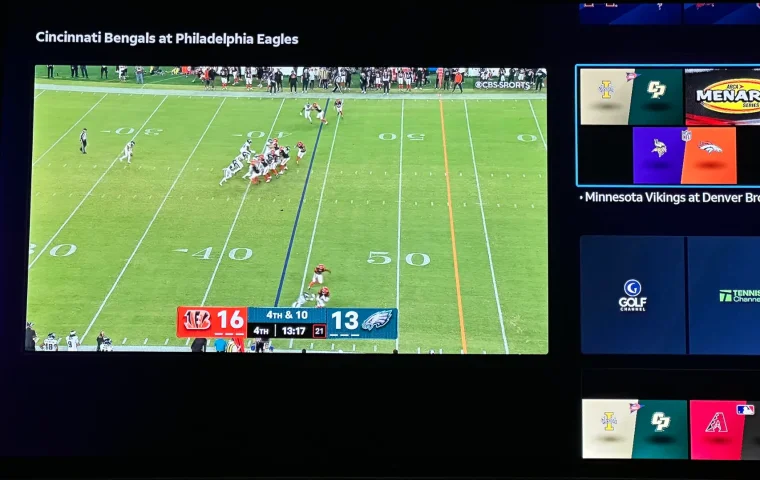
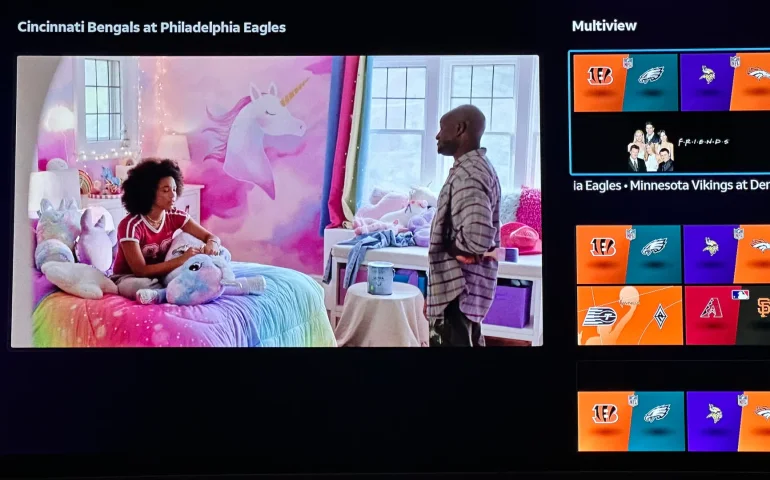
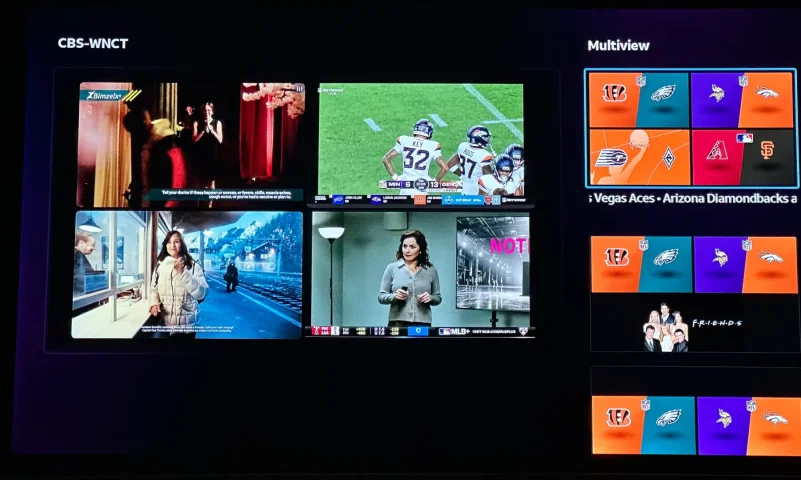
The new curated multiview is now live.
While on many of the sports channels and non sports channels there is a multi view option button. It will pull up a side bar with many different multi view options.
While on many of the sports channels and non sports channels there is a multi view option button. It will pull up a side bar with many different multi view options.
4 Replies
·
182 views


Pub Member / Supporter
Cutting Edge
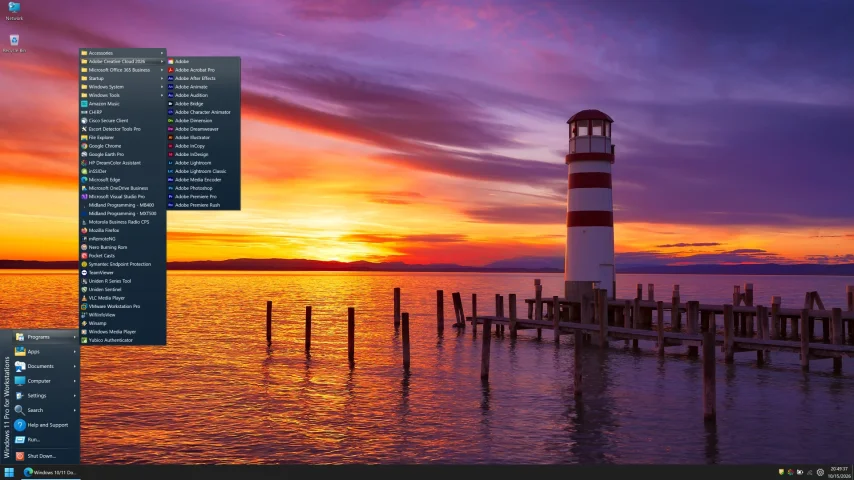
I created this thread on the original Edgecutter Cutting Edge Forums site. It's simply a place for those to review the latest software available for those using Windows 10 and Windows 11. To date it has received 112,559 views. I have been asked by staff to continue this thread here.
522 Replies
·
47232 views




For some reason, the satelliteguys.us site is loading a lot slower than usual on both Chrome on my Asus laptop and Safari on my iPhone.
I'm also seeing longer appearances of the blue bar at the top and the "3 blue bars" loading symbol.
Is anyone else also having the same problem? Thanks in advance.
I'm also seeing longer appearances of the blue bar at the top and the "3 blue bars" loading symbol.
Is anyone else also having the same problem? Thanks in advance.
528 Replies
·
17961 views


Supporting Founder
Several Dish offers showed up today in my account. Once you choose one the rest are removed. Offers were Showtime, Starz, AMC and others.
33 Replies
·
1594 views


Staff member
HERE TO HELP YOU!
Cutting Edge
Sometimes a thread gets so many posts in it that is can cause issues for the server so that why today we introduce The Song Name Game Part 3!
So let the game continue!
The last song was added by Bobby who posted...
One Meat Ball - Andrews Sisters
CONTINUE ON AND HAVE FUN! WELCOME HOME TO SATELLITEGUYS.US!
Here are the original rules for the game as posted by WebbyDude back in 2006. http://www.satelliteguys.us/threads/68645-Song-Name-Game
Just name a song title and the band who performed it. The next person does the same thing, but needs to list a song title or band name which includes a word from the previous entry. Pick songs from any genre.
Example:
Long Live Rock and Roll -- Rainbow
Rainbow in the Dark -- Dio
Another example:
Ride the Lightning -- Metallica
Lightning Strikes -- Ozzy Osbourne
Get it?
An additional note: we all know that song titles, sometimes, use profane words. Because this is a family friendly website it is advised that you clean up that title up a bit. This is accomplished by using something like sh!t instead of the real word. Thanks....
So let the game continue!
The last song was added by Bobby who posted...
One Meat Ball - Andrews Sisters
CONTINUE ON AND HAVE FUN! WELCOME HOME TO SATELLITEGUYS.US!
Here are the original rules for the game as posted by WebbyDude back in 2006. http://www.satelliteguys.us/threads/68645-Song-Name-Game
Just name a song title and the band who performed it. The next person does the same thing, but needs to list a song title or band name which includes a word from the previous entry. Pick songs from any genre.
Example:
Long Live Rock and Roll -- Rainbow
Rainbow in the Dark -- Dio
Another example:
Ride the Lightning -- Metallica
Lightning Strikes -- Ozzy Osbourne
Get it?
An additional note: we all know that song titles, sometimes, use profane words. Because this is a family friendly website it is advised that you clean up that title up a bit. This is accomplished by using something like sh!t instead of the real word. Thanks....
68496 Replies
·
2670694 views


TWiT Tech Podcast Network
Time for another AWESOME video from the TWIT Network!
View: https://www.youtube.com/shorts/z72cjoZP83E
Direct YouTube Link - AI Can Self-Replicate: Unplugging the Threat! #shorts
TWIT's Website
TWIT Live Feed
View: https://www.youtube.com/shorts/z72cjoZP83E
Direct YouTube Link - AI Can Self-Replicate: Unplugging the Threat! #shorts
TWIT's Website
TWIT Live Feed
0 Replies
·
19 views
TWiT Tech Podcast Network
Time for another AWESOME video from the TWIT Network!
View: https://www.youtube.com/shorts/w5TOILSc_U8
Direct YouTube Link - AI Model Poisoning: The Hidden Threat on Hugging Face #shorts
TWIT's Website
TWIT Live Feed
View: https://www.youtube.com/shorts/w5TOILSc_U8
Direct YouTube Link - AI Model Poisoning: The Hidden Threat on Hugging Face #shorts
TWIT's Website
TWIT Live Feed
0 Replies
·
16 views

Help, I'm a little confjused on the activation process.
I purchased the Joey 4 from Solid Signal and shipping box has Call 866 726-4282 to Avtivate new Receiver. That number is Solid Signals number.
I googled and that search said call Dish to activate. I assume that is correct unless this requires a 2 step process.
Please let me know.
Thanks
I purchased the Joey 4 from Solid Signal and shipping box has Call 866 726-4282 to Avtivate new Receiver. That number is Solid Signals number.
I googled and that search said call Dish to activate. I assume that is correct unless this requires a 2 step process.
Please let me know.
Thanks
6 Replies
·
214 views

