Social Feed

I want to scream. I want to scream. I want to scream. I want to scream.
Today, I started to re-cable my components to replace my old receiver with a new AVR. I got it to where sound works and there is a TV picture (fed by S-video from 8300HD to AVR, S-Video AVR to TV).
But now the display on the 8300 no longer shows the channel number as you change channels...it stays constantly displaying the time. I called BHN. Big mistake. Was on the phone for an hour and a half--1:15 of that being on hold while they tried to read manuals (my assumption). No amount of requesting to get a senior tech accomplished anything.
Also, I want the cable box to control the volume level going out the digital audio port.
Does anybody know a page that will reveal to me ALL of the codes and kepress options for setting up the SA8300HD? I can't deal with BHN on the phone any longer. I will go insane if I spend another wasted minute with them. Correction..will go MORE insane...they already got me part way there.
I want to scream. I want to scream. I want to scream. I want to scream.
LATER: hunting the codes...go to...
Programming Your Remote - Bright House Networks Central Florida
click on one labeled "DVR"
AllTouch DVR Digital Remote - Bright House Networks Central Florida
click on "For AT8400-D models, click here."
AllTouch DVR Digital Remote - Bright House Networks Central Florida
Notice anything about the last two links? That they are identical?
It took you right back to the previous page--a really neat trick to keep you from getting the info you seek.
Repeat after me, "I love BHN." (Say a lie often enough and you will believe it.)
I want to scream. I want to scream. I want to scream. I want to scream.
I want to scream. I want to scream. I want to scream. I want to scream.
I want to scream. I want to scream. I want to scream. I want to scream.
Today, I started to re-cable my components to replace my old receiver with a new AVR. I got it to where sound works and there is a TV picture (fed by S-video from 8300HD to AVR, S-Video AVR to TV).
But now the display on the 8300 no longer shows the channel number as you change channels...it stays constantly displaying the time. I called BHN. Big mistake. Was on the phone for an hour and a half--1:15 of that being on hold while they tried to read manuals (my assumption). No amount of requesting to get a senior tech accomplished anything.
Also, I want the cable box to control the volume level going out the digital audio port.
Does anybody know a page that will reveal to me ALL of the codes and kepress options for setting up the SA8300HD? I can't deal with BHN on the phone any longer. I will go insane if I spend another wasted minute with them. Correction..will go MORE insane...they already got me part way there.
I want to scream. I want to scream. I want to scream. I want to scream.
LATER: hunting the codes...go to...
Programming Your Remote - Bright House Networks Central Florida
click on one labeled "DVR"
AllTouch DVR Digital Remote - Bright House Networks Central Florida
click on "For AT8400-D models, click here."
AllTouch DVR Digital Remote - Bright House Networks Central Florida
Notice anything about the last two links? That they are identical?
It took you right back to the previous page--a really neat trick to keep you from getting the info you seek.
Repeat after me, "I love BHN." (Say a lie often enough and you will believe it.)
I want to scream. I want to scream. I want to scream. I want to scream.
I want to scream. I want to scream. I want to scream. I want to scream.
I want to scream. I want to scream. I want to scream. I want to scream.
24 Replies
·
5194 views


Help, I'm a little confjused on the activation process.
I purchased the Joey 4 from Solid Signal and shipping box has Call 866 726-4282 to Avtivate new Receiver. That number is Solid Signals number.
I googled and that search said call Dish to activate. I assume that is correct unless this requires a 2 step process.
Please let me know.
Thanks
I purchased the Joey 4 from Solid Signal and shipping box has Call 866 726-4282 to Avtivate new Receiver. That number is Solid Signals number.
I googled and that search said call Dish to activate. I assume that is correct unless this requires a 2 step process.
Please let me know.
Thanks
6 Replies
·
182 views


For some reason, the satelliteguys.us site is loading a lot slower than usual on both Chrome on my Asus laptop and Safari on my iPhone.
I'm also seeing longer appearances of the blue bar at the top and the "3 blue bars" loading symbol.
Is anyone else also having the same problem? Thanks in advance.
I'm also seeing longer appearances of the blue bar at the top and the "3 blue bars" loading symbol.
Is anyone else also having the same problem? Thanks in advance.
526 Replies
·
17900 views


Supporting Founder
Pub Member / Supporter
Lifetime Supporter
Apple has finally released their Apple TV 4K with built-in Siri and a microphone so it can respond to your queries even if you don't have the remote. It also increases in price, to $299. I had been planning on updating my current Apple TV 4K streamers, but that's $600 for the two of them, and that's a pass at this point.
At $299, it had better come with 256 GB of Storage, Gigabit (or better) Ethernet, the latest HDMI tech and standards, and one year of free Apple One. But it probably won't…
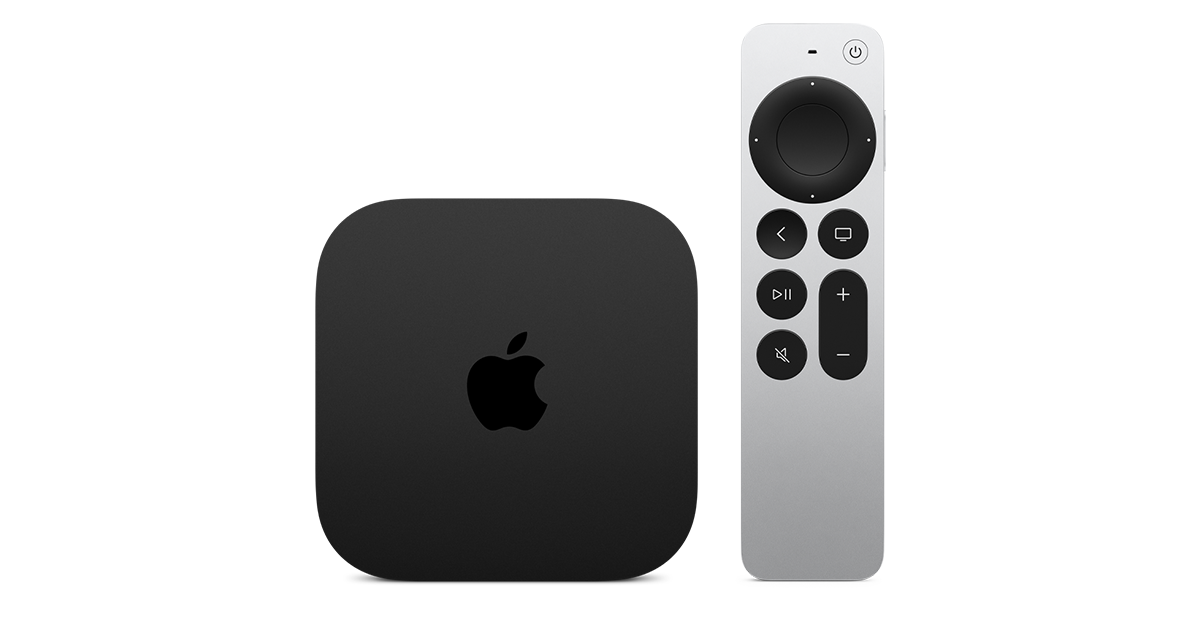
At $299, it had better come with 256 GB of Storage, Gigabit (or better) Ethernet, the latest HDMI tech and standards, and one year of free Apple One. But it probably won't…
Apple TV 4K
Apple TV 4K. New Siri AI and hands-free control. Stunning picture and immersive HomePod surround sound. Works with your Apple and smart home devices.
www.apple.com
14 Replies
·
170 views


 . apple's been making money off of software and not hardware for a while


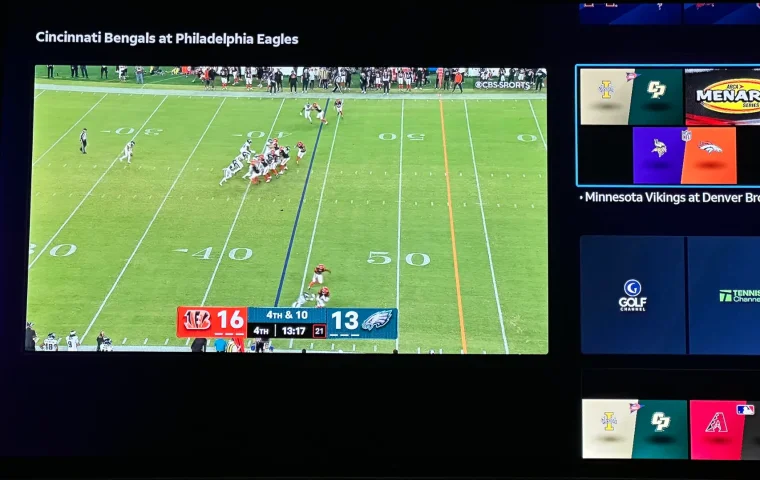
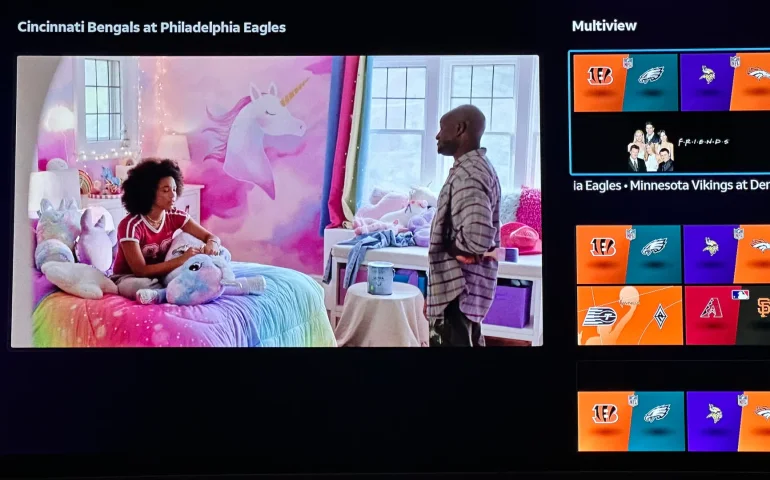
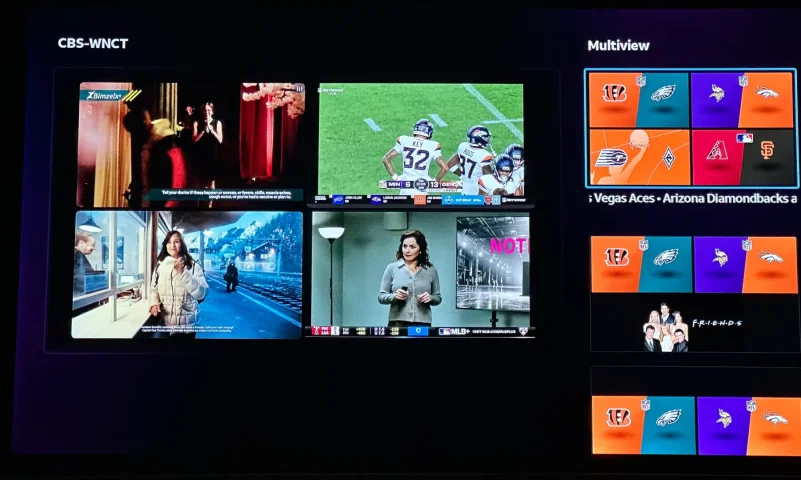
The new curated multiview is now live.
While on many of the sports channels and non sports channels there is a multi view option button. It will pull up a side bar with many different multi view options.
While on many of the sports channels and non sports channels there is a multi view option button. It will pull up a side bar with many different multi view options.
3 Replies
·
152 views


Supporting Founder
Really excited for this season with Kentucky having a new coach and some really exciting recruits. Probably won't last long, but here's hoping this season is great.
141 Replies
·
1342 views


Supporting Founder
Lifetime Supporter
This thread is a place to discuss the 4K events that appear on channel 540. We are getting, at this point, one college football game a week. Let's hope there is more coming.
1931 Replies
·
298844 views

TWiT Tech Podcast Network
Time for another AWESOME video from the TWIT Network!
View: https://www.youtube.com/watch?v=87N42NxLPC0
Direct YouTube Link - 8 U.S. States Sue OpenAI Over Safety Concerns With Younger Users
TWIT's Website
TWIT Live Feed
View: https://www.youtube.com/watch?v=87N42NxLPC0
Direct YouTube Link - 8 U.S. States Sue OpenAI Over Safety Concerns With Younger Users
TWIT's Website
TWIT Live Feed
0 Replies
·
8 views

Pub Member / Supporter
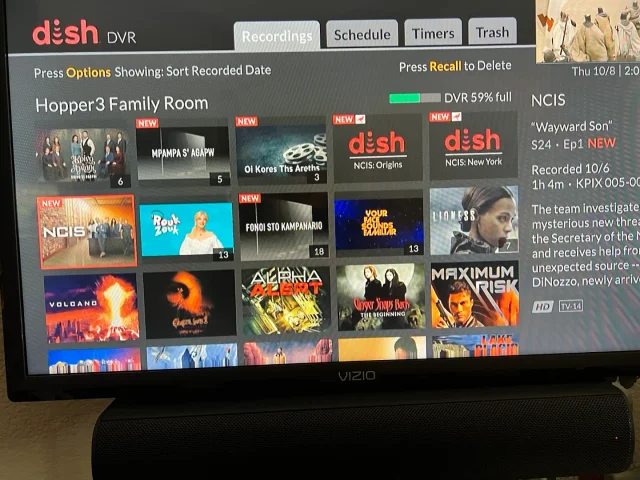
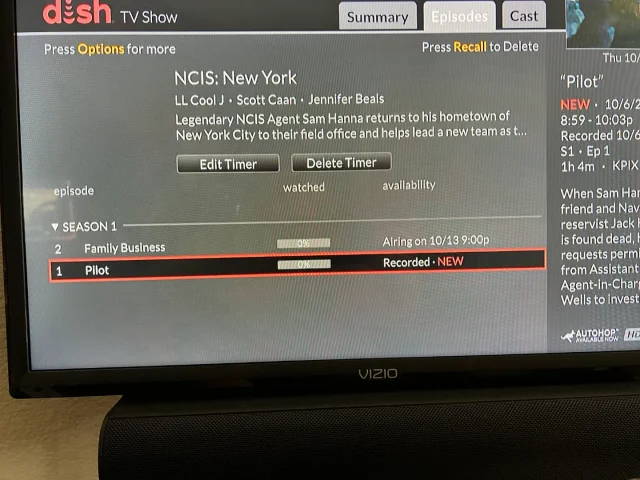
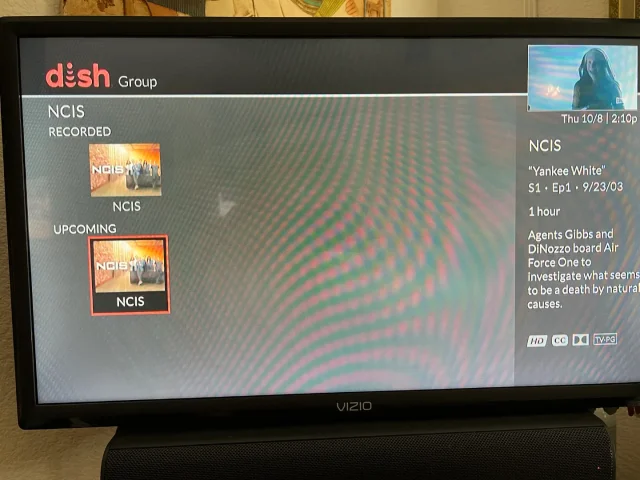
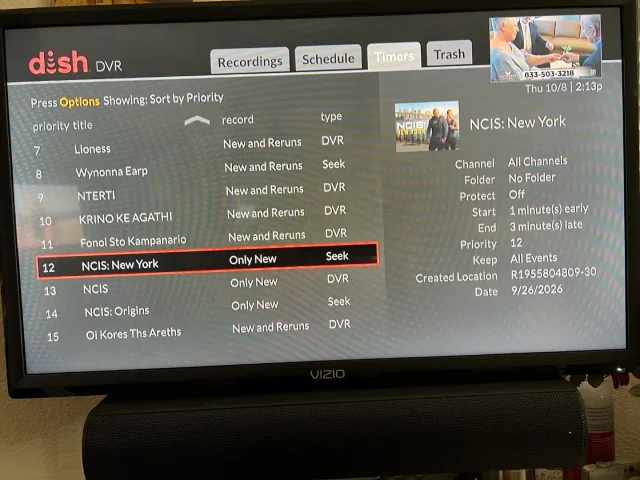
On Tuesday, I recorded the first episodes of the new season's NCIS shows on CBS (Dish provided, not OTA). The new New York series and Origins will both do Auto Skip, but the original, now season 24 does not. What's stranger, when I do a search for NCIS, Origins and New York show the current recording and the next episode it will record, but the original show only shows the current recording and some other channel showing the very first episode of season one. It makes no sense. When I set up the timers, I was able to use search for Origins and New York, but for the original, I had to scroll ahead in the guide until last Tuesday when the show was airing. Then set the timer from there. You can see its timer type is DVR where the other two are Seek. What am I missing?
Thanks!
Thanks!
20 Replies
·
386 views


Pub Member / Supporter
Cutting Edge
I created this thread on the original Edgecutter Cutting Edge Forums site. It's simply a place for those to review the latest software available for those using Windows 10 and Windows 11. To date it has received 112,559 views. I have been asked by staff to continue this thread here.
520 Replies
·
47171 views