Social Feed

B
Lifetime Supporter
Last reply · posted in General Home Theater Equipment
Hi folks! I have some cheapo HTIB systems including a Sony Dream. Those have served me well, meaning that my needs are - at this point of my life - modest at best. (I used to be an audiophile back in the days of vinyl and spent every available dollar on that hobby/obsession. Alas, my hearing is not nearly as acute as it once was and I have trouble discerning the difference anymore between a modest system and a great system other than obvious things like overload distortion. And high volume is no longer a priority either! I just want to "feel" it at a comfortable level...)

So for my living room system I want to stretch the envelope a bit more than my existing equipment allows, and I currently have only a synthesized SS experience, not true DD5.1 or equivalent. I have no objection to another 1-box solution except from what I'm reading here the flexibility is quite limited, and the audio quality on the low end. I have set a budget of ~$1,500 (coincidentally the amount of my pending "rebate") but it's not a hard limit.

Currently I have a Sony XBR2 TV, a Dish 211 receiver, and a Toshiba A2 HD DVR in this location. I want to be able to reproduce "true" surround sound in its various renderings. At some point I will add a BD player in this location as well, so it's looking like I will need capability for 3 sources.

I don't see any advantage to passing-through the HDMI video unless someone can tell me why. The TV has 3 HDMI inputs so I could connect the 3 video sources directly and use the TV as the "switcher". Anything wrong with that logic? Then I would be sending some form of digital audio signal from each source to the receiver. The A2 will do this by either HDMI or optical, and the 211 is optical only, IIRC. (The audio in the 211's HDMI connection is only L+R stereo and not DD5.1, correct?) I have no idea what a BD player will have, but I assume it will offer at least full HDMI and optical.

Best Buy currently has a package system for $900 that includes a Yamaha reveiver (RX-V463BL), 5 Klipsch (?) speakers identified as "Synergy Series Quintet III", and a powered sub identified as "Sub-10". Do you think this would suit my modest needs? I noted that it only has 2 HDMI inputs and no idea what other inputs are available on it.

Knowing my current system and an idea of where I think I'm headed with this, what else could you recommend? Should I be going 7.1 instead of just 5.1? What about that $2K Bose system ??

TIA for your comments and advice, and BRgds...!
21 Replies · 4176 views
B
Tks, all! Well, I pulled the trigger on Sat. I ended up with that Sony 5300 receiver, and Paradigm Monitor 9s in the front, Titans in the rear, CS-290 in the center, and a 3200 sub. Went with 14-ga. wire to the speakers (except coax to the sub). 50' runs to the rears was the worst case. (They're not that far back but I'll need that much wire to run through the basement.) The current "rears" are actually in the surround positions and the receiver is configured accordingly. If I eventually add the surround backs I'll probably go with the Titans again. I actually considered going with the Monitor 11s for the fronts, but frankly I didn't like their sound. The 1" larger drivers gave more emphasis to the bass and I thought that really "muddied" the result. I'm sure I could tweak their set-up to improve things, but since the 9s have the same tweeter as the 11s I didn't think that would make any significant difference on the top end. I'm happy with the 9s and glad I made the comparison. Sometimes bigger is not necessarily better!

I bit on one overpriced HDMI cable and probably overpaid for the speaker wire as well. (I allowed the small store to get a few $$ profit out of me!) But any additional cables I will buy from monoprice. I'll need a couple soon.

Took 5+ hours to tear out my old stereo that I hadn't powered-up in at least 10 years (I stopped using it when I discovered the compliance on both woofers was falling apart, now completely gone!), clean-up all around, and install all the new stuff. It all came off without a hitch. Almost midnight before I powered-up for the first time.

In a word - AWESOME !! I still have a LOT of work ahead of me to learn all the functions, and the remote is currently a hassle (non-intuitive), as pointed-out by the C/Net review. But the Sony GUI is very cool, easy to navigate. I may actually learn that remote at some point. If not, I'll "Harmonize", but that will have to wait a bit. I also have to calibrate the system, but I thought I'd wait to learn more of the features, etc. first, and I still need to settle on final locations for the center and rear speakers.

I played some CDs first, as I was doing in the store for comparison. Never heard any of them sound that great. And they sounded better than the system did in the store. I then put in Transformers for a first A/V test and was blown away; I heard many things I never heard the first 2 times! Only intended to play a bit and ended-up watching the whole thing!

On Sun. I got my old turntable working and loved it! I haven't heard anything from vinyl in quite a long time, and never in SS (even if simulated, it beats just stereo IMHO). Comparison to digital will be cool, but I have a number of records that AFAIK were never released on CD so it's great to have that capability back. Bad news on my R-R tho' - it's not working. The FF and REW drives are fine, but the 3rd motor that drives the capstan in Play isn't turning at all. Gotta tear into that one soon. I didn't try my cassette deck yet.

Last evening I played Pitch Black (for the nth time - big Vin Diesel fan!) and again heard stuff I never knew was there, and had the true SS experience for the first time with that movie. Sitting in the middle of all those "creatures" flapping about is "out of this world" !!

Lots to learn and lots to enjoy! And hopefully some time now to do it.

Tks everyone for your help and suggestions! Once again my affiliation with SatGuys cost me a huge bundle as I went from about $1,500 budgeted to almost 3 times that! And I love every penny and moment spent on/with the toys...!
NightRyder
Tks, all! Well, I pulled the trigger on Sat. I ended up with that Sony 5300 receiver, and Paradigm Monitor 9s in the front, Titans in the rear, CS-290 in the center, and a 3200 sub. Went with 14-ga. wire to the speakers (except coax to the sub). 50' runs to the rears was the worst case. (They're not that far back but I'll need that much wire to run through the basement.) The current "rears" are actually in the surround positions and the receiver is configured accordingly. If I eventually add the surround backs I'll probably go with the Titans again. I actually considered going with the Monitor 11s for the fronts, but frankly I didn't like their sound. The 1" larger drivers gave more emphasis to the bass and I thought that really "muddied" the result. I'm sure I could tweak their set-up to improve things, but since the 9s have the same tweeter as the 11s I didn't think that would make any significant difference on the top end. I'm happy with the 9s and glad I made the comparison. Sometimes bigger is not necessarily better!

I bit on one overpriced HDMI cable and probably overpaid for the speaker wire as well. (I allowed the small store to get a few $$ profit out of me!) But any additional cables I will buy from monoprice. I'll need a couple soon.

Took 5+ hours to tear out my old stereo that I hadn't powered-up in at least 10 years (I stopped using it when I discovered the compliance on both woofers was falling apart, now completely gone!), clean-up all around, and install all the new stuff. It all came off without a hitch. Almost midnight before I powered-up for the first time.

In a word - AWESOME !! I still have a LOT of work ahead of me to learn all the functions, and the remote is currently a hassle (non-intuitive), as pointed-out by the C/Net review. But the Sony GUI is very cool, easy to navigate. I may actually learn that remote at some point. If not, I'll "Harmonize", but that will have to wait a bit. I also have to calibrate the system, but I thought I'd wait to learn more of the features, etc. first, and I still need to settle on final locations for the center and rear speakers.

I played some CDs first, as I was doing in the store for comparison. Never heard any of them sound that great. And they sounded better than the system did in the store. I then put in Transformers for a first A/V test and was blown away; I heard many things I never heard the first 2 times! Only intended to play a bit and ended-up watching the whole thing!

On Sun. I got my old turntable working and loved it! I haven't heard anything from vinyl in quite a long time, and never in SS (even if simulated, it beats just stereo IMHO). Comparison to digital will be cool, but I have a number of records that AFAIK were never released on CD so it's great to have that capability back. Bad news on my R-R tho' - it's not working. The FF and REW drives are fine, but the 3rd motor that drives the capstan in Play isn't turning at all. Gotta tear into that one soon. I didn't try my cassette deck yet.

Last evening I played Pitch Black (for the nth time - big Vin Diesel fan!) and again heard stuff I never knew was there, and had the true SS experience for the first time with that movie. Sitting in the middle of all those "creatures" flapping about is "out of this world" !!

Lots to learn and lots to enjoy! And hopefully some time now to do it.

Tks everyone for your help and suggestions! Once again my affiliation with SatGuys cost me a huge bundle as I went from about $1,500 budgeted to almost 3 times that! And I love every penny and moment spent on/with the toys...!

Sounds like an excellent system! I hope you get many years of enjoyment from it. :)

NightRyder
S
Well done! If you think your Paradigms sound good now, just wait until they're broken in. ;)
jayn_j
Yeah, I think yu are going to be quite happy. Good full range speakers are always a worthwhile upgrade. It looks like you did your homework well.
B
Tks again guys. Yes, the "fun has just begun" !!

I had fits with the receiver on the first evening, partly because I was tired and probably moreso because of the remote that is quite non-intuitive. But the savior is the great Sony GUI. I ended-up with about 20 questions for the dealer and was convinced that about half of the front panel controls on the receiver weren't working. But after having spent a bunch more time reading the manual and pushing buttons, I answered all but a couple of minor questions on my own. This is definitely not a case where you can ignore the instructions...!

Curious about the Paradigm "break-in" period. I had never heard of such a thing before, but I did read that little tid-bit in the manuals. Everything sounds great now - I can't wait for it to sound better...! It's only me at home now and some critters and I live about 1/3 mile away from my nearest neighbor, so I have tended to let 'er crank!! (I haven't seen my dog for about 3 days - guess she's hiding under the bed in the furthest away bedroom. I know she's still around as the food in her dish is getting eaten...!)
M
Last reply · posted in DISH Network Support Forum
Over the past few weeks, I have had problems connecting to streaming services (Netflix, HBO et al). When I go to the TV's native Channels, I have no problem. The Dish internet troubleshooter shows I have a good internet connection. I'm wondering whether it's an issue with my internet provider or a problem with the Dish software on the Hopper Plus. Anyone else seeing this?
1 Replies · 79 views
Almighty1
Over the past few weeks, I have had problems connecting to streaming services (Netflix, HBO et al). When I go to the TV's native Channels, I have no problem. The Dish internet troubleshooter shows I have a good internet connection. I'm wondering whether it's an issue with my internet provider or a problem with the Dish software on the Hopper Plus. Anyone else seeing this?
I have a DISH Hopper 3 (Software H713) with Hopper Plus (Software P15403). I have not tried streaming services but I primarily watch TVB Jadeworld international package which is only available by streaming and when I have an issue, I usually have to go to a non-streaming satellite channel first before the streaming channels will work again. What software versions do you have and what is the error message if any are showing on your screen? or is that Dish downloading logo just stuck and never finishes?
dishstaller
Pub Member / Supporter Lifetime Supporter
· posted in The Chit Chat Club
It states the average amount they are under water is OVER $7,000. :eek

Personally, I tend to be the type that drives a vehicle for a lot of years....do my own oil changes and other fluid changes. Just replaced the spark plugs and a couple coils. Youtube is great for things like this.

0 Replies · 7 views
Scott Greczkowski
Staff member HERE TO HELP YOU! Cutting Edge
Last reply · posted in The Chit Chat Club
Sometimes a thread gets so many posts in it that is can cause issues for the server so that why today we introduce The Song Name Game Part 3!

So let the game continue!

The last song was added by Bobby who posted...

One Meat Ball - Andrews Sisters

CONTINUE ON AND HAVE FUN! WELCOME HOME TO SATELLITEGUYS.US!

Here are the original rules for the game as posted by WebbyDude back in 2006. http://www.satelliteguys.us/threads/68645-Song-Name-Game

Just name a song title and the band who performed it. The next person does the same thing, but needs to list a song title or band name which includes a word from the previous entry. Pick songs from any genre.

Example:

Long Live Rock and Roll -- Rainbow

Rainbow in the Dark -- Dio

Another example:

Ride the Lightning -- Metallica

Lightning Strikes -- Ozzy Osbourne


Get it?


An additional note: we all know that song titles, sometimes, use profane words. Because this is a family friendly website it is advised that you clean up that title up a bit. This is accomplished by using something like sh!t instead of the real word. Thanks....
68659 Replies · 2680255 views
  • Like
Reactions: c-spand
Bobby
98.6 - Keith
harshness
I'm Easy - Keith Carridine
gms49ers
It's Easy - Boston
  • Like
Reactions: long_time_Dish
RaiderPower
Take It Easy On Me - Little River Band
long_time_Dish
Take It Easy - The Eagles
jamieh1
Last reply · posted in DIRECTV Programming Forum
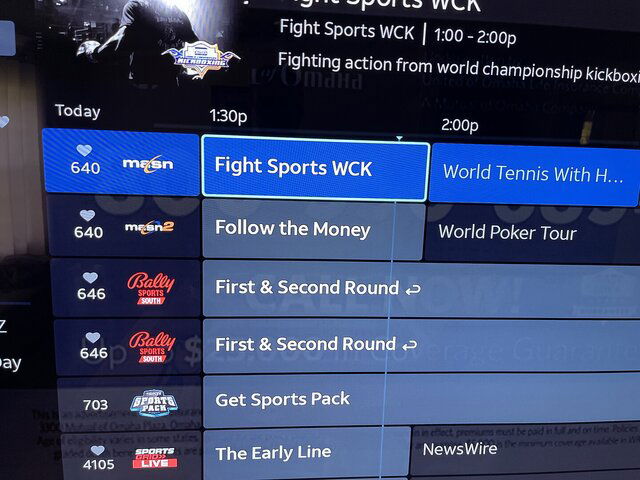
DIRECTV Stream/Internet added Ch 4105 SportsGrid
268 Replies · 38713 views
  • Like
Reactions: c-spand and KyL416
K
Now live:
4101 Yahoo! Sports Network
4121 DP World Tour
4195 F1 Channel
4196 MotoGP Channel
K
Now live:
4275 Law & Crime
4364 Military Makeover Channel
K
Game Show Central is now live on channel 4342
K
Now live:
4101 Yahoo! Sports Network
4121 DP World Tour
4195 F1 Channel
4196 MotoGP Channel
It only took them 41 days to announce it
  • Like
Reactions: Mr Tony
K
Now testing:
AyM Sports 3 USA
Best Bets TV powered by VSiN
CBS Sports Golazo Network
CBS Sports HQ
Judge Judy
TWiT Tech Podcast Network
· posted in TWiT Tech Podcast Network
0 Replies · 5 views
dfergie
Staff member HERE TO HELP YOU!
Last reply · posted in What's Cooking?
We have a Breakfast and Dinner thread so... :)
Continuing from the Breakfast thread, found Cornbread mix so ...
Yellow Cornbread Mix
2 Hatch Green Chiles -diced
1 Egg
2/3 cup of milk
add to greased pan
Bake for 400f 20-25 minutes(From instructions)
now to put together and try... this to go with pinto beans...
5449 Replies · 336094 views
TRG
TRG
Club sandwich and corn chowder. Iced tea.
dfergie
Chili dog bowl, water… (homemade chili)
TRG
TRG
Leftover wanton soup and pork fried rice. Water.
dfergie
IMG_5955.webp

Sweet tea…
  • Like
Reactions: Bobby and TRG
TRG
TRG
Tuna salad sandwich on toasted honey whole wheat bread with a handful of kettle chips. Water.
  • Like
Reactions: Bobby
R
Last reply · posted in Computers and Gadgets
Lately my eight year old Dell laptop has been shutting off even when I have a full battery. I have had to keep it plugged up all the time to keep this from happening. Any idea what is causing this? I replaced the battery about three years ago.
2 Replies · 51 views
arlo
A recalibration might be needed. Even if it shows full, the individual cells may have become unbalaced. And the BMS chip in the battery reports false information to the pc.
Try this. Start it up in the bios/uefi and leave it there until the battery dies and it shuts off.
It might just keep running longer than in Windows. Or run for a short while and shut off.
If it's the first case. Probably just needs a balancing. If the latter, the pack might just be dead.
Not throwing stones but perhaps just a cheaply constructed battery with substandard cells. Could be.

Patience. Keep restarting it in bios/uefi until it won't fire up anymore.
Then plug the charger in and let it complete a full charge. And see what happens. If it's better.
Do the same thing one more time. Run it until it dies dead-dead. Then just let it charge, pc shut off.
When charged, it might be better. It might not be.

There are bench jigs that read the actual BMS and override it to let a tech manually monitor and charge the separate packs. They can also reset any "time bombs" in it that cause an otherwise good pack to show bad.
Maybe Santa will be good to me some year.

You might just need a new battery. Maybe the PC power management chip is going. A Dell common thing.
Leaving a laptop plugged in with a full battery is known to reduce the life. Asus for one recommends that you don't leave the charger plugged in all of the time even when shut down. And setting Windows to charge the battery to 85% instead of 100% increases life.
That's all I got.
dishstaller
That's all I got.
That was quite enough....I definitely learned something from your post. Thanks
TRG
TRG
Pub Member / Supporter
Last reply · posted in Computers and Gadgets
I set up a music server for my brother a few years ago. It's basically a small headless computer but it needs to have a DHCP IP address reserved for it in the router settings. This was easy to do in his DSL router. He's switching to Starlink now and I was wondering if these setting are easily accessible in the Starlink router. I'm pretty sure he will be getting the latest V5 router.
5 Replies · 288 views
b4pjoe
I set up a music server for my brother a few years ago. It's basically a small headless computer but it needs to have a DHCP IP address reserved for it in the router settings. This was easy to do in his DSL router. He's switching to Starlink now and I was wondering if these setting are easily accessible in the Starlink router. I'm pretty sure he will be getting the latest V5 router.
If you can't get into the router to reserve an IP address just don't use DHCP on the device that needs connected and assign it to a specific IP address in the network settings.
  • Like
Reactions: harshness
HipKat
I set up a music server for my brother a few years ago. It's basically a small headless computer but it needs to have a DHCP IP address reserved for it in the router settings. This was easy to do in his DSL router. He's switching to Starlink now and I was wondering if these setting are easily accessible in the Starlink router. I'm pretty sure he will be getting the latest V5 router.
They are not. Your best bet is to set up a third-party router, attached to the Starlink for your server, that you can get into, like a Linksys, etc
  • Like
Reactions: Foxbat
Foxbat
…it needs to have a DHCP IP address reserved for it in the router settings. This was easy to do in his DSL router. He's switching to Starlink now and I was wondering if these setting are easily accessible in the Starlink router. I'm pretty sure he will be getting the latest V5 router.
The Starlink V5 Install Kit I just got comes with the Mini Router. It is pretty limited in what it can do. For example, it can provide only one IP subnet at a time, no Guest Network, but it does support the pass-thru to a third-party Router. You can also split the Wi-Fi into separate 5 GHz & 2.4 GHz SSIDs to help some IoT devices that don't support 5 GHz bands to work.

The larger Starlink Router that still comes with the V4 Kit does support a Guest Network with separate IPv4 Subnet, but it's $120 from Starlink. And it still won't do DHCP Reservations.
harshness
If you can restrict the DHCP address space to assign addresses to one end of the subnet (i.e. x.x.x.50+), you can manually assign the IP address on pretty much any operating system. This is a default behavior on several popular routers. As the Router Mini only supports 235 devices, I expect that's already done.

Another option is to use a router that supports PoE to power the antenna. This article discusses that option (under PoE Power heading):

  • Like
Reactions: Foxbat
Foxbat
Now that I've had the v5 kit with the Mini Router, it's not as bad as I first thought. Yes, no DHCP reservations, but you can set up multiple SSIDs that have separate IPv4 subnets, and like the big brother, you can select from 192.168.x.0/24 or 10.x.0.0/16 (where "x" is 1-4).

You can also split a subnet and have different SSIDs for the 5 GHz and 2.4 GHz channels to handle some IoT devices. I haven't discovered what subnet the 2nd NIC on the router assigns, I'm guessing it's the first subnet.