

Social Feed
Sorry to repost this but I thoought I would start a new thread because the other thread on this topic hasn't had a response in some time. This is only my second post so please be kind. I have been reading forums for a long time and this is the first time i couldnt find a conclusive answer to this question.
So here it goes.
Has anyone figured out how to get a 622/722 hard drive to work in their computer. I do not want to transfer recordings or anything like that. The receiver is of no use to me anymore.It was in a fire at a friend of mines home and its still a little black with smoke damage. (It still functions correctly)
The hard drive that came out the VIP 722 and is a Western Digital WD5000AAJS-57TKA0.
Here is what I have done so far:
1. I left the Hard Drive in the receiver and powered the receiver on,
2. Once the hard drive started spinning I unhooked the sata connector and hooked it into my computer via another sata cable.
3. I have deleted the 4 partitions that I found under computer management.
And I have reformatted it for Windows.
4. I still cannot get it to boot with it in the computer, only if its connected to the receiver.
Can anyone verify if this is a power issue?
Or is this due to some type of code being sent from the reciver to the drive to telll it to spin?
I am sorta handy with electronics so the directions you send (if very technical)dont have to be baby steps.
Either way, if you know of a way I might get this drive working please let me know or PM me. Any help would be greatly appreciated.
So here it goes.
Has anyone figured out how to get a 622/722 hard drive to work in their computer. I do not want to transfer recordings or anything like that. The receiver is of no use to me anymore.It was in a fire at a friend of mines home and its still a little black with smoke damage. (It still functions correctly)
The hard drive that came out the VIP 722 and is a Western Digital WD5000AAJS-57TKA0.
Here is what I have done so far:
1. I left the Hard Drive in the receiver and powered the receiver on,
2. Once the hard drive started spinning I unhooked the sata connector and hooked it into my computer via another sata cable.
3. I have deleted the 4 partitions that I found under computer management.
And I have reformatted it for Windows.
4. I still cannot get it to boot with it in the computer, only if its connected to the receiver.
Can anyone verify if this is a power issue?
Or is this due to some type of code being sent from the reciver to the drive to telll it to spin?
I am sorta handy with electronics so the directions you send (if very technical)dont have to be baby steps.
Either way, if you know of a way I might get this drive working please let me know or PM me. Any help would be greatly appreciated.
10 Replies
·
5295 views


Supporting Founder
Lifetime Supporter
No idea what improvements might be involved.
29 Replies
·
1595 views


Who says dinner or lunch has to be the only good meals of the day?
Honey butter grits with scrambled eggs and grilled boneless pork ribs on flakey biscuits washed down with cranberry juice.
Honey butter grits with scrambled eggs and grilled boneless pork ribs on flakey biscuits washed down with cranberry juice.
6634 Replies
·
380117 views


Staff member
HERE TO HELP YOU!
Cutting Edge
Sometimes a thread gets so many posts in it that is can cause issues for the server so that why today we introduce The Song Name Game Part 3!
So let the game continue!
The last song was added by Bobby who posted...
One Meat Ball - Andrews Sisters
CONTINUE ON AND HAVE FUN! WELCOME HOME TO SATELLITEGUYS.US!
Here are the original rules for the game as posted by WebbyDude back in 2006. http://www.satelliteguys.us/threads/68645-Song-Name-Game
Just name a song title and the band who performed it. The next person does the same thing, but needs to list a song title or band name which includes a word from the previous entry. Pick songs from any genre.
Example:
Long Live Rock and Roll -- Rainbow
Rainbow in the Dark -- Dio
Another example:
Ride the Lightning -- Metallica
Lightning Strikes -- Ozzy Osbourne
Get it?
An additional note: we all know that song titles, sometimes, use profane words. Because this is a family friendly website it is advised that you clean up that title up a bit. This is accomplished by using something like sh!t instead of the real word. Thanks....
So let the game continue!
The last song was added by Bobby who posted...
One Meat Ball - Andrews Sisters
CONTINUE ON AND HAVE FUN! WELCOME HOME TO SATELLITEGUYS.US!
Here are the original rules for the game as posted by WebbyDude back in 2006. http://www.satelliteguys.us/threads/68645-Song-Name-Game
Just name a song title and the band who performed it. The next person does the same thing, but needs to list a song title or band name which includes a word from the previous entry. Pick songs from any genre.
Example:
Long Live Rock and Roll -- Rainbow
Rainbow in the Dark -- Dio
Another example:
Ride the Lightning -- Metallica
Lightning Strikes -- Ozzy Osbourne
Get it?
An additional note: we all know that song titles, sometimes, use profane words. Because this is a family friendly website it is advised that you clean up that title up a bit. This is accomplished by using something like sh!t instead of the real word. Thanks....
68646 Replies
·
2679619 views


Pub Member / Supporter
Lifetime Supporter
We were up in Pigeon Forge, TN a month ago and we couldn't get anything on our phones to work on mobile data...the Ookla speed test app couldn't even do a speed test. I have an older 13 and went into my settings and turned off the 5G, making it use LTE exclusively....did a speed test of over 300mbps so obviously the 5G bands were overwhelmed. Anyway, tried to do the same thing on my Wife's 15 and the cellular data options tab simply wasn't there. Any of you run into this? We've on Verizon
0 Replies
·
12 views

Pub Member / Supporter
9 Replies
·
152 views


 since I did not read every Marvel Comic Book ever published. If I had, I might be comparing the comics' version of events compared to what's transpiring in "Visionquest". So, I am enjoying the series a lot, not weighed down by previous expectations, knowing only the Avengers MCU movies and the "Wandavision" / "Agatha All Along" TV series.
Supporting Founder
Pub Member / Supporter
It's time for my wife to get a new iphone as her iphone 12 is getting weak battery life test says 70% compared to when new. But it is beginning to show signs of screen freezing as well.
211 Replies
·
15143 views
iJustine
Time for another AWESOME video from iJustine!
View: https://www.youtube.com/shorts/CjVbq6h2VZw
Direct YouTube Link - The new PROLED MacBook Pro has a Dynamic Island
The official iJustine Website's Website
Buy her book!
View: https://www.youtube.com/shorts/CjVbq6h2VZw
Direct YouTube Link - The new PROLED MacBook Pro has a Dynamic Island
The official iJustine Website's Website
Buy her book!
0 Replies
·
2 views
iJustine
Time for another AWESOME video from iJustine!
View: https://www.youtube.com/shorts/ux8oQzvijl4
Direct YouTube Link - New PROLED MacBook Pro!
The official iJustine Website's Website
Buy her book!
View: https://www.youtube.com/shorts/ux8oQzvijl4
Direct YouTube Link - New PROLED MacBook Pro!
The official iJustine Website's Website
Buy her book!
0 Replies
·
4 views

Pub Member / Supporter
Cutting Edge
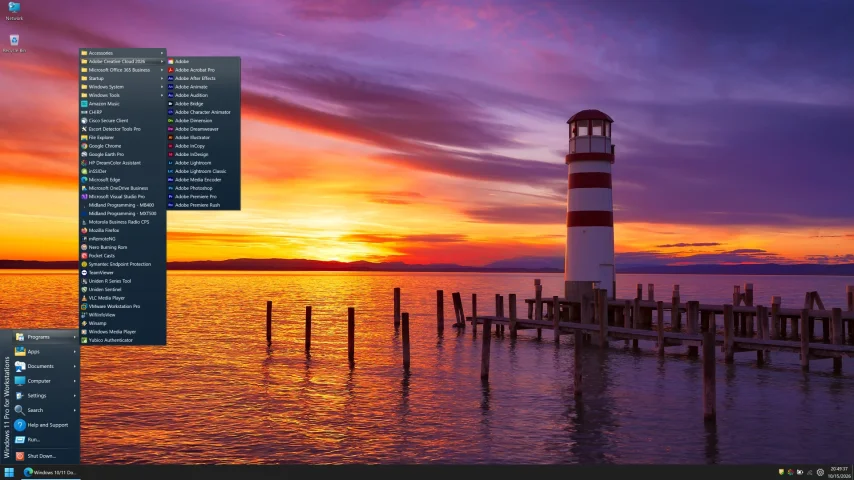
I created this thread on the original Edgecutter Cutting Edge Forums site. It's simply a place for those to review the latest software available for those using Windows 10 and Windows 11. To date it has received 112,559 views. I have been asked by staff to continue this thread here.
523 Replies
·
47955 views



TWiT Tech Podcast Network
Time for another AWESOME video from the TWIT Network!
View: https://www.youtube.com/watch?v=6MT4ptWNv2E
Direct YouTube Link - Windows Weekly 1007
TWIT's Website
TWIT Live Feed
View: https://www.youtube.com/watch?v=6MT4ptWNv2E
Direct YouTube Link - Windows Weekly 1007
TWIT's Website
TWIT Live Feed
0 Replies
·
6 views