Social Feed

jcrandall
Staff member HERE TO HELP YOU!
Last reply · posted in DIRECTV CE Discussion Forum (Now CLOSED)
Systems in CE:15:10
All HR20, HR21, HR22, and R22 units Version 0x0286

Window of opportunity to download:
Friday, October 3, 2008 11:00PM - 2:30AM ET
Saturday, October 4, 2008 11:00PM - 2:30AM ET


PLEASE READ THIS FIRST! DirecTV Cutting Edge Program: Terms, FAQ, How-To, Hidden Features, and More

If you have any issues with this CE release, please post them in this thread. We'll try to help, and DirecTV will see / be aware of your issue :)


For the latest updates, check out the CE Chat on Friday nights:
cechat.satelliteguys.us

-----------------

Improved
  • 01 - Under the hood improvements
  • 01 - New Factory Default is to Hide SD Duplicates
  • 01 - Prioritizer Screen updated
  • 01 - Recording tip display from the prioritizer
  • 01 - Added HD Icon to DIRECTV on Demand Queue
  • 01 - Support for Tversity Internet Radio
  • 01 - Closed Captioning
  • 02 - Interactive reliability
  • 02 - reliability when repeating guide setup multiple times
  • 02 - Fixed stuck yellow light after Reset Everything
  • 02 - Removed "Cancel PPV" option when purchased after free preview
  • 02 - closed captioning timing
  • 03 - Various UPnP devices crashing the box
  • 03 - Wireless Adapter – added characters /()~!# to triple tap
  • 04 - Guide scrolling speed
  • 04 - Channel banner surfing speed
  • 04 - Moved Miscellaneous Options under Parental, Fav's & Setup so there is no need to use Menu+Info to send diagnostic report. :) (CE'ers only)
  • 04 - Mediashare - Display error codes in "unable to access" OSD (CE'ers only)
  • 05 - More Actors per program requires Guide Cache Flush
  • 05 - Audio Options now removed from TV Options if program has only one audio channel
  • 05 - Softpadding is stabalized see notes
  • 06 - Playlist graphics issues when disk 100% full
  • 06 - Mediashare – PPV OSD when playing slide show
  • 06 - Mediashare – Improved video playback after playing photos
  • 06 - Guide scrolling speed
  • 06 - SUPERSKIPTOTICK - Playback stays in FF/REW mode after skip-to-tick
  • 06 - 1080p/24 support – Added information to the Miscellaneous Options screen displaying TV's reported resolution support on the HDMI output
  • 06 - 1080p/24 support – Added TV resolution option for 1080p. This must be enabled for 1080p to work while in native mode.
  • 07 - R22 Only - tip display setting
  • 07 - Mediashare – Mismatch song titles in info banner and playbar
  • 08 -Lost favorite channel setting after download.
  • 08 -Lost favorite list names after reset.
  • 08 -No "About to Record" OSD when tuning away to begin a recording.
  • 08 -False tuner conflict screen appearing.
  • 08 -Series recordings not prioritized correctly.
  • 08 -Incorrect title in recording Tip OSD (observed in CE only)
  • 08 -Screen saver appears over live TV (observed in CE only)
  • 08 -Mediashare – Mediashare crash while doing trickplay on a mediashare slideshow with music.
  • 08 -Mediashare – Unable to browse folder in WMP11.
  • 08 -Mediashare – Grey screen between photos when doing trickplay on photos.
  • 08 -DIRECTV2PC – Failed playback for in-progress downloading DIRECTV On Demand programs.
  • 09 - HR20 Only – Fixed audio problem and no A/V on some HDTVs supporting 1080p24.
  • 09 - video when downres'd from 1080p
  • 09 - PIG videowith DIRECTV On Demand homepage.
  • 09 - Record Icon now appears in channel banner
  • 09 - fixed issue where Cancellation of current manual recording deletes the entire manual autorecord in the Prioritizer
  • 09 - Wrong program information showing after jumping 12 hours
  • 09 - Playback when going in and out of standby
  • 09 - Fixed playback icon after rewinding to beginning of recording
  • 09 - Soft Padding Inconsistencies
    [*]10 - 1080p support for both HR20 and HR21
    [*]10 - Added 1080p icon in title search
    [*]10 - Added support for HDMI cable detection in TV resolution panel
  • 11- Search by title getting on 1080p content
  • 11- {PREV} button reliability
  • 11- Mediashare – Improved trickplay after browsing DIRECTV On Demand
  • 11- Mediashare – GUIDE availability when playing video
  • 11- Mediashare – "Music, Photos, & More" availability when playing video

Updated
  • 01 - XM Programs from XM Channels are no longer auto-recorded
  • 01 - Screen saver removed after tuning away from an XM channel
  • 02 - (HR20) video issues on REW x1
  • 02 - (HR21) AC audio levels in certain situations
  • 02 - (MediaShare) Fixed "Unable to Play" message
  • 02 - (DoD) Left Arrow from "all" now works as expected
  • 02 - (DIRECTV2PC) Fixed hang on certain trick plays
  • 03 - UI becoming "sluggish"
  • 03 - Black screen or wrong video after exiting Signal Meter
  • 03 - iTV - Application not restarting when FFWD back to live TV
  • 03 - XM - screen saver displaying complete title of TV-MA program even after parental controls are set to block TV-MA
  • 03 - XM - screen saver displaying information for the previous channel
  • 03 - XM - background lost after reading fortune
  • 03 - Media Share – FFWD and RW not rotating LEDs as it does for recordings/live buffer
  • 04 - R22 – Enabled TV Aspect Ratio screen
  • 04 - Mediashare – Dismiss "channel not purchased" OSD when watching video or photos
  • 04 - Mediashare Tversity – Unable to play single audio or video, but plays ok when using "Play All"
  • 05 - Recording Stability
  • 05 - Currently recording VOD playback is fixed
  • 05 - Fixed issue where deleted programs remained in My Playlist
  • 05 - Recent Searches
  • 06 - Remote Code text for AV1/AV2
  • 06 - Fixed issue with deleting program which has a Won't Record option in the To Do list
  • 06 - Fixed More Info in Resolution Screen
  • 06 - No "about to change" On Screen Display
  • 07 - Fixed No purchase offer for recorded PPV program
  • 07 - Fixed issue where manual Info Screen in Prioritizer is blank
  • 07 - Record Icon is now removed when stopping recording from grid guide
  • 07 - XM screen saver reliability
  • 07 - Removed OSD with incorrect title
  • 07 - Missing highlight in guide
  • 08 -Added new Icon in DIRECTV On Demand home pages for 1080p programs.
  • 09 - Added 1080p icon on Program Info screen.
  • 09 - False tuner busy message.
    [*]10 - Recording a series ("Cancel this episode")
    [*]10 - Trickplay operation on Live PPV after free preview period
    [*]10 - Channel banner lock/unlock status
    [*]10 - Fixed text when 30 second slip and REC in the PIG
    [*]10 - Mediashare – Fixed occasional audio stream playing at wrong rate
    [*]10 - Mediashare – Thumbnail display consistency
    [*]10 - Mediashare – Visibility when selecting Music, Photos, & More on the Mix channel before iTV loads
    [*]10 - Softpad Live TV fixes
    [*]10 - Title display during rewind
    [*]10 - Fixed Parental control OSD when rewinding to beginning after going to the end of the recording
    [*]10 - PIG display when watching a trailer
  • 11- Guided Setup - Fixed issue when stuck acquiring data
  • 11- visibility of selection cursor when choosing DIRECTV On Demand content (certain situations)
  • 11- 1080p Resolution setting after trickplay
  • 11- Fixed issue with recording getting cancelled after a few minutes
  • 11- Fixed display after selecting a program to cancel from the conflict OSD
  • 11 - Playlist reliability

New Features

  • 01 - Toggle between two recordings with the {PREV} button
  • 01 - Enable DIRECTV2PC (formerly known as Media Share PC)
  • 01 - Enable POKEEYENOW
  • 01 - Song Title on screen-saver (XM Channels)
  • 01 - Channels not subscribed are different color in grid
  • 01 - Support for Cisco Wireless Bridge (WGA600N) - plugs into Ethernet port
  • 01 - POST (Power on Self-Test) of hardware at boot up
  • 03 - Auto Extension – when there is no recording conflict generated by adding additional time and no manually set extensions, the DVR will record 10 seconds before the start time and 2 minutes after the end time of the originally scheduled program. Back to back recordings on one tuner will Auto Extend.
  • 05 - HR20 Only - Added new OSD prompt to offer a temporarily switch into Native Mode during a 1080p program's playback session. This will only appear if you have a HDMI connected 1080p TV and will only appear once per 24 hrs.
  • 07 - HR2x Only - 1080p/24 – Added OSDs for prompting a test for 1080p. This will happen if you attempt to view 1080p content and have never run the test for 1080p AND the TV claims support
  • 08 -Soft padding complete and customer ready.
  • 09 - Wireless Game Adapter Linksys WGA600N support.
Notes

  • 01 - POST runs twice if new firmware detected
  • 03 - Super Skip to Tick
    Do a Keyword search (all) to turn Skip-to-Tick on or off:

    On: SUPERSKIPTOTICK
    Off: SUPERSKIPTOTICKOFF​

    [*]04 - Playing a currently downloading DIRECTV On Demand program from the info screen does not play until the download finishes. It will play directly from My Playlist by just pressing the "play" key.


  • 05 - Reverting back to National will delete all recordings made from this CE cycle's code
  • 05 - Softpad feature will take on the following characteristics:

    • [*]Softpad cannot be disabled
      [*]30s before, 90s after
      [*]User or Timer initiated recordings take priority
      [*]Playback starts at scheduled start time, not at start of softpad
      [*]Keep or Delete only appears at end of recording softpad or otherwise
      [*]There will be no indication on trickplay bar of softpad
      [*]Show will not appear in playlist during beginning of program softpad
      [*]Record light is off during softpad activity
    If a softpad exists, you can utilize the trickplay features to move through the softpad buffer.
  • 06 - When reporting issues with 1080p, please include the TV resolution information reported from the Miscellaneous Options screen.
  • 06 - SUPERSKIPTOTICK - When on, if in FF or REW mode {REPLAY} will jump to the previous tick mark and {ADVANCE} will jump to the next tick mark, {PLAY} returns playback to PLAY mode.
  • 10 - Customer Candidate
  • 11 - you must re-enter IAMANEDGECUTTER keyword search to access hidden features
Please Note: Reverting back to National will delete all recordings made with this version of code.
Also Note: When reporting issues with 1080p, please include the TV resolution information reported from the Miscellaneous Options screen.
50 Replies · 4664 views
mlbfans
At about 7:00 pm last night, the HR21-700 decided to re-boot itself and I missed the top of my recording. This is the second time in two weeks that this has happen...the remote has been unresponsive on numerous occasions...I think it is time to replace my DVR...
C
3am HR22-100 spontaneous reboot. 2 minutes into a recording of "Heroes" then the machine decides to reboot itself.

Few minutes later my HR20 does the same thing. HR20 does not run CE releases as it's the machine I keep archives on.

Maybe the reboots had nothing to do with CE software at all...
Rey
Rey
3am HR22-100 spontaneous reboot. 2 minutes into a recording of "Heroes" then the machine decides to reboot itself.

Few minutes later my HR20 does the same thing. HR20 does not run CE releases as it's the machine I keep archives on.

Maybe the reboots had nothing to do with CE software at all...

correct. it's something D had to do last night. it happened to all of us.
W
I have had a lot of problems with this release. The recording often have a lot of sound problems. On some programs there are sound drops and the sync with the mouth is way off. It doesn't happen on every program but some of them are full of it.
Anyone else had sound problems?
bateau980
No issue report yet since I'm at work... laundry list time:

I have had the same green screen problem some others have reported. If I decide to do a chasing playback of a show that's still recording via OTA, I only get a green screen. If I stop and wait until the recording completes, I can play it back but the first couple seconds has green artifacting.

I've also noticed that after fast forwarding at x2 the recording will play for about 2 or 3 seconds then pause as if the buffer is being rebuilt then continue playing.

Guide has been relatively slower when scrolling item by item with an RF Remote setup. I haven't switched back to IR yet to test it though.

HR21-700 w/ AM21
Peter Parker
Supporting Founder Lifetime Supporter
Last reply · posted in Computers and Gadgets
I have had good experiences with Brave but lately I am frustrated with it.

Now when I launch the app it shows a box at the bottom asking if I want to go back to the last opened page. It is in conveniently located and I would prefer to eliminate it.

Does anyone know how to do this?

Please let's not sidetrack the discussion into an exploration of why I don't care for it or a lecture about all the wonderful aspects of the feature. I just do not care for it.
3 Replies · 62 views
b4pjoe
I don't have an Android phone so I don't know if this will apply to the Brave settings on your android device but it works on the desktop for me.

Change this setting to either startup to a different website or a new tab page. I have mine set to open to google.com instead of where I left off and it doesn't ask me at the next startup if I want to open the last opened page unless it crashed.

Screenshot 2026-06-10 at 6.46.20 PM.webp
Peter Parker
I don't have an Android phone so I don't know if this will apply to the Brave settings on your android device but it works on the desktop for me.

Change this setting to either startup to a different website or a new tab page. I have mine set to open to google.com instead of where I left off and it doesn't ask me at the next startup if I want to open the last opened page unless it crashed.

View attachment 191721
Thank you for trying to help. However thrse choices do not appear in Android. There is a setting for "New Tab Pages" that is similar but does not include your choice. I have tried all of the existing entries with no success
  • Like
Reactions: b4pjoe
Juan
Something like this maybe


Option 2: Set a custom Home button URL
  1. Click the menu icon in the top-right corner and select Settings.
  2. Click on Appearance in the left sidebar.
  3. Toggle on the Show home button switch.
  4. Under the home button settings, select the option to Enter custom web address and type in your preferred website. [1, 2, 3, 4, 5]
Scott Greczkowski
Staff member HERE TO HELP YOU! Cutting Edge
Last reply · posted in The Chit Chat Club
Sometimes a thread gets so many posts in it that is can cause issues for the server so that why today we introduce The Song Name Game Part 3!

So let the game continue!

The last song was added by Bobby who posted...

One Meat Ball - Andrews Sisters

CONTINUE ON AND HAVE FUN! WELCOME HOME TO SATELLITEGUYS.US!

Here are the original rules for the game as posted by WebbyDude back in 2006. http://www.satelliteguys.us/threads/68645-Song-Name-Game

Just name a song title and the band who performed it. The next person does the same thing, but needs to list a song title or band name which includes a word from the previous entry. Pick songs from any genre.

Example:

Long Live Rock and Roll -- Rainbow

Rainbow in the Dark -- Dio

Another example:

Ride the Lightning -- Metallica

Lightning Strikes -- Ozzy Osbourne


Get it?


An additional note: we all know that song titles, sometimes, use profane words. Because this is a family friendly website it is advised that you clean up that title up a bit. This is accomplished by using something like sh!t instead of the real word. Thanks....
67102 Replies · 2662213 views
  • Like
Reactions: c-spand
long_time_DNC
King Of The World - Steely Dan
RaiderPower
King Of The Road - Roger Miller
long_time_DNC
King Of Pain - The Police
  • Like
Reactions: ClarkGable
H
Haven't Got Time For The PAIN-Carly Simon
  • Like
Reactions: ClarkGable
ClarkGable
No Time - The Guess Who
BlackHitachi
Supporting Founder
Last reply · posted in Movie Talk
Since the Reds have there thread we should too!

Last watched Nine inch Nails
Next 3:10 to Yuma
5346 Replies · 509278 views
osu1991
Rooster Cogburn.

Keep forgetting the free movies on youtube are ad free with my premium subscription.
dfergie
Rooster Cogburn.

Keep forgetting the free movies on youtube are ad free with my premium subscription.
There are some really good movies on youtube.
Saving Private Ryan 4k, Dolby Atmos...
harshness
Saving Private Ryan 4k, Dolby Atmos...
These are severely limited. Getting better than stereo audio is improving, but still has a long way to go.
dfergie
These are severely limited. Getting better than stereo audio is improving, but still has a long way to go.
I went with my 4k disc after checking out that version.
osu1991

View: https://youtu.be/I68627xyDPA?is=gUZB0Yv_08pE0DR3


Tonight revisiting one of my favorites. Ranks up there with Star Wars, Raiders of the Lost Ark and Hunt For Red October.
dfergie
Watching Monterey Pop, been awhile, had the DVD, but probably lost in the fire 10.5 years ago. HBOmax
"MysteryMan"
813WnPwdB3L._SX342_.webp
  • Like
Reactions: dfergie
S
· posted in FTA Manuals Section
Looking for a manual. Want to do some radio astronomy with it. Realize it's old but, since it's not for tv use don't need any decoders, just the RF section.
0 Replies · 10 views
Scott Greczkowski
Staff member HERE TO HELP YOU! Cutting Edge
Last reply · posted in SatelliteGuys Support Center
Due to security concerns and the fact that the Tapatalk Plugin for Xenforo is no longer being updated we have removed Tapatalk support from SatelliteGuys.

For those who were using it we recommend using our PWA App instead which is faster and does not have all the spam Tapatalk had. Below is a graphic showing how to add SatelliteGuys to your devices home screen. (While iOS is shown the process is mostly the same for Android.)

add_to_home.gif

Thanks for your understanding. :)
5 Replies · 138 views
Foxbat
Thank you, Scott, for adding years to my Life and dropping my BP a few millimeters! Money well spent…
dweber
Thank you, Scott, for adding years to my Life and dropping my BP a few millimeters! Money well spent…
What is PWA app? PWA utilities seem to be a Spanish app. I hope you are seeing this since nothing seems to be working. I will miss SatelliteGuys. Tapatalk worked well. The Siri browser doesn't seem to work well.
  • Like
Reactions: charlesrshell
Peter Parker
Thank you, Scott, for adding years to my Life and dropping my BP a few millimeters! Money well spent…
Hooray!
  • Like
Reactions: charlesrshell
Peter Parker
What is PWA app? PWA utilities seem to be a Spanish app. I hope you are seeing this since nothing seems to be working. I will miss SatelliteGuys. Tapatalk worked well. The Siri browser doesn't seem to work well.
Do you mean the safari browser?
Foxbat
What is PWA app? PWA utilities seem to be a Spanish app. I hope you are seeing this since nothing seems to be working. I will miss SatelliteGuys. Tapatalk worked well. The Siri browser doesn't seem to work well.
Actually, PWA stands for "Progressive Web Application" and is basically just saving a site's homepage to your desktop where it appears as an "App" with the rest of your smartphone's Apps.
1781162703297.webp
  • Like
Reactions: charlesrshell
N5XZS
Last reply · posted in Over the Air Television By RabbitEars.Info
New low power station has been granted by the FCC and the new call leter is K33OB-D on RF ch. 33.

Will run at 15 KW ERP, this one runs from the Westside same location as KWPL-LD a HC2 owned station.

It's going to be aimed at eastern part of Albuquerque, so it's tightly focused beam pattern.

This new station is owned by Digital Network and what kind of programmings is unkown at this time.😎
9 Replies · 125 views
M
This new station is owned by Digital Network and what kind of programmings is unkown at this time
probably the same programming they have been putting on their other owned stations.
The 'get after it media' stations
Like Heartland, Retro, rev'n, Action etc
  • Like
Reactions: dfergie
comfortably_numb
probably the same programming they have been putting on their other owned stations.
The 'get after it media' stations
Like Heartland, Retro, rev'n, Action etc

We already have those diginets here.
N5XZS
Yeah, there are some diginets like Heartland, Retro, The Family Channel diginetworks that we already have here in this market and we don't need duplicates, but bring the new diginets on like the Rev'n, Karate Acton movies, different kind of music videos on the new station. :hatsoff2
  • Like
Reactions: comfortably_numb
comfortably_numb
Yeah, there are some diginets like Heartland, Retro, The Family Channel diginetworks that we already have here in this market and we don't need duplicates, but bring the new diginets like Revn, Karate Acton movies, different kind of music videos on the new station. :hatsoff2

I watch MovieSphere Gold channel a lot. Many recent movies on that digitnet :)
N5XZS
Yes that's a good channel MovieSphere, only thing is the missing CC on it. :rolleyes: :hatsoff2
  • Sad
Reactions: comfortably_numb
comfortably_numb
According to the FCC listing, the tower is near I-40 and Juan Tabo:

R
Last reply · posted in DISH Network Support Forum
Hello everyone.

I am new here and I done a search on MLB Extra Innings and DISH and it led me to this forum and so I signed up and hopefully someone can help me out with some issues.

First off, I am a DISH Outdoors customer and I signed up for service back in late October of 2025. I have a Wally HD Receiver and I am using the DISH Playmaker OS 2.1 as my Antenna that operates on 110 and 119 Western Arc and Alternative 61.5, 110, and 119 satellites. I signed up for MLB Extra Innings back in March before the season began. I was excited to be able to watch MLB Extra Innings because I love baseball and I use to have MLB Extra Innings on Satellite DIRECTV back in 2001-2004 and on Satellite DISH back in 2016 and 2017.

I was a bit disappointed when I found out that it is actually MLB.TV Simulcasted to DISH Satellite (More on that later) Anyways I have been watching faithfully almost every night however about a week ago there was a problem. When I went to go to the game to watch a game the game wouldn't come in an I would send a refresh signal to my receiver and then I could watch the programming and when I went to switch games at that games appointed time slot my Wally HD Receiver who lockup where I couldn't change any channels or view the guide and it would reboot. The next night when I turned to a game at game start it still had the background it shows before the game started and again send a refresh signal and went though this same thing over and over. I added a movie channel to my lineup and had issues with showing up my Dish Wally HD Receiver.

With an investigation after several calls with DISH Support it was determined that by going to the diagnostics screen that I had a issue with my Tuner because any changes that I made to my programming these changes would not take affect on the Wally HD Receiver. In other words that Wally HD Receiver was toast!

I too had reported MLB Extra Innings issue to DISH and they created a ticket for it and said that someone would investigate the issue. I too took notice that under MyDISH account under MLB Extra Innings always before it would show that I was subscribed and on auto-renew. Now it shows nothing and even after logging out and deleting my User Name and Password so that I can see it in guest mode it too doesn't even list a price and option for purchase as does the now WNBA League Pass.

After my DISH Receiver was ruined I had to buy a new Wally HD Receiver. I took advantage an bought 2 HD Wally's and added them both to my account. I called back to remove the old box off of the account and was told it was linked to MLB Extra Innings and the advanced technical support team said there was a glitch with MLB Extra Innings and hope to have a resolution in a couple of days and I could call back in to then to remove the box. But both the 2 new Wally HD Receivers are activated on my account. I asked them what the problem was with MLB Extra Innings and how long it would be and I was told there was a glitch as I asked to specify what they meant and got no answer. I again went and checked the MyDISH account page under the MLB Extra Innings page and it still doesn't list me as subscribed and after logging out and deleting my User Name and Password so I could it see it as a guest mode and it still doesn't list the price and option for purchase as it does for the WNBA League Pass.

I am afraid to boot up these boxes and go through the activation screen process because of the issues with the MLB Extra Innings in fear it will do the same or mess up my boxes from being able to receive MLB Extra Inning because or any other programing because I was told that MLB Extra Innings wouldn't come in on those new box because it was activated with the Wally that is ruined and it needs removed first.

Now I have no DISH service going on a week and miss my MLB Extra Innings when the races are just heating up and now with two boxes activated I can't boot up because I am afraid it will mess them up and I will be out the $180.00 or so dollars I made in purchase on the receivers.

Is anyone else experiencing issues with their MLB Extra Innings and does anyone really know what this so called glitch actually is? I can't seem to get a clear answer from anybody and don't even know if it will even be fixed or anyone really understands it.

Now to my previous statement on how I was disappointed that MLB Extra Innings is actually MLB.TV in simulcast. When I had MLB Extra Innings before with DIRECTV in 2001-2004 and with DISH form 2016 and 2017. They would always show the commercials for every teams broadcast from their local market and all games would be authentic just as if you were watching in their home market. After I quit DISH I went to streaming for awhile and I done MLB.TV and I hated their features because of the no commercials, the delayed times of getting back after the commercial break, and not being able to listen to what studios had to say when they would cut into the studios, and always looking at the screen during commercial breaks with a screen that says commercial break in progress and a silhouette background of MLB Players doing baseball things and the their crazy commercial breaks sound. I was excited to go back to DISH thinking I escaped the horrors of MLB.TV. Well its actually the same thing. I compared them side by side and actually MLB.TV is ahead by just a few seconds. So actually MLB Extra Innings on Satellite is delayed from time period wise from actually watching MLB.TV which shows it is simulcasted. My question is when did this start? And is this legal? This isn't what I know MLB Extra Innings to be. I too had signed up for NHL Center Ice this past winter and thank goodness its authentic! They still have the commercials and its like watching it as you were in their home network and its the way it oughta be even if you only do get one feed of NHL Center Ice per team on DISH and don't know which feed it is every night.

Looking forward to your responses. So far happy with DISH but unhappy with this last week and the ruining of a Wally HD Receiver.

I hope I can be of some contribution here as well.

Sincerely,

RJ T.
From Illinois
8 Replies · 313 views
zippyfrog
I know they are doing some major satellite work - the second satellite at 110 which is now in use, and they are moving channels between 119 and 110. Maybe since there are no other sports going on, have they temporarily cut back on the out of market sports packages? I am not sure. It looks like those channels are all coming from 119 TP 13, 110 TP 12, and 110 TP 09.

Also, Dish's Scheduled Satellite Maintenance page doesn't have anything going on:

R
I know they are doing some major satellite work - the second satellite at 110 which is now in use, and they are moving channels between 119 and 110. Maybe since there are no other sports going on, have they temporarily cut back on the out of market sports packages? I am not sure. It looks like those channels are all coming from 119 TP 13, 110 TP 12, and 110 TP 09.

Also, Dish's Scheduled Satellite Maintenance page doesn't have anything going on:

Trying to get use to this forum and where everything is located at. I saw you responded from my post on the changes and took me a while to get back to see this post. But yes, it is exactly what I was thinking. I too noticed the change of MLB Extra Innings from 110 to 119. Because of 30 teams they have to algin everything. Only other sport going on PPV wise is WNBA League Pass and I do not have a subscription to that but maybe some else who has it can confirm what they done and what satellite and transponders they are on.

This is a big shift for DISH. I just hope if Charlie Ergen does ever sell out to anyone that I can continue to use my DISH Playmaker and I can keep my Wally's. If its anything like what happened to DIRECTV a few years back which turned out to be a total disaster when AT&T acquired DIRECTV nothing there changed with boxes or anything and you continued to use the same service but I was very surprised to see AT&T sell it to TPG especially after they had just bought it now long ago.

RJ T.
From Illinois
R
Hello everyone.

I am new here and I done a search on MLB Extra Innings and DISH and it led me to this forum and so I signed up and hopefully someone can help me out with some issues.

First off, I am a DISH Outdoors customer and I signed up for service back in late October of 2025. I have a Wally HD Receiver and I am using the DISH Playmaker OS 2.1 as my Antenna that operates on 110 and 119 Western Arc and Alternative 61.5, 110, and 119 satellites. I signed up for MLB Extra Innings back in March before the season began. I was excited to be able to watch MLB Extra Innings because I love baseball and I use to have MLB Extra Innings on Satellite DIRECTV back in 2001-2004 and on Satellite DISH back in 2016 and 2017.

I was a bit disappointed when I found out that it is actually MLB.TV Simulcasted to DISH Satellite (More on that later) Anyways I have been watching faithfully almost every night however about a week ago there was a problem. When I went to go to the game to watch a game the game wouldn't come in an I would send a refresh signal to my receiver and then I could watch the programming and when I went to switch games at that games appointed time slot my Wally HD Receiver who lockup where I couldn't change any channels or view the guide and it would reboot. The next night when I turned to a game at game start it still had the background it shows before the game started and again send a refresh signal and went though this same thing over and over. I added a movie channel to my lineup and had issues with showing up my Dish Wally HD Receiver.

With an investigation after several calls with DISH Support it was determined that by going to the diagnostics screen that I had a issue with my Tuner because any changes that I made to my programming these changes would not take affect on the Wally HD Receiver. In other words that Wally HD Receiver was toast!

I too had reported MLB Extra Innings issue to DISH and they created a ticket for it and said that someone would investigate the issue. I too took notice that under MyDISH account under MLB Extra Innings always before it would show that I was subscribed and on auto-renew. Now it shows nothing and even after logging out and deleting my User Name and Password so that I can see it in guest mode it too doesn't even list a price and option for purchase as does the now WNBA League Pass.

After my DISH Receiver was ruined I had to buy a new Wally HD Receiver. I took advantage an bought 2 HD Wally's and added them both to my account. I called back to remove the old box off of the account and was told it was linked to MLB Extra Innings and the advanced technical support team said there was a glitch with MLB Extra Innings and hope to have a resolution in a couple of days and I could call back in to then to remove the box. But both the 2 new Wally HD Receivers are activated on my account. I asked them what the problem was with MLB Extra Innings and how long it would be and I was told there was a glitch as I asked to specify what they meant and got no answer. I again went and checked the MyDISH account page under the MLB Extra Innings page and it still doesn't list me as subscribed and after logging out and deleting my User Name and Password so I could it see it as a guest mode and it still doesn't list the price and option for purchase as it does for the WNBA League Pass.

I am afraid to boot up these boxes and go through the activation screen process because of the issues with the MLB Extra Innings in fear it will do the same or mess up my boxes from being able to receive MLB Extra Inning because or any other programing because I was told that MLB Extra Innings wouldn't come in on those new box because it was activated with the Wally that is ruined and it needs removed first.

Now I have no DISH service going on a week and miss my MLB Extra Innings when the races are just heating up and now with two boxes activated I can't boot up because I am afraid it will mess them up and I will be out the $180.00 or so dollars I made in purchase on the receivers.

Is anyone else experiencing issues with their MLB Extra Innings and does anyone really know what this so called glitch actually is? I can't seem to get a clear answer from anybody and don't even know if it will even be fixed or anyone really understands it.

Now to my previous statement on how I was disappointed that MLB Extra Innings is actually MLB.TV in simulcast. When I had MLB Extra Innings before with DIRECTV in 2001-2004 and with DISH form 2016 and 2017. They would always show the commercials for every teams broadcast from their local market and all games would be authentic just as if you were watching in their home market. After I quit DISH I went to streaming for awhile and I done MLB.TV and I hated their features because of the no commercials, the delayed times of getting back after the commercial break, and not being able to listen to what studios had to say when they would cut into the studios, and always looking at the screen during commercial breaks with a screen that says commercial break in progress and a silhouette background of MLB Players doing baseball things and the their crazy commercial breaks sound. I was excited to go back to DISH thinking I escaped the horrors of MLB.TV. Well its actually the same thing. I compared them side by side and actually MLB.TV is ahead by just a few seconds. So actually MLB Extra Innings on Satellite is delayed from time period wise from actually watching MLB.TV which shows it is simulcasted. My question is when did this start? And is this legal? This isn't what I know MLB Extra Innings to be. I too had signed up for NHL Center Ice this past winter and thank goodness its authentic! They still have the commercials and its like watching it as you were in their home network and its the way it oughta be even if you only do get one feed of NHL Center Ice per team on DISH and don't know which feed it is every night.

Looking forward to your responses. So far happy with DISH but unhappy with this last week and the ruining of a Wally HD Receiver.

I hope I can be of some contribution here as well.

Sincerely,

RJ T.
From Illinois
Update on MLB Extra Innings as of 5:50 P.M. CDT June 10, 2026...

I am getting tired of not being able to watch any baseball games and having paid for MLB Extra Innings and not knowing what the reason is I called dish back at 1-800-333-3474. I guess after all of my calls my call was routed to the Advanced Technical Support Team. I had something happen that I never knew they could do and they gained access into my Wally Receiver. I was told settings look good and right now on the only channel that shows is the MLB1 Baltimore Orioles Channel. They are playing the at home against the Seattle Mariners right now. She was able to access to that channel which prompted a purchase a Rent option. That signaled a red flag to her right away. She escalated a ticket with photographs and info from my screen to the top tier advanced programing technical department and told me they received the ticket and are reviewing it now. They got back to her and said they would have information within 30 minutes. I either get the channels within 30 minutes or I am to call back and they will advance from there. Seems like maybe my persistence is paying off. I will keep you informed. Maybe we can all have a resolution to this shortly.

RJ T.
From Illinois
R
Update on MLB Extra Innings as of 5:50 P.M. CDT June 10, 2026...

I am getting tired of not being able to watch any baseball games and having paid for MLB Extra Innings and not knowing what the reason is I called dish back at 1-800-333-3474. I guess after all of my calls my call was routed to the Advanced Technical Support Team. I had something happen that I never knew they could do and they gained access into my Wally Receiver. I was told settings look good and right now on the only channel that shows is the MLB1 Baltimore Orioles Channel. They are playing the at home against the Seattle Mariners right now. She was able to access to that channel which prompted a purchase a Rent option. That signaled a red flag to her right away. She escalated a ticket with photographs and info from my screen to the top tier advanced programing technical department and told me they received the ticket and are reviewing it now. They got back to her and said they would have information within 30 minutes. I either get the channels within 30 minutes or I am to call back and they will advance from there. Seems like maybe my persistence is paying off. I will keep you informed. Maybe we can all have a resolution to this shortly.
R
Update on MLB Extra Innings as of 5:50 P.M. CDT June 10, 2026...

I am getting tired of not being able to watch any baseball games and having paid for MLB Extra Innings and not knowing what the reason is I called dish back at 1-800-333-3474. I guess after all of my calls my call was routed to the Advanced Technical Support Team. I had something happen that I never knew they could do and they gained access into my Wally Receiver. I was told settings look good and right now on the only channel that shows is the MLB1 Baltimore Orioles Channel. They are playing the at home against the Seattle Mariners right now. She was able to access to that channel which prompted a purchase a Rent option. That signaled a red flag to her right away. She escalated a ticket with photographs and info from my screen to the top tier advanced programing technical department and told me they received the ticket and are reviewing it now. They got back to her and said they would have information within 30 minutes. I either get the channels within 30 minutes or I am to call back and they will advance from there. Seems like maybe my persistence is paying off. I will keep you informed. Maybe we can all have a resolution to this shortly.

RJ T.
From Illinois
Update as of 6:40 P.M. CDT June 10, 2026...

Noting went through on my screen. However take a look at this


They have the page back up but it shows I need to purchase. On phone on hold waiting to connect to get this thing activated.

Will post shortly with update.

RJ T.
From Illinois
R
Update as of 6:40 P.M. CDT June 10, 2026...

Noting went through on my screen. However take a look at this


They have the page back up but it shows I need to purchase. On phone on hold waiting to connect to get this thing activated.

Will post shortly with update.

RJ T.
From Ill

Update as of 6:40 P.M. CDT June 10, 2026...

Noting went through on my screen. However take a look at this


They have the page back up but it shows I need to purchase. On phone on hold waiting to connect to get this thing activated.

Will post shortly with update.

RJ T.
From Illinois
Final Update... As of 8:08 P.M. CDT June 10, 2026.

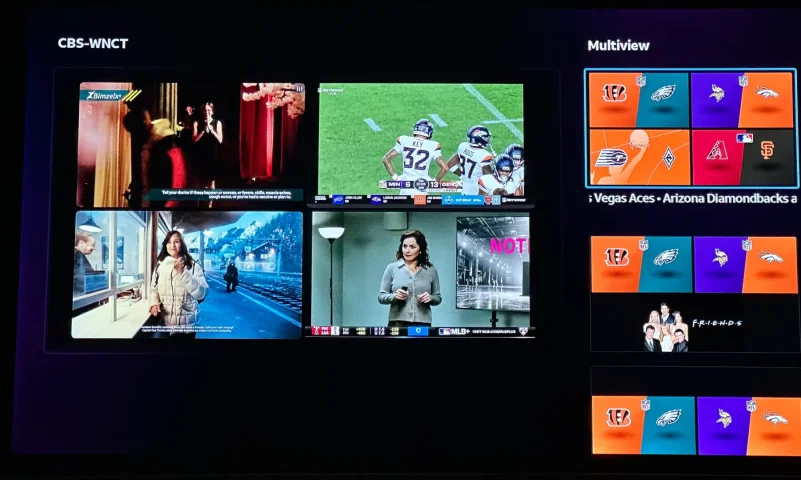
I now have MLB Extra Innings back! Look at the photo! (I did not include full image of the game due to copyright)

Let me just say it was rough! Very rough! And lets just say Charlie Ergen should be ashamed of his customer service team and how they handled this whole issue.

After multiple calls after my last post only to get the run around with answers like there are no refunds on MLB Extra Innings once the season starts, to they are working on it, to accessing my screen and sending multi hits to the box.

All I asked was one simple question remove the MLB Extra Innings which they confirmed I had and reauthorize free of charge. I was given a 1,000 reasons why this couldn't be done.

Well..........

I paid for it myself.... $120.00 current rate and it works!

I called back in to let them know what I done and what I thought of the customer service and told them I needed refunded. I was told they didn't do refunds....

Well again I called back and got someone who refunded the original payment of $150.00 back to my account. A $30 discount for all the hard trouble I went though.

It is now up to you all out there that have MLB Extra Innings to try to get them to do this but I am afraid you are going to have to take your own action and purchase again and beg for a refund or be out the $150.00 originally paid.

Persistence pays off. I don't give up very easily.

You can all go here below to make the purchase if you have any trouble.


I hope it all works well for you! And best of luck to everyone who has it!

I will still be around on this forum. You all sound like a fine group of people! I hope I can contribute more.

Take care!

RJ T.
From Illinois