Social Feed
i need some guidance, my sonicview 360 is dead, the remote won't work and the receiver is saying main on the display this has happend before and I was able to fix it, but can't remeber how? Can you help me?
13 Replies
·
6339 views


Supporting Founder
Lifetime Supporter
This is a thread that will keep you apprised of 4K events that will be showing on Dish channel 540. Keep looking here for information.
As of today, 9-27-17, there are no scheduled events posted for the next 2 weeks. That is subject to change on a daily basis.
As of today, 9-27-17, there are no scheduled events posted for the next 2 weeks. That is subject to change on a daily basis.
763 Replies
·
167359 views

Linus Tech Tips
Time for another AWESOME video from Linus Tech Tips!
View: https://www.youtube.com/watch?v=LGA4ZFr-hfo
Direct YouTube Link - I Gotta Stop Following Advice From Reddit
Linus on Facebook
The LTT Store
View: https://www.youtube.com/watch?v=LGA4ZFr-hfo
Direct YouTube Link - I Gotta Stop Following Advice From Reddit
Linus on Facebook
The LTT Store
0 Replies
·
5 views

Lifetime Supporter
Schedule drops tomorrow. Mandatory mini camps in June. Hall of Fame game August 6th.
119 Replies
·
1902 views




Staff member
HERE TO HELP YOU!
Stumbled across this ... http://www.gaspricewatch.com/USGas_ZipSearch.asp
I found no local prices, although it did show stations at my location...
Added these to this post...
USA National Gas Temperature Map
State By State Gasoline Taxes
Gas Buddy
Ethanol Free Stations
I found no local prices, although it did show stations at my location...
Added these to this post...
USA National Gas Temperature Map
State By State Gasoline Taxes
Gas Buddy
Ethanol Free Stations
5556 Replies
·
460854 views


Staff member
HERE TO HELP YOU!
Cutting Edge
Sometimes a thread gets so many posts in it that is can cause issues for the server so that why today we introduce The Song Name Game Part 3!
So let the game continue!
The last song was added by Bobby who posted...
One Meat Ball - Andrews Sisters
CONTINUE ON AND HAVE FUN! WELCOME HOME TO SATELLITEGUYS.US!
Here are the original rules for the game as posted by WebbyDude back in 2006. http://www.satelliteguys.us/threads/68645-Song-Name-Game
Just name a song title and the band who performed it. The next person does the same thing, but needs to list a song title or band name which includes a word from the previous entry. Pick songs from any genre.
Example:
Long Live Rock and Roll -- Rainbow
Rainbow in the Dark -- Dio
Another example:
Ride the Lightning -- Metallica
Lightning Strikes -- Ozzy Osbourne
Get it?
An additional note: we all know that song titles, sometimes, use profane words. Because this is a family friendly website it is advised that you clean up that title up a bit. This is accomplished by using something like sh!t instead of the real word. Thanks....
So let the game continue!
The last song was added by Bobby who posted...
One Meat Ball - Andrews Sisters
CONTINUE ON AND HAVE FUN! WELCOME HOME TO SATELLITEGUYS.US!
Here are the original rules for the game as posted by WebbyDude back in 2006. http://www.satelliteguys.us/threads/68645-Song-Name-Game
Just name a song title and the band who performed it. The next person does the same thing, but needs to list a song title or band name which includes a word from the previous entry. Pick songs from any genre.
Example:
Long Live Rock and Roll -- Rainbow
Rainbow in the Dark -- Dio
Another example:
Ride the Lightning -- Metallica
Lightning Strikes -- Ozzy Osbourne
Get it?
An additional note: we all know that song titles, sometimes, use profane words. Because this is a family friendly website it is advised that you clean up that title up a bit. This is accomplished by using something like sh!t instead of the real word. Thanks....
68543 Replies
·
2673979 views


TWiT Tech Podcast Network
Time for another AWESOME video from the TWIT Network!
View: https://www.youtube.com/watch?v=H_t6DHoWkL4
Direct YouTube Link - iOS Today 825-826
TWIT's Website
TWIT Live Feed
View: https://www.youtube.com/watch?v=H_t6DHoWkL4
Direct YouTube Link - iOS Today 825-826
TWIT's Website
TWIT Live Feed
0 Replies
·
7 views
Interesting article about the work being done to develope an ATSC 3 converter box. Yes it does mention affordable.

 www.tvtechnology.com
Pearl TV Issues Progress Report on Low-Cost 3.0 Converters in Advance of NAB Show New York
Group has secured lower pricing from key tech players to make less costly boxes available
www.tvtechnology.com
4 Replies
·
41 views


Lifetime Supporter
Can't wait to see this: John Travolta & Robert Carlyle Lead New JFK Assassination Movie in November 1963 Trailer
John Travolta & Robert Carlyle Lead New JFK Assassination Movie in November 1963 Trailer
0 Replies
·
17 views
TWiT Tech Podcast Network
Time for another AWESOME video from the TWIT Network!
View: https://www.youtube.com/shorts/ET_7F3I6C5s
Direct YouTube Link - America's $10 Trillion AI Boom Is Starting to Crack #shorts
TWIT's Website
TWIT Live Feed
View: https://www.youtube.com/shorts/ET_7F3I6C5s
Direct YouTube Link - America's $10 Trillion AI Boom Is Starting to Crack #shorts
TWIT's Website
TWIT Live Feed
0 Replies
·
11 views
Howdy folks long time no write.
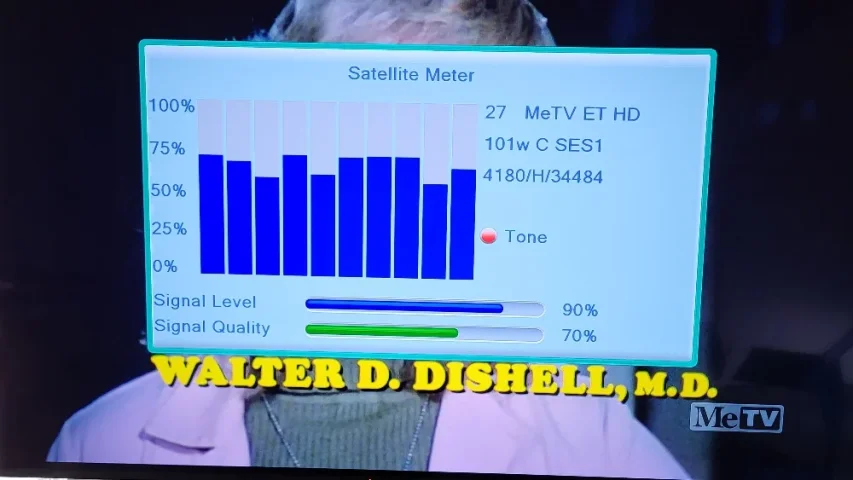
Issue(s): Horizontal transponders (esp. Weigel mux) breakup/mosaic/sputtering audio, JTV less so (but received perfectly up until a month or so ago.
Vertical is fine (Daystar). Up until recently couldn't even get any signal on Weigel Mux but JTV was perfect.
What I did to improve things: A slight westward move improved reception but only slightly (approx 72 on the micro HD, sorry no dB to post). I removed the 3-way C-Band splitter and used a 2-way to get a 1-2 db signal gain ( the power port goes to the Startrak - the micro HD doesn't have enough juice ! (1st clue) even after swapping the switching power supply it came with with a heftier linear 12 V supply (less RFI too !).
I have had issues with the uHD before signal breaking up that a reboot would clear up (clue #2 = dying tuner?) - FYI, I reinforced the IF input and removed all flux from the pcb completely with a Flux Removal Pen (MG Chemicals Cat No. 4140-P) which definitely makes a huge difference.
I went outside and pushed and pulled reflector slightly and no improvement. Pole (actually tower in yard - the neighbours love me..NOT) is plumb, checked with carpenters level. Dish was last peaked in 2017 or so, after overhauling 24" Von Weise, new Acme, fresh grease, etc. Focal length, f/d ratio etc meticulously adjusted. One panel has a tear so planning to repair that this weekend when my cousin comes over ( to help me out (old guy here) forecast calls for sunshine.
What has changed: My utility company has installed new high tension line poles (one smack dab in the middle of 101°W target! But they put it in last year and reception (of JTV (HOR) at least) was fine, BUT when they came out to transfer the wires over this year from the old (sawed in half) pole that's about when the troubles started (coincidence?), but again Daystar (VER) was fine. I always had this pole in the light of sight of 101° before with no issues. (fyi my zenith sat 74° is unobstucted, but can't test)
In the meantime Weigel mux is trying to break in MOSTLY in LATE at night (less cell usage?) (audio not video except for a frame here or there) so don't know what has changed with this mux which suddenly "woke up". I have never had to fuss with dish moves on this satellite ( the slightest move +/- motor clicks loses lock, wheres normally on C-band I can go significantly wider east or west and still have a strong signal ( have these gone "spot beam" or narrower somehow and what is the slight difference in Az listed on Lyngsat to 100.9° affect things ( isn't that the declination i.e. requiring a tweak of declination?).
Long story short (too late, ha), if I had another DVB-S2 box to try and / or a newer more stable PLL lnb ( I have been meaning to upgrade many a time but never got arround to it) I could determine if it's my antiquated receiving equipment, or my dish/feed alignment ( doubtful as it tracks everything from 55 °W to 133 ° W nicely.) or the dreaded 5G! (BUT only on HOR and not VER?).
I read another post where the OP (with his smaller 7.5 footer) played around with the illumination to peak desired transponder and reduce qrm on interfering/ stronger xpndrs (even on 103° W). So will play with that too - and cut away the RG-6 a and pull up a fresh section with new PPC and coax Seal. Open the throat cap see if any cobwebs are there and check servo operation (also changed in last maintence 10 years ago).
Finally, this will probably be the last chance I get to play with the BUD from the looks of it (providers leaving, auctioning off rest of spectrum imminent above 4.0 Ghz, and to keep the peace with neighbours so it would be nice to have that mux back for the long, cold and dark winters to comfort this old man before I call it quits and buy a VHF/UHF/FM Yagi and get MeTV, H&I from my Vermont local stations (checked at a friends today and they come in nicely - except ABC) .
Only one guy in town (Montreal) I may be able to get a receiver or PLL lnb from to try (RPS Sat) so hopefully with elimnate that as a possible culprit. Be nice to pick up a cheap or used PLL lnb to try w/o 5G BPF (money is tight )
Like others I couldn't care less about "tv" (well maybe just a liitle or a lot) it's the challenge that excites me , I can get MeTV other ways OTA (no pirate crap).
So what do you guys (and gals) think ?. p.s. I don't have a spectrum analyzer and there are def/ cell towers nearby (half a Km or so away).
Oh and time permitting will hammer out dings too and wire damaged mesh on one section for an extra dB or two. Hesitate to touch Declination, Elevation and pole mount but will play around with those a little too... Why is this mux for finicky suddenly ?(8psk, 5/6 fec, beamwidthetc.. man wish they went back to VER I think everthing would be fine! For the engineers out here does 5G QRM affect one poliarization (HOR) more than another (VER)? I understand the strong interference swamps out the input mixer/local oscilator in the hapless old C-band lnb (I think it at time affect KU too esp. LPB on 101°W KU - incidentally thos were weak or "gone' but are back almost at the time MeTV improved..hmm Terrestrial interference?
Any thoughts or suggestions ( cheap or free solutions please) greatly appreciated. Cheers.
p.p.s. Micro HD can't display Decades and Toons but records them fine so I can watch on another box/media player (Ali chip set issue). Another reason to upgrade.
Anybody interested in a nice C/KU system free ? (for next Spring/Summer 2027)
[Sami 10' mesh, Corotor II+, Eagle Aspen (very old) C-band lnb, Norsat Ku lnb, Channel Master C/Ku (H/V) switch, Startrak 400 Analog receiver w/ motor control, Geosat uHD DVD-S2, CW600S for Mpeg-2]
Issue(s): Horizontal transponders (esp. Weigel mux) breakup/mosaic/sputtering audio, JTV less so (but received perfectly up until a month or so ago.
Vertical is fine (Daystar). Up until recently couldn't even get any signal on Weigel Mux but JTV was perfect.
What I did to improve things: A slight westward move improved reception but only slightly (approx 72 on the micro HD, sorry no dB to post). I removed the 3-way C-Band splitter and used a 2-way to get a 1-2 db signal gain ( the power port goes to the Startrak - the micro HD doesn't have enough juice ! (1st clue) even after swapping the switching power supply it came with with a heftier linear 12 V supply (less RFI too !).
I have had issues with the uHD before signal breaking up that a reboot would clear up (clue #2 = dying tuner?) - FYI, I reinforced the IF input and removed all flux from the pcb completely with a Flux Removal Pen (MG Chemicals Cat No. 4140-P) which definitely makes a huge difference.
I went outside and pushed and pulled reflector slightly and no improvement. Pole (actually tower in yard - the neighbours love me..NOT) is plumb, checked with carpenters level. Dish was last peaked in 2017 or so, after overhauling 24" Von Weise, new Acme, fresh grease, etc. Focal length, f/d ratio etc meticulously adjusted. One panel has a tear so planning to repair that this weekend when my cousin comes over ( to help me out (old guy here) forecast calls for sunshine.
What has changed: My utility company has installed new high tension line poles (one smack dab in the middle of 101°W target! But they put it in last year and reception (of JTV (HOR) at least) was fine, BUT when they came out to transfer the wires over this year from the old (sawed in half) pole that's about when the troubles started (coincidence?), but again Daystar (VER) was fine. I always had this pole in the light of sight of 101° before with no issues. (fyi my zenith sat 74° is unobstucted, but can't test)
In the meantime Weigel mux is trying to break in MOSTLY in LATE at night (less cell usage?) (audio not video except for a frame here or there) so don't know what has changed with this mux which suddenly "woke up". I have never had to fuss with dish moves on this satellite ( the slightest move +/- motor clicks loses lock, wheres normally on C-band I can go significantly wider east or west and still have a strong signal ( have these gone "spot beam" or narrower somehow and what is the slight difference in Az listed on Lyngsat to 100.9° affect things ( isn't that the declination i.e. requiring a tweak of declination?).
Long story short (too late, ha), if I had another DVB-S2 box to try and / or a newer more stable PLL lnb ( I have been meaning to upgrade many a time but never got arround to it) I could determine if it's my antiquated receiving equipment, or my dish/feed alignment ( doubtful as it tracks everything from 55 °W to 133 ° W nicely.) or the dreaded 5G! (BUT only on HOR and not VER?).
I read another post where the OP (with his smaller 7.5 footer) played around with the illumination to peak desired transponder and reduce qrm on interfering/ stronger xpndrs (even on 103° W). So will play with that too - and cut away the RG-6 a and pull up a fresh section with new PPC and coax Seal. Open the throat cap see if any cobwebs are there and check servo operation (also changed in last maintence 10 years ago).
Finally, this will probably be the last chance I get to play with the BUD from the looks of it (providers leaving, auctioning off rest of spectrum imminent above 4.0 Ghz, and to keep the peace with neighbours so it would be nice to have that mux back for the long, cold and dark winters to comfort this old man before I call it quits and buy a VHF/UHF/FM Yagi and get MeTV, H&I from my Vermont local stations (checked at a friends today and they come in nicely - except ABC) .
Only one guy in town (Montreal) I may be able to get a receiver or PLL lnb from to try (RPS Sat) so hopefully with elimnate that as a possible culprit. Be nice to pick up a cheap or used PLL lnb to try w/o 5G BPF (money is tight )
Like others I couldn't care less about "tv" (well maybe just a liitle or a lot) it's the challenge that excites me , I can get MeTV other ways OTA (no pirate crap).
So what do you guys (and gals) think ?. p.s. I don't have a spectrum analyzer and there are def/ cell towers nearby (half a Km or so away).
Oh and time permitting will hammer out dings too and wire damaged mesh on one section for an extra dB or two. Hesitate to touch Declination, Elevation and pole mount but will play around with those a little too... Why is this mux for finicky suddenly ?(8psk, 5/6 fec, beamwidthetc.. man wish they went back to VER I think everthing would be fine! For the engineers out here does 5G QRM affect one poliarization (HOR) more than another (VER)? I understand the strong interference swamps out the input mixer/local oscilator in the hapless old C-band lnb (I think it at time affect KU too esp. LPB on 101°W KU - incidentally thos were weak or "gone' but are back almost at the time MeTV improved..hmm Terrestrial interference?
Any thoughts or suggestions ( cheap or free solutions please) greatly appreciated. Cheers.
p.p.s. Micro HD can't display Decades and Toons but records them fine so I can watch on another box/media player (Ali chip set issue). Another reason to upgrade.
Anybody interested in a nice C/KU system free ? (for next Spring/Summer 2027)
[Sami 10' mesh, Corotor II+, Eagle Aspen (very old) C-band lnb, Norsat Ku lnb, Channel Master C/Ku (H/V) switch, Startrak 400 Analog receiver w/ motor control, Geosat uHD DVD-S2, CW600S for Mpeg-2]
10 Replies
·
394 views