

Social Feed

Staff member
HERE TO HELP YOU!
Cutting Edge
Well CES day 4 of 4 is now complete. Today was my last day at the show as my plane leaves for Connecticut early tommorow morning. But with that said our coverage from CES is not complete we still have a lot to cover including in depth tech specs and even some video from CES as well.
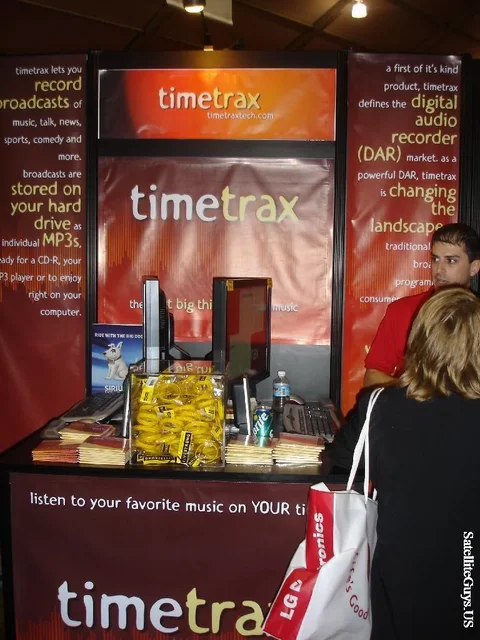
We started off the day by going to the Innovations Building where I found the guys from TIMETRAXTECH.COM, TimeTrax made a name for itself by making the TimeTrax software for the XMPCR, this allowed XMPCR users to timeshift their XM Programming. Once the XMPCR was discontinued the guys at TimeTrax came up with their own kit which gives you everything you need to listen, enjoy and timeshift XM Satellite Radio Programming, that package was called the TimeTrax Complete.
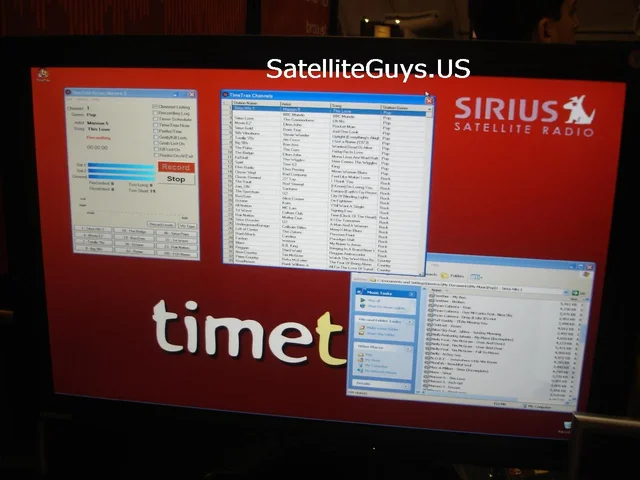
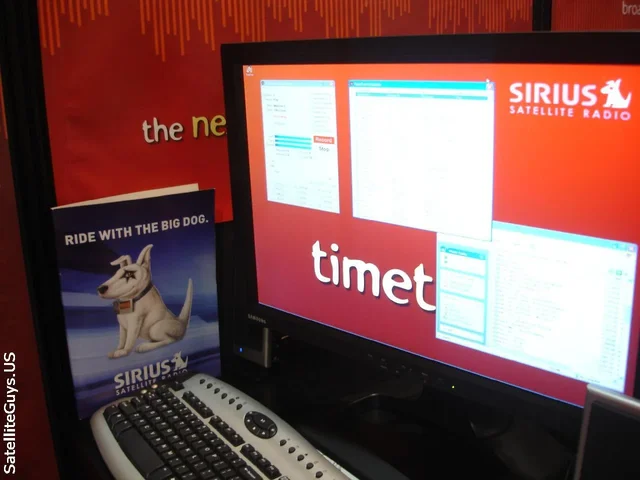
At today's show I was shown the Prototype of the TimeTrax Sirius Complete! A complete Timeshifting solution for SIRIUS Satellite Radio! The display was fully recording SIRIUS and doing it well!
I talked with TimeTrax CEO Elliot Fruitkin who agreed to let SatelliteGuys giveaway the VERY FIRST TimeTrax Sirius Complete setup! Look for more details on this soon!!
There are screen shots of TimeTrax's Sirius Complete software shown below, these are the first shots of the new software ANYWHERE.
Elliot also gave us a bunch of goodies to giveaway on this Monday Night's Charlie Chat... Chat here at SatelliteGuys! So be sure to join us for that!
After meeting with the TimeTrax guys I then walked around and spoke with Brian Cooley from CNET for awhile. I understand that Brian visits us from time to time, which is very cool!
After that we left the Innovations building and went to the North hall in search of the SBC booth so we could see the new SBC / Dish Network / 2WIRE receiver.
On our search we stopped by the Sirius booth and ran into a bunch of guys from SiriusBackstage.COM.
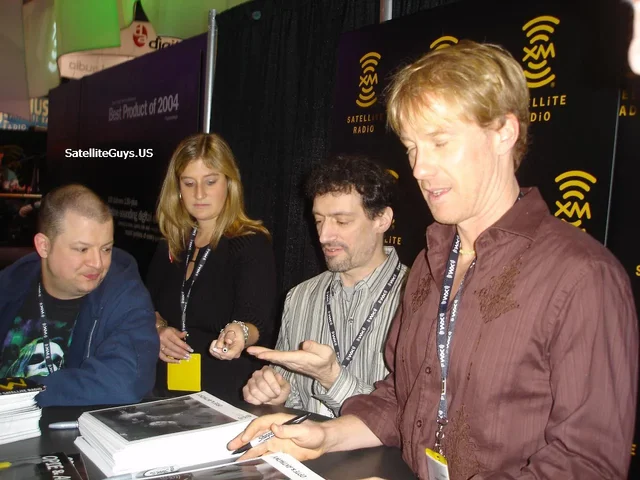
As we continued searching for the SBC booth we went past the XM booth and ran into Opie & Anthony as well as Comedian Jim Norton. Got to talk to the boys for a few moments. After meeting them I am convinced Jim Norton is funny 24 / 7. O&A may not be everyones cup of tea but they are well worth the $2.99 a month if you like their brand of humor.
We continued walking the floor looking for SBC. After about 2 hours of walking we found out SBC did not have a booth, instead they were setup in a meeting room.
So we went up into the meeting room, they had a psuedo house setup, showing how SBC can make your home better. In the center of the house was the living room where the 2WIRE box was. The room which sat about 12 on comfortable couches. I had to wait about 45 minutes for the demo in progress to complete before going into the room and seeing the 2wire box for myself.
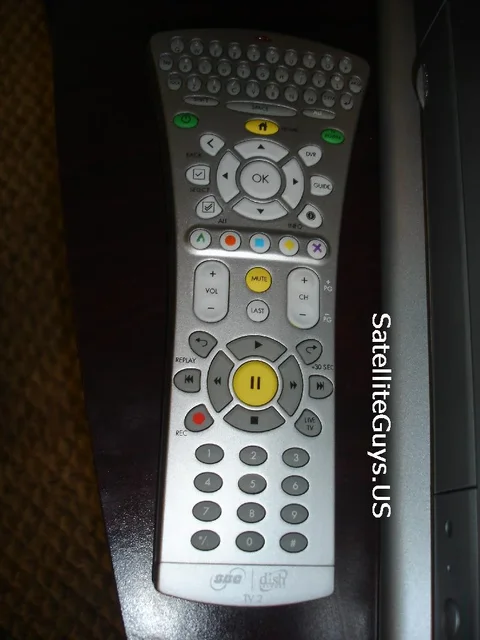
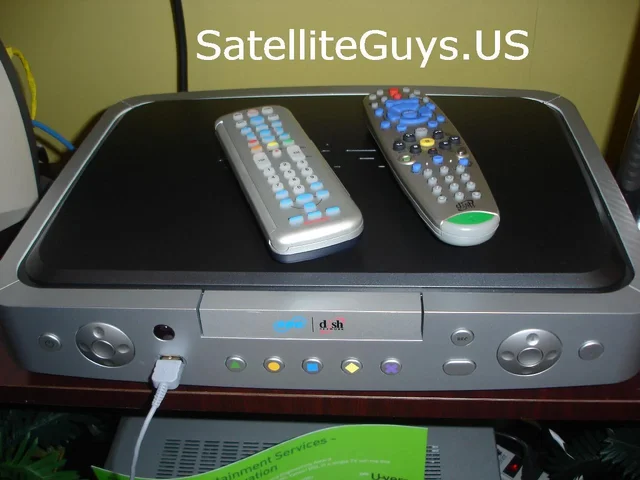
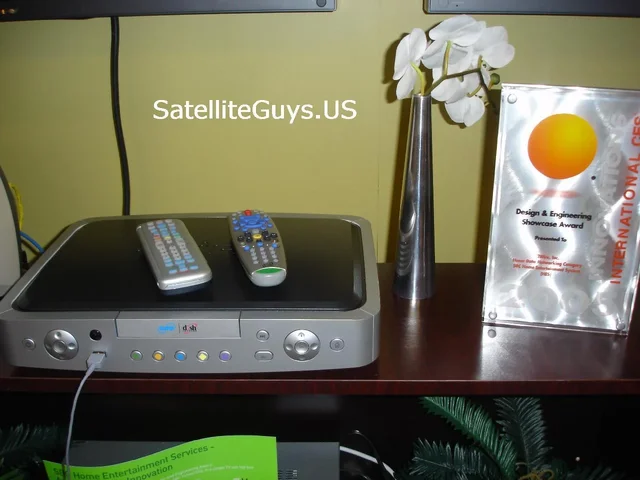
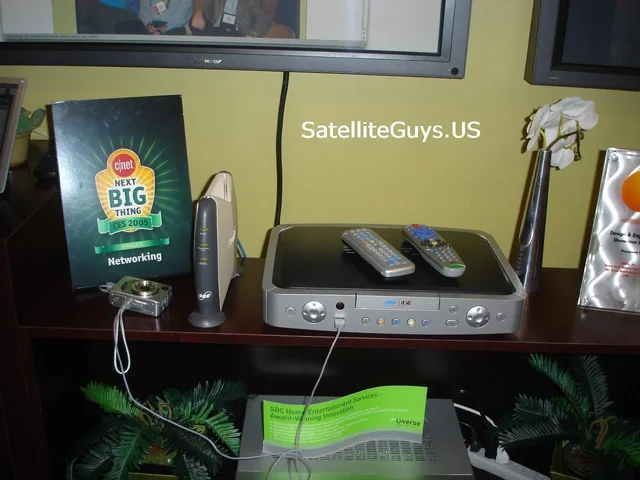
Once the room opened up I went in and took lots of photos of the unit. On top of the unit were 2 remotes. (one 2wire remote, the second a Dish Pro UHF remote for TV 2) next to the unit was another unique remote which featured a full keyboard on it, I am told this remote will be the main remote for the unit.
As a looked closely at the units I noticed it had THREE fans on the right side. I have seen lots of complaints from Audiophiles complaigning that 1 fan is too loud, I can imagine the complaints when they have a receiver with 3 fans.
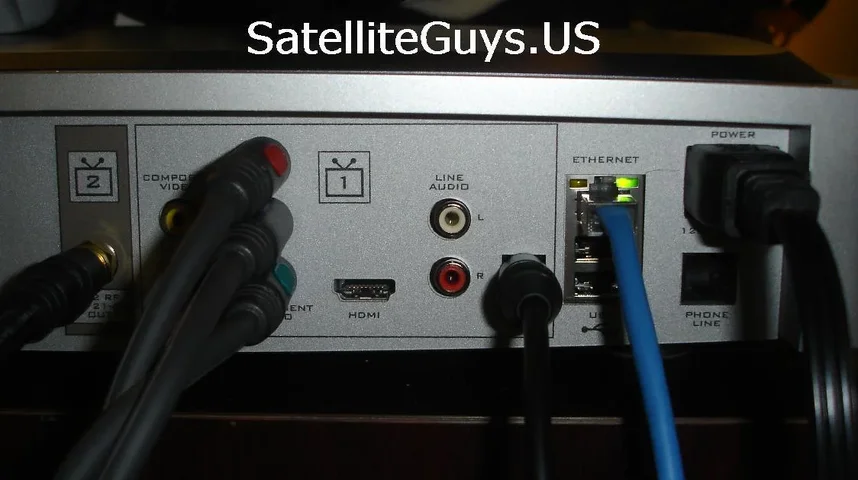
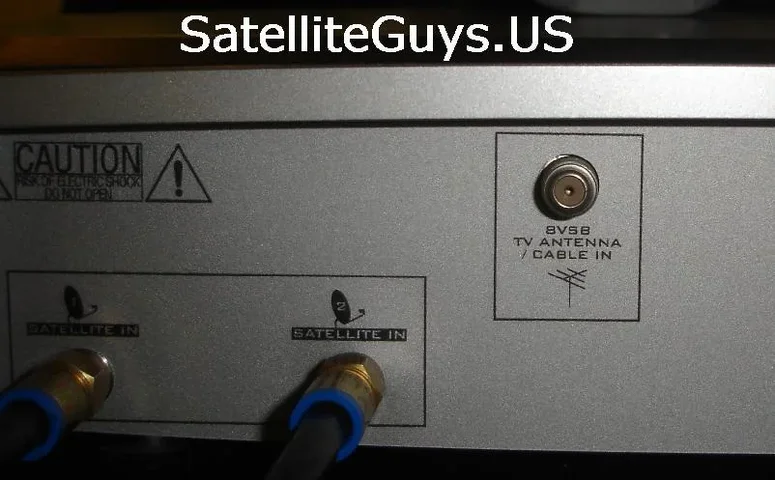
The unit was hooked up and FULLY functional I looked behind the unit and followed the wires to the TVs. I also stuck my camera behind the demo unit and snapped a few photos of everything behind the box.
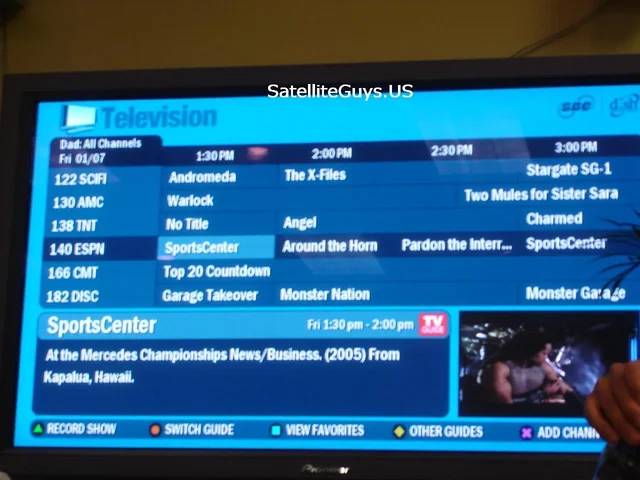
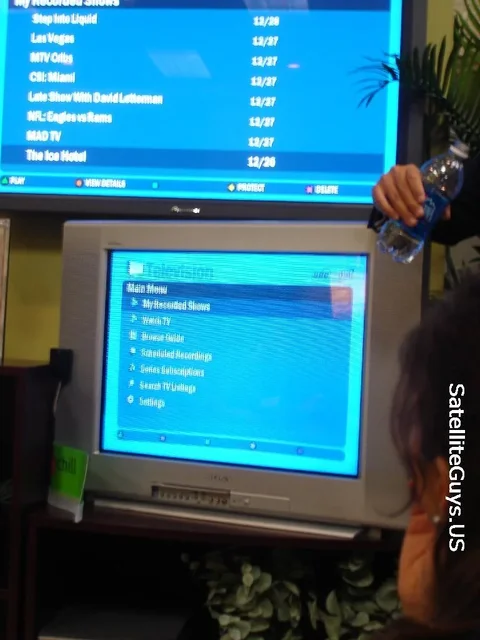
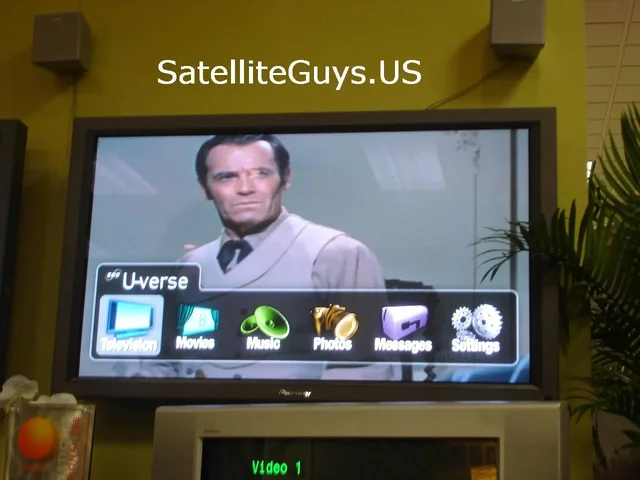
The first thing we were shown was the main system menu, from which live TV was selected, there we had full Dish Network. A quick press of the guide button pulled up a new Dish Network guide, this looked a lot like regular Dish Network guides, however this one was branded with the TV Guide logo.
We then setup a recording, this unit uses name based recording, setting up an event was easy, and like current Dish Network receivers a red dot appeared in the guide next to the shows name we selected for recording.
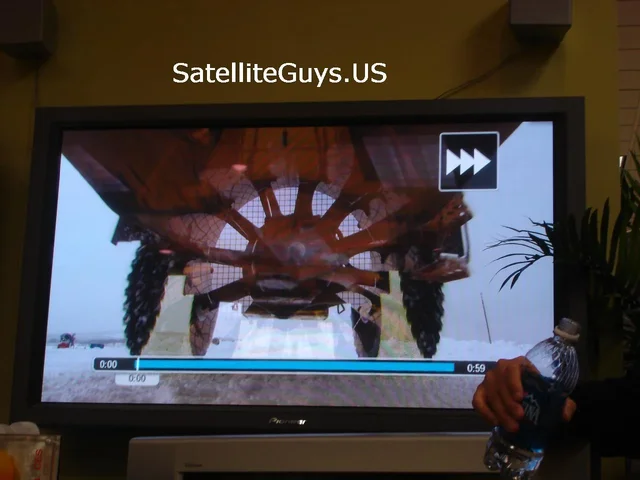
Next we were shown that the unit is HD. We tuned to Discovery HD. Then we went into our recorded program list and started playing back a HD recording. We were then shown that we could start watching a HD show on the main HDTV then decide to go upstairs and watch the rest of the HD show on a standard definition television. We went into the menus on the second TV and selected the show we were watching on the HDTV before, the show resumed from where we let off. The HD program was downcoverted to SD and in this case had black bars on the top and bottom so it maintained a full 16 x 9 aspect ratio, however there are options so a user can select the way they want the HD downconverted. I should also note that on the HDTV monitor the menus were 16 x 9 however on a 4x3 SD TV they had their own 4x3 menus.
The second TV is conneted via COAX, however they are working ona Digital add on box which should be out this time next year which will allow you to watch HDTV on multipule TV's in your house.
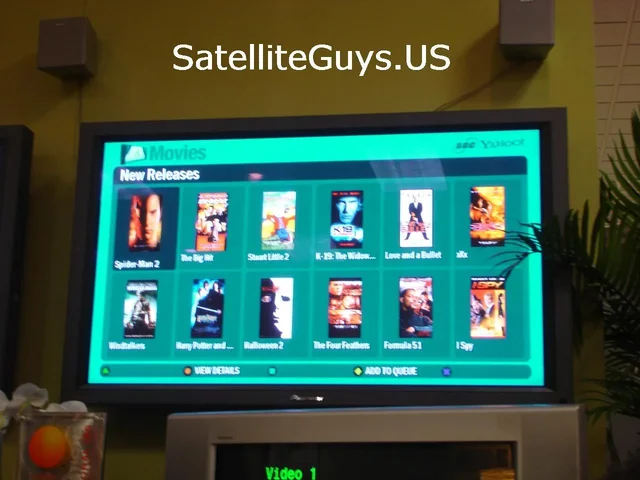
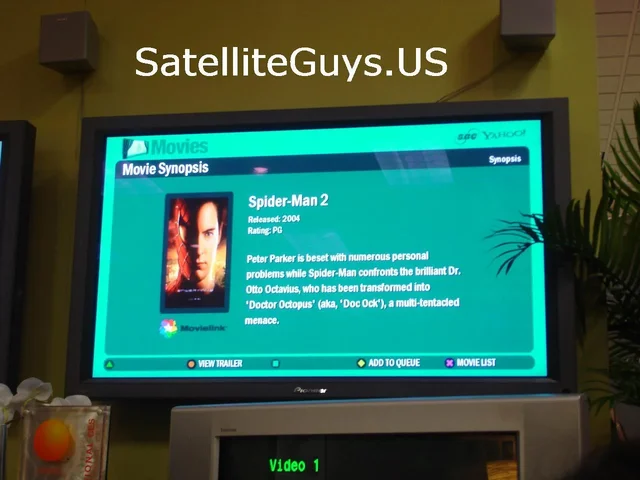
Now not only is this unit a Satellite Receiver, it is also connected to the Internet via SBC Yahoo DSL. Because of this the home user can have near video on demand, Yahoo has made a deal with Movielink and Cinema Now to provide content, all movies provided have been specially encoded for SBC Yahoo so the video quality is equally as good as a Pay Per View movie you would offer at Dish Network.
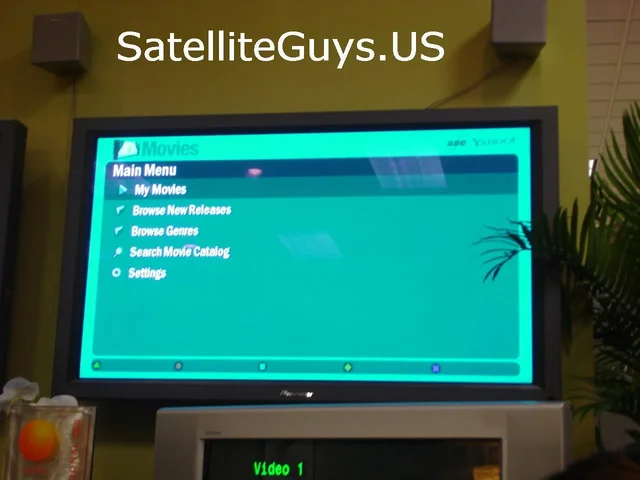
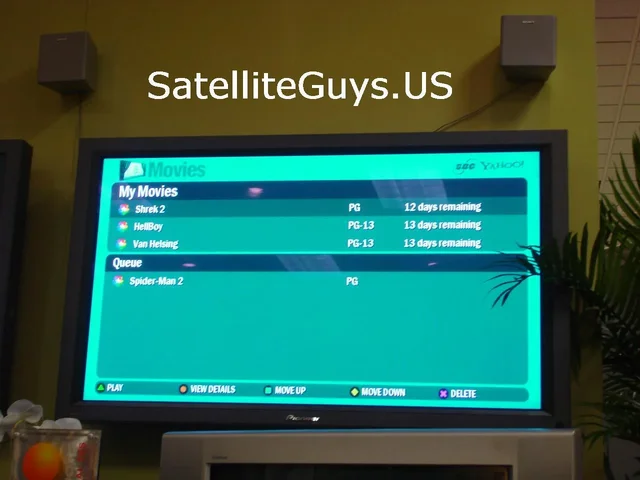
To select a movie you want just go to the Movies menu and browse the listings, see something you want put it in your queue. The movie will download in the backround over the DSL line, when it is downloaded it will be moved to the My Movies Menu. You can have 3 movies at a time in your my movies menu, if you do not view the movies within 2 weeks they are automatically removed from your hard drive. Because most movies are served on a Pay Per View basis you are not actually charged for the movie until you actually play it.
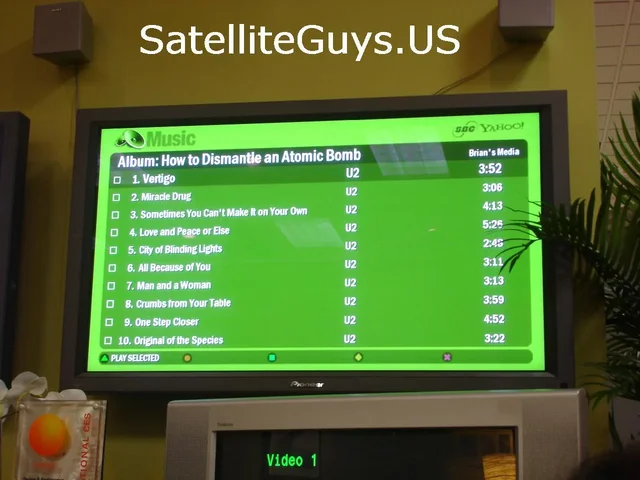
The unit also has a DVD Reader / CD RW, you can pop in a CD and rip music to the units hard drive in MP3 format. You can also also play DVD movies on the unit.
Because the unit is hooked to the Internet and your internal network you can also listen to music stored on other PCs in your house.
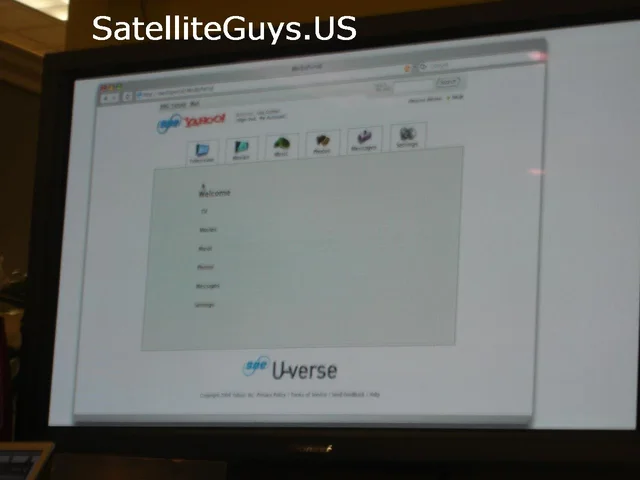
The Internet activity on this unit is really exciting, you can actually control your unit via the Internet or via your cell phone using a special SBC Yahoo Portal. You can setup recordings remotely plus you can even listen to music stored on your 2WIRE receiver on any broadband connection.
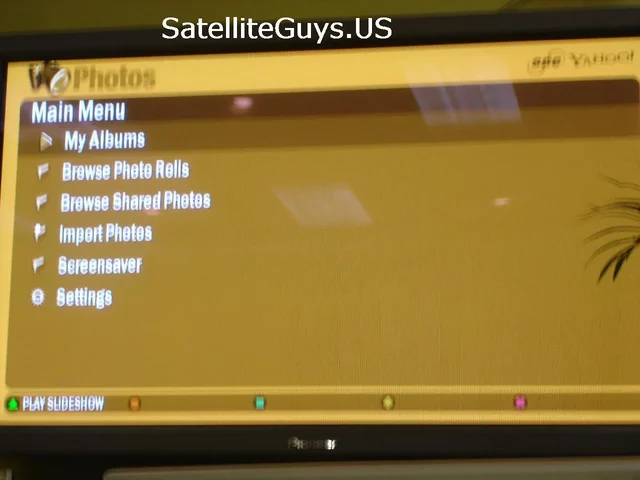
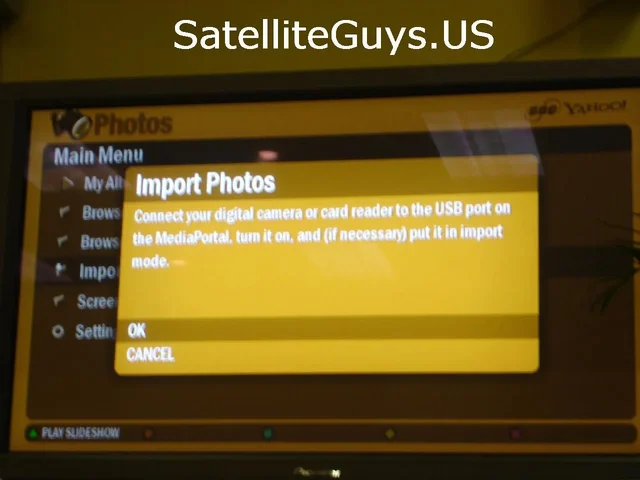
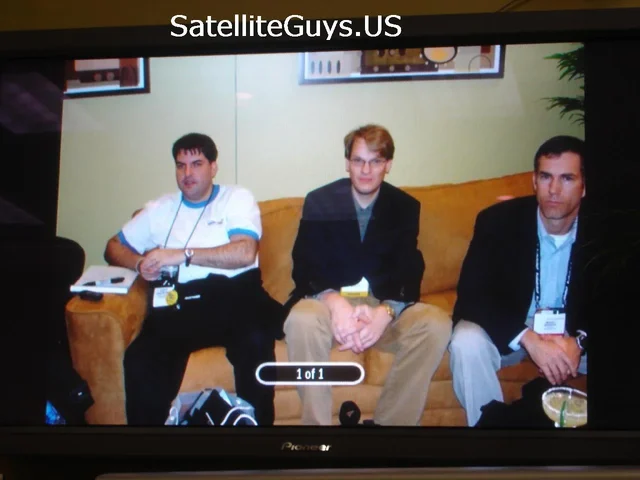
They also showed us how you can store photos on the unit, the took pictures of everyone in the room then download the photos to the receiver via a USB cable, Now we could easily look at the photos on the HDTV, the SDTV and also via the SBC Yahoo portal.
I should note for the unit to work properly it is best to use one of the 2WIRE DSL managed routers, these routers will be able to notice your 2WIRE receiver and make the necessary adjustments to get optimal performance for all features.
I have been critical of Dish Networks equipment and software as of late, but I really like this unit! And I guess the reason why I like this unit is because Dish Network really had nothing to do with the unit except for the Tuners and Encription support. After seeing this box I believe it really is time for Dish to let go and let others make their equipment and software.
The release of the 2WIRE receiver will be within the next 6 months. I may just have to get rid of my current phone company and my cable modem and call SBC to get my hands on one of these babies!
After seeing the demo, I left the CES show, it was SO croweded. While my hotel was only 5 blocks from the CES show the traffic here was so crazy it took over and hour and a half to get back to the Hotel from the CES show.
I should also note that it actually SNOWED today here in Las Vegas... Man I always thought Vegas was in the Desert.
I am off to the airport tommorow at 10am, however my plane does not land in Hartford until 10pm, so its going to be a long ride. As I said while we are leaving we still have much more to show you, so hang in there and thanks for being a SatelliteGuy!
We started off the day by going to the Innovations Building where I found the guys from TIMETRAXTECH.COM, TimeTrax made a name for itself by making the TimeTrax software for the XMPCR, this allowed XMPCR users to timeshift their XM Programming. Once the XMPCR was discontinued the guys at TimeTrax came up with their own kit which gives you everything you need to listen, enjoy and timeshift XM Satellite Radio Programming, that package was called the TimeTrax Complete.
At today's show I was shown the Prototype of the TimeTrax Sirius Complete! A complete Timeshifting solution for SIRIUS Satellite Radio! The display was fully recording SIRIUS and doing it well!
I talked with TimeTrax CEO Elliot Fruitkin who agreed to let SatelliteGuys giveaway the VERY FIRST TimeTrax Sirius Complete setup! Look for more details on this soon!!
There are screen shots of TimeTrax's Sirius Complete software shown below, these are the first shots of the new software ANYWHERE.
Elliot also gave us a bunch of goodies to giveaway on this Monday Night's Charlie Chat... Chat here at SatelliteGuys! So be sure to join us for that!
After meeting with the TimeTrax guys I then walked around and spoke with Brian Cooley from CNET for awhile. I understand that Brian visits us from time to time, which is very cool!
After that we left the Innovations building and went to the North hall in search of the SBC booth so we could see the new SBC / Dish Network / 2WIRE receiver.
On our search we stopped by the Sirius booth and ran into a bunch of guys from SiriusBackstage.COM.
As we continued searching for the SBC booth we went past the XM booth and ran into Opie & Anthony as well as Comedian Jim Norton. Got to talk to the boys for a few moments. After meeting them I am convinced Jim Norton is funny 24 / 7. O&A may not be everyones cup of tea but they are well worth the $2.99 a month if you like their brand of humor.
We continued walking the floor looking for SBC. After about 2 hours of walking we found out SBC did not have a booth, instead they were setup in a meeting room.
So we went up into the meeting room, they had a psuedo house setup, showing how SBC can make your home better. In the center of the house was the living room where the 2WIRE box was. The room which sat about 12 on comfortable couches. I had to wait about 45 minutes for the demo in progress to complete before going into the room and seeing the 2wire box for myself.
Once the room opened up I went in and took lots of photos of the unit. On top of the unit were 2 remotes. (one 2wire remote, the second a Dish Pro UHF remote for TV 2) next to the unit was another unique remote which featured a full keyboard on it, I am told this remote will be the main remote for the unit.
As a looked closely at the units I noticed it had THREE fans on the right side. I have seen lots of complaints from Audiophiles complaigning that 1 fan is too loud, I can imagine the complaints when they have a receiver with 3 fans.
The unit was hooked up and FULLY functional I looked behind the unit and followed the wires to the TVs. I also stuck my camera behind the demo unit and snapped a few photos of everything behind the box.
The first thing we were shown was the main system menu, from which live TV was selected, there we had full Dish Network. A quick press of the guide button pulled up a new Dish Network guide, this looked a lot like regular Dish Network guides, however this one was branded with the TV Guide logo.
We then setup a recording, this unit uses name based recording, setting up an event was easy, and like current Dish Network receivers a red dot appeared in the guide next to the shows name we selected for recording.
Next we were shown that the unit is HD. We tuned to Discovery HD. Then we went into our recorded program list and started playing back a HD recording. We were then shown that we could start watching a HD show on the main HDTV then decide to go upstairs and watch the rest of the HD show on a standard definition television. We went into the menus on the second TV and selected the show we were watching on the HDTV before, the show resumed from where we let off. The HD program was downcoverted to SD and in this case had black bars on the top and bottom so it maintained a full 16 x 9 aspect ratio, however there are options so a user can select the way they want the HD downconverted. I should also note that on the HDTV monitor the menus were 16 x 9 however on a 4x3 SD TV they had their own 4x3 menus.
The second TV is conneted via COAX, however they are working ona Digital add on box which should be out this time next year which will allow you to watch HDTV on multipule TV's in your house.
Now not only is this unit a Satellite Receiver, it is also connected to the Internet via SBC Yahoo DSL. Because of this the home user can have near video on demand, Yahoo has made a deal with Movielink and Cinema Now to provide content, all movies provided have been specially encoded for SBC Yahoo so the video quality is equally as good as a Pay Per View movie you would offer at Dish Network.
To select a movie you want just go to the Movies menu and browse the listings, see something you want put it in your queue. The movie will download in the backround over the DSL line, when it is downloaded it will be moved to the My Movies Menu. You can have 3 movies at a time in your my movies menu, if you do not view the movies within 2 weeks they are automatically removed from your hard drive. Because most movies are served on a Pay Per View basis you are not actually charged for the movie until you actually play it.
The unit also has a DVD Reader / CD RW, you can pop in a CD and rip music to the units hard drive in MP3 format. You can also also play DVD movies on the unit.
Because the unit is hooked to the Internet and your internal network you can also listen to music stored on other PCs in your house.
The Internet activity on this unit is really exciting, you can actually control your unit via the Internet or via your cell phone using a special SBC Yahoo Portal. You can setup recordings remotely plus you can even listen to music stored on your 2WIRE receiver on any broadband connection.
They also showed us how you can store photos on the unit, the took pictures of everyone in the room then download the photos to the receiver via a USB cable, Now we could easily look at the photos on the HDTV, the SDTV and also via the SBC Yahoo portal.
I should note for the unit to work properly it is best to use one of the 2WIRE DSL managed routers, these routers will be able to notice your 2WIRE receiver and make the necessary adjustments to get optimal performance for all features.
I have been critical of Dish Networks equipment and software as of late, but I really like this unit! And I guess the reason why I like this unit is because Dish Network really had nothing to do with the unit except for the Tuners and Encription support. After seeing this box I believe it really is time for Dish to let go and let others make their equipment and software.
The release of the 2WIRE receiver will be within the next 6 months. I may just have to get rid of my current phone company and my cable modem and call SBC to get my hands on one of these babies!
After seeing the demo, I left the CES show, it was SO croweded. While my hotel was only 5 blocks from the CES show the traffic here was so crazy it took over and hour and a half to get back to the Hotel from the CES show.
I should also note that it actually SNOWED today here in Las Vegas... Man I always thought Vegas was in the Desert.
I am off to the airport tommorow at 10am, however my plane does not land in Hartford until 10pm, so its going to be a long ride. As I said while we are leaving we still have much more to show you, so hang in there and thanks for being a SatelliteGuy!
27 Replies
·
6918 views


Lifetime Supporter
Continuing the Kilauea thread in the Pub here. Perhaps the Iceland one too next time there's remarkable activity.
Currently there is precursory lava flowing into the crater, leading to the next episode that'll probably start within the next day.
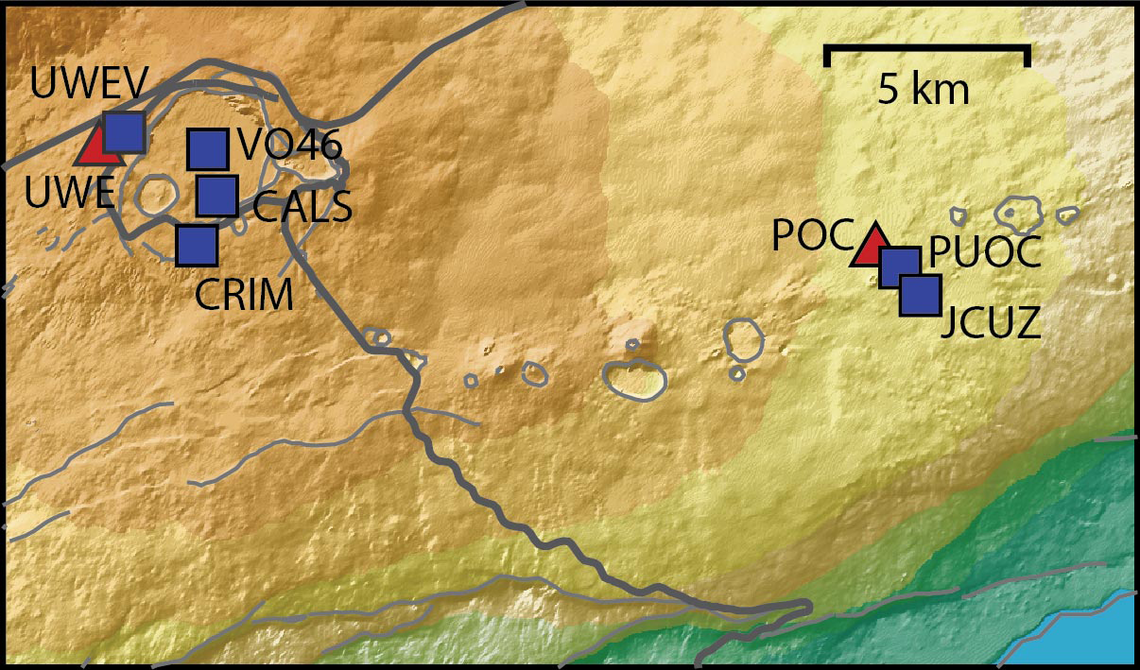
You can see the pace of inflation / deflation here. It serves as the primary predictor for when the expect the eruptions, which coincide w/ inflation turning into significant deflation and last for several hours on average with significant fountaining.
 www.usgs.gov
View: https://youtu.be/Uecu2seh4b4
Wife and I like the AfarTV feeds, for the discussion along w/ them, though they're otherwise just mirrors of the official USGS feeds.
View: https://youtu.be/iws3rh5vLAQ
Currently there is precursory lava flowing into the crater, leading to the next episode that'll probably start within the next day.
You can see the pace of inflation / deflation here. It serves as the primary predictor for when the expect the eruptions, which coincide w/ inflation turning into significant deflation and last for several hours on average with significant fountaining.
Monitoring Data for Kīlauea
For more information on how electronic tiltmeters and GPS receivers help monitor the deformation of Kīlauea volcano, see the HVO Deformation page.
View: https://youtu.be/Uecu2seh4b4
Wife and I like the AfarTV feeds, for the discussion along w/ them, though they're otherwise just mirrors of the official USGS feeds.
View: https://youtu.be/iws3rh5vLAQ
123 Replies
·
3657 views

'Rockford Files' Reboot Gets NBC Pilot Order
I grow tired of all the reboots. Most I don't bother with but will depend on the actor chosen.
I grow tired of all the reboots. Most I don't bother with but will depend on the actor chosen.
17 Replies
·
721 views


Pub Member / Supporter
0 Replies
·
6 views
Pub Member / Supporter
0 Replies
·
12 views
I have Dish with Hopper3. I choose to get local channels OTA and had a "guide list" established at my previous home. Having moved a few miles away, I wanted to update the list by appending a couple new stations via a rescan. As many would know, some stations come in with the UHF/VHF antenna aimed in one direction, while others come in better with a different direction.
Unfortunately, when a scan is done (bringing in 25-30 stations for that particular antenna aim), the dialog screen does not present the established guide list; it presents an empty field to the right that the scanned stations may be selected one by one and added to the empty guide. But because of antenna aim, some stations originally saved are missing, and would have to be retrieved with a different antenna aim. But as I explain, if a 2nd scan is done with a different antenna aim, the stations saved from the first scan are lost.
It troubles me that Dish didn't develop software that would allow a user to simply append only 1 or 2 channels to the established list.
Any thought on this? Has anyone experienced this or heard of this from others?
Unfortunately, when a scan is done (bringing in 25-30 stations for that particular antenna aim), the dialog screen does not present the established guide list; it presents an empty field to the right that the scanned stations may be selected one by one and added to the empty guide. But because of antenna aim, some stations originally saved are missing, and would have to be retrieved with a different antenna aim. But as I explain, if a 2nd scan is done with a different antenna aim, the stations saved from the first scan are lost.
It troubles me that Dish didn't develop software that would allow a user to simply append only 1 or 2 channels to the established list.
Any thought on this? Has anyone experienced this or heard of this from others?
15 Replies
·
495 views


Linus Tech Tips
Time for another AWESOME video from Linus Tech Tips!
View: https://www.youtube.com/shorts/spXuvLHTIs4
Direct YouTube Link - My F-You To Sam Altman
Linus on Facebook
The LTT Store
View: https://www.youtube.com/shorts/spXuvLHTIs4
Direct YouTube Link - My F-You To Sam Altman
Linus on Facebook
The LTT Store
0 Replies
·
11 views
TWiT Tech Podcast Network
Time for another AWESOME video from the TWIT Network!
View: https://www.youtube.com/shorts/MLSSmfls3w4
Direct YouTube Link - watchOS 27.3 Beta - Siri Recap and Live Rewind Coming!
TWIT's Website
TWIT Live Feed
View: https://www.youtube.com/shorts/MLSSmfls3w4
Direct YouTube Link - watchOS 27.3 Beta - Siri Recap and Live Rewind Coming!
TWIT's Website
TWIT Live Feed
0 Replies
·
8 views
Pub Member / Supporter
12 Replies
·
251 views
 since I did not read every Marvel Comic Book ever published. If I had, I might be comparing the comics' version of events compared to what's transpiring in "Visionquest". So, I am enjoying the series a lot, not weighed down by previous expectations, knowing only the Avengers MCU movies and the "Wandavision" / "Agatha All Along" TV series.

Staff member
HERE TO HELP YOU!
Cutting Edge
Sometimes a thread gets so many posts in it that is can cause issues for the server so that why today we introduce The Song Name Game Part 3!
So let the game continue!
The last song was added by Bobby who posted...
One Meat Ball - Andrews Sisters
CONTINUE ON AND HAVE FUN! WELCOME HOME TO SATELLITEGUYS.US!
Here are the original rules for the game as posted by WebbyDude back in 2006. http://www.satelliteguys.us/threads/68645-Song-Name-Game
Just name a song title and the band who performed it. The next person does the same thing, but needs to list a song title or band name which includes a word from the previous entry. Pick songs from any genre.
Example:
Long Live Rock and Roll -- Rainbow
Rainbow in the Dark -- Dio
Another example:
Ride the Lightning -- Metallica
Lightning Strikes -- Ozzy Osbourne
Get it?
An additional note: we all know that song titles, sometimes, use profane words. Because this is a family friendly website it is advised that you clean up that title up a bit. This is accomplished by using something like sh!t instead of the real word. Thanks....
So let the game continue!
The last song was added by Bobby who posted...
One Meat Ball - Andrews Sisters
CONTINUE ON AND HAVE FUN! WELCOME HOME TO SATELLITEGUYS.US!
Here are the original rules for the game as posted by WebbyDude back in 2006. http://www.satelliteguys.us/threads/68645-Song-Name-Game
Just name a song title and the band who performed it. The next person does the same thing, but needs to list a song title or band name which includes a word from the previous entry. Pick songs from any genre.
Example:
Long Live Rock and Roll -- Rainbow
Rainbow in the Dark -- Dio
Another example:
Ride the Lightning -- Metallica
Lightning Strikes -- Ozzy Osbourne
Get it?
An additional note: we all know that song titles, sometimes, use profane words. Because this is a family friendly website it is advised that you clean up that title up a bit. This is accomplished by using something like sh!t instead of the real word. Thanks....
68756 Replies
·
2684896 views


Staff member
HERE TO HELP YOU!
Cutting Edge
The following is from Reddit. -
View: https://www.reddit.com/r/DirectvStream/s/orzHBkmqQW

There appears to be a new DIRECTV Gemini OTT box, the C81KW-650.
The FCC listing is partially available, and a Geekbench entry confirms it uses an Amlogic S905X5, a solid SoC for a set-top box.
I also see 4GB of RAM, and the manufacturer is SEI Robotics.
DIRECTV C81KW OTT Box - Android TV Guide
Ok found a picture of the Box too on Reddit:
View: https://www.reddit.com/r/DirectvStream/comments/1twlex0/comment/opzeqi1/
View: https://www.reddit.com/r/DirectvStream/s/orzHBkmqQW
There appears to be a new DIRECTV Gemini OTT box, the C81KW-650.
The FCC listing is partially available, and a Geekbench entry confirms it uses an Amlogic S905X5, a solid SoC for a set-top box.
I also see 4GB of RAM, and the manufacturer is SEI Robotics.
DIRECTV C81KW OTT Box - Android TV Guide
Ok found a picture of the Box too on Reddit:
View: https://www.reddit.com/r/DirectvStream/comments/1twlex0/comment/opzeqi1/
25 Replies
·
1397 views


