

Social Feed

Supporting Founder
Rockymtnhigh's iPad and Galaxy Tab Review
How does one start to write a comparative review of the iPad and the Galaxy Tab? I guess with a bit of context. I am an Android fan; I have owned a Droid since the first day the original Motorola Droid came out on Verizon. While the iphone was not an option, as I was locked into a Verizon contract, I never really was interested in it. I have had an ipod touch since the first generation device came out, and while I thought it was a fun device for purposes of watching video in the gym, it never really wowed me, and I never particularly liked the iOS interface. In fact, to this day, my preferred music device is an ipod classic (I am now on my fourth one, a 160GB model).
Anyways, I digress. I fell in love with the Droid the moment I laid hands on it, and for a year, it was the be-all and end-all of my mobile internet world. That was until I read about the forthcoming Samsung Galaxy Tab. While the iPad 1 had come out about four months after I entered the Droid world, for some reason I was always skeptical of it. It ran the same iOS as the ipod touch; it seemed bulky and heavy to me from playing with it. I just did not have burning desire to own one. AND I have owned most new technology innovations. But the Galaxy Tab appealed to me in a big way. It had a 7" screen, weighed 1/3 less than the iPad, and ran Android 2.2 (Froyo). I have also owned a Kindle e-reader for close to two years, and I always was intrigued by the Kindle's form-factor. I thought it had great potential for a tablet. So, I made it very clear that my Christmas list really had just one thing on it --– a Galaxy Tab. And Santa did not disappoint. On Christmas 2010, I entered a new world. The Galaxy Tab was everything I hoped for.
It was light; I could hold it in one hand, while using the SWYPE keyboard with my other hand. It was fast. Every Droid app I owned ran on it full-screen, and looked great. I had gone from a 4.3" screen on my Droid X (my second Droid phone) to a 7" 1024x600 screen on the Tab. It was just about perfect. I quickly found my Kindle taking a back seat, as the Amazon Kindle app for Android worked great, and I could conveniently read books on the Tab, and then switch to email, web, or whatever else I was doing. I was very happy. I did not care about it not having Android 3.0 (Honeycomb) – which to this day is an incomplete and somewhat buggy operating system, with few Honeycomb-specific apps. Froyo ran better on the Tab than it did on the phone. My Droid X (which itself was only a few months old) suddenly found itself abandoned and used just for calls, texting, and tethering.
I began using the Tab as a way to go paper-less at the office. I would take notes at meeting with it using Documents to Go; I could use Dropbox.com to access all of my data files. And I would download PDFs of articles I needed to read for my graduate management class, and would read them on the Tab, rather than printing them out. All was good, except that with work documents, I sometimes wished I had just a little more screen real estate.
Then the iPad 2 came out. It promised a 20% reduction in weight; it had a slim form factor, a dual core processor, and two cameras (to this day I could care less about the cameras). For some reason, it was much more appealing to me than the original iPad (what I now call the fat pad). And while I tried to do more and more of my work in a mobile paper-less environment, it seemed to be calling me – particularly for dealing with highly formatted work documents. And in late March, through the fortuitous situation in which I had a small stipend for work on the department website, I found myself in the position to buy one.
By this time, the iPad 2 was already in great demand, and quite hard to find, with five week delays common, but I managed to find one remaining 64GB white Wi-Fi model in town, and I brought it home. Over the course of a week, my computing world once again was flipped on its head.
Initial Reactions to the iPad.
When I first got the iPad, it took a little getting used to. Having to double click the home button to multi-task; realizing that there is no MENU button like in Android, settings either have a button on screen, are hidden in the iOS settings app, or they simply don't exist; and getting used to the fact that if you hit the home button it is not going back a screen like in Android, but going to the main menu. Then there was the keyboard – I have become a huge fan of the one-finger "swype" software on the Tab and Droid X, and the iPad's keyboard is a traditional touch keyboard. Took me a long time to get used to it, and to the iOS auto-correct.
But while these were minor things I needed to learn, I was amazed at the responsiveness of the touch screen. The iPad has the best, most accurate, and precise touch screen I have ever seen. Add to that the zippiness by which apps load, and the over-all speed of the device – particularly web pages. It is just an extremely smooth experience.
Within a week of owning it, I figured out how to enable the iOS gestures, which had been disabled by Apple for the iPad. This enables pinch to close apps, four finger swipes to open the multi-tasker; and four finger swipes to switch among programs. It almost eliminates the need for the home button. Why Apple disabled this fully functional feature is beyond me.
iPad vs. Galaxy Tab
In many ways, it would be more ideal to compare the iPad with the Motorola Xoom – a 10 inch tablet, but I don't own one; so I will provide a comparison of features between the iPad and Galaxy Tab. I am not going to provide a detailed review of specifications, as there are plenty of reviews out there that do that, instead, I am going to provide my gut reaction based on my experience with each device.
Screen Size
Yes, the iPad has a bigger screen. It is a bigger device, and with that larger screen comes more screen real estate. Simply put, web sites are easier to view on an iPad than on a Tab. A seven inch screen is quite functional, but it is still hard to get a full page, except in "landscape" mode. An iPad provides an experience more like a desktop.
Winner: iPad.
Form Factor and typing
The iPad is like holding a thin hard cover book. The Tab is like holding a paper back. The Tab is much more like a Kindle in its size. It is easy to hold in one hand, and it does not result in fatigue doing so. The iPad 2 is more likely to be held resting on your lap; while you can hold it in your hand, it is not as easy to do so.
If you need to select text, the Tab seems to be much better at just letting you touch the screen and move the cursor. The iPad seems to have a mind of its own, and it still irritates the heck out of me with the lack of a Delete key (it only has a Backspace key).
For keyboarding entry, the Tab is the definite winner. The Swype keyboard is so powerful and makes using the Tab very easy to use. The iPad uses a traditional keyboard – but one that is much better than the iPhone/iPod Touch keyboard. In landscape mode, it is pretty easy to use. But really works best when using two finger typing.
Both devices have auto-correct. Both can be infuriating. Apple's auto-correct continues to amaze me with the utterly stupid suggestions it makes. And while swype on the Tab seems to magically find what you are trying to say, it too can mess up pretty bad.
Winner: Draw. Both have issues. Neither is perfect.
Picture and Video Quality
When I first got a Tab, I was amazed by the picture quality. When I got an iPad, it was a totally different world. Hands down, the depth of images, and the clarity, was better on the iPad.
I used my Tab for playing video for three months. To do this I would use a program called Audials Tune Bite to convert itunes video (and DVD video) to a mp4 format I could play on the Tab. The process was time consuming, and the results were ok, but not great. If a video would encode properly it would play very well, but maintaining consistent audio volume was very difficult. When I got the iPad, I simply synced it to iTunes and copied a video to it. I was immediately blown away by the video picture quality and the audio. Standard Definition video looks great on it, and High Def video is even better.
Winner: iPad
Apps
Every Android OS app I had on my Droid ran on the Tab, with the exception of a few Electronic Arts games (Sims 3, FIFA Soccer) which I had to find a work-around to make EA forget that I was on an "unauthorized" device. Each app works full screen, and looks very good on a 7" form factor. I used an app called Spare Parts to enable compatibility mode, and it eliminated the need for a 4" window for the apps. None of the apps looked stretched. As I wrote above, it seemed to do Froyo better than any other device.
The iPad has some iPhone apps it will run, but they all exist in a 3.7" window in the middle of the huge 10" screen, with a 1X/2X magnification button. If you magnify an iPhone app it doubles its size, but looks incredibly pixelated – like garbage. Thus, I try not to run iPhone-only apps on it. This includes the official Facebook app (there is no iPad app). It looks terrible. But since you can run the desktop version of Facebook in Safari or SkyFire (an alternative browser), it is not a terrible loss.
But when you load iPad specific apps, the device's true strength comes out. The 10" form factor provides a lot of room for applications, and there are a lot of very good apps. Apple itself only makes a handful of paid apps, but each of these are excellent. If you want a top-notch word processor, spreadsheet, or presentation tool, nothing beats Pages, Numbers, or Keynote. Pages is particularly nice. It converts files to Microsoft word. It provides an almost desktop publishing-like environment with full styles, graphics, and a lot of features. Would you write the great American novel on an iPad? Hell no, but for brief writing tasks, it is more than sufficient. Keynote is good, but if you don't have a mac, and have to convert presentations to PowerPoint, it is somewhat disappointing, in that it does not transfer fonts well.
In comparing iPad to Tab apps, there are challenges, as there are not a lot of "Tablet" applications in the Android world, but for the ones that I was able to run in both environments (New York Times, BBC News, Financial Times, Wall Street Journal), in each instance, the iPad application seemed more thought out and more fully featured. The New York Times for Android Tablet app is very functional, but is basically just a list of stories, with few images. The iPad app is much more like a newspaper.
There are a LOT of apps out for the iPad that simply aren't available in the Android world. Take the Daily, a fully-featured interactive newspaper that is published 7-days a week (cost, $40 per year). While I tend to not care for the editiorials/op-ed in it, the paper itself is enjoyable to read, and kind of like a USA Today for iPad. It has integrated video, 360 degree images, and other features. The ABC News app comes up as a rotating globe with stories on it, you spin the globe to pick the story.
While there are Facebook clients for the iPad, I have not found one I like. Twitter on the other hand, has a ton of choices for both environment. My favorite Twitter client on the Tab was Tweetcaster by Handmark. An iPad version is supposedly in the works, but I have become a fan of Echofon. It is an excellent client.
Games. I am not a huge gamer, but the iPad had plenty of choices. I own Garage Band (but really have not figured it out), all three Angry Birds (really a tie between devices; they look awesome in both the Tab and iPad. My favorite game is Easy Sudoku, available for both platforms. I prefer the 7" version on the Tab, but the iPad version is still very good. Hard to explain why, but its almost as if the Sudoku grid is too big on the iPad. Bejeweled 2 is one of my favorite ipod touch games, and it runs great in its Android version, full screen. There is NO iPad specific version, and you are forced to use the iPhone app. Android wins on this one.
Web browsing. On the Tab I used Dolphin HD for a browser. The Tab was great in that it could run Flash. The iPad has a good browser in Safari, but there are many times I wish it had Flash. But the larger screen on the iPad makes for a better experience, in spite of Flash. I disagree with those who say they never encounter flash sites. I run into the issue regularly.
E-Books. I still prefer the Kindle reader on Android over the iPad. The 10" screen just is not as enjoyable when reading a book in bed. Tab wins on this. And the Kindle TV ads about screen glare when trying to read an iPad outside compared with an actual Kindle? Totally true. You can use an iPad outside with the brightness cranked, but it is not a pleasant experience for my eyes.
Using the iPad for work. I bought the iPad because I wanted to be able to use it for meetings, and for reading complex documents. It is a winner on this category. There are good apps for it, and as a $500 PDF reader, it does that job very well.
The app review could go on forever and ever, but it seems it boils down to this:
1. If there is an iPad app, it is usually better. It is obvious that developers put more effort into the iPad.
2. There are a LOT of iPad apps; far more than Android Tablet apps. BUT Android apps designed for phones all run full screen on the Tab, whereas iPhone apps look horrible on the iPad.
Winner: iPad.
Document Management
Here is one where Android wins hands-down. The Tab has a 16GB microSD card. You plug the Tab into a PC or Mac, and can browse the file structure. You can tell exactly where your files are, and can add files to it easily. Numerous android file manager apps make it possible to manage your files.
The iPad lacks external storage cards. And if you plug it into a PC, you can connect it to iTunes. You can transfer files through iTunes, but who wants to do that? There are no file managers; there is no central repository of folders; your files are linked to the apps they are running under. It is a cost of living in the Apple ecosphere. BUT there are ways around it.
There is a fully functional Dropbox.com app for the iPad, and numerous applications which will sync between a Dropbox account and an iPad. I live my computing world with Dropbox. 38GB of files sync between desktops, laptops, and my Droid. Using a program called ReaddleDocs, I can sync to Dropbox and to Google Docs (it can also sync to other "cloud" services like Box.net or mobileme). I can then open a file in Pages, or a program called iAnnotate (which creates PDFs and enables you to easily annotate it). You can then use the Apple Save to command to send the file back to Dropbox, to upload it. This topic is fairly complex, and demands a review of its own (stay tuned!).
While tools like ReaddleDocs and Dropbox make it possible to avoid iTunes as a file manager, it is harder than it should be, and it really stinks that Apple makes it so difficult. I do not WANT to use ITunes except to transfer music. Heck, I buy most apps and videos directly on the iPad itself. It would not be hard to either provide an external SD port, or enable the iPad to function like a drive in a PC or Mac.
Winner: Tab (Android)
Final Thoughts
This review is much longer than I anticipated, and in many ways it is very much incomplete. So much I want to say. But in the end, it boils down to this. Is the iPad perfect? No, of course not. Is it an extremely polished, functional, and indeed, elegant, tablet? Absolutely. In the past month, the iPad has completely changed the way I compute at home. I use it all day long (the battery lasts all day with heavy usage). I took it on a two day trip to Chicago in lieu of a laptop, and it worked extremely well. I tried to do the same with the Tab back in December, and while it worked, the iPad experience was much better on the whole.
I did not want to like the iPad. I really didn't. I still do not really like the iOS. I hate the lack of widgets. The icons and quasi-folders on the iPad stink in comparison with the ability to have weather maps, photos, calendars, clocks, and other items on the screen of the Tab (Winner: Tab). Add to that the lack of alternative keyboards like Swype.
BUT I have learned to just live with the OS because the actual usage of applications is so much better on the iPad. There is LOST potential on the iOS home screen, but the device itself is so much better than I ever imagined. It is fully functional; it is fun; it is fast. Some of it is hard to put into words. To that end, I have reconfigured my Tab for my wife''s google account, and have passed it along. Sad to say farewell to a friend that I barely knew, but I simply don't need it anymore.
Winner: iPad
How does one start to write a comparative review of the iPad and the Galaxy Tab? I guess with a bit of context. I am an Android fan; I have owned a Droid since the first day the original Motorola Droid came out on Verizon. While the iphone was not an option, as I was locked into a Verizon contract, I never really was interested in it. I have had an ipod touch since the first generation device came out, and while I thought it was a fun device for purposes of watching video in the gym, it never really wowed me, and I never particularly liked the iOS interface. In fact, to this day, my preferred music device is an ipod classic (I am now on my fourth one, a 160GB model).
Anyways, I digress. I fell in love with the Droid the moment I laid hands on it, and for a year, it was the be-all and end-all of my mobile internet world. That was until I read about the forthcoming Samsung Galaxy Tab. While the iPad 1 had come out about four months after I entered the Droid world, for some reason I was always skeptical of it. It ran the same iOS as the ipod touch; it seemed bulky and heavy to me from playing with it. I just did not have burning desire to own one. AND I have owned most new technology innovations. But the Galaxy Tab appealed to me in a big way. It had a 7" screen, weighed 1/3 less than the iPad, and ran Android 2.2 (Froyo). I have also owned a Kindle e-reader for close to two years, and I always was intrigued by the Kindle's form-factor. I thought it had great potential for a tablet. So, I made it very clear that my Christmas list really had just one thing on it --– a Galaxy Tab. And Santa did not disappoint. On Christmas 2010, I entered a new world. The Galaxy Tab was everything I hoped for.
It was light; I could hold it in one hand, while using the SWYPE keyboard with my other hand. It was fast. Every Droid app I owned ran on it full-screen, and looked great. I had gone from a 4.3" screen on my Droid X (my second Droid phone) to a 7" 1024x600 screen on the Tab. It was just about perfect. I quickly found my Kindle taking a back seat, as the Amazon Kindle app for Android worked great, and I could conveniently read books on the Tab, and then switch to email, web, or whatever else I was doing. I was very happy. I did not care about it not having Android 3.0 (Honeycomb) – which to this day is an incomplete and somewhat buggy operating system, with few Honeycomb-specific apps. Froyo ran better on the Tab than it did on the phone. My Droid X (which itself was only a few months old) suddenly found itself abandoned and used just for calls, texting, and tethering.
I began using the Tab as a way to go paper-less at the office. I would take notes at meeting with it using Documents to Go; I could use Dropbox.com to access all of my data files. And I would download PDFs of articles I needed to read for my graduate management class, and would read them on the Tab, rather than printing them out. All was good, except that with work documents, I sometimes wished I had just a little more screen real estate.
Then the iPad 2 came out. It promised a 20% reduction in weight; it had a slim form factor, a dual core processor, and two cameras (to this day I could care less about the cameras). For some reason, it was much more appealing to me than the original iPad (what I now call the fat pad). And while I tried to do more and more of my work in a mobile paper-less environment, it seemed to be calling me – particularly for dealing with highly formatted work documents. And in late March, through the fortuitous situation in which I had a small stipend for work on the department website, I found myself in the position to buy one.
By this time, the iPad 2 was already in great demand, and quite hard to find, with five week delays common, but I managed to find one remaining 64GB white Wi-Fi model in town, and I brought it home. Over the course of a week, my computing world once again was flipped on its head.
Initial Reactions to the iPad.
When I first got the iPad, it took a little getting used to. Having to double click the home button to multi-task; realizing that there is no MENU button like in Android, settings either have a button on screen, are hidden in the iOS settings app, or they simply don't exist; and getting used to the fact that if you hit the home button it is not going back a screen like in Android, but going to the main menu. Then there was the keyboard – I have become a huge fan of the one-finger "swype" software on the Tab and Droid X, and the iPad's keyboard is a traditional touch keyboard. Took me a long time to get used to it, and to the iOS auto-correct.
But while these were minor things I needed to learn, I was amazed at the responsiveness of the touch screen. The iPad has the best, most accurate, and precise touch screen I have ever seen. Add to that the zippiness by which apps load, and the over-all speed of the device – particularly web pages. It is just an extremely smooth experience.
Within a week of owning it, I figured out how to enable the iOS gestures, which had been disabled by Apple for the iPad. This enables pinch to close apps, four finger swipes to open the multi-tasker; and four finger swipes to switch among programs. It almost eliminates the need for the home button. Why Apple disabled this fully functional feature is beyond me.
iPad vs. Galaxy Tab
In many ways, it would be more ideal to compare the iPad with the Motorola Xoom – a 10 inch tablet, but I don't own one; so I will provide a comparison of features between the iPad and Galaxy Tab. I am not going to provide a detailed review of specifications, as there are plenty of reviews out there that do that, instead, I am going to provide my gut reaction based on my experience with each device.
Screen Size
Yes, the iPad has a bigger screen. It is a bigger device, and with that larger screen comes more screen real estate. Simply put, web sites are easier to view on an iPad than on a Tab. A seven inch screen is quite functional, but it is still hard to get a full page, except in "landscape" mode. An iPad provides an experience more like a desktop.
Winner: iPad.
Form Factor and typing
The iPad is like holding a thin hard cover book. The Tab is like holding a paper back. The Tab is much more like a Kindle in its size. It is easy to hold in one hand, and it does not result in fatigue doing so. The iPad 2 is more likely to be held resting on your lap; while you can hold it in your hand, it is not as easy to do so.
If you need to select text, the Tab seems to be much better at just letting you touch the screen and move the cursor. The iPad seems to have a mind of its own, and it still irritates the heck out of me with the lack of a Delete key (it only has a Backspace key).
For keyboarding entry, the Tab is the definite winner. The Swype keyboard is so powerful and makes using the Tab very easy to use. The iPad uses a traditional keyboard – but one that is much better than the iPhone/iPod Touch keyboard. In landscape mode, it is pretty easy to use. But really works best when using two finger typing.
Both devices have auto-correct. Both can be infuriating. Apple's auto-correct continues to amaze me with the utterly stupid suggestions it makes. And while swype on the Tab seems to magically find what you are trying to say, it too can mess up pretty bad.
Winner: Draw. Both have issues. Neither is perfect.
Picture and Video Quality
When I first got a Tab, I was amazed by the picture quality. When I got an iPad, it was a totally different world. Hands down, the depth of images, and the clarity, was better on the iPad.
I used my Tab for playing video for three months. To do this I would use a program called Audials Tune Bite to convert itunes video (and DVD video) to a mp4 format I could play on the Tab. The process was time consuming, and the results were ok, but not great. If a video would encode properly it would play very well, but maintaining consistent audio volume was very difficult. When I got the iPad, I simply synced it to iTunes and copied a video to it. I was immediately blown away by the video picture quality and the audio. Standard Definition video looks great on it, and High Def video is even better.
Winner: iPad
Apps
Every Android OS app I had on my Droid ran on the Tab, with the exception of a few Electronic Arts games (Sims 3, FIFA Soccer) which I had to find a work-around to make EA forget that I was on an "unauthorized" device. Each app works full screen, and looks very good on a 7" form factor. I used an app called Spare Parts to enable compatibility mode, and it eliminated the need for a 4" window for the apps. None of the apps looked stretched. As I wrote above, it seemed to do Froyo better than any other device.
The iPad has some iPhone apps it will run, but they all exist in a 3.7" window in the middle of the huge 10" screen, with a 1X/2X magnification button. If you magnify an iPhone app it doubles its size, but looks incredibly pixelated – like garbage. Thus, I try not to run iPhone-only apps on it. This includes the official Facebook app (there is no iPad app). It looks terrible. But since you can run the desktop version of Facebook in Safari or SkyFire (an alternative browser), it is not a terrible loss.
But when you load iPad specific apps, the device's true strength comes out. The 10" form factor provides a lot of room for applications, and there are a lot of very good apps. Apple itself only makes a handful of paid apps, but each of these are excellent. If you want a top-notch word processor, spreadsheet, or presentation tool, nothing beats Pages, Numbers, or Keynote. Pages is particularly nice. It converts files to Microsoft word. It provides an almost desktop publishing-like environment with full styles, graphics, and a lot of features. Would you write the great American novel on an iPad? Hell no, but for brief writing tasks, it is more than sufficient. Keynote is good, but if you don't have a mac, and have to convert presentations to PowerPoint, it is somewhat disappointing, in that it does not transfer fonts well.
In comparing iPad to Tab apps, there are challenges, as there are not a lot of "Tablet" applications in the Android world, but for the ones that I was able to run in both environments (New York Times, BBC News, Financial Times, Wall Street Journal), in each instance, the iPad application seemed more thought out and more fully featured. The New York Times for Android Tablet app is very functional, but is basically just a list of stories, with few images. The iPad app is much more like a newspaper.
There are a LOT of apps out for the iPad that simply aren't available in the Android world. Take the Daily, a fully-featured interactive newspaper that is published 7-days a week (cost, $40 per year). While I tend to not care for the editiorials/op-ed in it, the paper itself is enjoyable to read, and kind of like a USA Today for iPad. It has integrated video, 360 degree images, and other features. The ABC News app comes up as a rotating globe with stories on it, you spin the globe to pick the story.
While there are Facebook clients for the iPad, I have not found one I like. Twitter on the other hand, has a ton of choices for both environment. My favorite Twitter client on the Tab was Tweetcaster by Handmark. An iPad version is supposedly in the works, but I have become a fan of Echofon. It is an excellent client.
Games. I am not a huge gamer, but the iPad had plenty of choices. I own Garage Band (but really have not figured it out), all three Angry Birds (really a tie between devices; they look awesome in both the Tab and iPad. My favorite game is Easy Sudoku, available for both platforms. I prefer the 7" version on the Tab, but the iPad version is still very good. Hard to explain why, but its almost as if the Sudoku grid is too big on the iPad. Bejeweled 2 is one of my favorite ipod touch games, and it runs great in its Android version, full screen. There is NO iPad specific version, and you are forced to use the iPhone app. Android wins on this one.
Web browsing. On the Tab I used Dolphin HD for a browser. The Tab was great in that it could run Flash. The iPad has a good browser in Safari, but there are many times I wish it had Flash. But the larger screen on the iPad makes for a better experience, in spite of Flash. I disagree with those who say they never encounter flash sites. I run into the issue regularly.
E-Books. I still prefer the Kindle reader on Android over the iPad. The 10" screen just is not as enjoyable when reading a book in bed. Tab wins on this. And the Kindle TV ads about screen glare when trying to read an iPad outside compared with an actual Kindle? Totally true. You can use an iPad outside with the brightness cranked, but it is not a pleasant experience for my eyes.
Using the iPad for work. I bought the iPad because I wanted to be able to use it for meetings, and for reading complex documents. It is a winner on this category. There are good apps for it, and as a $500 PDF reader, it does that job very well.
The app review could go on forever and ever, but it seems it boils down to this:
1. If there is an iPad app, it is usually better. It is obvious that developers put more effort into the iPad.
2. There are a LOT of iPad apps; far more than Android Tablet apps. BUT Android apps designed for phones all run full screen on the Tab, whereas iPhone apps look horrible on the iPad.
Winner: iPad.
Document Management
Here is one where Android wins hands-down. The Tab has a 16GB microSD card. You plug the Tab into a PC or Mac, and can browse the file structure. You can tell exactly where your files are, and can add files to it easily. Numerous android file manager apps make it possible to manage your files.
The iPad lacks external storage cards. And if you plug it into a PC, you can connect it to iTunes. You can transfer files through iTunes, but who wants to do that? There are no file managers; there is no central repository of folders; your files are linked to the apps they are running under. It is a cost of living in the Apple ecosphere. BUT there are ways around it.
There is a fully functional Dropbox.com app for the iPad, and numerous applications which will sync between a Dropbox account and an iPad. I live my computing world with Dropbox. 38GB of files sync between desktops, laptops, and my Droid. Using a program called ReaddleDocs, I can sync to Dropbox and to Google Docs (it can also sync to other "cloud" services like Box.net or mobileme). I can then open a file in Pages, or a program called iAnnotate (which creates PDFs and enables you to easily annotate it). You can then use the Apple Save to command to send the file back to Dropbox, to upload it. This topic is fairly complex, and demands a review of its own (stay tuned!).
While tools like ReaddleDocs and Dropbox make it possible to avoid iTunes as a file manager, it is harder than it should be, and it really stinks that Apple makes it so difficult. I do not WANT to use ITunes except to transfer music. Heck, I buy most apps and videos directly on the iPad itself. It would not be hard to either provide an external SD port, or enable the iPad to function like a drive in a PC or Mac.
Winner: Tab (Android)
Final Thoughts
This review is much longer than I anticipated, and in many ways it is very much incomplete. So much I want to say. But in the end, it boils down to this. Is the iPad perfect? No, of course not. Is it an extremely polished, functional, and indeed, elegant, tablet? Absolutely. In the past month, the iPad has completely changed the way I compute at home. I use it all day long (the battery lasts all day with heavy usage). I took it on a two day trip to Chicago in lieu of a laptop, and it worked extremely well. I tried to do the same with the Tab back in December, and while it worked, the iPad experience was much better on the whole.
I did not want to like the iPad. I really didn't. I still do not really like the iOS. I hate the lack of widgets. The icons and quasi-folders on the iPad stink in comparison with the ability to have weather maps, photos, calendars, clocks, and other items on the screen of the Tab (Winner: Tab). Add to that the lack of alternative keyboards like Swype.
BUT I have learned to just live with the OS because the actual usage of applications is so much better on the iPad. There is LOST potential on the iOS home screen, but the device itself is so much better than I ever imagined. It is fully functional; it is fun; it is fast. Some of it is hard to put into words. To that end, I have reconfigured my Tab for my wife''s google account, and have passed it along. Sad to say farewell to a friend that I barely knew, but I simply don't need it anymore.
Winner: iPad
24 Replies
·
5122 views


For quite a while now, people with a VIP211k have been losing their recordings on their activated external HDDs... even when there's nothing physically wrong with HDD. I believe this is an intentional and underhanded tactic that Dish is pulling in an attempt to force users away from the VIP211k.
They are obviously regretting that they ever let users have a "non-dvr" dvr in the first place. You would think they would be happy charging you a $40 one time fee... and then be happy letting the customer be the one responsible for HDD failures.
Dish clearly hates the 211k bitter-clingers. This recording deletion problem is intentional (IMO), and I think it is just one more tool that they are using. Hopper and a 2-year agreement... that's what they want you to have. Think about that... a 2-year agreement... with a company $30 Billion in debt (that's with a B). What happens when all that debt causes them to drop the channel that may have been your whole reason for having Dish in the first place? Guess who's stuck with a service that no longer suits their needs... for the remainder of the 2-year agreement.
On top of that, they don't want you to install it yourself. I purchased and installed all my equipment myself. That used to be common. Now, they lie to me and tell me that my dish must be updated to use a Hopper. Funny thing is... they don't even know what dish I have because they didn't install it, and I didn't tell them. If you ask what type of dish/LNBs the hopper needs... good luck getting an answer. All they know is that whatever you have needs to be upgraded by an installer.
It is quite apparent to me that they care much more about staying in their box, than they do working with the customer. That's too bad, because it hasn't always been that way. It's like they are totally unaware of the current business environment that they are trying to compete in.
I have been a customer since 2010. I will be cancelling my service before the next period. Yeah, I know, my $1,200 a year won't make a difference to them. It just seems like they have forgotten who needs who, especially when you consider the competition in today's streaming world. But hey, they will have succeed in forcing me off the 211k.
They are obviously regretting that they ever let users have a "non-dvr" dvr in the first place. You would think they would be happy charging you a $40 one time fee... and then be happy letting the customer be the one responsible for HDD failures.
Dish clearly hates the 211k bitter-clingers. This recording deletion problem is intentional (IMO), and I think it is just one more tool that they are using. Hopper and a 2-year agreement... that's what they want you to have. Think about that... a 2-year agreement... with a company $30 Billion in debt (that's with a B). What happens when all that debt causes them to drop the channel that may have been your whole reason for having Dish in the first place? Guess who's stuck with a service that no longer suits their needs... for the remainder of the 2-year agreement.
On top of that, they don't want you to install it yourself. I purchased and installed all my equipment myself. That used to be common. Now, they lie to me and tell me that my dish must be updated to use a Hopper. Funny thing is... they don't even know what dish I have because they didn't install it, and I didn't tell them. If you ask what type of dish/LNBs the hopper needs... good luck getting an answer. All they know is that whatever you have needs to be upgraded by an installer.
It is quite apparent to me that they care much more about staying in their box, than they do working with the customer. That's too bad, because it hasn't always been that way. It's like they are totally unaware of the current business environment that they are trying to compete in.
I have been a customer since 2010. I will be cancelling my service before the next period. Yeah, I know, my $1,200 a year won't make a difference to them. It just seems like they have forgotten who needs who, especially when you consider the competition in today's streaming world. But hey, they will have succeed in forcing me off the 211k.
166 Replies
·
7404 views


I thought I would come here and find lots of complaints about the update to the dish anywhere mobile app, but am not seeing any. It used to look just like the desktop webpage. Now you can no longer filter by sports channels or movie channels. Plus that they made it look like a big button telephone and you see fewer channels in the screen which requires more scrolling. Yes I realize you can look at sports then select which sport you want to look at, I just liked being able to see all sporting events in the guide with all other channels being filtered out. Am I alone in the wilderness on this?
7 Replies
·
114 views


Supporting Founder
Pub Member / Supporter
Lifetime Supporter
Apple has finally released their Apple TV 4K with built-in Siri and a microphone so it can respond to your queries even if you don't have the remote. It also increases in price, to $299. I had been planning on updating my current Apple TV 4K streamers, but that's $600 for the two of them, and that's a pass at this point.
At $299, it had better come with 256 GB of Storage, Gigabit (or better) Ethernet, the latest HDMI tech and standards, and one year of free Apple One. But it probably won't…
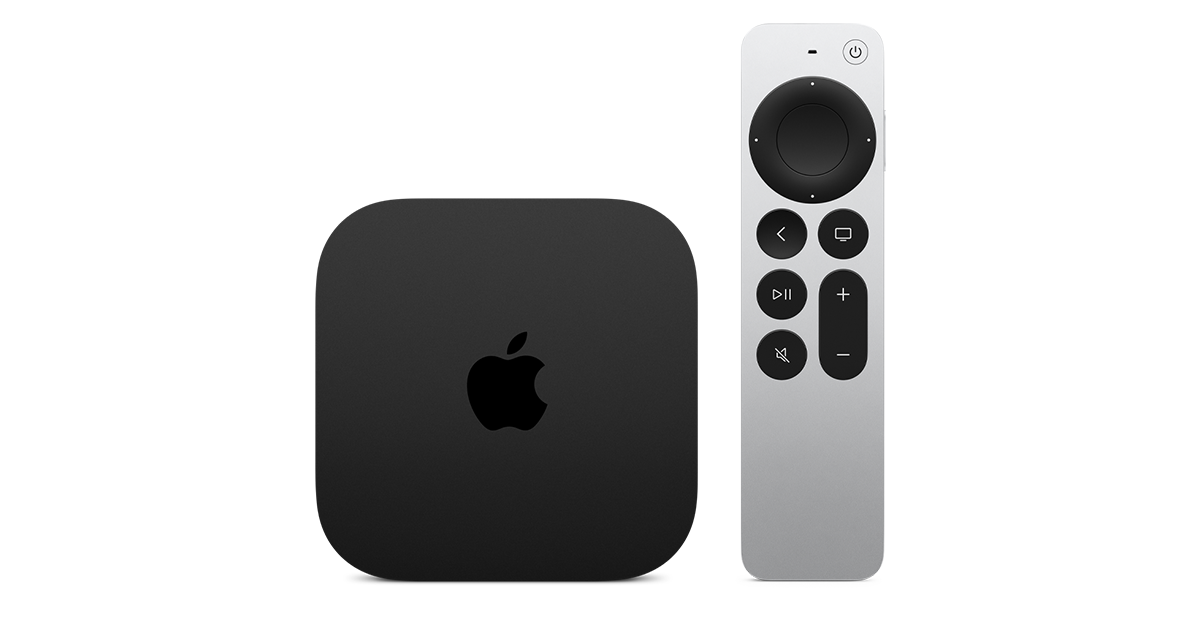
At $299, it had better come with 256 GB of Storage, Gigabit (or better) Ethernet, the latest HDMI tech and standards, and one year of free Apple One. But it probably won't…
Apple TV 4K
Apple TV 4K. New Siri AI and hands-free control. Stunning picture and immersive HomePod surround sound. Works with your Apple and smart home devices.
www.apple.com
20 Replies
·
271 views


 . apple's been making money off of software and not hardware for a while


TWiT Tech Podcast Network
Time for another AWESOME video from the TWIT Network!
View: https://www.youtube.com/watch?v=Y4Edq2eavsQ
Direct YouTube Link - This Week in Space 232
TWIT's Website
TWIT Live Feed
View: https://www.youtube.com/watch?v=Y4Edq2eavsQ
Direct YouTube Link - This Week in Space 232
TWIT's Website
TWIT Live Feed
0 Replies
·
13 views
TWiT Tech Podcast Network
Time for another AWESOME video from the TWIT Network!
View: https://www.youtube.com/shorts/oRVxjGm0qtE
Direct YouTube Link - Tim Cook, Elton John & King Charles: A Royal Tech Event
TWIT's Website
TWIT Live Feed
View: https://www.youtube.com/shorts/oRVxjGm0qtE
Direct YouTube Link - Tim Cook, Elton John & King Charles: A Royal Tech Event
TWIT's Website
TWIT Live Feed
0 Replies
·
10 views
TFLEV
Time for another AWESOME video from TFL Electric Vehicles!
View: https://www.youtube.com/watch?v=MyF_RH1m0mc
Direct YouTube Link - Watch the New Tesla Roadster Jump, Fly and Barrel-Roll in Mid-Air!
View: https://www.youtube.com/watch?v=MyF_RH1m0mc
Direct YouTube Link - Watch the New Tesla Roadster Jump, Fly and Barrel-Roll in Mid-Air!
0 Replies
·
16 views
TWiT Tech Podcast Network
Time for another AWESOME video from the TWIT Network!
View: https://www.youtube.com/shorts/0k5iT-OlpdE
Direct YouTube Link - The Apple HomeView
TWIT's Website
TWIT Live Feed
View: https://www.youtube.com/shorts/0k5iT-OlpdE
Direct YouTube Link - The Apple HomeView
TWIT's Website
TWIT Live Feed
0 Replies
·
9 views

Pub Member / Supporter
2 Replies
·
66 views


Anyone else watch this show? Any guesses as to what was in the box Gibbs gave to Abby that was on her desk? It look liked it was glowing.
I also heard that someone was leaving the show at the end of this season. Any guesses as to who thats going to be?
I also heard that someone was leaving the show at the end of this season. Any guesses as to who thats going to be?
2132 Replies
·
214696 views


 Tony is not serious enough for me. Parker is too close to the team and Tim is too young to take over IMO.