Social Feed

D
Last reply · posted in DISH Network Support Forum
If I hook up a ehd to my 722k do I have to keep it turned on and running 24/7 if I'm using it to make room on my reciver
81 Replies · 10067 views
hdflsts2002
Did you try what I had asked? If it would make you feel any better rather than transferring 4 files do 4 video captures to the HD while playing back 2 Videos. I asked you to try this as it is the easiest way to convey what I am trying to explain to you or I thought it would be. If you would care to get into a very detailed in depth explanation of this I will do so and not need to refer to Wikipedia to do so.

It is you who are mistaken and if you carefully read the wikipedia quotes you are using you will see this.

Time-division multiplexing (TDM) is a type of digital (or rarely analog) multiplexing in which two or more bit streams or signals are transferred apparently simultaneously

I'm not saying that you can't queue Multiple file transfers, I am saying that they can only be traveling in one direction in any point in time. milliseconds or minutes one direction stops while the other direction moves. Stoping and starting too many times and not being able to feed the buffer either of the HD or the receiver itself means something get's skipped somewhere.

Ok how about this. If USB2.0 EHDs could support what you are saying do you not think that Dish would not make a 722 with no drive and charge you the feature fee to use the box as a DVR? How many boxes do you think that they have had to replace since the 722 was released because of failed HDs? Each time one goes belly up, that is shipping each direction, labor for someone to open the box and remove the drive and the cost of the new drive. With all those expenses do you not think that they would make such a box if the feature could be applied without risking performance complaints? Do you not think that there is a technical reason for only offering this feature on Single Tuner boxes?
3HaloODST
Did you try what I had asked? If it would make you feel any better rather than transferring 4 files do 4 video captures to the HD while playing back 2 Videos. I asked you to try this as it is the easiest way to convey what I am trying to explain to you or I thought it would be. If you would care to get into a very detailed in depth explanation of this I will do so and not need to refer to Wikipedia to do so.

It is you who are mistaken and if you carefully read the wikipedia quotes you are using you will see this.


I'm not saying that you can't queue Multiple file transfers, I am saying that they can only be traveling in one direction in any point in time. milliseconds or minutes one direction stops while the other direction moves. Stoping and starting too many times and not being able to feed the buffer either of the HD or the receiver itself means something get's skipped somewhere.

Ok how about this. If USB2.0 EHDs could support what you are saying do you not think that Dish would not make a 722 with no drive and charge you the feature fee to use the box as a DVR? How many boxes do you think that they have had to replace since the 722 was released because of failed HDs? Each time one goes belly up, that is shipping each direction, labor for someone to open the box and remove the drive and the cost of the new drive. With all those expenses do you not think that they would make such a box if the feature could be applied without risking performance complaints? Do you not think that there is a technical reason for only offering this feature on Single Tuner boxes?

Sorry but your quote about APPARENTLY SIMULTANEOUSLY disproves nothing as it still EMULATES FULL DUPLEX COMMUNICATION. I couldn't have made it any clearer that USB 2.0 is perfectly capable of 6 HD streams at a time.

I already explained (now going on three times) that the most likely limitation here is in fact the CPU of the DVR as it has to encrypt/decrypt the video streams in real time (you can thank the MPAA/RIAA.) USB 3.0 wouldn't make one iota of difference in how fast the CPU is capable of doing this.

So there's your TECHNICAL REASON. There is a BOTTLENECK, but it's NOT USB 2.0.

There is absolutely no difference in transferring 1 file at 20MB/sec or transferring 4 files at 5MB/sec, or 2 files at 5MB/sec up and 2 files at 5MB/sec down. IT'S STILL THE SAME AMOUNT OF BANDWIDTH.

Do you by any chance work for Geek Squad? You seem to be one of those types.

http://www.urbandictionary.com/define.php?term=Geek%20Squad (definitions 3 4 & 5.)
H
Well it is with egg on my face and humble pie on my plate that I deliver my report. It has taken a few days of testing and another day or so dreading taking my ridicule from you guys.

You (well, many of you) were right. I'll just have to man up and admit it. I was duped by the Dish 'external timer thingy'. I had so many episodes of the same programs on the EHD that I was wrong about new ones being added as the timers expired. The timers showed as being recorded, but in fact they were vapor.

I wanted badly to believe it was working, but only after completely emptying a drive and watching for new events to be recorded, did I find my mistake.

I'm sorry to have been such a pain, but I'm glad I was entertainment for those of you with more experience. Hopefully I can show my face around these parts again, especially since I have just one more topic which I'm sure will be just as controversial - - how I cured a 622's 'overheating syndrome' and constant reboots without using fans or any other extra venting.

Stay tuned…
hdflsts2002
Sorry but your quote about APPARENTLY SIMULTANEOUSLY disproves nothing as it still EMULATES FULL DUPLEX COMMUNICATION. I couldn't have made it any clearer that USB 2.0 is perfectly capable of 6 HD streams at a time.

I was trying to point out that it was giving the appearance of being Simultaneous. Emulating full duplex is not the same as being full duplex. Emulate is to strive to be like something not to be the same. As an example if you run an application in emulation does it perform as well as it does in a native environment?

The only thing that you have made clear in your arguments is that you are capable of quoting snippets of Wikipedia and often snippets that are dis-related to the topic of USB 2.0 While USB 2.0 does employ Time Division Duplexing (TDD) it does not employ Time Division Multiplexing (TDM)

I already explained (now going on three times) that the most likely limitation here is in fact the CPU of the DVR as it has to encrypt/decrypt the video streams in real time (you can thank the MPAA/RIAA.) USB 3.0 wouldn't make one iota of difference in how fast the CPU is capable of doing this.

No, you have not explained this, you have simply stated it. Explain: Make (an idea, situation, or problem) clear to someone by describing it in more detail or revealing relevant facts or ideas.

The MPAA/RIAA has nothing to do with the conversation at hand, which is the ability of USB 2.0 to handle this task. As to your argument that the limitation is with the CPU, here is another test you can perform. Using your 622/722 record 4 streams while watching 2 from the internal drive. This can be done and therefore dispels your argument that the cpu is the bottleneck.

So there's your TECHNICAL REASON. There is a BOTTLENECK, but it's NOT USB 2.0.

There are many technical reasons USB 2.0 is not up to this task and I am attaching the USB 2.0 doc. If you are so inclined look it over, feel free to ask me any questions you may have via PM and I will try to answer any questions you may have. Pay especial attention to chapter 5 I am not aware of your, or others here, technical backgrounds and as such have tried to keep my replies at a level that any might understand. Providing simple test any could try to verify my assertions. I will not pretend to know all about everything. One of the reasons I am here, to learn about satellite. A topic that I am far from versed on.

There is absolutely no difference in transferring 1 file at 20MB/sec or transferring 4 files at 5MB/sec, or 2 files at 5MB/sec up and 2 files at 5MB/sec down. IT'S STILL THE SAME AMOUNT OF BANDWIDTH.

No, there is a difference. This can easily be seen by means of a simple test using your personal computer and an external HD connected via USB 2.0 First Transfer one file to the drive of say 2GB. Time it. Now drag two files each of 1GB and time this. Times should be very close as the OS when you drag two at once will queue them to be consecutive transfers. Now drag one and while it is transferring drag the other over. This is a bit tougher to get an over all time of because of the lag between the start of the first and you starting the second but it can be done. You will now see a noticeable difference. Repeat this process with a single 4GB file and then 4 1GB files. You will see that the more concurrent transfers you have running the overall time increases.

I will give you the point that no matter what the pipe (physical media) will always have the same theoretical bandwidth, but real world usable bandwidth depends on many factors. Number of tasks. Type of task, control, interrupt, isochronous, bulk. Just a couple of the considerations to be weighed to determine real usable bandwidth. Bottom line USB 2.0 is half duplex and no matter how many ways you slice and dice it data can only flow in one direction at any given moment in time.

Here is something else you can try to demonstrate how the more ways you slice up the over all bandwidth how performance decreases. Take your garden hose, fill a gallon jug and time it. Think of this as data flowing from the receiver to the EHD. Now put a jug behind you and alternate filling both, alternating between them turning the hose off and on as you do. Did it take twice as long or longer. Now do this with 2 jugs behind you, and 4 in front of you. Again not filling one then the next, but rater rotating between all of them turning the hose off as you move from one to the next and then back on. Did this take 6 times as long as just putting the hose in the one jug and letting it run full stream till complete? This is a very highly simplified example but should help to illustrate what is going on.


Do you by any chance work for Geek Squad? You seem to be one of those types.

Sir, and I apologize if I've miss-guessed your gender, personal attacks do nothing to further your position. You have no idea as to my technical background, as I yours. This is the reason I did not go into great technical discussion of this topic. If after looking over my post here and the attached document you have questions or wish to discuss this further I will be very happy to do continue this conversation via PM as I do believe that we have greatly deviated from the original post.
3HaloODST
While USB 2.0 does employ Time Division Duplexing (TDD) it does not employ Time Division Multiplexing (TDM)

Sorry, but this alone shows that you really don't know what you're talking about. Time Division Duplexing IS Time Division Multiplexing.


The MPAA/RIAA has nothing to do with the conversation at hand, which is the ability of USB 2.0 to handle this task. As to your argument that the limitation is with the CPU, here is another test you can perform. Using your 622/722 record 4 streams while watching 2 from the internal drive. This can be done and therefore dispels your argument that the cpu is the bottleneck.

Again, proving your ignorance, because the 622/722 do NOT encrypt recordings internally. They DO encrypt recordings to the EHD. Also, 622/722 are NOT capable of recording 4 at once. That is the 722K that does that.


I am not aware of your, or others here, technical backgrounds and as such have tried to keep my replies at a level that any might understand.

You seem to be the only one here with problems understanding anything.


I will give you the point that no matter what the pipe (physical media) will always have the same theoretical bandwidth, but real world usable bandwidth depends on many factors.
Well no crap. That's what I have been saying all along. 20MB/sec is more than enough for 6 HD streams. Even if it is split up and shared between recording/playback.

Bottom line USB 2.0 is half duplex and no matter how many ways you slice and dice it data can only flow in one direction at any given moment in time.

Great job arguing semantics, but that still doesn't disprove the fact that USB 2.0 is capable of handling the task at hand.

Take your garden hose, fill a gallon jug and time it.
Think of this as data flowing from the receiver to the EHD. Now put a jug behind you and alternate filling both, alternating between them turning the hose off and on as you do. Did it take twice as long or longer. Now do this with 2 jugs behind you, and 4 in front of you. Again not filling one then the next, but rater rotating between all of them turning the hose off as you move from one to the next and then back on. Did this take 6 times as long as just putting the hose in the one jug and letting it run full stream till complete? This is a very highly simplified example but should help to illustrate what is going on.
Now you're just being ridiculous. A USB connection is not a garden hose. Water can't change directions in a matter of milliseconds. Your point is invalid.

Sir, and I apologize if I've miss-guessed your gender, personal attacks do nothing to further your position. You have no idea as to my technical background, as I yours. This is the reason I did not go into great technical discussion of this topic. If after looking over my post here and the attached document you have questions or wish to discuss this further I will be very happy to do continue this conversation via PM as I do believe that we have greatly deviated from the original post.

Attaching a document doesn't prove anything about your technical knowledge. Why don't you show me where in that 650-page document, it says that since it is half-duplex, it is incapable of moving data in two directions simultaneously (or NEAR SIMULTANEOUSLY?)
hdflsts2002
Sorry, but this alone shows that you really don't know what you're talking about. Time Division Duplexing IS Time Division Multiplexing.

This again is incorrect. Duplexing and Multiplexing are different beasts. Duplexing relates to sending data in different directions. Multiplexing involves sending data from multiples sources or to multiple destinations within a given transaction.

I believe what you may have intended is that USB employs STDM (statistical time division multiplexing), which is not the same as TDM, which is not the same as TDD.

Again, proving your ignorance, because the 622/722 do NOT encrypt recordings internally. They DO encrypt recordings to the EHD. Also, 622/722 are NOT capable of recording 4 at once. That is the 722K that does that.

To this I admit I am in error and that the 722k is the only unit with this ability. I did however say I do not claim to be an expert in satellite which is the reason for my being here, to learn. I do have a 722k however did not notice the "K" designation. Of this you are right, and I humbly stand corrected.

Well no crap. That's what I have been saying all along. 20MB/sec is more than enough for 6 HD streams. Even if it is split up and shared between recording/playback

You missed my point here. While the theoretical bandwidth of the pipe is there, there is more to bandwidth than just the physical media and the realworld, usable bandwidth will vary depending on what we are attempting to do with that physical media.

Now you're just being ridiculous. A USB connection is not a garden hose. Water can't change directions in a matter of milliseconds. Your point is invalid.

And did I ever say that an USB connection was a garden hose? I simply gave this example to show just some of what is going on in doing multiple USB transactions and multiple directions. Now if you really want to get technical about this I could point out that USB could change direction in 1 millisecond which is the frame length.

Attaching a document doesn't prove anything about your technical knowledge. Why don't you show me where in that 650-page document, it says that since it is half-duplex, it is incapable of moving data in two directions simultaneously (or NEAR SIMULTANEOUSLY?)

Nowhere in that document will you find that USB can not move data in two directions near simultaneously, but that is not the question at hand. Now a few of things that you will find in that document are descriptions of the different types of transfers (Control, Interrupt, Isochronous, and Bulk). That video would be an isochronous transfer. That no more that 3 isochronous transfers may be contained in a micro frame (125 nanoseconds or 1/8 millisecond) allowing a data rate up to 192Mb/s or 24MB/s (this does not include overhead).

The examples that I gave for all to try who were interested in seeing that as you add enpoints (tasks if you will) the usable bandwidth decreases, and this is best case as these are Bulk transfers. While according to your assertion if I can transfer 1 4GB file in say 1 minute I should then be able to transfer 4 1GB files concurrently in 1 minute as well.

This will be my last public post to this topic, as again, we have deviated greatly from the original post. As I said previously though I am happy to continue this conversation or try to answer additional questions you or other may have on this subject in PM.
dwarren2
Can you 2 please take your augment to either PM's or to a new thread, which the rest of us can ignore!
3HaloODST
This again is incorrect. Duplexing and Multiplexing are different beasts. Duplexing relates to sending data in different directions. Multiplexing involves sending data from multiples sources or to multiple destinations within a given transaction.

TDD IS TDM. "Multiple sources" = uplink + downlink.

I believe what you may have intended is that USB employs STDM (statistical time division multiplexing), which is not the same as TDM, which is not the same as TDD.

STDM is a TYPE of TDM. It's in the name, not that hard to figure that out. TDM is what is used to employ TDD. So TDM and TDD ARE THE SAME. Common sense.

To this I admit I am in error and that the 722k is the only unit with this ability. I did however say I do not claim to be an expert in satellite which is the reason for my being here, to learn. I do have a 722k however did not notice the "K" designation. Of this you are right, and I humbly stand corrected.

It's certainly not your first error. You completely skipped over the fact that it does NOT encrypt recordings recorded to the internal HDD. It DOES encrypt recordings placed on the EHD. You said in a previous point that the MPAA/RIAA have nothing to do with it when in fact they have everything to do with this as if it weren't for them DISH wouldn't have implemented encryption on the EHDs.


You missed my point here. While the theoretical bandwidth of the pipe is there, there is more to bandwidth than just the physical media and the realworld, usable bandwidth will vary depending on what we are attempting to do with that physical media.
You can put it any which way you like, but the bottom line is 6 HD streams aren't that demanding (given the current bit rates) and USB 2.0 is NOT the limitation. It IS the encryption. Why is that so hard for you to figure out?


And did I ever say that an USB connection was a garden hose? I simply gave this example to show just some of what is going on in doing multiple USB transactions and multiple directions. Now if you really want to get technical about this I could point out that USB could change direction in 1 millisecond which is the frame length.

Obviously you haven't read anything I've posted, as I've been saying all along that the data flow changes directions in milliseconds. You act as if quoting Wikipedia is meaningless, when in fact it has sources to back up it's claims, and clearly you never read any of the quotes I posted.


This will be my last public post to this topic, as again, we have deviated greatly from the original post. As I said previously though I am happy to continue this conversation or try to answer additional questions you or other may have on this subject in PM.

Good. I've been getting tired of saying the same thing over and over, because you obviously don't read. It must hurt your Geek Squad ego to just admit that you are wrong. All of your posts haven't proved anything. You think that just throwing around terms and throwing 650-page documents at me proves that you know more on the subject, yet you do nothing to explain how in fact this proves your point. You then go on to create ridiculous analogies that aren't even remotely helpful. They give me a good laugh though.
navychop
Well it is with egg on my face and humble pie on my plate that I deliver my report. It has taken a few days of testing and another day or so dreading taking my ridicule from you guys.

You (well, many of you) were right. I'll just have to man up and admit it. I was duped by the Dish 'external timer thingy'. I had so many episodes of the same programs on the EHD that I was wrong about new ones being added as the timers expired. The timers showed as being recorded, but in fact they were vapor.

I wanted badly to believe it was working, but only after completely emptying a drive and watching for new events to be recorded, did I find my mistake.

I'm sorry to have been such a pain, but I'm glad I was entertainment for those of you with more experience. Hopefully I can show my face around these parts again, especially since I have just one more topic which I'm sure will be just as controversial - - how I cured a 622's 'overheating syndrome' and constant reboots without using fans or any other extra venting.

Stay tuned…

Now you really ARE one of us! We've all made mistakes of one sort or another. Welcome to our even tighter embrace.
3HaloODST
Well, as navychop said we all make mistakes, but hey live & learn. You certainly can and should show your face again. If anything you gave us sat geeks something to do, experimenting with the feature in hopes that it does indeed work that way. If only...
Bobby
I really wanted it to work. You have no idea what I went through to avail myself of a 1 TB EHD that was used for something else to try this. All is good anyway and I now have my 1TB hooked up for future use.
R
Last reply · posted in Computers and Gadgets
After having continuing trouble with my eight+ year old Dell Inspiron laptop I am looking to hopefully catch a good deal on new one. My options to buy is Costco and Sam's Club. It seems like a lot of new laptops are 2 in 1 which I do not need. I use the laptop to mainly surf the web and keep up with my finances, money and bills. I would like to have at least a 15" screen and having a touchscreen is a plus. The keyboard would need to lighted also. I don't game any. It would have to be Windows instead of and not Mac. The brands I see the most are Asus, Dell and HP. My two last laptops has been Dell's. Of these brands are there any standouts over the other brands. My budget (hopefully) is $600+-. Also while researching I noticed that do not have ethernet ports.
9 Replies · 147 views
EarDemon
Why not do a CTO directly through the manufacture? Get exactly what you want. Plus It's quite common to find 10%% (or higher) discount codes for Dell and HP.

Backlit keyboards are pretty much standard, and in the constant effort to try to make devices and thin and dainty as possible ethernet ports are becoming rarer, if not a normal ethernet port, you may be able to find a laptop with drop-jaw style one.
  • Like
Reactions: Foxbat
arlo
Can't really help with an exact set of suggestions. I can say that if you have a set budget. And $600 these days wont get you much. One thing I can say is check out Dell Refurbished.
I've suggested and even configured, ordered a few for friends who were a bit iffy in deciding what they needed and wanted.
Refurbished doesn't mean that they came back defective and were repaired. Companies and organizations who order quantities of the same computers often cancel or modify their requirements.
Dell builds usually on demand. Their direct refurbished line will be brand new, unused. Perhaps not exactly the "today" specifications of the latest-greatest. And you can get a nice pc for quite a bit less with full warranty.
Just a suggestion.
"I use the laptop to mainly surf the web and keep up with my finances, money and bills. I would like to have at least a 15" screen and having a touchscreen is a plus".

As far as Asus, HP goes. And others you may consider. I'd think $600 (new) would get you a laptop. A quality, long lasting one? Not so sure. Now. If you could get a $1000 lappy for $600. Good deal, don't you think?
Surf the web doesn't need a killer Nvidia graphics chip. Nor a pinnacle, top of the line Intel, AMD processor.
12-16 gigs of memory will get you by just fine.
I'm personally an Asus fan. Brands aside. The one thing is the batteries. We discussed that here someplace else.
I repair these critters. Batteries. Cheap laptops have cheap batteries. Asus suggests that you don't keep the charger plugged in all of the time to make them last. Like you see on phones where 85% vs full charge is suggested to preserve battery life.
harshness
Why not do a CTO directly through the manufacture?
Because there are fewer economies of scale with custom products. Savings come from giant contracts with major retailers.

RAM and GPUs make buying a computer now financial suicide. In 2023, I bought two 16GB RAM modules for my lone Windows machine. The cost was under $100. Now that equivalent RAM goes for $260.

One can opt for an on-CPU GPU, but you can't opt out of RAM. While Microsoft goes on and on about Windows 11 eventually being happy with 8GB of RAM, we know how that always ends.
Foxbat
GB is the new MB (remember when Windows used to be happy with 8 MB of RAM?)

I had great experiences with Dell's Refurbished systems in the past. I ended up getting Business desktops instead of the Home PCs since they didn't come loaded with bloatware and the one Desktop I got for Mrs. Foxbat even had a license for MS Office Professional included.
arlo
Can't really help with an exact set of suggestions. I can say that if you have a set budget. And $600 these days wont get you much. One thing I can say is check out Dell Refurbished.
I've suggested and even configured, ordered a few for friends who were a bit iffy in deciding what they needed and wanted.
Refurbished doesn't mean that they came back defective and were repaired. Companies and organizations who order quantities of the same computers often cancel or modify their requirements.
Dell builds usually on demand. Their direct refurbished line will be brand new, unused. Perhaps not exactly the "today" specifications of the latest-greatest. And you can get a nice pc for quite a bit less with full warranty.
Just a suggestion.
"I use the laptop to mainly surf the web and keep up with my finances, money and bills. I would like to have at least a 15" screen and having a touchscreen is a plus".

As far as Asus, HP goes. And others you may consider. I'd think $600 (new) would get you a laptop. A quality, long lasting one? Not so sure. Now. If you could get a $1000 lappy for $600. Good deal, don't you think?
Surf the web doesn't need a killer Nvidia graphics chip. Nor a pinnacle, top of the line Intel, AMD processor.
12-16 gigs of memory will get you by just fine.
I'm personally an Asus fan. Brands aside. The one thing is the batteries. We discussed that here someplace else.
I repair these critters. Batteries. Cheap laptops have cheap batteries. Asus suggests that you don't keep the charger plugged in all of the time to make them last. Like you see on phones where 85% vs full charge is suggested to preserve battery life.
Just an edit. I did look on Dell's refurb site. To me I didn't really see anything approaching the six-hundred dollar range that I'd even consider owning. That's me though. Marginally in the $700 range.
Upwards of $1000, sure. Me? I'd save up a little more. I think their warranty is 100 days. Not that you'll need it. Square Trade is a viable option too.
The other guys replies after my first post here are viable. All I can say is that my friends and folks who chose refurbished over new have been entirely happy.

Just beware of cheap. It might just bite you. We do have tariffs now since when you bought your lappy 8 years ago.

Harshness' comment of on-cpu gpu. Intel Integrated Graphics is usually accompanied with and Nvidia gpu also.
Low power drain, good graphics and when needed, the Nvidia kicks in.


2 in 1 goes along with touch screen. Fold the display over and use it as a tablet. They go hand in hand. The keyboard shuts off. Normally open, the touch screen works as is should. I never use the touch screen when opened normally on mine. Kind of clumsy. In tablet configuration, does as it should.
Scott Greczkowski
Staff member HERE TO HELP YOU! Cutting Edge
Last reply · posted in The Chit Chat Club
Sometimes a thread gets so many posts in it that is can cause issues for the server so that why today we introduce The Song Name Game Part 3!

So let the game continue!

The last song was added by Bobby who posted...

One Meat Ball - Andrews Sisters

CONTINUE ON AND HAVE FUN! WELCOME HOME TO SATELLITEGUYS.US!

Here are the original rules for the game as posted by WebbyDude back in 2006. http://www.satelliteguys.us/threads/68645-Song-Name-Game

Just name a song title and the band who performed it. The next person does the same thing, but needs to list a song title or band name which includes a word from the previous entry. Pick songs from any genre.

Example:

Long Live Rock and Roll -- Rainbow

Rainbow in the Dark -- Dio

Another example:

Ride the Lightning -- Metallica

Lightning Strikes -- Ozzy Osbourne


Get it?


An additional note: we all know that song titles, sometimes, use profane words. Because this is a family friendly website it is advised that you clean up that title up a bit. This is accomplished by using something like sh!t instead of the real word. Thanks....
68701 Replies · 2682557 views
  • Like
Reactions: c-spand
long_time_Dish
You Belong To The City - Glenn Frey
J
You Belong To The City - Glenn Frey
Fool for The City - Foghat
long_time_Dish
Hot Child In The City - Nick Gilder
  • Like
Reactions: dishstaller
dishstaller
In The Wee Small Hours of the Morning - Carly Simon
long_time_Dish
Sometime In The Morning - The Monkees
H
Touch Me IN THE MORNING-Diana Ross
brittanygarden
Staff member Pub Member / Supporter
Last reply · posted in DISH Network Support Forum
Please post your remote make/model here and any details of your issue. We are looking to collect as many examples as possible. I may reach out to you for your receiver number, but please do not post it here.

If you've already reported this to me, please repost it here so I can track all instances in one thread.

Thanks!
Brittany
26 Replies · 1109 views
bookworm370
I have a solution that is guaranteed to work.
All Hopper developers are required to turn in their RF Hopper remotes and use only IR remotes.

I guarantee you that the bug will be fixed in two days!
Try it; it will work! They will work 24 hours a day to fix it when the WAF goes into the toilet!
GRB1959
I have a solution that is guaranteed to work.
All Hopper developers are required to turn in their RF Hopper remotes and use only IR remotes.

I guarantee you that the bug will be fixed in two days!
Try it; it will work! They will work 24 hours a day to fix it when the WAF goes into the toilet!
Excellent suggestion.
bookworm370
Excellent suggestion.
Yea, I've only been a CIO for the last 30 years! :)
Trust me, when something important breaks, they get to own it!
A
Loaded H713 software on my Hopper 3 last week. Have not seen any change in the IR/RF remote issues with my Harmony 700.
Has Dish acknowledged this is a problem and are they committed to fixing it?
I'd be happy to roll back to last July.
long_time_Dish
Loaded H713 software on my Hopper 3 last week. Have not seen any change in the IR/RF remote issues with my Harmony 700.
Has Dish acknowledged this is a problem and are they committed to fixing it?
I'd be happy to roll back to last July. <-----|
Absolutely!!!---------------------------------------------|
  • Like
Reactions: charlesrshell
R
Loaded H713 software on my Hopper 3 last week. Have not seen any change in the IR/RF remote issues with my Harmony 700.
Has Dish acknowledged this is a problem and are they committed to fixing it?
I'd be happy to roll back to last July.
I got 713 a few days ago and nothing has changed concerning the IR/RF remote issues.
long_time_Dish
My Hopper 3 updated itself to H713 last week and the IR issue is worse now. On H711, I could be on an SD channel for several hours and the IR side of my H3 would still be responsive without my having to tap the View button on my Pronto Pro every 15 minutes. Now, if I stay even on an SD channel without tapping the View button at least once an hour, it becomes unresponsive to my Pronto Pro without tapping the View button at least 5-20 times, just like on the HD and 4K channels. So, H713 actually made the issue worse. :(

brittanygarden
osu1991
Pub Member / Supporter
Last reply · posted in The Chit Chat Club
:mad::mad::mad::mad:

Pissed off at the crappy healthcare costs

My health Insurance renewal for 2027 just came in. Going from $827 a month to $1,187 a month. Deductible going up a $1k to $9,350. Max out of pocket also going up $1k to $11,000. Doctor co-pay of $40. Urgent Care co-pay $50. ER 50% coinsurance after deductible. That's all in network. Out of network is double, should it be needed.

Have to think about this. I'm really tempted to just go without now. I only go to the doctor once or twice a year. I pay out of pocket for Tirzepitide and can do without the Rosuvastatin (crestor) now. Really tired of spending over $10k a year and getting nothing out of it.

After years with Blue Cross I switched last year to Ambetter as my Blue Cross premium was going from $1200 to $1800 for a Silver plan and the Bronze plan was still going to be $1300 at BCBS. Ambetter was $827 for the same coverage with a Bronze plan. Didn't think it would jump this much so soon.

I'm guessing a Silver plan is probably over $2,000 a month for 2027.
33 Replies · 456 views
  • Sad
Reactions: AZ.
osu1991
Such a scam. Healthcare.gov shows me cheaper individual plans available for 2027 from ambetter that ambetter doesn't show on their website. Looked it up. I've spent $68,000 in premiums the last 5 years and got nothing out of it except a few doctors visits and labs. 😡
  • Wow
Reactions: dishstaller
dishstaller
I've spent $68,000 in premiums the last 5 years
That's why I cancelled ours and just started saving the money. We're about to do the same thing with our home insurance.....not cancel it outright but do away with the portion which covers wind damage. We're paying over $5k right now and that is AFTER I dumbed things down...and it keeps going up. Got a couple trees I want to have taken down first before I do that however. After we do that, it will knock about $3k off our annual premium.
  • Like
Reactions: osu1991
WhiteBeard
That's why I cancelled ours and just started saving the money. We're about to do the same thing with our home insurance.....not cancel it outright but do away with the portion which covers wind damage. We're paying over $5k right now and that is AFTER I dumbed things down...and it keeps going up. Got a couple trees I want to have taken down first before I do that however. After we do that, it will knock about $3k off our annual premium.
Our home and auto insurance has been stable so I'll continue with it but I'm going to have see what I can do about medical insurance. The biggest impact would be an ER visit.
b4pjoe
My wife and I use the same Medicare Advantage plan from United Healthcare. (Yes I have heard the horror stories about Medicare Advantage plans but we have used it for the last 5 years). We are both pretty healthy so it works for us. It costs $0.00 per month for both of us and it pays part of our Medicare part B premium. Next year it will be paying $170 per month of the $220 monthly part B premium for both of us. We also each get $90 per quarter to use on OTC products. $0.00 copay for Dr. visits and $55 copay for specialists. Includes dental and hearing coverage. Never have had an issue with it although I don't really use mine other than for the dental, Part B payments and the OTC benefit as I am a veteran and use the VA for all of my medical needs. I just had a kidney that had a cancer mass removed last month and they allowed me to use a non VA surgeon at a non VA hospital through the VA Community Care program. For all of the doctors visits, exams, tests, surgery, hospital stay, meds etc…was around $60,000 and the the VA paid for it entirely. I did have to pay $16 for the Oxycodone pain pills when I left the hospital that I got from my local CVS instead of waiting for a week for the VA to ship them to me from the VA pharmacy.
meStevo
They're pushing our high deductible plan pretty hard at work, including a couple thousand to seed a HSA. Covering my wife and 4 kids though that feels like a mistake and I'd rather the peace of mind and the potential higher cost via the PPO plan payroll deductions.
dishstaller
$0.00 copay for Dr. visits
And THAT is one of the big issues causing a lot of the problems. If the minimum copay for Dr. visits was at least $100 then a LOT of folks would opt out of those visits. If it cost the individual nothing then why should they care. All of my older family members are constantly going to doctor visits.....to them it is an adventure.....an outing that allows them a reason to go out to eat at a restaurant. IF they had to pay one cent out of their own pockets a lot of that crap would stop asap.

Sorry...rant off.
meStevo
And THAT is one of the big issues causing a lot of the problems. If the minimum copay for Dr. visits was at least $100 then a LOT of folks would opt out of those visits. If it cost the individual nothing then why should they care. All of my older family members are constantly going to doctor visits.....to them it is an adventure.....an outing that allows them a reason to go out to eat at a restaurant. IF they had to pay one cent out of their own pockets a lot of that crap would stop asap.

Sorry...rant off.

You're not wrong that some people treat free visits like a social outing. But it has to be a balance. Put a $100 barrier on a doctor visit and people don't just skip the pointless ones, they skip the important ones too. Then the stuff that would've been a cheap catch at a checkup shows up later in the ER, sicker and way more expensive. The shift we need is from sick care to actual healthcare.
  • Like
Reactions: Foxbat and dishdude
M
Last reply · posted in DISH Network Support Forum
I have Dish with Hopper3. I choose to get local channels OTA and had a "guide list" established at my previous home. Having moved a few miles away, I wanted to update the list by appending a couple new stations via a rescan. As many would know, some stations come in with the UHF/VHF antenna aimed in one direction, while others come in better with a different direction.

Unfortunately, when a scan is done (bringing in 25-30 stations for that particular antenna aim), the dialog screen does not present the established guide list; it presents an empty field to the right that the scanned stations may be selected one by one and added to the empty guide. But because of antenna aim, some stations originally saved are missing, and would have to be retrieved with a different antenna aim. But as I explain, if a 2nd​ scan is done with a different antenna aim, the stations saved from the first scan are lost.

It troubles me that Dish didn't develop software that would allow a user to simply append only 1 or 2 channels to the established list. :mad:

Any thought on this? Has anyone experienced this or heard of this from others?
1 Replies · 58 views
dishstaller
I hear complaints from customers each and every day. I chose not to install OTAs with a doggle for a reason.

BTW, I like your user name


View: https://www.youtube.com/shorts/MXNU6pQFkok
  • Like
Reactions: charlesrshell
dishstaller
Pub Member / Supporter Lifetime Supporter
· posted in The Chit Chat Club
Dang female lions don't mess around when it comes to their kiddos....aka whelps.


View: https://www.youtube.com/shorts/Vvefv5xW77s?feature=share
0 Replies · 33 views
TheForce
Supporting Founder Pub Member / Supporter
Last reply · posted in The Phone & Tablet Zone
Apple Fall Hardware Event takes place today, September 9, 2026, at 10:00 a.m. PT / 1:00 p.m. ET. It marks the debut of new CEO John Ternus and the expected reveal of Apple's first foldable phone.
139 Replies · 2056 views
harshness
Gone are the days when Apple "perfects" what debuted years earlier on an Android phone.
comfortably_numb
Gone are the days when Apple "perfects" what debuted years earlier on an Android phone.

Or better yet, innovate something "completely revolutionary!"
  • Like
Reactions: slow_poke_pete
S
Or better yet, innovate something "completely revolutionary!"
when was the last time they innovated something:rolleyes:
Foxbat
when was the last time they innovated something:rolleyes:
I'd probably say when they came up with their M-series of processors with integrated memory. That allowed Apple to get away from the inefficient Intel CPUs that were limiting their notebook computers.
Ramy
Supporting Founder
Last reply · posted in The Sports Section
Really excited for this season with Kentucky having a new coach and some really exciting recruits. Probably won't last long, but here's hoping this season is great.
180 Replies · 3088 views
  • Haha
Reactions: Mike0616
osu1991
:mad:..I hate playing in Ames.
Jimbo
:mad:..I hate playing in Ames.
I hate playing in LA ... :oldmad
Buckeyes had 2 weeks off and came out and looked absolutely terrible ... broke in a new Freshman Qb, but that wasn't the worst part ... undiscipline play, at last count they had 10 penalties.
Freshman in the end of the game trying to play catch up, had a lot of Over throws ... Bucks lose ...

#1 Miami struggled but pulled away in the end beating North Carolina by 3 ...

Tuesday the CFP brings out thier Playoff Top 12 again ... Buckeyes should drop from #2 to about #22 (they won't) had they had thier Starting QB, it would have been a different game ...

They could lose the rest of thier games at this point.
Foxbat
:mad:..I hate playing in Ames.
My in-Laws came from Iowa, she was a graduate of ISU. Unranked Iowa teams beat the #24 and #25 teams on Halloween.

And I heard that your QB made a poor choice after scoring the tying touchdown, leading to a fifteen yard penalty on the ensuing kickoff. The Cyclones were then able to take advantage of the resulting field position to get close enough to score the winning field goal.

In a NCAA Football season of bizarre endings, this has to rank right up there.
osu1991
My in-Laws came from Iowa, she was a graduate of ISU. Unranked Iowa teams beat the #24 and #25 teams on Halloween.

And I heard that your QB made a poor choice after scoring the tying touchdown, leading to a fifteen yard penalty on the ensuing kickoff. The Cyclones were then able to take advantage of the resulting field position to get close enough to score the winning field goal.

In a NCAA Football season of bizarre endings, this has to rank right up there.
Yep, but wasn't the QB. Was WR. Offense had a great game but defense didn't show up at all. I don't think they were even in the State.
  • Like
Reactions: Foxbat
R
Last reply · posted in DISH Network Support Forum
I had an old Wireless Joey replaced by a Wireless Joey 4 (Android TV) - still have a Hopper 3 without the Hopper Plus. What do I have to do to get the EPG to show channel logos instead of "Dish"? This is annoying as hell and it's been this way for over a month…
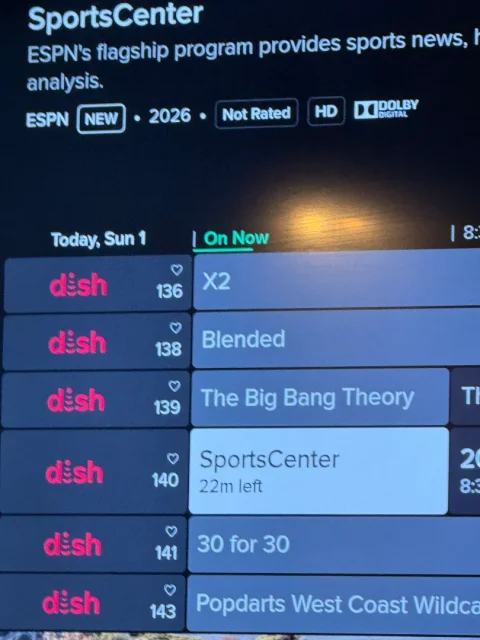
1 Replies · 42 views
B
That kind of crap annoys me to no end.
That is one reason I haven't switched to h3and the same wireless joey 4
Hope you get it resolved.
  • Like
Reactions: charlesrshell
ewindowman
Lifetime Supporter
Last reply · posted in DISH Network Support Forum
Looks like dish is Bankrupt. Filling tomorrow Tuesday June 30th
432 Replies · 14628 views
ewindowman
Correct me if I'm wrong but Dish borrowed lots of money to start a wireless company that was most likely doomed from the beginning. They bought spectrum at any cost to acquire enough bandwidth to achieve their goal. They signed leases and bought equipment and borrowed more money. They held onto the spectrum as long as possible. They then sold most of it to different companies and made a lot of money. Then they started to screw the companies that were installing and leasing the equipment and cell towers. Now they are going to claim bankruptcy under the Dish Network part of Echo Star while they have billions of dollars. So Dish basically took everyone's money that was involved in the financial part of this transaction made a huge profit is screwing everyone over from the banks to the little guy working on the towers and infrastructure.
nelson61
"
They note that the Dish Wireless radios at issue support the 2GHz and 800MHz spectrum SpaceX is acquiring from EchoStar and Grain.

"Buying compatible equipment already installed on towers could give SpaceX a head start on its wireless terrestrial network build and throw a big bucket of cold water on Verizon's four-to-six-year timeline and $300-$500 billion estimate for SpaceX's buildout," said the analysts."
S
Correct me if I'm wrong but Dish borrowed lots of money to start a wireless company that was most likely doomed from the beginning. They bought spectrum at any cost to acquire enough bandwidth to achieve their goal. They signed leases and bought equipment and borrowed more money. They held onto the spectrum as long as possible. They then sold most of it to different companies and made a lot of money. Then they started to screw the companies that were installing and leasing the equipment and cell towers. Now they are going to claim bankruptcy under the Dish Network part of Echo Star while they have billions of dollars. So Dish basically took everyone's money that was involved in the financial part of this transaction made a huge profit is screwing everyone over from the banks to the little guy working on the towers and infrastructure.
i heard charlie went to dubai begging for money. but he didn't get none... that should have raised red flags.
R
"
They note that the Dish Wireless radios at issue support the 2GHz and 800MHz spectrum SpaceX is acquiring from EchoStar and Grain.

"Buying compatible equipment already installed on towers could give SpaceX a head start on its wireless terrestrial network build and throw a big bucket of cold water on Verizon's four-to-six-year timeline and $300-$500 billion estimate for SpaceX's buildout," said the analysts."
Back when Dish was installing antennas everywhere for their internet service I mapped several of the tower locations around me. One is less than a mile away from me and several more about three miles away in several different directions. If SpaceX does something with these I may be in a prime spot.
S
  • Like
Reactions: charlesrshell
S
  • Like
Reactions: charlesrshell