

Social Feed

Lifetime Supporter
I have been a big fan of Steam's business model for a long time. I have wanted to switch most of my gaming to PC for a while to take advantage of Steam's deals but I'm not comfortable playing with a mouse and keyboard and I refuse to game at a desk after sitting at one for work all day. What I wanted was a console replacement hooked to my 46" 1080p TV and Onkyo 609 5.1 surround sound setup. I wanted this PC to be better than my 360 and PS3 and I wanted it to at least keep up with the graphics of the next gen consoles. I don't need super high resolutions or multiple monitors. I want the next gen AAA games to play at the console standard 30 FPS at 1080p or 720p resolutions. A couple months ago I saw the announcement video for Steam's big picture mode. This is what made me realize that PC gaming is finally doable for me.
Originally I didn't want to build my own PC. I've never done it before so I'm not super comfortable with picking out the parts or the actual building process. My first reaction was to jump on the Alienware x51. It can handle what I want now and it looks like a console so it would be perfect for my setup. The problem I had with that is the fact that you basically can't upgrade it. I don't want to have to upgrade every 2 years but I would like it to be an option without starting over.
My next step was a website called Maingear. They offer more customizable options than Alienware and the cases are easily upgradable. The problem here was that I was over $1400 before I got to a system I was happy with and it wasn't going to ship until April 4th. That is more than I wanted to spend and I didn't want to wait that long. I decided to suck it up and print the spec sheet from Maingear and build my own as closely matched as I could getting parts from amazon.
I chose this $50 case. There is nothing special about it. This is a living room PC. No flashing lights or windows required.
http://www.amazon.com/gp/product/B005869J4O/ref=ox_ya_os_product
I picked the AMD FX-6300 6 core 3.5GHz processor for $133.79. I went with AMD over Intel here to try to maximize the bang for my buck.
http://www.amazon.com/gp/product/B009O7YORK/ref=ox_ya_os_product
I used the AMD Radeon HD 7850 2GB graphics card for $184.99. Again, I was trying to maximize the bang for my buck so I went AMD over Nvidia. AMD is giving out free downloads of Bioshock Infinite and Tomb Raider when they release if you buy this particular graphics card through amazon. These are both games I planned to purchase so that is a nice bonus for me.
http://www.amazon.com/gp/product/B007PJTNYS/ref=ox_ya_os_product
AMD AM3+ compatible SATA motherboard $89.99.
http://www.amazon.com/gp/product/B0056G10WK/ref=ox_ya_os_product
8GB 1600MHz Corsair Vengeance RAM $47.69.
http://www.amazon.com/gp/product/B004CRSM4I/ref=ox_ya_os_product
1TB Segate HD 7200RPM SATA 6Gb/s $76.82. Maybe I will add a SSD eventually for the OS and some of the games but for now I am minimizing cost.
http://www.amazon.com/gp/product/B005T3GRNW/ref=ox_ya_os_product
Corsair 600w power supply $66.24.
http://www.amazon.com/gp/product/B0092ML0OC/ref=ox_ya_os_product
Windows 8 $95.88
http://www.amazon.com/gp/product/B0094NY3R0/ref=ox_ya_os_product
360 Wireless Controller PC adapter $12.59 This device will sync to my 4 existing 360 controllers for multiplayer gaming.
http://www.amazon.com/gp/product/B000HZFCT2/ref=oh_details_o00_s00_i05?ie=UTF8&psc=1
I chose not to buy an optical disk drive. 95% of this PCs use will be for gaming and I plan on getting those games from Steam, Origin, and other online shops. I do have an old USB DVD burner if I need it to instal the OS or the occasional disk based game.
The total for my system is $757.98. This is almost exactly the same internals as the customized Maingear system that was going to cost me $1400+. I even used the same brands whenever possible. I am still a little scared of building my own PC but for that kind of savings I think it is worth it. Steam has a feature that will allow it to launch in big picture mode upon computer boot up so I will rarely have to use a keyboard and mouse. If everything goes according to plan this PC should be perfect for me and I can always upgrade the graphics card in a couple years if I want more power.
I know that this is a ridiculously long post but I figured it could be useful for other people considering a gaming PC. I will update this weekend when the parts come in and I have time to start building.
Originally I didn't want to build my own PC. I've never done it before so I'm not super comfortable with picking out the parts or the actual building process. My first reaction was to jump on the Alienware x51. It can handle what I want now and it looks like a console so it would be perfect for my setup. The problem I had with that is the fact that you basically can't upgrade it. I don't want to have to upgrade every 2 years but I would like it to be an option without starting over.
My next step was a website called Maingear. They offer more customizable options than Alienware and the cases are easily upgradable. The problem here was that I was over $1400 before I got to a system I was happy with and it wasn't going to ship until April 4th. That is more than I wanted to spend and I didn't want to wait that long. I decided to suck it up and print the spec sheet from Maingear and build my own as closely matched as I could getting parts from amazon.
I chose this $50 case. There is nothing special about it. This is a living room PC. No flashing lights or windows required.
http://www.amazon.com/gp/product/B005869J4O/ref=ox_ya_os_product
I picked the AMD FX-6300 6 core 3.5GHz processor for $133.79. I went with AMD over Intel here to try to maximize the bang for my buck.
http://www.amazon.com/gp/product/B009O7YORK/ref=ox_ya_os_product
I used the AMD Radeon HD 7850 2GB graphics card for $184.99. Again, I was trying to maximize the bang for my buck so I went AMD over Nvidia. AMD is giving out free downloads of Bioshock Infinite and Tomb Raider when they release if you buy this particular graphics card through amazon. These are both games I planned to purchase so that is a nice bonus for me.
http://www.amazon.com/gp/product/B007PJTNYS/ref=ox_ya_os_product
AMD AM3+ compatible SATA motherboard $89.99.
http://www.amazon.com/gp/product/B0056G10WK/ref=ox_ya_os_product
8GB 1600MHz Corsair Vengeance RAM $47.69.
http://www.amazon.com/gp/product/B004CRSM4I/ref=ox_ya_os_product
1TB Segate HD 7200RPM SATA 6Gb/s $76.82. Maybe I will add a SSD eventually for the OS and some of the games but for now I am minimizing cost.
http://www.amazon.com/gp/product/B005T3GRNW/ref=ox_ya_os_product
Corsair 600w power supply $66.24.
http://www.amazon.com/gp/product/B0092ML0OC/ref=ox_ya_os_product
Windows 8 $95.88
http://www.amazon.com/gp/product/B0094NY3R0/ref=ox_ya_os_product
360 Wireless Controller PC adapter $12.59 This device will sync to my 4 existing 360 controllers for multiplayer gaming.
http://www.amazon.com/gp/product/B000HZFCT2/ref=oh_details_o00_s00_i05?ie=UTF8&psc=1
I chose not to buy an optical disk drive. 95% of this PCs use will be for gaming and I plan on getting those games from Steam, Origin, and other online shops. I do have an old USB DVD burner if I need it to instal the OS or the occasional disk based game.
The total for my system is $757.98. This is almost exactly the same internals as the customized Maingear system that was going to cost me $1400+. I even used the same brands whenever possible. I am still a little scared of building my own PC but for that kind of savings I think it is worth it. Steam has a feature that will allow it to launch in big picture mode upon computer boot up so I will rarely have to use a keyboard and mouse. If everything goes according to plan this PC should be perfect for me and I can always upgrade the graphics card in a couple years if I want more power.
I know that this is a ridiculously long post but I figured it could be useful for other people considering a gaming PC. I will update this weekend when the parts come in and I have time to start building.
10 Replies
·
1902 views


TWiT Tech Podcast Network
Time for another AWESOME video from the TWIT Network!
View: https://www.youtube.com/shorts/vdi0y_S8a_0
Direct YouTube Link - AI Agents: Can We Trust Today's LLM Technology? #shorts
TWIT's Website
TWIT Live Feed
View: https://www.youtube.com/shorts/vdi0y_S8a_0
Direct YouTube Link - AI Agents: Can We Trust Today's LLM Technology? #shorts
TWIT's Website
TWIT Live Feed
0 Replies
·
2 views

Supporting Founder
Really excited for this season with Kentucky having a new coach and some really exciting recruits. Probably won't last long, but here's hoping this season is great.
142 Replies
·
1388 views


Pub Member / Supporter
Lifetime Supporter
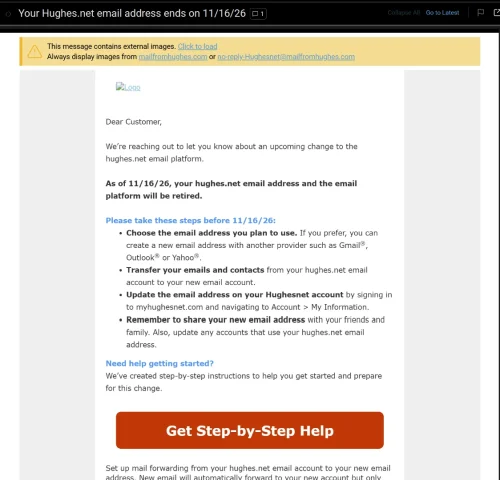
Wasn't exactly sure where to post this. Just had a customer come in inquiring about internet. He has HughesNet and had heard good things about mine. He asked if we provided email addresses and it kinda caught me off guard. I said he should be able to keep whatever email he had been using....my sister in law is still using a BellSouth email addy and they haven't been around here for many years. He said he had gotten a letter from HughesNet stating that they had until Nov 16th to save, move, forward, whatever, their Hughesnet emails because they would lose them after that date.
I have never heard of a company simply mass-deleting email accounts (the customer still has his HughesNet service). From what I understand, in the past, the company who was ditching their email service simply sold the customer base to a company like Google.
Anyone else getting this letter. He said he would show it to me tomorrow when I go out there and set up his internet.
I have never heard of a company simply mass-deleting email accounts (the customer still has his HughesNet service). From what I understand, in the past, the company who was ditching their email service simply sold the customer base to a company like Google.
Anyone else getting this letter. He said he would show it to me tomorrow when I go out there and set up his internet.
9 Replies
·
175 views





Staff member
Pub Member / Supporter
Cutting Edge
The TPN Map Excel Presents all DIRECTV Channels:
Understanding the TPN Map
Making Sense of the TPN Map Display Conventions
National (50-States or wide/NAT+PR beams)
Local (Local-Into-Local or narrow/Spot beams)
Local (Local-Into-Local or narrow/Spot beams)
Additional tabs provide:
OTA the (Over-The-Air) Database
VOD (Video On_Demand) Records
Offline Records
Engr Records
Net Decoder a graphic presentation of all satellites and transponders
VOD (Video On_Demand) Records
Offline Records
Engr Records
Net Decoder a graphic presentation of all satellites and transponders
Domestic Satellites
@99W...... D11, D14
@101W.... D16
@103W.... D12, D15
@110W.... D5
@119W.... D8
@99W...... D11, D14
@101W.... D16
@103W.... D12, D15
@110W.... D5
@119W.... D8
Understanding the TPN Map
Making Sense of the TPN Map Display Conventions
2140 Replies
·
927923 views


Supporting Founder
Lifetime Supporter
For the naysayers who did not think this service would make it, just added another 4.9M subscribers and that was after the removal of 1.2M Russia subscribers.
This is even better, Paramount+ revenue grew 120% and Subscription revenue grew 74% year-over-year ( 2nd quarter 2021/ 2nd quarter 2022) to $830M, principally reflecting paid subscriber growth on Paramount+.
Now compare that to Peacock with only 13 million paid, 13 million free.
This is even better, Paramount+ revenue grew 120% and Subscription revenue grew 74% year-over-year ( 2nd quarter 2021/ 2nd quarter 2022) to $830M, principally reflecting paid subscriber growth on Paramount+.
Now compare that to Peacock with only 13 million paid, 13 million free.
665 Replies
·
61584 views


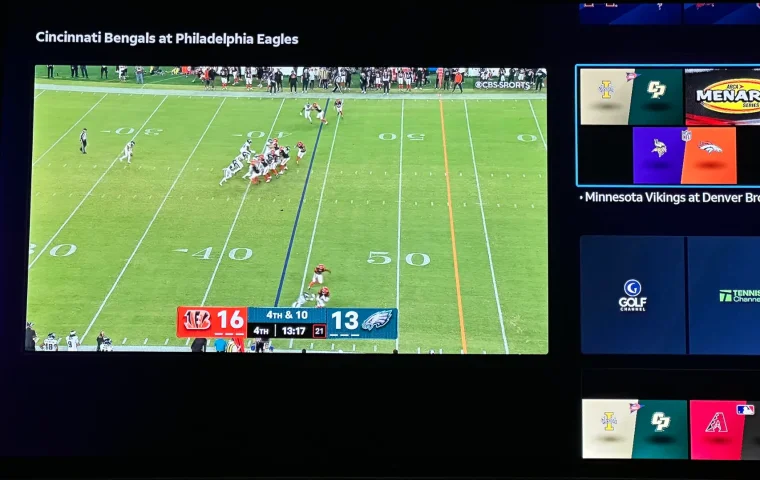
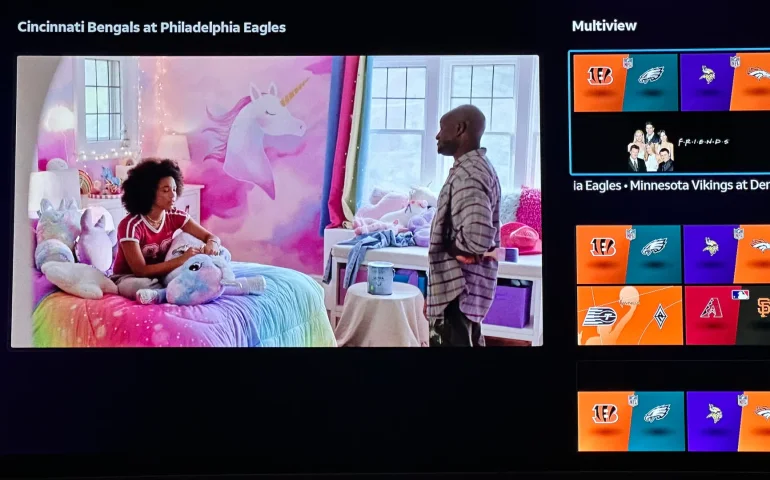
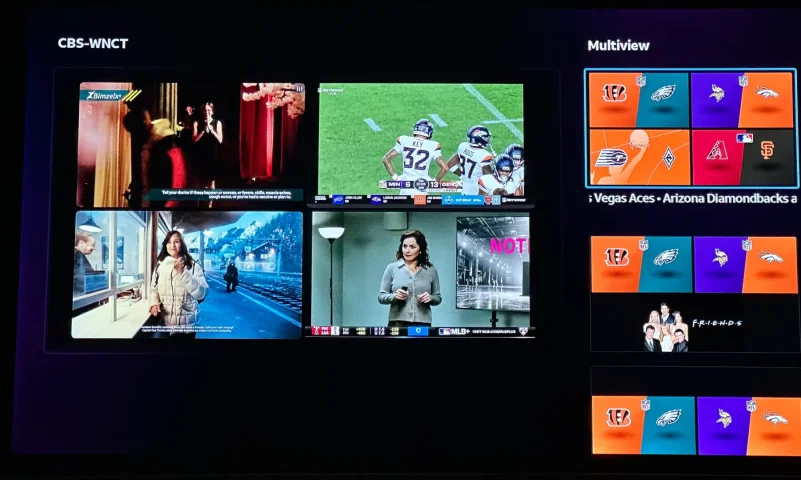
The new curated multiview is now live.
While on many of the sports channels and non sports channels there is a multi view option button. It will pull up a side bar with many different multi view options.
While on many of the sports channels and non sports channels there is a multi view option button. It will pull up a side bar with many different multi view options.
5 Replies
·
194 views


Supporting Founder
Pub Member / Supporter
Lifetime Supporter
Apple has finally released their Apple TV 4K with built-in Siri and a microphone so it can respond to your queries even if you don't have the remote. It also increases in price, to $299. I had been planning on updating my current Apple TV 4K streamers, but that's $600 for the two of them, and that's a pass at this point.
At $299, it had better come with 256 GB of Storage, Gigabit (or better) Ethernet, the latest HDMI tech and standards, and one year of free Apple One. But it probably won't…
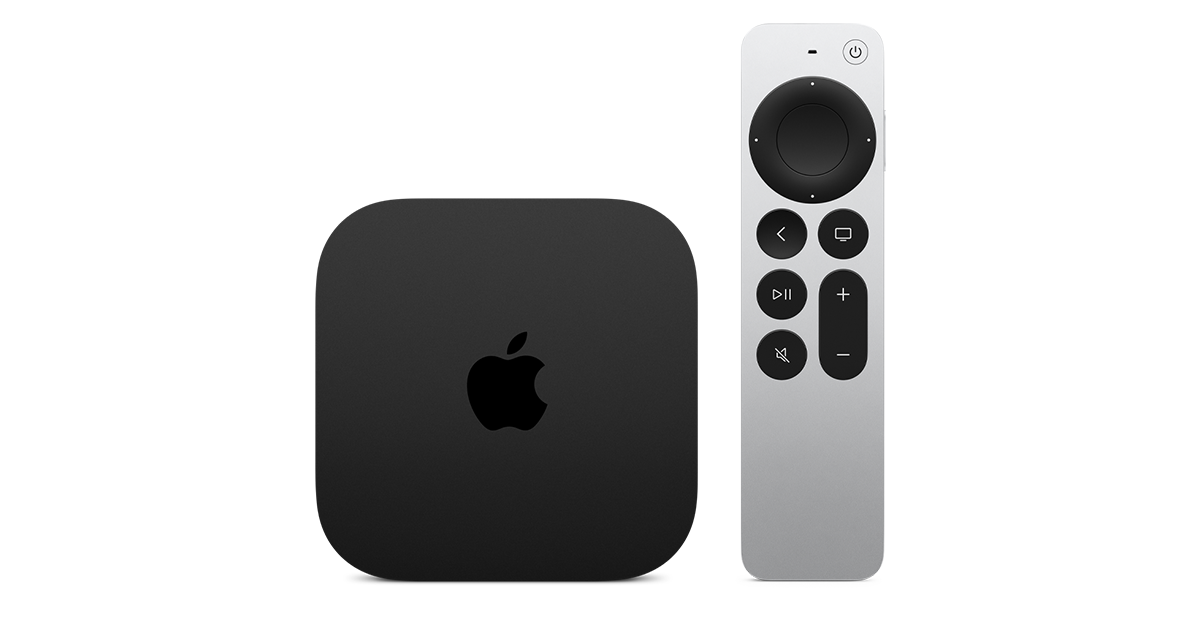
At $299, it had better come with 256 GB of Storage, Gigabit (or better) Ethernet, the latest HDMI tech and standards, and one year of free Apple One. But it probably won't…
Apple TV 4K
Apple TV 4K. New Siri AI and hands-free control. Stunning picture and immersive HomePod surround sound. Works with your Apple and smart home devices.
www.apple.com
16 Replies
·
216 views


 . apple's been making money off of software and not hardware for a while
Linus Tech Tips
Time for another AWESOME video from Linus Tech Tips!
View: https://www.youtube.com/watch?v=aV81SqB6HQg
Direct YouTube Link - NVIDIA Told me How to Benchmark RTX Spark
Linus on Facebook
The LTT Store
View: https://www.youtube.com/watch?v=aV81SqB6HQg
Direct YouTube Link - NVIDIA Told me How to Benchmark RTX Spark
Linus on Facebook
The LTT Store
0 Replies
·
6 views

Pub Member / Supporter
Cutting Edge
I created this thread on the original Edgecutter Cutting Edge Forums site. It's simply a place for those to review the latest software available for those using Windows 10 and Windows 11. To date it has received 112,559 views. I have been asked by staff to continue this thread here.
522 Replies
·
47257 views


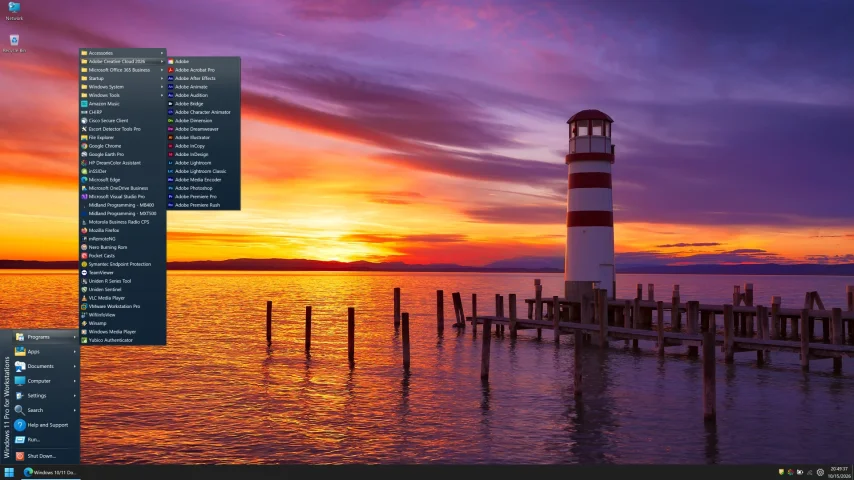


For some reason, the satelliteguys.us site is loading a lot slower than usual on both Chrome on my Asus laptop and Safari on my iPhone.
I'm also seeing longer appearances of the blue bar at the top and the "3 blue bars" loading symbol.
Is anyone else also having the same problem? Thanks in advance.
I'm also seeing longer appearances of the blue bar at the top and the "3 blue bars" loading symbol.
Is anyone else also having the same problem? Thanks in advance.
528 Replies
·
17983 views


