

Social Feed

T
· posted in Free To Air (FTA) Discussion
LET'S TALK ABOUT SWITCHES

Ever since I have had an S2 switch and 2 dishes I thought the rule was the same for 4 way/ 8 way switches. C band sats TURN OFF 22K, KU band turn on 22k (in settings) but according to some sources that isn't true. 22k should be turned to AUTO for 4/8 way ACCORDING TO SOME SOURCES. Even though I got most of the bugs out, some funky things are happening. I'm not getting all of the channels. I DON'T HAVE AN AUTO setting for my 22k tone. I have been doing this more than 15 years and so I'm baffled.

My AMIKO doesn't have a auto setting for 22k. Sometimes it lights up BLUE and sometimes it doesn't.

Thanks
Dan
0 Replies · 5 views
Z
Last reply · posted in DISH Network Support Forum
I moved my H3 from the Coach to the Park Model and the signal is weak. On the Coach I had the Winegard Trav'ler. At the Park Model I got a fixed dish setup from Solid Signal. DISH Network Triple LNB HD Western Arc (VOOM) Dish Antenna(DISH1000.2). Just couldn't get it to pickup a signal. Took the LNB from the Coach and I got a signal that gave me service but the slightest foul weather it was out. Apparently the LNB from Solid Signal was a Reman piece. I complained and they refunded me. So now I'm thinking that my Coach LNB is getting weak and I should get a new one. From what I've read here that any that you get for DISH is Reman even if it says that it's new it's a Reman? How do I tell if my LNB is 100%? And what I'm buying is good too. Do the LNB's fail because of sun damage to the white horns on them? The two triple LNBs I see are the 145511 and the 151027 Hybrid? (I think I have this one). My system consists of the above dish and LNB, a DPH42 Switch and a power inserter and a splitter node then to the H3 receiver. Thoughts? Thanks
19 Replies · 519 views
Almighty1
As I am still learning, this is what Google Search AI says:

Based on the technical specs of the DISH distribution architecture and the thread you shared, HipKat and slow_poke_pete have the correct answer.

The user 4KMediaTV posted outdated advice by telling the thread starter to check satellite 129. DISH officially retired the 129° orbital slot for Western Arc HD programming. Because of this, using an old Triple LNB (which targets 110°, 119°, and 129°) with an external DPH42 switch is completely obsolete for this setup.
As HipKat pointed out, the right solution is to strip out the Triple LNB, the external DPH42 switch, and the power inserter entirely. The optimal modern setup is a standard Western Arc Hybrid Twin LNBF linked to a DPH Hub.


The Absolute Difference Between a Hub and a Node
The primary difference between a Hub and a Node in the DISH ecosystem comes down to the generation of technology they use: DPH (Dish Pro Hybrid) versus DPP (Dish Pro Plus).

1. The DISH Node (Legacy DPP Technology)
  • The Technology: Nodes use legacy Dish Pro Plus (DPP) data stacking protocols.
  • How it Works: A Node takes standard RF satellite lines coming down from an older, non-hybrid LNB (like a DPP Triple 145511) or a DPH42 switch. It dynamically stacks the frequencies so that multiple tuners can share a cable run.
  • Wiring Limits: It requires a separate power inserter in the line, utilizes older analog translation layers, and has a much bulkier footprint inside an equipment chassis.

2. The DISH Hub (Modern DPH Technology)
  • The Technology: Hubs use modern Dish Pro Hybrid (DPH) digital Channel Stacking Switch (CSS) technology.
  • How it Works: A DPH Hub functions strictly as a high-frequency, single-cable digital routing terminal. When paired with a native Western Arc Hybrid Twin LNB, the LNB handles all the multi-satellite switching internally right at the dish reflector.
  • Wiring Advantages: You run one single coax line directly from the Hybrid LNB straight into the DPH Hub's input. The Hub then instantly breaks that single digital pipeline out into a dedicated client matrix line for your Hopper 3 and independent distribution lines for your Joeys. It does not require an external switch or a separate power inserter—making the entire footprint incredibly clean, efficient, and weatherproof.
charlesrshell
As I am still learning, this is what Google Search AI says:

Based on the technical specs of the DISH distribution architecture and the thread you shared, HipKat and slow_poke_pete have the correct answer.

The user 4KMediaTV posted outdated advice by telling the thread starter to check satellite 129. DISH officially retired the 129° orbital slot for Western Arc HD programming. Because of this, using an old Triple LNB (which targets 110°, 119°, and 129°) with an external DPH42 switch is completely obsolete for this setup.
As HipKat pointed out, the right solution is to strip out the Triple LNB, the external DPH42 switch, and the power inserter entirely. The optimal modern setup is a standard Western Arc Hybrid Twin LNBF linked to a DPH Hub.


The Absolute Difference Between a Hub and a Node
The primary difference between a Hub and a Node in the DISH ecosystem comes down to the generation of technology they use: DPH (Dish Pro Hybrid) versus DPP (Dish Pro Plus).

1. The DISH Node (Legacy DPP Technology)
  • The Technology: Nodes use legacy Dish Pro Plus (DPP) data stacking protocols.
  • How it Works: A Node takes standard RF satellite lines coming down from an older, non-hybrid LNB (like a DPP Triple 145511) or a DPH42 switch. It dynamically stacks the frequencies so that multiple tuners can share a cable run.
  • Wiring Limits: It requires a separate power inserter in the line, utilizes older analog translation layers, and has a much bulkier footprint inside an equipment chassis.

2. The DISH Hub (Modern DPH Technology)
  • The Technology: Hubs use modern Dish Pro Hybrid (DPH) digital Channel Stacking Switch (CSS) technology.
  • How it Works: A DPH Hub functions strictly as a high-frequency, single-cable digital routing terminal. When paired with a native Western Arc Hybrid Twin LNB, the LNB handles all the multi-satellite switching internally right at the dish reflector.
  • Wiring Advantages: You run one single coax line directly from the Hybrid LNB straight into the DPH Hub's input. The Hub then instantly breaks that single digital pipeline out into a dedicated client matrix line for your Hopper 3 and independent distribution lines for your Joeys. It does not require an external switch or a separate power inserter—making the entire footprint incredibly clean, efficient, and weatherproof.
What about folks that have two Hopper 3s? Will the new Wesrern Arc dish handle that?
HipKat
What about folks that have two Hopper 3s? Will the new Wesrern Arc dish handle that?
The new DPH WA Twin with a 42 switch
S
What about folks that have two Hopper 3s? Will the new Wesrern Arc dish handle that?
good luck at adding a second hopper now!!! :biggrin
Almighty1
good luck at adding a second hopper now!!! :biggrin
For him, it would be adding a third hopper 3 if that is even possible. LOL
  • Like
Reactions: slow_poke_pete
S
For him, it would be adding a third hopper 3 if that is even possible. LOL
you can't even have two hopper 3 :mad:
HipKat
Learned something new today. More than 1 Wally will not work straight off the D500/DPH WA TWIN LNBF. The Wally on port two will get the Wrong Port error. I tried adding a DPH34 Sw34 switch but no luck. I had to go back to a .2 Dish with a DPP LNBF.
S
Last reply · posted in DISH Network Support Forum
Ok so i have to ask!!!
Dish always advertises a free move once a year.. I called in and the rep asked for my new address. So that he could see if the address would qualify or not... Why would the address need to qualify for service. To me it should be if my acct is in good standing or not. Not the address :rolleyes:.
1 Replies · 20 views
HipKat
Ok so i have to ask!!!
Dish always advertises a free move once a year.. I called in and the rep asked for my new address. So that he could see if the address would qualify or not... Why would the address need to qualify for service. To me it should be if my acct is in good standing or not. Not the address :rolleyes:.
Who knows? The CSRs make less and less sense all the time
tcpuccio1
Last reply · posted in DISH Network Support Forum
Well I'm about 1 month out from the end of our current contract with dish.
Has anyone had to called into Dish this past week since this Merger has been pending or gone through curious if it's business as usual or something different. The past 2 times I have re/upped our contract they have only let me do a 1-year deal. Before that it was always a 2 year deal. I'd gladly take a 2 year deal to lock in a rate. the news release about the merger was all fluff that it would be better for both companies. To me it seems like a Monopoly to drive the price up so that being said ride it out month to month and pay the increase? Our bill just went up $5.00 a month this month over last month.
anyone have the best phone # to call I have been waiting till Black Friday weekend to usually redo my contract with them. They say they have "better" deals when i call then? Who knows!
I currently have 1 hopper and 4 wired joey's last year they offered me to cut down on the # of receivers and stream on the Tv's to save money didn't seem like a savings seemed like a downgrade in the winter we can have 3 or 4 of the receivers going at one time in the summer not so much maybe 1 at a time..
61 Replies · 5291 views
R
My renewal is coming up also. I hate this every two years hassle.
dishdude
My renewal is coming up also. I hate this every two years hassle.

I'm done in August. Only pay $50/mo but the content is so poor it isn't even worth that.
S
I'm done in August. Only pay $50/mo but the content is so poor it isn't even worth that.
going to dish from directv was a culture shock :biggrin. the programming and customer service sucks!!! and once you start adding things on like movie channels your paying directv rates lol.
  • Like
Reactions: charlesrshell
tcpuccio1
100% their customer service sucks! Like I said needed a new hopper I hooked it all up and couldn't get the joey's to link up. I have done it a couple times in the past worked right away this time no so much. lady in indi told me I had a bad HMI cable. WTF come on lady I don't have a picture issue I have a network issue. dude showed up checked a bunch of things and did his magic in the settings then restarted all the units Wham! done! their customer service on the phone is horrible. I fix/repair 150K vehicles every day I'm very techie don't talk to me like I'm an idiot and clearly, she was! their play-by-play book sucks! Last Time I renewed it was with someone here in the states and the dude was awesome to deal with I'm thinking not so much this time around!
  • Like
Reactions: charlesrshell
dishdude
going to dish from directv was a culture shock :biggrin. the programming and customer service sucks!!! and once you start adding things on like movie channels your paying directv rates lol.

The programming isn't the same? I diy so no need to ever have a tech to the house, website works for programming changes so the only time I call is to negotiate the rate.
navychop
I had a very respectable time with a Dish CSR when I cancelled.
dfergie
Staff member HERE TO HELP YOU!
Last reply · posted in The Chit Chat Club
Stumbled across this ... http://www.gaspricewatch.com/USGas_ZipSearch.asp
I found no local prices, although it did show stations at my location...
Added these to this post...
USA National Gas Temperature Map
State By State Gasoline Taxes
Gas Buddy

Ethanol Free Stations

5592 Replies · 468998 views
osu1991
$2.97-$2.99 around Tulsa this morning
R
$2.929 at the Bentonville,AR and Jane, MO Walmarts.
Bobby
Regular$5.259​
Premium$5.759​
Diesel$7.399​
at Costco, Rohnert Park.​
M
Paid 3.08 today in Mankato
  • Like
Reactions: dfergie
dfergie
$3.38 - $4.46, ($3.25 WM+ Exxon)…
Bruce
Supporting Founder Lifetime Supporter
Last reply · posted in Cable Television and Fiber Providers
………why?

There are so many other options out there.

Comcast's Xfinity unit is increasing rates for multiple television packages, with the new pricing taking effect December 11, 2026.

Under Xfinity TV, the Limited Basic package, which includes the Broadcast TV Fee, is rising from $55.20 to $59.20. The TV Core package is increasing from $65.00 to $70.00. Sports & News TV is moving from $90.00 to $95.00. The World Soccer Ticket package is going from $95.00 to $100.00. TV Plus is rising from $105.00 to $111.00, and TV Premium is increasing from $135.00 to $141.00. These adjustments range from $4 to $6 per month depending on the package.

For Xfinity Equipment, both the primary TV Box and any additional TV Boxes are rising from $14.00 to $16.00 each, along with $42 a month in broadcast TV fees for ABC, CBS, FOX, and NBC.
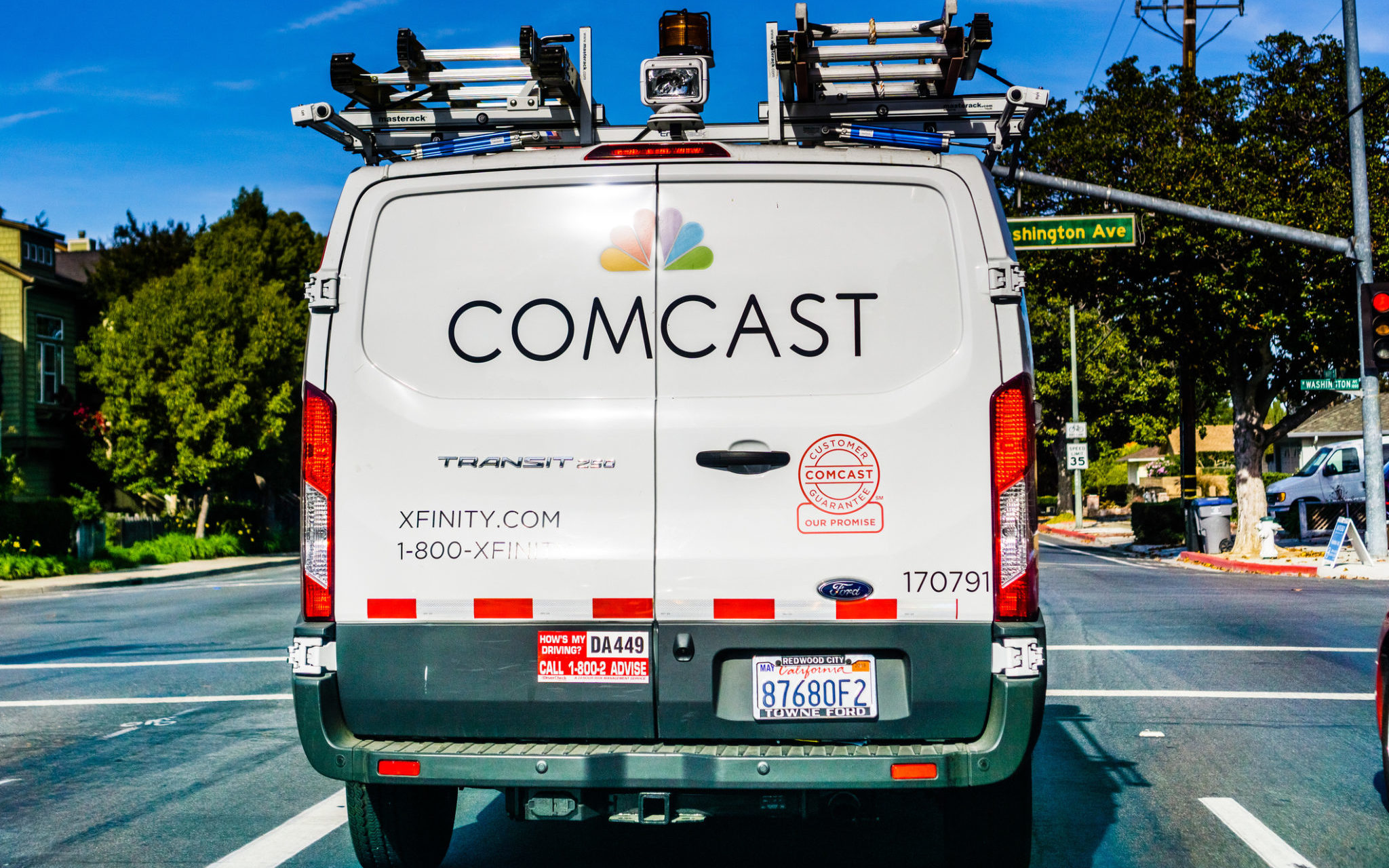

The above is edited from the link, so to focus on xfinity TV.
4 Replies · 87 views
Juan
………why?

There are so many other options out there.

Comcast's Xfinity unit is increasing rates for multiple television packages, with the new pricing taking effect December 11, 2026.

Under Xfinity TV, the Limited Basic package, which includes the Broadcast TV Fee, is rising from $55.20 to $59.20. The TV Core package is increasing from $65.00 to $70.00. Sports & News TV is moving from $90.00 to $95.00. The World Soccer Ticket package is going from $95.00 to $100.00. TV Plus is rising from $105.00 to $111.00, and TV Premium is increasing from $135.00 to $141.00. These adjustments range from $4 to $6 per month depending on the package.

For Xfinity Equipment, both the primary TV Box and any additional TV Boxes are rising from $14.00 to $16.00 each, along with $42 a month in broadcast TV fees for ABC, CBS, FOX, and NBC.


The above is edited from the link, so to focus on xfinity TV.
Some people like local channels?...actually if you want those other " options" ..you still need internet...so comcast will jack the internet price up without cable...so it works out actually cheaper
harshness
I haven't subscribed to Xfinity TV in over 20 years, but I have some thoughts:

Until someone big (i.e., Amazon Prime) steps up and indexes all streamable content such that it can be played through a single app, cable is so simple. Changing channels is decidedly easier, much faster, and more "programmable" than changing apps. I suspect that's what keeps DIRECTV Stream alive (and certainly what motivates its customers to lease/buy the Gemini streamers). Familiarity, efficiency, and simplicity remain highly valued as compared to wandering around searching for nuggets in the streaming universe.

Comcast still offers storefronts where hope, however fading, of localized human support remains. By comparison, streaming support is largely a crowdsourced effort.
  • Like
Reactions: AZ.
Bruce
Some people like local channels?...
Yes they do and can receive them at a extremely less expensive price then what Comcast charges.
actually if you want those other " options" ..you still need internet...so comcast will jack the internet price up without cable...so it works out actually cheaper
Ok, TV Plus is now $111, add in $42 for the locals fee, along with one box at $16, a total of $169.

Spectrum here is offering 1G Broadband for $70 (500 down for $50), so if we add in YTTV for $84, that is only $154, $15 less than just TV from Comcast.
S
Yes they do and can receive them at a extremely less expensive price then what Comcast charges.

Ok, TV Plus is now $111, add in $42 for the locals fee, along with one box at $16, a total of $169.

Spectrum here is offering 1G Broadband for $70 (500 down for $50), so if we add in YTTV for $84, that is only $154, $15 less than just TV from Comcast.
your getting screwed on your internets. i see people get the gig service for 50.00. but you have to have other providers to compete with
Scott Greczkowski
Staff member HERE TO HELP YOU! Cutting Edge
Last reply · posted in DIRECTV General Forum
The following is from Reddit. -
View: https://www.reddit.com/r/DirectvStream/s/orzHBkmqQW


gemini.webp

There appears to be a new DIRECTV Gemini OTT box, the C81KW-650.

The FCC listing is partially available, and a Geekbench entry confirms it uses an Amlogic S905X5, a solid SoC for a set-top box.

I also see 4GB of RAM, and the manufacturer is SEI Robotics.

DIRECTV C81KW OTT Box - Android TV Guide

Ok found a picture of the Box too on Reddit:


View: https://www.reddit.com/r/DirectvStream/comments/1twlex0/comment/opzeqi1/
37 Replies · 3079 views
  • Like
Reactions: dtv757
R
I don't mind HDR being on as long as its adaptive. I don't need HDR on non-HDR content

Also, God only knows how much it'll cost to get this per month. 10 bucks a month for 3 TVs in my apartment is not worth it if I can just use my android boxes and appletv to watch
J
I don't mind HDR being on as long as its adaptive. I don't need HDR on non-HDR content

Also, God only knows how much it'll cost to get this per month. 10 bucks a month for 3 TVs in my apartment is not worth it if I can just use my android boxes and appletv to watch
Supposedly the HDR on or off issue has been addressed with the addition of a " match content" switch in the Display menu.
Tom Speer
Supposedly the HDR on or off issue has been addressed with the addition of a " match content" switch in the Display menu.
I don't know if that is true or not, but the memory limits and processor speeds of the first Osprey and Gemini devices limited some features. The specs fo this new device indicate that may not be such a problem.
J
I don't know if that is true or not, but the memory limits and processor speeds of the first Osprey and Gemini devices limited some features. The specs fo this new device indicate that may not be such a problem.
Saw on Reddit. Someone had the new box and said they added an add content switch and auto detect was working.
J
Saw on Reddit. Someone had the new box and said they added an add content switch and auto detect was working.

View: https://www.reddit.com/r/DirectvStream/s/4jkvoC6pWX
  • Like
Reactions: dtv757
4KMediaTV
That Reddit report is encouraging — a Match Content switch would fix the one thing that annoyed me most about the older Gemini boxes, HDR being forced on for everything.

If anyone gets the new box, the test I'd run before judging it is:
- Turn on the Match Content switch in the Display menu, then watch a known HDR title and a regular SDR channel back to back. With matching on, the SDR channel should look normal instead of washed out or overly bright, and the HDR title should still switch the TV into HDR.
- Check what the TV itself reports for each one — most TVs show the picture mode or an HDR badge when you press Info or Display — so you're not just guessing from how it looks.
- If your TV handles HDR poorly, as Tom mentioned, leave HDR off on the Gemini entirely. A good SDR picture beats a bad HDR picture every time.
- After changing the HDR or Match Content setting, reboot the box once before testing. On the older boxes those display changes sometimes didn't stick properly until a restart.

If auto-detect is actually working on this one, that's a real improvement over the Osprey and the first Gemini.
J
That Reddit report is encouraging — a Match Content switch would fix the one thing that annoyed me most about the older Gemini boxes, HDR being forced on for everything.

If anyone gets the new box, the test I'd run before judging it is:
- Turn on the Match Content switch in the Display menu, then watch a known HDR title and a regular SDR channel back to back. With matching on, the SDR channel should look normal instead of washed out or overly bright, and the HDR title should still switch the TV into HDR.
- Check what the TV itself reports for each one — most TVs show the picture mode or an HDR badge when you press Info or Display — so you're not just guessing from how it looks.
- If your TV handles HDR poorly, as Tom mentioned, leave HDR off on the Gemini entirely. A good SDR picture beats a bad HDR picture every time.
- After changing the HDR or Match Content setting, reboot the box once before testing. On the older boxes those display changes sometimes didn't stick properly until a restart.

If auto-detect is actually working on this one, that's a real improvement over the Osprey and the first Gemini.
The current Gemini Air stream dongle isn't bad, the big frustration is the no HDR match content auto detect switch. It doesn't matter what kind of TV you have, forced HDR on SD video just doesn't work. It's inconvenient to go and switch back and forth between HDR on and HDR off so you can watch something on Paramount Plus in HDR. The ability to have all your apps in one place is convenient. The new box would be nice with this fixed as well as adding some updated video codecs.
I've been back and forth with DirecTV techs since June of '25 regarding this HDR issue. Can't tell you have many service tickets were put in regarding the HDR issue. If they were ever put in. It's been a known issue even before the Gemini Air Stream Dongle.
If they do what they say they're going to do, they'll have one heck of a streaming device.
Tom Speer
I'm sorry for all of you having trouble with the HDR on all the time. With my TCL QM7 TV the HDR looks great all the time. The new QLED models seem to handle this better. But it sounds like they are addressing the issue.
b4pjoe
I'm sorry for all of you having trouble with the HDR on all the time. With my TCL QM7 TV the HDR looks great all the time. The new QLED models seem to handle this better. But it sounds like they are addressing the issue.
As I have said before...everything on my TV's look better with HDR on all of the time. Hopefully that will still be an option and not be stuck with HDR only being on when viewing HDR content.
S

This box is not on the site there still giving the gemini air out!!!
b4pjoe
This box is not on the site there still giving the gemini air out!!!
It is out now to only the people they asked to test the device.
  • Like
Reactions: slow_poke_pete
KAB
KAB
Pub Member / Supporter Lifetime Supporter
Last reply · posted in DISH Network Support Forum
Wireless Joey 4. Yesterday, I noticed a little green dot on a small black field in the upper right hand corner of the screen, regardless of channel, recordings, etc. A restart got rid of it, but I am curious as to what It meant and what I did to get it there.
6 Replies · 656 views
B
That's no good
Almighty1
The green dot on Android TV is supposed to show as long as an app or background service is actively using the microphone or camera. [1, 2]

What Normal Behavior Looks Like
    • When active: It appears (often with a small microphone or camera icon that fades into a simple green dot) the moment a voice search, assistant command, or streaming app requests audio input.
    • When it disappears: It should vanish a few seconds after you finish your command or after the app stops using the microphone. [1]

Why It Might Stay On (Persistent Dot)
If the green dot stays on indefinitely or won't go away, it usually means:
    • An app (such as a voice search tool, media player, or background utility) has a hung process or is keeping the microphone channel open.
    • A remote control or voice-recognition service is stuck. [1]

How to Fix or Check It
    • Restart your TV: Unplug the power cable for about 30 seconds and plug it back in to clear out stuck background apps.
    • Check app permissions: Go to your TV's Settings > Privacy or Device Preferences > Microphone to see which apps have access, and revoke permission for any suspicious or unnecessary apps. [1, 2]
Scott Greczkowski
Its a bug. I had it happen to mine. The mic is not listening, and if your worried about that remove the batteries from your remote as thats where the mic is. :)
S
Reboot the joey it should go away after
S
Its a bug. I had it happen to mine. The mic is not listening, and if your worried about that remove the batteries from your remote as thats where the mic is. :)
f743400ff3b7a2c0705249e8eafe8df6.webp
  • Like
Reactions: charlesrshell
Scott Greczkowski
Staff member HERE TO HELP YOU! Cutting Edge
Last reply · posted in The Chit Chat Club
Sometimes a thread gets so many posts in it that is can cause issues for the server so that why today we introduce The Song Name Game Part 3!

So let the game continue!

The last song was added by Bobby who posted...

One Meat Ball - Andrews Sisters

CONTINUE ON AND HAVE FUN! WELCOME HOME TO SATELLITEGUYS.US!

Here are the original rules for the game as posted by WebbyDude back in 2006. http://www.satelliteguys.us/threads/68645-Song-Name-Game

Just name a song title and the band who performed it. The next person does the same thing, but needs to list a song title or band name which includes a word from the previous entry. Pick songs from any genre.

Example:

Long Live Rock and Roll -- Rainbow

Rainbow in the Dark -- Dio

Another example:

Ride the Lightning -- Metallica

Lightning Strikes -- Ozzy Osbourne


Get it?


An additional note: we all know that song titles, sometimes, use profane words. Because this is a family friendly website it is advised that you clean up that title up a bit. This is accomplished by using something like sh!t instead of the real word. Thanks....
68989 Replies · 2713220 views
  • Like
Reactions: c-spand
harshness
How Much I Love You - Charlie Daniels
Bobby
How Much Can A Lonely Heart Stand - Skeeter Davis
  • Like
Reactions: long_time_Dish
M
How Can You Mend A Broken Heart - The Bee Gees
FTA4PA
long_time_Dish
How Much I Feel - Ambrosia