Cant reconnect to internet hopper3

  • ENJOY SATELLITEGUYS AD FREE THIS FEBRUARY!

    Thank you to the very generous support we got from our members in December we have decided to make the month of February AD FREE for everyone!

    We want to see the true speed of our site and enjoy SatelliteGuys the way it was meant to be enjoyed!

    If you would like to help us keep the lights on and keep enjoying the site AD FREE consider becoming a PUB MEMBER by CLICKING HERE.

    THANK YOU TO EVERYONE FOR YOUR SUPPORT!

omeletpants

SatelliteGuys Pro
Original poster
Mar 12, 2006
194
166
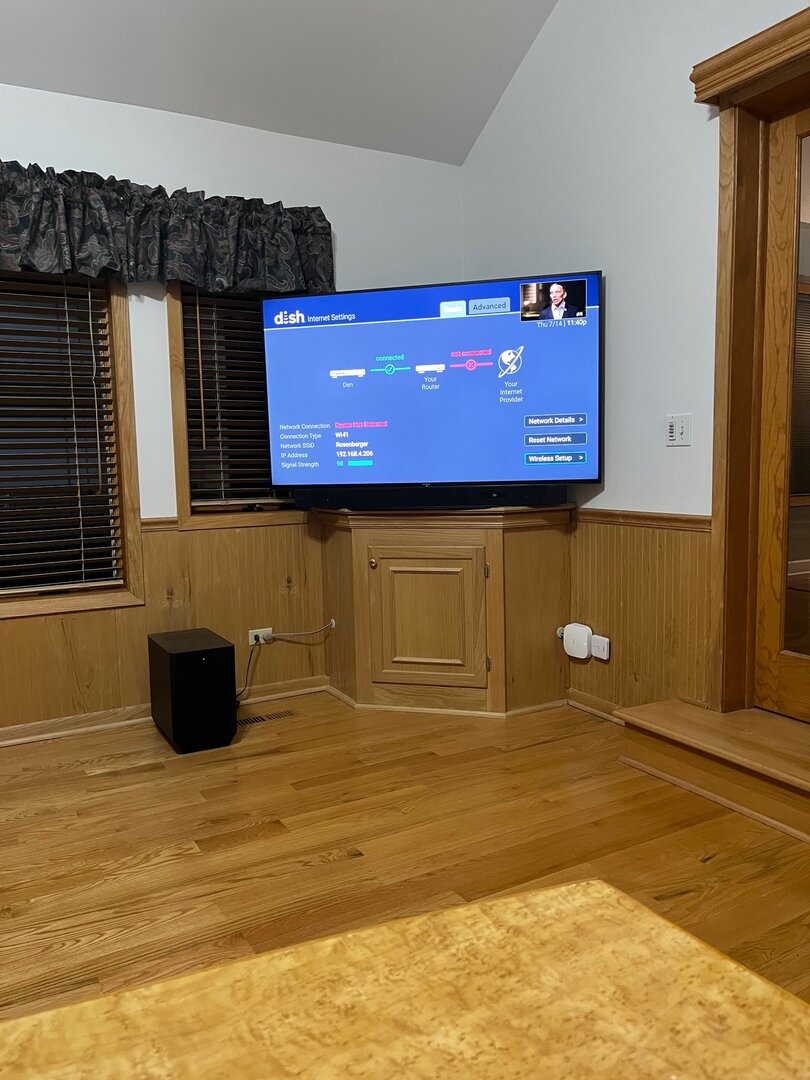
Never had an issue with the internet. All of the sudden it's disconnected and I cant reconnect using the wizard. Went to wizard entered router password, then nothing
Unknown-1.jpeg
 
resetting networks didnt work rebooting system did
Hello, omeletpants. There could be a number of aspects that could be affecting this connection issue. The first we would want to check is your router's bridging support. This can be checked in two different sections on the Hopper.

The first: press the Home button three times or the Menu button two times, bringing up the Diagnostics screen. On this screen, select Network. Does any error message appear under "Network Connection"?

The second: on that Internet settings screen, select Advanced. Is the "Bridging" options grayed out or Off?
 
  • Like
Reactions: charlesrshell
Hello, omeletpants. There could be a number of aspects that could be affecting this connection issue. The first we would want to check is your router's bridging support. This can be checked in two different sections on the Hopper.

The first: press the Home button three times or the Menu button two times, bringing up the Diagnostics screen. On this screen, select Network. Does any error message appear under "Network Connection"?

The second: on that Internet settings screen, select Advanced. Is the "Bridging" options grayed out or Off?
Stephen A Smith Eye Roll GIF by ESPN
 
Hello, omeletpants. There could be a number of aspects that could be affecting this connection issue. The first we would want to check is your router's bridging support. This can be checked in two different sections on the Hopper.

The first: press the Home button three times or the Menu button two times, bringing up the Diagnostics screen. On this screen, select Network. Does any error message appear under "Network Connection"?

The second: on that Internet settings screen, select Advanced. Is the "Bridging" options grayed out or Off?

QUESTION 1: No error message

QUESTION 2: Off
 

Hopper 3 has no sound on Amazon Prime

External HD question

Users Who Are Viewing This Thread (Total: 0, Members: 0, Guests: 0)

Who Read This Thread (Total Members: 1)