Social Feed

B
Last reply · posted in Broadband Internet
We are an Christian charity constructing a hospital in south Sudan. We have determined to install a 2-Way satellite link for VoIP and Internet access at our site. I have selected GlobalTT as our ISP. They offer Gilat hardware and space on the IS10 KuBand satellite.

So now I am getting down to the nuts and bolts of getting this system installed and operating. We have sent one of our folks to VSAT installation training and now I need to equip him with the stuff he will need.

Being a charity the budget is very tight. For proper alignment a spectrum analyzer is recommended. The modem we will get is the Gilat SkyEdge IP and I have attached the technical datasheet on this modem.

Does anyone have experience with this modem? Does it have a web interface and a way to determine the signal strength onboard? Can this be used instead of a spectrum analyzer?
6 Replies · 5825 views
B
Not sure how you determined that the brochure contained the answers to my questions. What exactly do you think says that no spectrum analyzer is needed?
grohgreg
Not sure how you determined that the brochure contained the answers to my questions. What exactly do you think says that no spectrum analyzer is needed?
You: Does it have a web interface ...
Brochure: SkyEdge IP has a Web interface...
You: ...and a way to determine the signal strength onboard?
Brochure: ... Auto pointing tool

What that means is that you use a conventional web browser as the modems user interface. The auto-pointing tool is typically imbedded in the Web interface. This is the information that strongly suggests to me that - while always useful - a spectrum analyzer in this case would likely be redundant.

That said, I have never even touched a Gilat SkyEdge myself. But the brochure suggests strong similarities to others that I have. So to avoid any shadow of doubt, I hoped other members would be able to respond with actual hands-on experience. If not, I'm sure someone at SatSig can.

//greg//
B
greg,

I appreciate your response. I wish I knew more about this "Auto pointing tool" but it is conforting to know from your experience that in similar modems this type of feature makes the spectrum analyzer redundant.

I posted in the Gilat VSAT forum of the board you suggested. This forum seems to have very little traffic on it. In the two days since I posted there have been no posts of any kind on that forum. Maybe I should post in another forum....

Paul
grohgreg
I just sent an email to the man that moderates that category of the forum. Hopefully he can get you pointed in the right direction.

//greg//
B
Setting up a Gilat skyedge IP modem without a satellite meter.
Read these instructions carefully and completely before attempting the procedure. Your modem must already be properly configured to your correct account parameters before using this method.

1. You MUST start with a perfectly plumb mast or aiming the dish will be an exercise in frustration.
2. make a note of these numbers by using a generic dish pointing tool or obtain them from your ISP:
a. Magnetic Azimuth
b. Elevation
c. Skew/polarization
3. Set the Elevation in your dish
4. Set the Skew/feed polarization on your dish as exactly as you can.
5. Set your compass for the Magnetic Azimuth
6. Put the dish on your perfectly plumb mast.
7. Add the feed arm to the dish. Make sure that this operation does not change the plumb of your mast.
8. Connect your coax cables between the dish and modem. "RF Out" on the modem is transmit and connects to the transmitter. "RF In" on the modem is receive and connects to the LNB which is the little square box out on the end of the feed arm. Make sure your connections are tight.
9. Connect the modem to your computer with a Crossover Ethernet cable, like the one supplied with the modem.
10. Power up the modem and let it boot for at least 5 minutes. The modem is booted when you can access the SkyManage page as described in step 12, below.

11. Boot your computer and set it's network connection TCP/IP properties to 192.168.1.2. OK your way out of the network properties pages and open a browser.
12. Address the modem's SkyManage page with the browser, using the address 192.168.1.1
13. When you have the modem's "Skymanage" page displayed in your browser, select "Telemetry" from the left menu.
14. You will need to monitor the "REC" light on the modem to initially find the satellite.
15. Start rotating the dish on the mast. Using your compass, you should know approximately which direction you'll be pointing. Make wide, slow, sweeps as you turn the dish on the mast while monitoring the "REC" light on the modem. Sweep 20 to 40 degrees on either side of your target direction!
16. When the modem's "REC" light illuminates, you have found the satellite.
17. Tighten the 4 nuts on the mast clamp to keep the dish from turning on the mast.
a. NOTE: If you lose your REC light during this process, try lowering the elevation a couple degrees. If you don't get your REC light back, then return your elevation to the original position, loosen your mast clamp and search side to side very carefully.
18. Once you have your REC light, you will have to wait while the modem establishes communications. This can take about 5 minutes. In particular if this is the first time the modem is booted with this configuration and it's the first time it get RX lock on the sat then it will start a software download that can take up to 20 min.
a. The sequence after the receive light comes on and the software download if applicable is complete is:
b. After some time, the Sync light will come on.
c. After some more time, the On-Line light will come on and the Sync light will go out.
d. Eventually, the Sync light will come back on.
i. NOTE: It is not unusual for a modem that has been moved to go through the above sequence 3-4 times before it stays up with 4 lights on. Each time it goes through the sequence, it is adjusting its timing for the best communication with the satellite.
ii. NOTE: If this is the initial commissioning of the modem, a third bar graph will appear to show the progress of a critical software download. As long as your EbNO is 5 or greater, leave the dish alone until the download is complete. After the download is complete, the modem will reboot 3 or 4 times. Eventually, it will settle down to having PWR, Rx, SYNC, and ON-LINE lights on and steady.
e. Shortly after you have all 4 lights on and steady, you should get a display on the Telemetry page on the lower bar, labeled: Rx signal EbNO
f. This is your Receive Signal Quality and you now must fine tune to get this at high as possible (see how close to 8 or more you can get).

19. You will now fine-tune azimuth and elevation for the strongest Signal Quality by monitoring the Telemetry screen on your computer.
a. Fine tune the azimuth.
b. Fine tune the elevation.
c. Repeat this procedure until you are confident that you have the highest Signal Quality possible as measured by the "Rx signal EbNO" number on the Telemetry screen. Use the number to the left of the bar, not the bar, as the bar is difficult to read.
d. Tighten the elevation locking knobs.
e. Now you can verify that you are on-line by attempting to browse.
f. Call the NOC and make sure that you are aimed cleanly and passing criteria.
g.
h. Once you are passing criteria, you're good to go. If the modem doesn't come back to 4 lights after a CW from the NOC, power cycle the modem and give it 5 minutes or so.


What if you can't find the satellite?
1. Make certain that your antenna's feed is set to the correct polarity.
2. If you don't find the satellite by sweeping slowly with the initial settings in the dish, change the elevation by ½ degree, and try another slow sweep.
3. Continue this methodical search, changing elevation a half degree at a time and sweeping slowly.
4. If you cannot find the satellite after sweeping, and changing a half degree per sweep, until you have tried about 4 degrees up and 4 degrees down from the numbers you got from a Point Dish program, then something very basic is wrong and you must back off and start over from the beginning.
a. Make absolutely, positively, certain, that your mast is perfectly plumb.
b. Make sure your cables are connected correctly
c. Start over from the beginning of these instructions.
d. Always work slowly and methodically.
e. If you get frustrated, take a break. Do something else for a while and return to it at a later time. Then start over from the beginning, rechecking all your previous work.
Scott Greczkowski
Staff member HERE TO HELP YOU! Cutting Edge
Last reply · posted in The Chit Chat Club
Sometimes a thread gets so many posts in it that is can cause issues for the server so that why today we introduce The Song Name Game Part 3!

So let the game continue!

The last song was added by Bobby who posted...

One Meat Ball - Andrews Sisters

CONTINUE ON AND HAVE FUN! WELCOME HOME TO SATELLITEGUYS.US!

Here are the original rules for the game as posted by WebbyDude back in 2006. http://www.satelliteguys.us/threads/68645-Song-Name-Game

Just name a song title and the band who performed it. The next person does the same thing, but needs to list a song title or band name which includes a word from the previous entry. Pick songs from any genre.

Example:

Long Live Rock and Roll -- Rainbow

Rainbow in the Dark -- Dio

Another example:

Ride the Lightning -- Metallica

Lightning Strikes -- Ozzy Osbourne


Get it?


An additional note: we all know that song titles, sometimes, use profane words. Because this is a family friendly website it is advised that you clean up that title up a bit. This is accomplished by using something like sh!t instead of the real word. Thanks....
68870 Replies · 2697011 views
  • Like
Reactions: c-spand
Bobby
You're Beautiful - James Blunt
  • Like
Reactions: RaiderPower
sdfntx
St. James Infirmary - Hugh Laurie
  • Like
Reactions: EatMyVolts
dishstaller
Take a Look Around - James Gang
  • Like
Reactions: long_time_Dish
long_time_Dish
The Goodbye Look - Donald Fagen
FTA4PA
The Look - Roxette
dfergie
Staff member HERE TO HELP YOU!
Last reply · posted in The Chit Chat Club
Stumbled across this ... http://www.gaspricewatch.com/USGas_ZipSearch.asp
I found no local prices, although it did show stations at my location...
Added these to this post...
USA National Gas Temperature Map
State By State Gasoline Taxes
Gas Buddy

Ethanol Free Stations

5577 Replies · 466050 views
harshness
Finally! Some big movement in California diesel pricing (and no, there is no such beastie as a diesel "winter formula").

Crude (combined pricing) is around $90/barrel now, so prices should have, at least, fallen in step with the crude futures.
dishstaller
Finally! Some big movement in California diesel pricing (and no, there is no such beastie as a diesel "winter formula").
Just curious here.....then why is diesel so much higher out there than it is elsewhere. Bobby just posted $7.59/gal, locally it is $5.59.....that's two bucks difference. :eeek
harshness
Just curious here.....then why is diesel so much higher out there than it is elsewhere.
California has a ~93¢ per gallon consumer tax rate on automotive diesel, along with significantly higher refinement standards.

The fact that consumers can only buy some new full-sized truck models and a couple of vans with diesel power makes the fuel an odd duck in refinery priorities.
  • Like
Reactions: dishstaller
osu1991
$3.50-$3.52 around Tulsa and $3.45 in OKC
Bobby
Regular$5.399​
Premium$5.899​
Diesel$7.599​
at Costco, Rohnert Park.​
  • Sad
Reactions: harshness
osu1991
$3.46 around Tulsa this morning
osu1991
$3.24 this afternoon around Tulsa
jamieh1
Last reply · posted in DIRECTV Programming Forum
DIRECTV Stream/Internet added Ch 4105 SportsGrid
271 Replies · 39853 views
  • Like
Reactions: c-spand and KyL416
K
Now live:
4101 Yahoo! Sports Network
4121 DP World Tour
4195 F1 Channel
4196 MotoGP Channel
K
Now live:
4101 Yahoo! Sports Network
4121 DP World Tour
4195 F1 Channel
4196 MotoGP Channel
It only took them 41 days to announce it
  • Like
Reactions: Mr Tony
K
A new exclusive FAST channel called "DIRECTV Sportside" is testing
  • Like
Reactions: Mr Tony
K
Now testing:
BET x Tyler Perry Comedy
FilmRise Classic TV
FilmRise Free Movies
FilmRise Western
Forensic Files
Untold Stories of the ER
jamieh1
Hope sometime soon they will add Live from FOX and NASCAR channel.
  • Like
Reactions: Mr Tony
KAB
KAB
Pub Member / Supporter Lifetime Supporter
Last reply · posted in TV Shows
Just finished S2. Watching Gary Oldman as deshvilved, dejected MI-6 agent, Jackson Lamb, is one of the best things streaming right now. Already 2 more seasons in the works. HIGHLY recommended. And yes, Mick Jagger sings the theme.
69 Replies · 7055 views
K
Planning to start the new season tonight. :)
  • Like
Reactions: Foxbat
KAB
KAB
I missed somewhere that it was renewed for season 8. That's quite something!
  • Like
Reactions: Foxbat
K
Another great season.

Sorry to see Flyte go. I also liked the Coe character. Sooner or later someone is going to take Taverner out. I think I will enjoy that.

I read that Lowden (River) was photographed during production of Season 8. Hopefully he will be back for 7 as well.
  • Like
Reactions: Foxbat and KAB
Foxbat
Sorry to see Flyte go. I also liked the Coe character.
Hear, hear! Flyte was probably the most competent character in the show. We were also sad to see Coe come up short against the Russian operative.

Still some uncertainty about the last five minutes. The line from Lamb about "faking one's death" gives us something to think about until the next season.
K
Apple renewed for seasons 9 and 10. So far only Gary Oldman is announced.

I almost posted a rumor a couple days ago that season 8 was the end. Olivia Cooke said that in an interview recently due to season 8 being based on the last novel published. I assume Mick Herron must have a couple more novels on the way.

Another wrinkle was Jack Lowden was supposed to be in the mix for the new James Bond. New Bond was announced today, not Jack Lowden.
  • Like
Reactions: N5XZS
Bruce
Supporting Founder Lifetime Supporter
Last reply · posted in Internet Television (IPTV) Discussion Forum
Comcast is the first to report, with a massive 274,000 loss in video subscribers.

In the 3Q of 2016, Comcast had 21.42 million video subscribers and was the #1 provider, now at 10.39 million and is the #3 Provider, YTTV is #2 ( who also surpassed DirecTV-8 Million and Dish-under 5 Million), Charter/Spectrum is #1.

43 Replies · 2661 views
  • Like
Reactions: Howard Simmons
R
In my area Cox (now Spectrum) has run everything underground instead of on poles.
  • Like
Reactions: MikeD-C05
Jimbo
In my area Cox (now Spectrum) has run everything underground instead of on poles.
Thats good, the neighborhood generally look better with buried plant ... until someone puts a shovel into the line planting the Spring Garden. :(
Bobby
Thats good, the neighborhood generally look better with buried plant ... until someone puts a shovel into the line planting the Spring Garden. :(
In my local area all underground utilities are under the sidewalk. Of course from there, when entering your property, They are at least 18" in your dirt.
Jimbo
In my local area all underground utilities are under the sidewalk. Of course from there, when entering your property, They are at least 18" in your dirt.
I bet MOST of them are NOT 18", they may suppose to be, but I doubt they are .

Edison is definitely deep enough, but thats the only one ...
R
Thats good, the neighborhood generally look better with buried plant ... until someone puts a shovel into the line planting the Spring Garden. :(
My area is very rocky, so there will be no shovels into the lines. Most of the lines were bored and the one's not bored where dug at least 18" deep. Cox had flagged my yard for them to dig up. But the foreman of the crew said he was not going to tear up my grass. He ended up installing the cable across the street at a vacant lot instead and bored the street for my pedestal. The line from the pedestal to my house could be damaged being it is fairly shallow.
Bobby
I bet MOST of them are NOT 18", they may suppose to be, but I doubt they are .

Edison is definitely deep enough, but thats the only one ...
I did the underground trench utility designs for 9 years. Gas and electric were 24". Telephone and CATV were 18". These were for new construction. Add on construction could be anywhere. All of the utilities went from their terminal points to a common utility point on the house. They were in a single trench.
So, if theres a issue with any buried line, the sidewalk needs to be dug up as well ???
That sucks.
Sometimes…. electric and CATV are in conduit so replacement is pretty easy. Telephone, specifically Pacific Telephone, Pacific Bell, SBC, ATT are direct buried and use encap termination directly onto the feed cable. That is always a sidewalk digup.
Jimbo
I did the underground trench utility designs for 9 years. Gas and electric were 24". Telephone and CATV were 18". These were for new construction. Add on construction could be anywhere. All of the utilities went from their terminal points to a common utility point on the house. They were in a single trench.

Sometimes…. electric and CATV are in conduit so replacement is pretty easy. Telephone, specifically Pacific Telephone, Pacific Bell, SBC, ATT are direct buried and use encap termination directly onto the feed cable. That is always a sidewalk digup.
Ok, your talking in the right of way ...
I thought you were talking about from the ped to the houses.

Fortunately you don't usually get Cable cuts Under a sidewalk, usually its when a Construction crew us digging with major equipment.

The drops to the house are not going to be very deep, sometimes barely under the sod. 6" is a godsend.
osu1991
I'm fortunate to have 3 fiber providers now.

Cox and T mobile bored and put conduit in before pulling the fiber thru the easement in my neighborhood . Windstream Kinetic I can't remember if they pulled conduit first or not. I remember they didn't have a boring machine when they came thru my yard, they used that for the mainline crossing under the street but had a vibratory plow in my backyard. I remember seeing some blue conduit just don't remember where it was being used. Windstream barely put the fiber run from the pedestal to my house about 2 inches underground. Landscaper hit it while putting landscaping around the pedestal they added to my yard. I made sure they buried it at least 12 inches when they replaced it.

AEP/ PSO the electric company has their main distribution lines running on poles along the back of my property. Cox has their main distribution line hung on those poles before going underground through the neighborhood.

I'm in the middle of a damage claim and about to take them to court as insurance is trying to get out of it claiming the lines were too low. Had an oversized load get lost and try to turn around in an older neighborhood. Pulled down 5 blocks of fiber with separate fiber lines belonging to the city, Cox/Spectrum and ATT.
  • Wow
Reactions: Foxbat
B
My area is very rocky, so there will be no shovels into the lines. Most of the lines were bored and the one's not bored where dug at least 18" deep. Cox had flagged my yard for them to dig up. But the foreman of the crew said he was not going to tear up my grass. He ended up installing the cable across the street at a vacant lot instead and bored the street for my pedestal. The line from the pedestal to my house could be damaged being it is fairly shallow.
No, but it is a coop. I am just a member and subscriber
Really, you Lucky Dog !

Do you Work for that ISP ? :biggrin
Don in CT
What I have heard in the deal Spectrum made when buying Cox is that they will be running fiber to the home in 5 years.

I'm one who dropped Comcast for Frontier/Verizon fiber. 500/500 and a lot cheaper than Comcast. Tack on YoutubeTV and it's still $200 cheaper than I was paying.
Ramy
Supporting Founder
Last reply · posted in The Sports Section
Really excited for this season with Kentucky having a new coach and some really exciting recruits. Probably won't last long, but here's hoping this season is great.
207 Replies · 6217 views
  • Haha
Reactions: Mike0616
cp2k
If I were OU I'd have called their bluff and said OK, we forfeit. OU isn't going to the SEC Championship game or College Football Playoffs so it really wouldn't have mattered in the grand scheme of things.
  • Like
Reactions: dfergie and osu1991
cp2k
After the OU-Ole Miss game they literally played "Wheels on the Bus" 🤣


View: https://www.facebook.com/reel/1693381135823485
  • Haha
Reactions: RaiderPower
osu1991
IMG_3237.webp

😂
meStevo
Lifetime Supporter
Last reply · posted in The Chit Chat Club
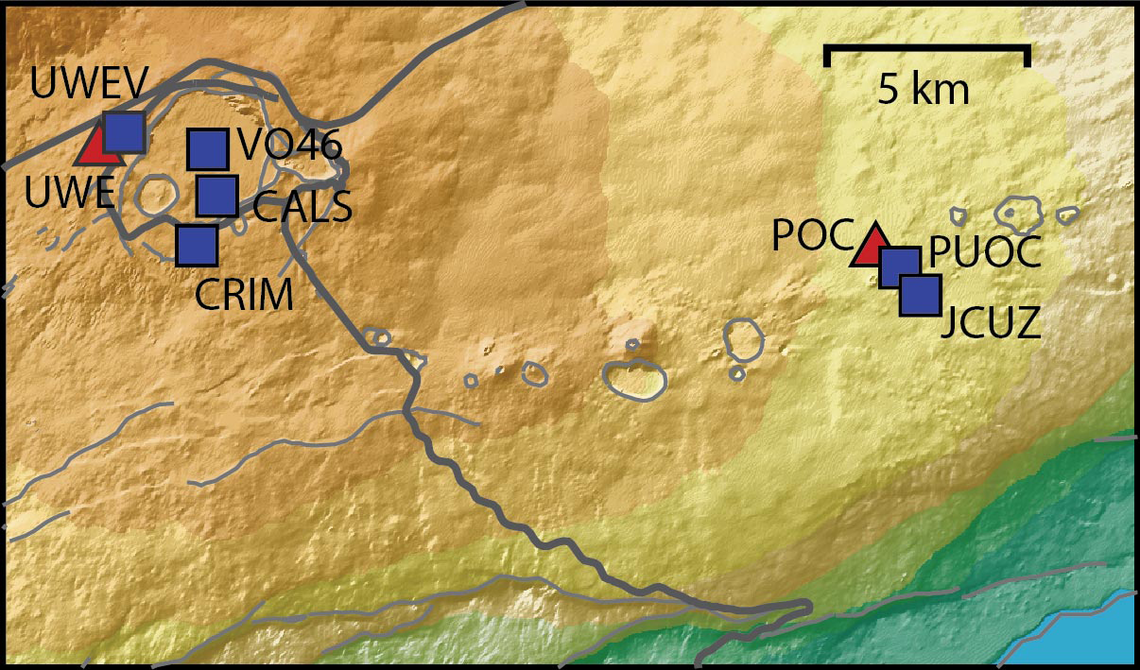
Continuing the Kilauea thread in the Pub here. Perhaps the Iceland one too next time there's remarkable activity.

Currently there is precursory lava flowing into the crater, leading to the next episode that'll probably start within the next day.

You can see the pace of inflation / deflation here. It serves as the primary predictor for when the expect the eruptions, which coincide w/ inflation turning into significant deflation and last for several hours on average with significant fountaining.


View: https://youtu.be/Uecu2seh4b4


Wife and I like the AfarTV feeds, for the discussion along w/ them, though they're otherwise just mirrors of the official USGS feeds.


View: https://youtu.be/iws3rh5vLAQ
125 Replies · 3956 views
  • Like
Reactions: osu1991
Foxbat
The USGS Kīlaeua Webcam #1 has been showing overflows and doming from the North vent overnight. Maybe the volcanic plumbing has settled back into its two-three week cycle of fountaining?

But I do miss the little cinder cone that broke up in the last episode.
Foxbat
Sorry, I should have posted these earlier:

​

We're still waiting on the start of Episode 56.
  • Like
Reactions: RaiderPower
Foxbat
At 08:01 HST 11/05/2026, the North Vent produced what I would call a "wet burp" after the precursory "pistoning" events, small amounts of lava pouring out of the vent for a few seconds to minutes and then everything recedes. There must have been a gas bubble holding thing back because two minutes later the lava started flowing out of the vent in all directions. Then, at 08:25, it stopped. What a tease! I thought this was how Episode 56 started.

About 12 minutes later at 08:38, the North vent once again started overflowing and picked up steam at 08:42. By 09:00, slight doming could be seen in the pool of lava in the vent. Surely this is it!

But, 09:50 and things wind down again. By 09:57 HST there's just fumes coming out of the vent. Phooey.

But then 10:00 comes and the heavy lava flows kick in again. This time seems like the real deal. At 10:30 HST there's little spurts of lava flying up in the air over the vent, but more from gas than a steady fountain of lava. This looks promising!

11:30 HST and the color of the lava is definitely hotter, and the intensity has picked up to a definite dome and precursor to fountaining. The USGS calls Episode 56 as officially starting at 12:10 HST:

Alert Level: WATCH, Color Code: ORANGE 2026-11-05 22:29:12 UTC
HVO/USGS Volcanic Activity Notice

Volcano: Kilauea (VNUM #332010)

Current Volcano Alert Level: WATCH
Current Aviation Color Code: ORANGE

Issued: Thursday, November 5, 2026, 12:29 PM HST
Source: Hawaiian Volcano Observatory
Notice Number: 2026/H514
Location: N 19 deg 25 min W 155 deg 17 min
Elevation: 4091 ft (1247 m)
Area: Hawaii

Summary: Episode 56 of the ongoing Halemaʻumaʻu eruption began at 12:10 PM HST on November 5, 2026.

Volcanic Activity:
Episode 56 of lava fountaining in Halemaʻumaʻu began at the summit of Kīlauea began at 12:10 PM HST on November 5, 2026.

Lava fountain heights are relatively low at about 100 ft (30 meters), but will likely increase. Ground-level sensors near the eruptive vents indicate that winds are blowing from the northeast direction, which suggests that volcanic gas emissions and volcanic material may be distributed to the southwest direction from Halemaʻumaʻu.
  • Like
Reactions: meStevo
Foxbat
​
  • Like
Reactions: RaiderPower
Foxbat