Social Feed

G
Last reply · posted in DISH Network Support Forum
This is probably known, but I'll throw it out to those interested who didn't know....Dish Network as you may know, offers a $5 month savings if you hook up to the DVR's ethernet port (on my 722)....This sounded great, but I always wanted to come out the ethernet port and wirelessly transmit back to my broadband service, as my DSL modem is in another room and didn't want to run that long of cable....Once I found out this was really possible after being told by Dish support it was not possible (and NOT mentioned in the manual, at least via wireless) and completely impossible without a wireless router which I didn't own, I stewed on it awhile and came up with something that works......First off, I have ATT DSL service using an ancient 2wire DSL modem that does have wireless capability built into it. I thought there was no way of this working without getting a wireless router AND an access point or other device to transmit out of the DVR. Not so. A simple device that I found called a 'wireless bridge' will do the trick, converting anything with an ethernet port into a wireless signal, then sending it back to the 2wire DSL modem. Yay. Then I discovered more goodness,...after doing a little research, turns out this 'wireless bridge' goes for just under $100 for most that I saw. But as xbox and playstation gamers may know, they make a 'wireless game adaptor' to perform the same function as the wireless bridge, but, they are considerably less $$$...same device, clever marketing. I got a refurbed linksys 'wireless game adaptor' for $45 from buy dot com. Double yay. One last trick to get it to work, ..you'll initially connect directly to your pc with the linksys during installation. From the included installation disc, you'll want to select the option to set the linksys IP address to 'DHCP', because as it is, it defaults to an IP address that is probably not going to be on the same network address range as your wireless modem. (wireless router users won't have to worry about this , because they can reassign the routers IP address if they choose, not so with my 'set in stone' 2wire modem). Anyhoo, the DHCP option will automatically assign the wireless bridge an IP address that is part of your home network. Then it's just a matter of plugging the linksys back into the DVR, going to the ethernet setup on the DVR and let it scan to pick up the wireless network and that's it. I love wireless! Now my only complaint , is the overwhelming number of movies available thru dish on demand (like 3k +) makes it a bit tedious to browse thru them all, although the search function is handy.
38 Replies · 6093 views
Ramen
You should be able to use any wireless router and set it to bridge mode. Those unfortunate folks who are spending twice as much for a "gaming" wireless bridge are paying twice the price for a device with half the capability. :)

That is, unless you're totally computer unsavvy. Then I suppose the ease of setup would be worth it.
S
I came here specifically to find a solution to getting rid of my landline and found this thread as well as an archived thread from a year ago.

If my phone is not plugged in, will the programming guide still d/l from the receiver (622)? I'm not wire savvy, so I don't understand any of the above.

Can someone please explain in layman terms? I just want to get rid of our landline. We don't use it, it doesn't make sense to keep paying $50/mo to avoid $5/mo charge on DISH. I don't mind paying the $5 charge for not being connected to phone line, but will that prevent me from getting current program guide updates?

Can anyone advise?
L
I came here specifically to find a solution to getting rid of my landline and found this thread as well as an archived thread from a year ago.

If my phone is not plugged in, will the programming guide still d/l from the receiver (622)? I'm not wire savvy, so I don't understand any of the above.

Can someone please explain in layman terms? I just want to get rid of our landline. We don't use it, it doesn't make sense to keep paying $50/mo to avoid $5/mo charge on DISH. I don't mind paying the $5 charge for not being connected to phone line, but will that prevent me from getting current program guide updates?

Can anyone advise?

The guide is downloaded from satellite. If you have broadband internet just connect your receiver's ethernet port by Cat5 or 5e or 6 ethernet cable to your router or use a wireless bridge/game adapter connected to the receiver's ethernet port to connect to your router. If you have DDA (Dish DVR Advantage) I think the first dual tuner receiver is exempt from the charge.
holtzdog55
The guide is downloaded from satellite. If you have broadband internet just connect your receiver's ethernet port by Cat5 or 5e or 6 ethernet cable to your router or use a wireless bridge/game adapter connected to the receiver's ethernet port to connect to your router. If you have DDA (Dish DVR Advantage) I think the first dual tuner receiver is exempt from the charge.


I had my Land Line disconnected in Jan. and they took off the phone line charges off my bills, forever, for all recievers. They now use my Cell # as my account phone#:up
GaryPen
You should be able to use any wireless router and set it to bridge mode.
Except that not every router is capable of bridge mode.
C
Wouldn't one of those powerline ethernet kits work? I found one on ebay for $25, should get it next week.

There is also this for $45 shipped, I think it communicates with the DishComm enabled (vip) receivers... [ame=http://www.amazon.com/Sling-Media-SlingLink-TURBO-SL300-100/dp/B001Z5140O]Amazon.com: SlingLink TURBO W1 (SL300-100): Electronics[/ame]
C
I got this for about $27 shipped on ebay. You have to hunt for the right deal, but it works.

I'm a little disappointed in the flexibility of the DishComm system. I should be able to use just 1 homeplug connected to my router, but I have to use 2. The technology is there in the box, they were just lazy on the software.
makman
I'm a little disappointed in the flexibility of the DishComm system. I should be able to use just 1 homeplug connected to my router, but I have to use 2. The technology is there in the box, they were just lazy on the software.

I agree. I have one homeplug attached to my router. One of my 722's connects to my network on its own. The other one will not but it does connect through a second homeplug attached to the same socket as the DVR.

Mitch
osu1991
Pub Member / Supporter
Last reply · posted in The Chit Chat Club
:mad::mad::mad::mad:

Pissed off at the crappy healthcare costs

My health Insurance renewal for 2027 just came in. Going from $827 a month to $1,187 a month. Deductible going up a $1k to $9,350. Max out of pocket also going up $1k to $11,000. Doctor co-pay of $40. Urgent Care co-pay $50. ER 50% coinsurance after deductible. That's all in network. Out of network is double, should it be needed.

Have to think about this. I'm really tempted to just go without now. I only go to the doctor once or twice a year. I pay out of pocket for Tirzepitide and can do without the Rosuvastatin (crestor) now. Really tired of spending over $10k a year and getting nothing out of it.

After years with Blue Cross I switched last year to Ambetter as my Blue Cross premium was going from $1200 to $1800 for a Silver plan and the Bronze plan was still going to be $1300 at BCBS. Ambetter was $827 for the same coverage with a Bronze plan. Didn't think it would jump this much so soon.

I'm guessing a Silver plan is probably over $2,000 a month for 2027.
25 Replies · 381 views
  • Sad
Reactions: AZ.
navychop
Until a runaway pickle truck hits them.
dishdude
Until a runaway pickle truck hits them.

I'm sure Vlasic has good insurance!
  • Haha
Reactions: AZ.
osu1991
Such a scam. Healthcare.gov shows me cheaper individual plans available for 2027 from ambetter that ambetter doesn't show on their website. Looked it up. I've spent $68,000 in premiums the last 5 years and got nothing out of it except a few doctors visits and labs. 😡
  • Wow
Reactions: dishstaller
dishstaller
I've spent $68,000 in premiums the last 5 years
That's why I cancelled ours and just started saving the money. We're about to do the same thing with our home insurance.....not cancel it outright but do away with the portion which covers wind damage. We're paying over $5k right now and that is AFTER I dumbed things down...and it keeps going up. Got a couple trees I want to have taken down first before I do that however. After we do that, it will knock about $3k off our annual premium.
  • Like
Reactions: osu1991
osu1991
I'm still 7 yrs from Medicare eligibility, but I'm leaning towards going without for at least the next year
  • Like
Reactions: dishstaller
dishstaller
I'm still 7 yrs from Medicare eligibility, but I'm leaning towards going without for at least the next year
It probably depends on your health. My Wife and I are very careful about our health and I take a crap load of supplements, especially antioxidants. Sounds like you don't have any health issues so it might be worth the gamble.
  • Like
Reactions: osu1991
M
· posted in DISH Network Support Forum
I have Dish with Hopper3. I choose to get local channels OTA and had a "guide list" established at my previous home. Having moved a few miles away, I wanted to update the list by appending a couple new stations via a rescan. As many would know, some stations come in with the UHF/VHF antenna aimed in one direction, while others come in better with a different direction.

Unfortunately, when a scan is done (bringing in 25-30 stations for that particular antenna aim), the dialog screen does not present the established guide list; it presents an empty field to the right that the scanned stations may be selected one by one and added to the empty guide. But because of antenna aim, some stations originally saved are missing, and would have to be retrieved with a different antenna aim. But as I explain, if a 2nd​ scan is done with a different antenna aim, the stations saved from the first scan are lost.

It troubles me that Dish didn't develop software that would allow a user to simply append only 1 or 2 channels to the established list. :mad:

Any thought on this? Has anyone experienced this or heard of this from others?
0 Replies · 10 views
R
Last reply · posted in DISH Network Support Forum
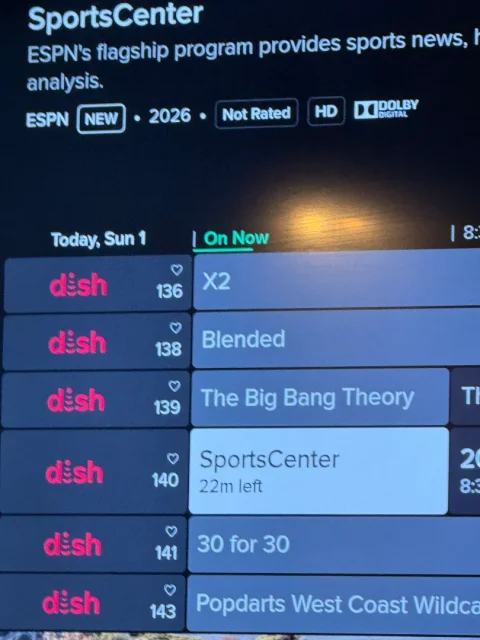
I had an old Wireless Joey replaced by a Wireless Joey 4 (Android TV) - still have a Hopper 3 without the Hopper Plus. What do I have to do to get the EPG to show channel logos instead of "Dish"? This is annoying as hell and it's been this way for over a month…
1 Replies · 12 views
B
That kind of crap annoys me to no end.
That is one reason I haven't switched to h3and the same wireless joey 4
Hope you get it resolved.
  • Like
Reactions: charlesrshell
Ramy
Supporting Founder
Last reply · posted in The Sports Section
Really excited for this season with Kentucky having a new coach and some really exciting recruits. Probably won't last long, but here's hoping this season is great.
179 Replies · 3020 views
  • Haha
Reactions: Mike0616
osu1991
:mad:..I hate playing in Ames.
Jimbo
:mad:..I hate playing in Ames.
I hate playing in LA ... :oldmad
Buckeyes had 2 weeks off and came out and looked absolutely terrible ... broke in a new Freshman Qb, but that wasn't the worst part ... undiscipline play, at last count they had 10 penalties.
Freshman in the end of the game trying to play catch up, had a lot of Over throws ... Bucks lose ...

#1 Miami struggled but pulled away in the end beating North Carolina by 3 ...

Tuesday the CFP brings out thier Playoff Top 12 again ... Buckeyes should drop from #2 to about #22 (they won't) had they had thier Starting QB, it would have been a different game ...

They could lose the rest of thier games at this point.
Foxbat
:mad:..I hate playing in Ames.
My in-Laws came from Iowa, she was a graduate of ISU. Unranked Iowa teams beat the #24 and #25 teams on Halloween.

And I heard that your QB made a poor choice after scoring the tying touchdown, leading to a fifteen yard penalty on the ensuing kickoff. The Cyclones were then able to take advantage of the resulting field position to get close enough to score the winning field goal.

In a NCAA Football season of bizarre endings, this has to rank right up there.
osu1991
My in-Laws came from Iowa, she was a graduate of ISU. Unranked Iowa teams beat the #24 and #25 teams on Halloween.

And I heard that your QB made a poor choice after scoring the tying touchdown, leading to a fifteen yard penalty on the ensuing kickoff. The Cyclones were then able to take advantage of the resulting field position to get close enough to score the winning field goal.

In a NCAA Football season of bizarre endings, this has to rank right up there.
Yep, but wasn't the QB. Was WR. Offense had a great game but defense didn't show up at all. I don't think they were even in the State.
ewindowman
Lifetime Supporter
Last reply · posted in DISH Network Support Forum
Looks like dish is Bankrupt. Filling tomorrow Tuesday June 30th
432 Replies · 14575 views
ewindowman
Correct me if I'm wrong but Dish borrowed lots of money to start a wireless company that was most likely doomed from the beginning. They bought spectrum at any cost to acquire enough bandwidth to achieve their goal. They signed leases and bought equipment and borrowed more money. They held onto the spectrum as long as possible. They then sold most of it to different companies and made a lot of money. Then they started to screw the companies that were installing and leasing the equipment and cell towers. Now they are going to claim bankruptcy under the Dish Network part of Echo Star while they have billions of dollars. So Dish basically took everyone's money that was involved in the financial part of this transaction made a huge profit is screwing everyone over from the banks to the little guy working on the towers and infrastructure.
nelson61
"
They note that the Dish Wireless radios at issue support the 2GHz and 800MHz spectrum SpaceX is acquiring from EchoStar and Grain.

"Buying compatible equipment already installed on towers could give SpaceX a head start on its wireless terrestrial network build and throw a big bucket of cold water on Verizon's four-to-six-year timeline and $300-$500 billion estimate for SpaceX's buildout," said the analysts."
S
Correct me if I'm wrong but Dish borrowed lots of money to start a wireless company that was most likely doomed from the beginning. They bought spectrum at any cost to acquire enough bandwidth to achieve their goal. They signed leases and bought equipment and borrowed more money. They held onto the spectrum as long as possible. They then sold most of it to different companies and made a lot of money. Then they started to screw the companies that were installing and leasing the equipment and cell towers. Now they are going to claim bankruptcy under the Dish Network part of Echo Star while they have billions of dollars. So Dish basically took everyone's money that was involved in the financial part of this transaction made a huge profit is screwing everyone over from the banks to the little guy working on the towers and infrastructure.
i heard charlie went to dubai begging for money. but he didn't get none... that should have raised red flags.
R
"
They note that the Dish Wireless radios at issue support the 2GHz and 800MHz spectrum SpaceX is acquiring from EchoStar and Grain.

"Buying compatible equipment already installed on towers could give SpaceX a head start on its wireless terrestrial network build and throw a big bucket of cold water on Verizon's four-to-six-year timeline and $300-$500 billion estimate for SpaceX's buildout," said the analysts."
Back when Dish was installing antennas everywhere for their internet service I mapped several of the tower locations around me. One is less than a mile away from me and several more about three miles away in several different directions. If SpaceX does something with these I may be in a prime spot.
S
  • Like
Reactions: charlesrshell
S
  • Like
Reactions: charlesrshell
dishstaller
Pub Member / Supporter Lifetime Supporter
Last reply · posted in The Chit Chat Club
This should hit a lot of folks with a dose of reality. I can only imagine how much more common this will get as AI progresses.

I read several stories on this and most are clear as mud. They say a lot of the stolen bitcoin has been "locked out" and that everyone will be made financially whole. I guess time will tell if either of these statements are actually true.

17 Replies · 260 views
Juan
Where would you spend 6.3 billion in crypto without anyone noticing?..In today's digital world most countries are watching purchases over 10k
dishstaller
Where would you spend 6.3 billion in crypto without anyone noticing?
They say it was North Korea so they'll probably just use it to buy things they need....oil, food, etc from nations and entities who don't care where the money comes from and since it is BTC...it can be spent anywhere with no blowback.
meStevo
They say it was North Korea so they'll probably just use it to buy things they need....oil, food, etc from nations and entities who don't care where the money comes from and since it is BTC...it can be spent anywhere with no blowback.
North Korea can't pay for oil with BTC. The money has to be laundered and cashed out first. Analytics firms can trace it on the public blockchain, and exchanges (including Binance) have frozen money traced back to prior hacks when it showed up. Much of it may still gets through eventually. It's just slow and lossy, not "spend anywhere."

Someone using AI would be able to see the purchase...plus if you were to buy a couple billion barrels of oil or any other commodity..someone would notice..or if you bought your own country

It can be traced, the rest of this is pretty much your usual nonsense though.

How does it have such billions simply "on hand" to replace stolen billions?

Binance has had an insurance fund since 2018, funded by 10% of trading fees. It's around $1.2B, and Binance says it'll cover the rest from company money. As the world's largest exchange, it makes a lot in fees. On top of that, the ~$3B in frozen stablecoins can be reissued by Tether/Circle, so the actual hole is smaller than the headline.

You "print" it, of course. That's part of the magic of cryptocurrency.

Nobody can print bitcoin, Binance included. Supply is fixed by the protocol. The only thing in this story that can be frozen and reissued is stablecoins, because they have a company behind them.
R
They say it was North Korea so they'll probably just use it to buy things they need....oil, food, etc from nations and entities who don't care where the money comes from and since it is BTC...it can be spent anywhere with no blowback.

HA! That short/fat Dictator will buy more arms. He does not care about the people.
dishstaller
North Korea can't pay for oil with BTC. The money has to be laundered and cashed out first. Analytics firms can trace it on the public blockchain, and exchanges (including Binance) have frozen money traced back to prior hacks when it showed up. Much of it may still gets through eventually. It's just slow and lossy, not "spend anywhere."
Yeah, I read the same thing in multiple articles. However, when some type of hack takes place and a company's computer system is hit with ransomware, the culprits always demand BTC and those stories always say they want BTC because it is untraceable so the hackers are therefore never caught. It is contradictory crap like this that causes people not to believe any "official" statements when something like this takes place.
meStevo
Yeah, I read the same thing in multiple articles. However, when some type of hack takes place and a company's computer system is hit with ransomware, the culprits always demand BTC and those stories always say they want BTC because it is untraceable so the hackers are therefore never caught. It is contradictory crap like this that causes people not to believe any "official" statements when something like this takes place.
Bitcoin is pseudonymous, not anonymous; every transaction is public forever. Ransomware gangs ask for BTC mostly because it's easy for a victim to buy and can't be reversed, not because it can't be followed. The privacy-focused ones demand Monero instead.

The reason hackers often aren't caught is where they are, not the coin. If the wallet traces back to a group in Russia or North Korea, everyone can see the money and still can't arrest anyone. Traceable and catchable are two different things, and the media mashes them together.
dishstaller
The reason hackers often aren't caught is where they are, not the coin. If the wallet traces back to a group in Russia or North Korea, everyone can see the money and still can't arrest anyone. Traceable and catchable are two different things, and the media mashes them together.
Then doesn't that mean that NK can spend the BTC as it wants to or is there a way to flag the BTC, kinda like blacklisting an IMEI when it comes to cell phones.
meStevo
Operations returning to normal today as withdrawals are opening back up for Binance users.

Then doesn't that mean that NK can spend the BTC as it wants to or is there a way to flag the BTC, kinda like blacklisting an IMEI when it comes to cell phones.

Pretty good analogy actually. Bitcoin itself can't blacklist a coin since nobody runs the network. But the exchanges and cash-out points can, and do. Treasury publishes sanctioned wallet addresses (North Korea's included), and exchanges run every deposit through tracing tools. Coins traced back to a flagged wallet get refused or frozen.

So it's like a blacklisted phone: it still powers on, but no carrier will activate it. And just like those phones, the coins get shipped off to someone who doesn't check, in this case shady brokers who'll swap it for cash at a steep discount. NK can't walk up and buy oil with BTC, but after enough laundering, most of it does eventually turn into usable money.

Extending the analogy, if Bitcoin is an IMEI blacklist then stablecoins are like Apple's Activation Lock. The issuer controls it at the source, so once it's locked it's a brick everywhere. That's why the stablecoins in this hack got frozen within hours and the bitcoin didn't.
zippyfrog
Pub Member / Supporter Lifetime Supporter
Last reply · posted in DISH Network Support Forum
Over the past year I have been tracking the changes on Western Arc. The past 3 months have had a lot of changes that I posted in the other MPEG2 Western Arc shutdown thread. Now that 129 is (basically) out of commission, here is where Western Arc stands. This is just a national channel list, (no local channels) based off what I can see and what others have contributed. Thanks to everyone who has helped me come up with the locations of some of the channels – I would try and list all of you out, but I know I would forget someone! As has been suggested in other parts of the forum, it would be great to collect the spotbeam data for those who could contribute!

A couple of pieces of info:
  • Out of the 64 transponders between 110/119, there are currently 50 transponders that Dish is licensed to use. 22 are Spotbeams, 28 are ConUS transponders (14 transponders are licensed to DirecTV and Dish doesn't have access to them)
  • Those 28 ConUS transponders are divided as follows:
    • 10 are dedicated to National HD channels (ESPN, CNN, Disney Channel, etc). Dish is maxing out at 16 HD channels per transponder (note – in an earlier post I said there was one transponder with 17 HD channels, that was an error on my part. When I double checked my listings, one channel changed transponders). Before the transition, there was a maximum of 14 HD channels per transponder.
    • 1 transponder is dedicated to adult content
    • 2 are a mixture HD PPV Movies/4k channels
    • 3 are set aside for HD Sports channels that are only on for live games (NBA League Pass, the PAC 12 alternate channels, some PPV events, etc); 3 SD PPV Sports Channels are there as well.
    • 7 are for SD and/or music channels. Dish is maxing out at 26 SD channels per transponder thus far on the SD transponders.
    • 5 transponders on 110 I have no channels listed but Dish operates. (they are labeled as ConUS on my chart below) There are other things that could be on those transponders, like RV Distant Networks, internal testing channels, etc, that I can't see. They might be able to be used for additional content, but I am not sure exactly what is on those transponders.
There are two transponders that have lower than normal SD channels – 110, TP 21 and 119, TP 19. Previously those transponders contained the programming guides that get downloaded from the satellite when the receivers download EPG. I assume that is where the programming guides are still downloaded from, thus less channels there.

When I talk about number of channels on a transponder, all my numbers are unique channels – for example, channel 101 and 199 are the same channel mapped to two different numbers, but in terms of space, only takes up 1 channel worth of bandwidth on the transponder.

Finally, I have to give Dish a ton of credit. When it was 110/119/129, Dish had 82 transponders they were using – it took a lot to get it down to 50 transponders and figure out where all the pieces were going to go. What are the things they did to get there? Here are the things I saw:
  • During this migration from 129, Dish converted 7 ConUS transponders on 119 into Spotbeams – that is how they ended up fitting on all the HD locals that used to be on 129. (for those interested, TP 6, 7, 8, 9, 10, 11, 13 are the ones that used to be ConUS on 119 that are now Spotbeam)
  • Removed almost all SD duplicate channels that are offered in HD
  • Converted remaining SD channels from MPEG2 to MPEG4
  • There are also 2 subtle things that changed from the HD channel perspective
    • At the beginning of the transition, Dish decreased the number of PPV Movie channels – prior to this transition the PPV channels HD PPV movies were 502-522; now they are 502-517.
    • At the beginning of April when MLB, NBA, and NHL regular seasons were all going on at the same time and this transition began, there were a ton of games "joined in progress" for the HD feeds. That wasn't common since the days before the full time HD RSN's. The reason for that was prior to the transition, Dish had 4 transponders set aside for HD Sports – 2 transponders was the bandwidth set aside from the HD RSN's before Dish dropped the RSN's, then 2 transponders were for alternate channels. Now we are down to 3 transponders for HD sports.
247 Replies · 65643 views
zippyfrog
Updated the listings on the first couple of posts - been very few changes over these past couple of months so not as much to update!
  • Like
Reactions: charlesrshell
zippyfrog
Today Dish brought back it's traditional Halloween Dish Scape on 303. It is on 119, TP 20. Clearly this is just a temporary channel and will be removed in November, so I am not including it on the channel list right now.
zippyfrog
With the extra hour I had this morning, I updated the listings. Another month has passed, and nothing has moved off 110 to 119 for the national channels. I really thought those handful of transponders on 119 would have been populated with the national channels from 110, but no change.

Can someone who has a Hopper tell me if the 4k channels are still on 110 and if so, what transponder?
  • Like
Reactions: charlesrshell
Bobby
With the extra hour I had this morning, I updated the listings. Another month has passed, and nothing has moved off 110 to 119 for the national channels. I really thought those handful of transponders on 119 would have been populated with the national channels from 110, but no change.

Can someone who has a Hopper tell me if the 4k channels are still on 110 and if so, what transponder?
They appear to be on 110, transponder 8.
zippyfrog
They appear to be on 110, transponder 8.
Thanks! I do have my listing correct then.
TWiT Tech Podcast Network
· posted in TWiT Tech Podcast Network
0 Replies · 5 views
TWiT Tech Podcast Network
· posted in TWiT Tech Podcast Network
0 Replies · 7 views
M
Last reply · posted in DISH Network Support Forum
Over the past few weeks, I have had problems connecting to streaming services (Netflix, HBO et al). When I go to the TV's native Channels, I have no problem. The Dish internet troubleshooter shows I have a good internet connection. I'm wondering whether it's an issue with my internet provider or a problem with the Dish software on the Hopper Plus. Anyone else seeing this?
9 Replies · 454 views
Almighty1
Over the past few weeks, I have had problems connecting to streaming services (Netflix, HBO et al). When I go to the TV's native Channels, I have no problem. The Dish internet troubleshooter shows I have a good internet connection. I'm wondering whether it's an issue with my internet provider or a problem with the Dish software on the Hopper Plus. Anyone else seeing this?
I have a DISH Hopper 3 (Software H713) with Hopper Plus (Software P15403). I have not tried streaming services but I primarily watch TVB Jadeworld international package which is only available by streaming and when I have an issue, I usually have to go to a non-streaming satellite channel first before the streaming channels will work again. What software versions do you have and what is the error message if any are showing on your screen? or is that Dish downloading logo just stuck and never finishes?
  • Like
Reactions: charlesrshell
M
I have a DISH Hopper 3 (Software H713) with Hopper Plus (Software P15403). I have not tried streaming services but I primarily watch TVB Jadeworld international package which is only available by streaming and when I have an issue, I usually have to go to a non-streaming satellite channel first before the streaming channels will work again. What software versions do you have and what is the error message if any are showing on your screen? or is that Dish downloading logo just stuck and never finishes?
I'm on H713 on the Hopper and P15403 on the Hopper Plus. It shows internet connection issues and doesn't finish loading the various services. I see the "loading circle going around. Sometimes I get a message saying that the service is having trouble loading my content and to check the internet connection.
  • Like
Reactions: charlesrshell
Almighty1
I'm on H713 on the Hopper and P15403 on the Hopper Plus. It shows internet connection issues and doesn't finish loading the various services. I see the "loading circle going around. Sometimes I get a message saying that the service is having trouble loading my content and to check the internet connection.
Did it ever work correctly before? Hard to say what the problem is. Usually for streaming, it will show the Dish logo with lines sweeping down to show downloading, never seen the circle issue. Did you try a manual reboot, red button reset, power cord unplug/replug to see if it makes a difference.
  • Like
Reactions: charlesrshell
S
Did it ever work correctly before? Hard to say what the problem is. Usually for streaming, it will show the Dish logo with lines sweeping down to show downloading, never seen the circle issue. Did you try a manual reboot, red button reset, power cord unplug/replug to see if it makes a difference.
Might be worth just to ditch the hopper plus. No issues here on h713
  • Like
Reactions: charlesrshell
S
Over the past few weeks, I have had problems connecting to streaming services (Netflix, HBO et al). When I go to the TV's native Channels, I have no problem. The Dish internet troubleshooter shows I have a good internet connection. I'm wondering whether it's an issue with my internet provider or a problem with the Dish software on the Hopper Plus. Anyone else seeing this?
Buy a roku and dump the hopper plus you'll be better off. If you have a smart tv you don't need either one. No hopper plus here and no issues!!!
Almighty1
Might be worth just to ditch the hopper plus. No issues here on h713
I have a Hopper Plus and no issues either. charlesrshell has both a Hopper 3 with Hopper Plus and one without, he doesn't have the same issue. Before blaming it on the Hopper Plus, he should see if the problem still exists without the Hopper Plus connected as it could be the Internet connection itself or some setting in the router itself. There is someone in another thread who has EHD issues on the Hopper 3 only setup but does not have the EHD issues on the Hopper 3 with Hopper Plus and he has already tried swapping the EHD and it did not make a difference so like the saying, YMMV.
Almighty1
Buy a roku and dump the hopper plus you'll be better off. If you have a smart tv you don't need either one. No hopper plus here and no issues!!!
The Roku costs $$$, Hopper Plus is free. That may not be the only costs as it depends if the TV in question still has available HDMI ports and if not, it will require a HDMI switch and HDMI cable which adds more to the cost.

I have a LG 3D OLED Smart TV and I still need either of them because it does not have Android TV built in. Add a Hopper Plus and see if you actually have issues or not as until you actually tried it, it means nothing.
  • Like
Reactions: charlesrshell
jsmit86
If the OP has a router and a managed switch, that could be the problem.
I have a Hopper 3 and 5 Joey 4s. I recently updated my Router, Switch and access points with Ubiquiti UniFi gear. I had an issue where the switch interpreted the communication between the hopper internet connection and one of the Joeys as a data loop. I had to change some settings in the switch to re-enable that port. Your router could possibly be doing the same thing blocking the connection.

If your router has a malware connection setting, try disabling it temporarily, and see if the internet comes back. Contact your ISP and see if there is a block happening at the router or switch level, or via the ISP's threat protection.
  • Like
Reactions: charlesrshell
Almighty1
If the OP has a router and a managed switch, that could be the problem.
I have a Hopper 3 and 5 Joey 4s. I recently updated my Router, Switch and access points with Ubiquiti UniFi gear. I had an issue where the switch interpreted the communication between the hopper internet connection and one of the Joeys as a data loop. I had to change some settings in the switch to re-enable that port. Your router could possibly be doing the same thing blocking the connection.

If your router has a malware connection setting, try disabling it temporarily, and see if the internet comes back. Contact your ISP and see if there is a block happening at the router or switch level, or via the ISP's threat protection.
Can you share what settings you had to change?

Required Inbound & Outbound Network Ports
The standard ports designated for DISH Hopper configurations include:
    • TCP Port 80 – HTTP communication
    • TCP Port 443 – HTTPS secure communication
    • TCP Port 5678 – Neighbor Discovery / Device Sync
    • UDP Port 80 – Alternative streaming/network data
    • UDP Port 443 – Alternative secure media streams
    • UDP Port 5678 – Remote pairing and network discovery
Critical Network & Security Considerations
    • UPnP (Universal Plug and Play): Enabling UPnP on your router is the easiest way to allow the Hopper to automatically handle its own port maps.
    Internal Communication (MoCA & Local LAN): The Hopper Plus and Joeys communicate internally over your local home network using router's default internal traffic policies. Local firewall software or strict internal VLAN isolation can block the Hopper 3 from seeing the Hopper Plus or Joey extensions.

    The other thing is that these are streaming channels which was why I asked if they have worked correctly even without the Hopper Plus as checking the post history of the OP, it appears that the Hopper Plus was added around 1/2 a year ago and from looking at my own Internet settings portion, all the Hopper 3 does is really measure signal strenth for WiFi and probably just check ping times to show it is connected or not to the internet, it does not check the actual speed or latency. Since the OP has a Hopper Plus, OP can always install the Speedtest app for diagnostics and then take a photo of the results and post it here. Before 2017, I used tȯhave 6Mbps/768Kbps ADSL and even though the Hopper 1 and Hopper 3 also showed internet connectivity is okay, everytime my Ring Doorbell is uploading, it would knock the entire internet connection off-line as the upload pipe would be 100% filled by the Ring Door bell uploading the video because the ACKnowledgement packets would not have priority being sent back in time which was fixed with QoS traffic shaping but that still does not mean streaming will work as it requires at least 25Mbps minimum or more if there are other devices on the same connection sharing the bandwidth.


    ​
  • Like
Reactions: charlesrshell