Social Feed

dumbjim
Last reply · posted in C-BAND Satellite Discussion
Anyone have a opinion on these little inline amps that are powered by your receiver? I have a cable run over 200ft, and was wondering if they help. I know you can't get something for nothing, meaning it might boost the signal but it also boost noise.
thanks
14 Replies · 2729 views
sergei
You don't need an amp for a 200 foot run all it's going to do is increase your noise level. I'm running between 175 and 250 feet on RG6 on two of my dishes with no problems. Just make sure that the RG6 you get is good brand and not the cheap stuff.
P
You don't need an amp for a 200 foot run all it's going to do is increase your noise level.

It is true you don't need an amp for a 200' run, but that doesn't mean you will have the best SNR, level and frequency response at the end of the cable. It may be that everything in your system has enough gain and sensitivity so it doesn't matter, but that is not universally true.

Properly applied, amplifiers have a completely negligible effect on the noise floor. In fact properly applied they can maintain the full SNR output by the LNB where a straight cable cannot. You may be confusing the noise floor as output by the LNB with thermal or receiver noise. An amplifier will raise the noise floor as output by the LNB by the same amount as it raises the signal. For practical purposes the SNR remains the same by doing this. You want to keep the LNB-output noise floor well above the thermal/receiver noise so the latter do not reduce your SNR. The AGC in the receiver will adjust the signal level to the optimum point for the front-end. If there is not enough level, the AGC can't do its job and you will lose margin.

I'm not trying to be argumentative. I can directly measure SNR deterioration of a long cable on my bench spectrum analyzer and when the correct amplifier is inserted, show the SNR deterioration to be non-existent. Correspondingly when I poll the Linux drivers of my computer-based USB and PCI receivers, I see exactly the same improvement.

The benefit of gain and frequency compensation for cable runs is well-understood in the telephone and cable worlds and without it we would greatly suffer. You don't have to do this for FTA, but if you have long cable runs and you don't, you likely will be throwing away some of your SNR.
B.J.
....
Properly applied, amplifiers have a completely negligible effect on the noise floor. .....
........
An amplifier will raise the noise floor as output by the LNB by the same amount as it raises the signal. For practical purposes the SNR remains the same by doing this. .....
....
The AGC in the receiver will adjust the signal level to the optimum point for the front-end. If there is not enough level, the AGC can't do its job and you will lose margin.
....

I understand what you're saying here, however it seems to assume that the amplifier isn't introducing any noise of it's own into the signal. Plus it also seems to assume that the amplifier has a linear response, both across signal levels and across the 950-1450 band. Also missing from the discussion, is where do you put the amplifier, which I think is very important.
As you say in the middle quote above, the amplifier should affect the noise the same as the signal, provided that it has a linear response, however there will be noise added by the amplifier, and it seems to me that this will always lower the S/N. Of course this brings in the "completely negligible effect" phrase, and I think that it could be negligible if you have a high quality amplifier, and it is " Properly applied" as you say, however I don't really think that an off the shelf consumer amplifier plunked into the signal line at random can do anything but lower the S/N.
I don't have any knowledge about the design of these in-line amplifiers, but I'd have to guess that there is an optimum range of signal (including noise) level that it will amplify in a linear fashion, and that there will be some level at which some degree of clipping or attenuation will occur, and this non-linearity would seem likely to attenuate the signal more than the noise, although perhaps only on the stronger signals where it is less important.

But the linearity across the 950-1450 band is also an important issue. This can do some very strange things to the signal that the receiver ends up using. I'm not positive about the cause of the strange things I've seen, but I THINK that it must have something to do with the AGC you mention. Ie if the AGC is acting on the signal level in the whole 950-1450 band, but the amplification is greater say in the lower end of the band, then signal in the upper end of the band can actually go down to zero on noise and marginal signals.

On to the issue that wasn't mentioned, ie where do you put the amplifier? Since the LNBs already amplify the signal, and most likely are a higher quality than the amplifier in a consumer inline amplifier, I really have a hard time seeing any advantage to putting the amplifier out at the dish, and likewise, the AGC amplifier circuitry in the receivers is most likely higher quality than the inline amp, plus all the damage has been done by the time you get the signal to the receiver, so putting the amp near the receiver clearly is usually unlikely to help (I've seen a couple situations where it did help). Intuitively (I've really never felt the need to try an inline amp at this position), I think that the only place it makes sense would be mid-way between the dish and receiver. Ie a point where both signal and noise may have dropped down to levels where the amplification of the inline amp would bring the level back up to near where it was when it left the lnb, hopefully without introduction of much new noise.

But anyway, I think how useful the inline amp ends up being depends a lot on the quality of the amp. Since you've seen to have had success with them, I'm curious what brand amps you've used? I've been thinking of moving one of my dishes to a point where I'd be adding another 50' or so of coax, which will put me out past the 300' mark, which is where I think that an inline might become advantageous, however if I do this, I want to get a high quality amp, as I've observed that cheap amps have seemed to be next to useless.

So I'd be interested in recommendations for a good quality inline, and opinions on whether my mid run positioning opinion seems logical.


Also, slightly off topic, but a topic which influenced some of my comments above... I've noticed that the pass-thrus of receivers seem to have amplification, some better than others. I am curious whether this amplification is prior to the AFC of the receivers, or if it is part of the AFC? And does this amplification only affect the signal coming out of the passthru, or is it actually the first stage of amplification for the receiver itself? I've seen or read things that have suggested both sides of all both questions, so I'm curious.
sergei
It is true you don't need an amp for a 200' run, but that doesn't mean you will have the best SNR, level and frequency response at the end of the cable.

I'm not trying to be argumentative. I can directly measure SNR deterioration of a long cable on my bench spectrum analyzer and when the correct amplifier is inserted, show the SNR deterioration to be non-existent.

Having a spectrum analyzer makes all the different in troubleshooting cable and other issues, BUT not everyone has one to use. Having access to one is a real advantage in troubleshooting and everyone's installation is most likely going to be different.
P
I understand what you're saying here, however it seems to assume that the amplifier isn't introducing any noise of it's own into the signal. Plus it also seems to assume that the amplifier has a linear response, both across signal levels and across the 950-1450 band. Also missing from the discussion, is where do you put the amplifier, which I think is very important.

Of course amplifiers introduce noise, but so do receivers, LNBs and dishes. Even receivers have variable gain stages (AGC) and this does not come for free, either. The important part is to have the gain where it belongs. Lots of gain in a LNB is good. Modern LNBs typically have around 60 dB of gain and are very affordable. I haven't seen one post here where someone complained this was bad, too much, etc. But the moment when someone suggests adding an amplifier with say 15 dB of gain for some fraction of a LNB cost, alarm bells start ringing everywhere. I think there are misconceptions of what noise and noise floors are and how they relate to receiving the highest quality signal.

In the best case a dish will have sufficient signal gain and sufficient shielding of terrestrial noise and interference to deliver a decent signal to the LNB. Also in the best case the LNB will have a low noise factor, so it doesn't deteriorate the received SNR by a significant amount, and enough gain to ensure the SNR is maintained all the way to the receiver.

The receiver should also have a low equivalent input noise floor, but the design of receivers is always a compromise. Low noise detectors generally have a limited dynamic range over which they can operate, usually far less than the signal environment. So an AGC normally precedes the detector to better match the signal environment to the detector's limited dynamic range. If we stress the AGC with too much or too little signal, we will have suboptimal performance from the detector. Just as an aside, a wide dynamic range AGC is generally a tougher design problem than a fixed-gain amplifier.

Before proceeding, we first need to recall that noise combines non-coherently in a RMS process. If the noise floor input to the next component in the receiving chain happens to be the same as that component's equivalent noise floor, we will lose 3 dB of SNR. Ouch. What we really want is the input noise floor to be significantly higher than that component's noise floor. For example, if the input noise floor is 20 dB above the component's equivalent noise floor, noise combining will result in a 0.04 dB loss of SNR. That's a lot more tolerable. If there is a greater spread, the loss will be even less.

Whether the above component is an amplifier or a receiver, noise combining works pretty much the same way. If we ever allow the noise level output by the LNB to even approach the equivalent noise floor of any component in the signal chain, we're going to lose SNR. This includes any amplifiers, switches, splitters and the receiver. The gain of modern LNBs is roughly standardized to ensure that modern receivers have enough signal that the LNB's output noise floor is sufficiently above the receiver's noise floor. That way noise combining is negligible for a 'typical' cable run and switching system.

With longer cable runs, and often non-powered switches, the signal is attenuated along with the LNB's output noise floor. FTA systems pass the LNB output from 950-2150 MHz and often only 950-1450 MHz. The higher the frequency the more the attenuation. If the attenuated noise floor approaches the equivalent noise floor of the receiver we will start to lose serious amounts of SNR. If LNBs had higher gain, this would be less of a problem. But then we would risk overloading a receiver with shorter cable runs.

Let's look at a 36 MHz bandwidth transponder. The theoretical thermal noise floor for this bandwidth at room temperature is around -90 dBm. You can't do better than that. I haven't run calibrated measurements on my receivers, but they appear to have equivalent noise floors around -80 dBm. None of them want more than about -30 dBm of input level. My LNBs output a noise floor around -50 to -60 dBm in that bandwidth. That's about right because I am unlikely to see more SNR than would overload my receivers.

Let's take OP's concern about 200' of cable. For 100' of cable, RG-6 will attenuate 6 dB @ 950 MHz, 7 dB @ 1450 MHz and 9 dB @ 2150 MHz. RG-11 does better for the same length, but not incredibly: 4 dB at 950 MHz, 5 dB @ 1450 MHz and 6 dB @ 2150 MHz. At 1450 MHz that means I would lose 14 dB with RG-6 and 10 dB with RG-11. A LNB noise floor of -60 dBm would become -74 dBm with RG-6 and -70 dBm with RG-11. Without any amplifier I would lose about 1 dB of SNR with RG-6 and 0.8 dB with RG-11 because of noise combining in the receiver. Is RG-11 that much better?

But let's say I put in a 15 dB gain amplifier with the same equivalent noise floor as the receiver (-80 dBm). Decent amplifiers are better. I will lose 0.04 dB of SNR at the amplifier right off the bat. But the receiver will only degrade the SNR by 0.03 dB because the noise floor comes in much higher with the amp, and there is less noise combining. This is a total SNR degradation of 0.07 dB. That's a lot better than even RG-11 alone. How much is the difference? About the same as sawing off 1' from your 10' dish.

To answer your question about where to put the amplifier: as close to the LNB as possible. Good amplifiers can easily tolerate the hottest LNB you're likely to come across. They can't make up SNR that is already lost in a cable by putting them downstream. But if you were running an extremely long cable, spaced amplifiers might make sense.

As you say in the middle quote above, the amplifier should affect the noise the same as the signal, provided that it has a linear response, however there will be noise added by the amplifier, and it seems to me that this will always lower the S/N. Of course this brings in the "completely negligible effect" phrase, and I think that it could be negligible if you have a high quality amplifier, and it is " Properly applied" as you say, however I don't really think that an off the shelf consumer amplifier plunked into the signal line at random can do anything but lower the S/N.
I don't have any knowledge about the design of these in-line amplifiers, but I'd have to guess that there is an optimum range of signal (including noise) level that it will amplify in a linear fashion, and that there will be some level at which some degree of clipping or attenuation will occur, and this non-linearity would seem likely to attenuate the signal more than the noise, although perhaps only on the stronger signals where it is less important.

In the bigger scheme of things -30 dBm is around 9 mV into 75 ohms. Even with the design objective of a low noise factor, there's plenty of supply voltage available to an amp (13 to 18V) where overload isn't a major consideration. I've come across a few terrible amplifiers that hit the circular file in a ns, but for the most part amps have proved very tolerant (and linear) of whatever I've thrown. Designing a good amp is a lot easier than most people think. Designing a good LNB is a lot tougher. Given the LNBs often used in FTA, I'm surprised there isn't more outrage about the marginally performing ones.

But the linearity across the 950-1450 band is also an important issue. This can do some very strange things to the signal that the receiver ends up using. I'm not positive about the cause of the strange things I've seen, but I THINK that it must have something to do with the AGC you mention. Ie if the AGC is acting on the signal level in the whole 950-1450 band, but the amplification is greater say in the lower end of the band, then signal in the upper end of the band can actually go down to zero on noise and marginal signals.

Precisely why a sloped (compensating) amplifier is normally a good thing. If the spectrum is flat coming out of the LNB, it will still be pretty flat at the end of a long cable with a sloped amplifier. That way the receiver will see the same level across the band and that will likely lead to more consistent performance. AGCs can be implemented in different ways. They don't have to act across the full LNB bandwidth.

On to the issue that wasn't mentioned, ie where do you put the amplifier? Since the LNBs already amplify the signal, and most likely are a higher quality than the amplifier in a consumer inline amplifier, I really have a hard time seeing any advantage to putting the amplifier out at the dish, and likewise, the AGC amplifier circuitry in the receivers is most likely higher quality than the inline amp, plus all the damage has been done by the time you get the signal to the receiver, so putting the amp near the receiver clearly is usually unlikely to help (I've seen a couple situations where it did help). Intuitively (I've really never felt the need to try an inline amp at this position), I think that the only place it makes sense would be mid-way between the dish and receiver. Ie a point where both signal and noise may have dropped down to levels where the amplification of the inline amp would bring the level back up to near where it was when it left the lnb, hopefully without introduction of much new noise.

I wouldn't assume the LNB amplifier and/or the receiver AGC is necessarily better in noise performance than in an inline amplifier. The amplifier is an extremely easy design with the integrated components available today. There is a lot more to designing a good LNB or receiver.

But anyway, I think how useful the inline amp ends up being depends a lot on the quality of the amp. Since you've seen to have had success with them, I'm curious what brand amps you've used? I've been thinking of moving one of my dishes to a point where I'd be adding another 50' or so of coax, which will put me out past the 300' mark, which is where I think that an inline might become advantageous, however if I do this, I want to get a high quality amp, as I've observed that cheap amps have seemed to be next to useless.

So I'd be interested in recommendations for a good quality inline, and opinions on whether my mid run positioning opinion seems logical.

At the moment I like the Channel Master duals, partly because they're easy to mount and everything I have comes in pairs. I recently picked up some very inexpensive JVIs that appear to have the same specs, and put one on a dish last night. I haven't nit picked it, yet, but it looked about the same on the spectrum analyzer as the CMs.

The best place for an inline is at the LNB, unless you have an extremely long cable and the gain required is too much up front.

Also, slightly off topic, but a topic which influenced some of my comments above... I've noticed that the pass-thrus of receivers seem to have amplification, some better than others. I am curious whether this amplification is prior to the AFC of the receivers, or if it is part of the AFC? And does this amplification only affect the signal coming out of the passthru, or is it actually the first stage of amplification for the receiver itself? I've seen or read things that have suggested both sides of all both questions, so I'm curious.

Depending on the receiver, the pass-through may or may not have a gain stage. I would be surprised if there was an AGC in the loop. Generally I'd generally prefer to have a little more gain elsewhere in the system and run through a splitter than take a pass-through off a receiver. But properly implemented it shouldn't be a problem. My Pansat 9200HD has two pass-throughs: the first is for the DVB tuner and that seems ok. The second from the DVB-S2 tuner (original card, not the new one) is terrible.
P
Having a spectrum analyzer makes all the different in troubleshooting cable and other issues, BUT not everyone has one to use. Having access to one is a real advantage in troubleshooting and everyone's installation is most likely going to be different.

I have one and it mostly confirms what I suspect. That does save time in troubleshooting as you say. But I have an old HP bench unit that would be real pain to haul out to the dishes or on the roof. Instead I often use a Linux-based USB receiver that allows me to read very small differences in received SNR. That works well for most tuning purposes and cost me $85.
P
I had a final thought harking back to my days long ago as a chief engineer for several broadcast stations. If you've had problems with amplifiers applied to OTA television and radio antennas, please don't let this carry over to FTA satellite reception.

In FTA all the satellites we can receive are approximately the same distance away, they all have roughly the same output power in their TWTAs and their antenna gains are not too dramatically different. You're not likely to see more than a 10-20 dB variation from the strongest to the weakest. That makes it fairly easy to design a gain system because the risk of overload is fairly small given typical cable runs.

For OTA the problem can be huge. You may have a 1 MW station in the field across the street and you are trying to pick up a 50 kW station 70 miles away with a sizable cable run feeding half a dozen TVs in the house. The difference in received power is such that any mast amplifier is either going to overload, or swamp the distant station with noise.

This may sound like an extreme example, but every month I handled calls from people in fringe areas that had reception problems. In a few cases all that was needed was an amp and/or better engineering in the downlead (how I hated installers that would simply splice a bunch of 300 ohm ribbons together in lieu of a splitter). In the majority of cases, however, the problem was a misapplied amp.

Generally the issue was either far more gain than was required for the application, or the presence of a close-by FM or TV tower. People thought if they had problems receiving a weak station, all they had to do was get a 'bigger amplifier'. Sometimes pulling the amp out was all that was required. But most of these cases required either a lower gain amp, traps for the nearby transmitters or pads on the input to squeak the amp's gain into the right window. This was pretty easy for me, because I could calculate the received power for all the stations in the area and figure out what was needed. But this was next to impossible for the average Joe or Jane.
dishstaller
Pub Member / Supporter Lifetime Supporter
Last reply · posted in Internet Television (IPTV) Discussion Forum
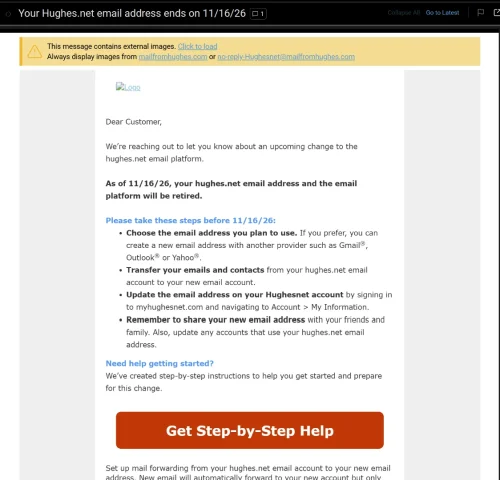
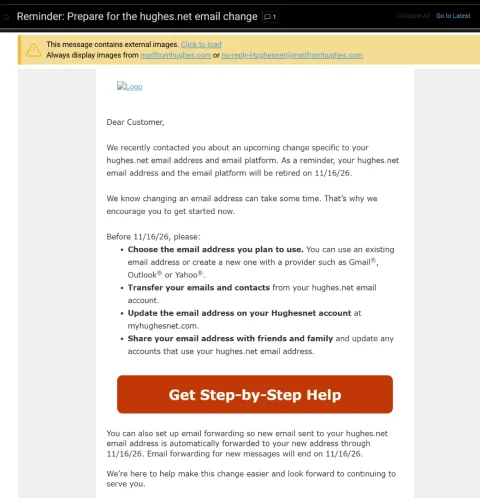
Wasn't exactly sure where to post this. Just had a customer come in inquiring about internet. He has HughesNet and had heard good things about mine. He asked if we provided email addresses and it kinda caught me off guard. I said he should be able to keep whatever email he had been using....my sister in law is still using a BellSouth email addy and they haven't been around here for many years. He said he had gotten a letter from HughesNet stating that they had until Nov 16th to save, move, forward, whatever, their Hughesnet emails because they would lose them after that date.

I have never heard of a company simply mass-deleting email accounts (the customer still has his HughesNet service). From what I understand, in the past, the company who was ditching their email service simply sold the customer base to a company like Google.

Anyone else getting this letter. He said he would show it to me tomorrow when I go out there and set up his internet.
8 Replies · 156 views
Foxbat
Doing a Google of the HughesNet Email notice, it seems that HughesNet has been trying to eliminate hosting emails since 2019. And with HughesNet filing Chapter 11 back in August, it would be a smart move to switch to a more stable Email provider. Even AT&T farmed out their Email to Yahoo! years ago.

SpaceX's Starlink and the Cellular 5G Home Internet solutions have pretty much relegated HughesNet and its high latency, low bandwidth Internet service to History. If Earth had shorter days, maybe a Geostationary Internet Solution might have stood a fighting chance…
navychop
If Earth had shorter days,

Wouldn't we then die of old age sooner?

🙄
Foxbat
Wouldn't we then die of old age sooner?

🙄
Still the same number of years, just more Sunsets…😉
K
Even AT&T farmed out their Email to Yahoo! years ago.

I still have one of those although I've been trying to wean myself off it.
JSheridan
Among my many email accounts I still have a .netscape.net which AOL assimilated a while back.
EarDemon
Yep, I got the notification a few days ago. I'm not totally surprised.

Never used the address for anything, so no big loss to me.
ncted
Among my many email accounts I still have a .netscape.net which AOL assimilated a while back.
AOL killed mine years ago without any notice. I actually lost contact with some old friends as that was the only address I ever used to communicate with them.
Bruce
Supporting Founder Lifetime Supporter
Last reply · posted in Internet Television (IPTV) Discussion Forum
For the naysayers who did not think this service would make it, just added another 4.9M subscribers and that was after the removal of 1.2M Russia subscribers.

This is even better, Paramount+ revenue grew 120% and Subscription revenue grew 74% year-over-year ( 2nd quarter 2021/ 2nd quarter 2022) to $830M, principally reflecting paid subscriber growth on Paramount+.

Now compare that to Peacock with only 13 million paid, 13 million free.

665 Replies · 61558 views
Bruce
Just noticed, CBS shows on Paramount+ are now same day premieres vs next day, which is how they used to be.

Also in 4K/HDR/DV.

I wonder how providers feel about this, they pay an expensive per sub fee for CBS, who is giving another positive reason to drop Paid Live TV and subscribe to P+.
Jimbo
Just noticed, CBS shows on Paramount+ are now same day premieres vs next day, which is how they used to be.

Also in 4K/HDR/DV.

I wonder how providers feel about this, they pay an expensive per sub fee for CBS, who is giving another positive reason to drop Paid Live TV and subscribe to P+.
So, this means that those of us with Commercial Free subs, won't be Commercial Free, unless we wait till after the show is over ?
Which would make same day, not that big of a deal. :confused:
  • Like
Reactions: Bobby
b4pjoe
So, this means that those of us with Commercial Free subs, won't be Commercial Free, unless we wait till after the show is over ?
Which would make same day, not that big of a deal. :confused:
Paramount+ has always had the CBS shows on the CBS local channel and yes with commercials. What they are doing now is releasing the OnDemand versions of the show which I believe they don't release until after the shows air on the west coast. And they will be commercial free if you subscribe to the ad free version of Paramount+.
Jimbo
Paramount+ has always had the CBS shows on the CBS local channel and yes with commercials. What they are doing now is releasing the OnDemand versions of the show which I believe they don't release until after the shows air on the west coast. And they will be commercial free if you subscribe to the ad free version of Paramount+.
So, the New season won't be on the same day commercial free ???

Looks like the On Demand will Still be the Next Day ...

If you have the Top tier, you could get the LIVE Network feed same as any Cable or OTA would.
===============================================================================

Key facts

  • Premiere date: Tuesday, Oct. 6, 2026
  • Release schedule: Weekly on Tuesdays
  • Network: CBS
  • Streaming: Paramount+*
  • Series created by: Donald P. Bellisario and Don McGill
*New episodes of NCIS stream live on Paramount+ as they air on CBS for subscribers of the Paramount+ Premium plan. Episodes stream on demand on Paramount+ on the day after they air on CBS for all subscribers.
b4pjoe
So, the New season won't be on the same day commercial free ???

Looks like the On Demand will Still be the Next Day ...

If you have the Top tier, you could get the LIVE Network feed same as any Cable or OTA would.
===============================================================================

Key facts

  • Premiere date: Tuesday, Oct. 6, 2026
  • Release schedule: Weekly on Tuesdays
  • Network: CBS
  • Streaming: Paramount+*
  • Series created by: Donald P. Bellisario and Don McGill
*New episodes of NCIS stream live on Paramount+ as they air on CBS for subscribers of the Paramount+ Premium plan. Episodes stream on demand on Paramount+ on the day after they air on CBS for all subscribers.
Watching it on the CBS local on Paramount+ is the exact same as watching it on your CBS local on your current cable/satellite/mvpd/vMVPD service. The OnDemand versions of it can be released on the same day that it airs but usually it is after the show airs on the west coast so if you have a show at 7:00 pm in your time zone and it airs 3 hours later on the west coast at 10:00 pm your time then they could release it at 11:00 pm your time if it was a one hour show. I really have not checked to see what time I can see the ad free OnDemand shows on Paramount+. I know today that last nights FBI and CIA show did not pop into the Up Next row on my Apple TV until this afternoon. I guess it may have been in Paramount+ since last night but I never checked it.
  • Like
Reactions: ncted and Jimbo
Jimbo
Watching it on the CBS local on Paramount+ is the exact same as watching it on your CBS local on your current cable/satellite/mvpd/vMVPD service. The OnDemand versions of it can be released on the same day that it airs but usually it is after the show airs on the west coast so if you have a show at 7:00 pm in your time zone and it airs 3 hours later on the west coast at 10:00 pm your time then they could release it at 11:00 pm your time if it was a one hour show. I really have not checked to see what time I can see the ad free OnDemand shows on Paramount+. I know today that last nights FBI and CIA show did not pop into the Up Next row on my Apple TV until this afternoon. I guess it may have been in Paramount+ since last night but I never checked it.
I think I read 3am est the next day, somewhere.
b4pjoe
I think I read 3am est the next day, somewhere.
I wasn't up at 3:00 am to check but they are there at 8:00 am today. :)
jamieh1
Last reply · posted in DIRECTV Programming Forum
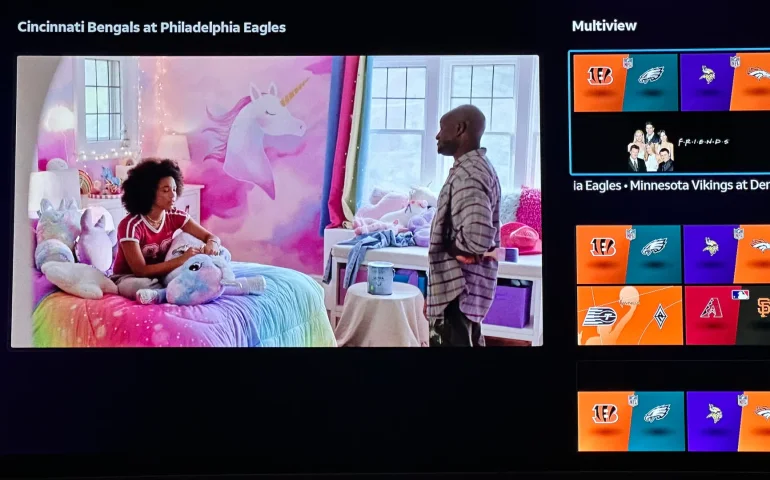
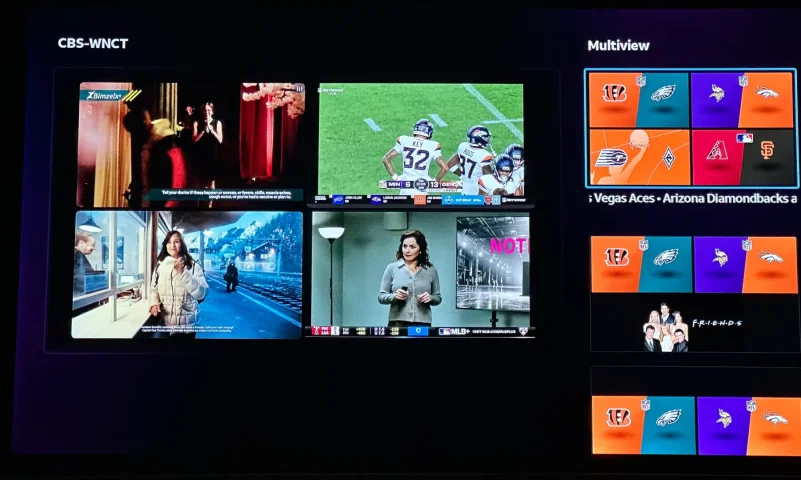
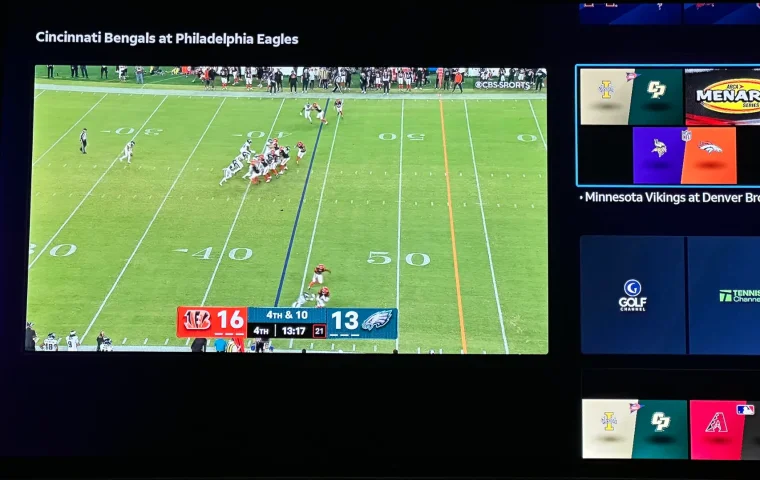
The new curated multiview is now live.
While on many of the sports channels and non sports channels there is a multi view option button. It will pull up a side bar with many different multi view options.
5 Replies · 184 views
K
It's now expanded to a Build Your Own Multiview, currently available to streaming customers with Geminis and Roku, and coming soon to Android TV, Fire TV, Vizio, LG, Apple TV and Tizen.
b4pjoe
It's now expanded to a Build Your Own Multiview, currently available to streaming customers with Geminis and Roku, and coming soon to Android TV, Fire TV, Vizio, LG, Apple TV and Tizen.
But not on the only device they ship out right now which is the Gemini Air.
  • Sad
Reactions: Jimbo
TheRatPatrol
It's now expanded to a Build Your Own Multiview, currently available to streaming customers with Geminis and Roku, and coming soon to Android TV, Fire TV, Vizio, LG, Apple TV and Tizen.
How soon will it be available on Apple TV? Thanks
I WANT MORE
But not on the only device they ship out right now which is the Gemini Air.
It's on my Air's.
b4pjoe
It's on my Air's.
The post read: "currently available to streaming customers with Geminis and Roku, and coming soon to Android TV, Fire TV, Vizio, LG, Apple TV and Tizen". It didn't mention the Air. I suppose when it said Geminis it meant both but I had no way of knowing that.
Foxbat
Supporting Founder Pub Member / Supporter Lifetime Supporter
Last reply · posted in Internet Television (IPTV) Discussion Forum
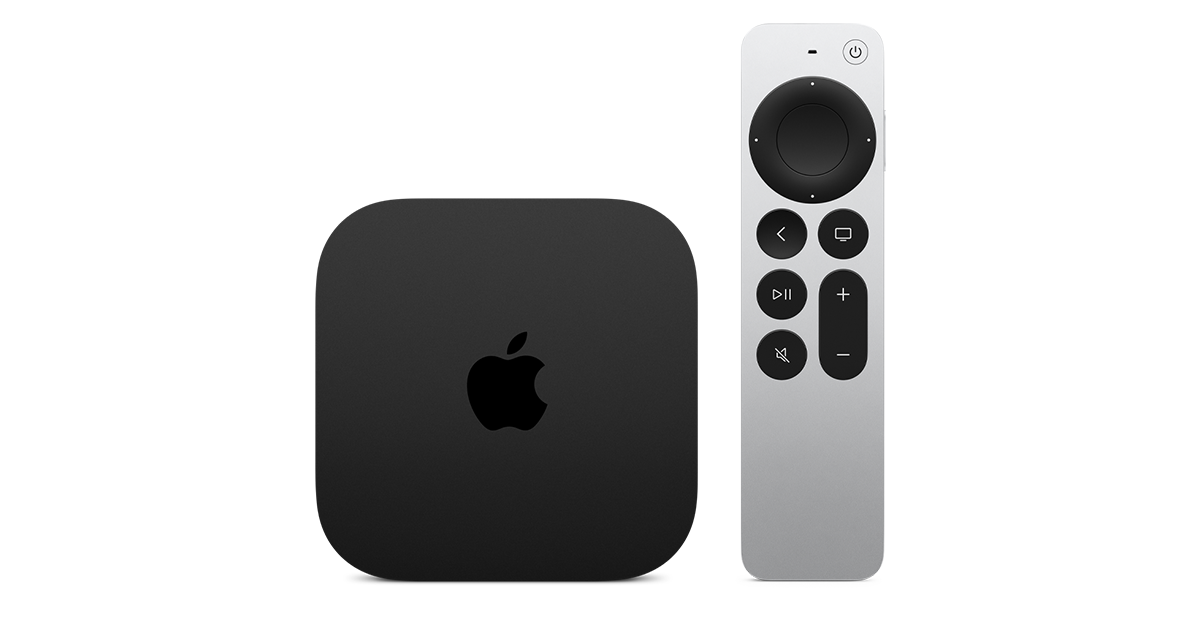
Apple has finally released their Apple TV 4K with built-in Siri and a microphone so it can respond to your queries even if you don't have the remote. It also increases in price, to $299. I had been planning on updating my current Apple TV 4K streamers, but that's $600 for the two of them, and that's a pass at this point.

At $299, it had better come with 256 GB of Storage, Gigabit (or better) Ethernet, the latest HDMI tech and standards, and one year of free Apple One. But it probably won't…
16 Replies · 204 views
Ronnie-
Meh. The 4Ks I have will do everything that these do that I need them to do.


Which that's most tech these days for anything released the last four to five years.


It's honestly a testament to how good the previous gen Apple TVs were and are.
navychop
It's honestly a testament to how good the previous gen Apple TVs were and are.

Don't tell them that. They'll adopt planned obsolescence.
navychop
Outside of gaming, would Joe Sixpack notice any difference?
KAB
KAB
Outside of gaming, would Joe Sixpack notice any difference?
Not a bit. IMO, Apple's are slow to boot up. Time is about the same with 1st gen and 3rd. Roku runs rings around them in that department. I only reason I stuck, is the Apple infrastructure, which has it's definite advantages. But $300 is a deal breaker. Later, Apple!
S
Don't tell them that. They'll adopt planned obsolescence.
they all do that anyways.. ever notice your cell phone slows down when you come up for an upgrade.. :what. apple's been making money off of software and not hardware for a while
ncted
ever notice your cell phone slows down when you come up for an upgrade
No. Makes me wonder if that is Apple or the carrier. I am on pre-paid, so I never get "an upgrade." I still have my old iPhone 11 Pro as a second line, and it runs iOS 27 just fine. My iPhone Air, which is still a current model, doesn't really seem that much faster in regular use. It is better in other ways, and worse in some ways than the 11 Pro (size), but performance really isn't a big differentiator, especially since I replaced the battery in the 11 Pro. If I had gotten enough storage when I originally bought the 11 Pro, it could still be my primary device with no issues.
ncted
Not a bit. IMO, Apple's are slow to boot up. Time is about the same with 1st gen and 3rd. Roku runs rings around them in that department. I only reason I stuck, is the Apple infrastructure, which has it's definite advantages. But $300 is a deal breaker. Later, Apple!
Yeah, they boot up a bit slower than Roku, but the OS does a lot more, so it makes sense. How often are you booting them up that is a differentiator? Aside from OS updates, mine are on all the time. I will say the ATV4K is generally quicker than the Roku Ultras I have, when it comes to launching apps and responsiveness, not that the Roku is sluggish.
"MysteryMan"
Pub Member / Supporter Cutting Edge
Last reply · posted in Computers and Gadgets
I created this thread on the original Edgecutter Cutting Edge Forums site. It's simply a place for those to review the latest software available for those using Windows 10 and Windows 11. To date it has received 112,559 views. I have been asked by staff to continue this thread here.
522 Replies · 47243 views
EarDemon
If it wasn't for what I want, I wouldn't need any of this.

Do I need a collection of handheld radios, scanners and speed enforcement countermeasures? Nope, but I want them. Very little, if any of the software used to interface with these devices is available on Linux.
WhiteBeard
If it wasn't for what I want, I wouldn't need any of this.

Do I need a collection of handheld radios, scanners and speed enforcement countermeasures? Nope, but I want them. Very little, if any of the software used to interface with these devices is available on Linux.
To each there own but I've found that Windows can't do much more than Linux can. Can't have everything. ☹️
  • Haha
Reactions: meStevo
EarDemon
To each there own but I've found that Windows can't do much more than Linux can. Can't have everything. ☹️
For niche use cases, yes I agree. Kali for ethical hacking and security testing, and running a Cacti server for network monitoring are the two things I have experience in. Plus thousands and thousands of other things, but for every day use I just can't see it. The owner of the GMRS repeater that I pay to access is changing the Tx DPL tones tomorrow, while Chirp is available on Linux, the software to program my MXT500 is not.

I run Fedora and Ubuntu in VMWare, honestly I don't care much for the UI of either of them and I don't feel like spending days/weeks to customize the UI to make it look Windows-like when I could just use Windows. The cartoonish dock at the bottom of the screen reminds me of Apple products.
harshness
I don't care much for the UI of either of them and I don't feel like spending days/weeks to customize the UI to make it look Windows-like when I could just use Windows.
What is so fantabulous about the Windows UI? By many accounts, it has been going downhill since Windows 7.

There are Linux desktops that offer Windows or Mac UIs, yet you don't hear much chatter about them outside of questions about when the creators might get sued.
  • Like
Reactions: HipKat
EarDemon
What is so fantabulous about the Windows UI?
Because it's what I prefer. I know I've said this a few times, I use Open Shell to give me the cascading start menu a la WIN 95 and NT4.0. The only reason I went from Windows Vista to 7 back in the day was because of Classic Shell. I cannot stand anything other than the OG start menu from 30+ years ago. I'm using ExplorerPatcher to give me Windows 10 UI elements of the taskbar and right click context menus.

If you could take a look at how I set up Windows 95, you'd find many similarities to how I use 11.
  • Like
Reactions: cp2k
EarDemon
I could probably use that as a starting point, but I don't like the full size icons. If you have to click on each folder that's also a no-go for me, it has to be cascading.

I used to have Peppermint Linux in a VM, that was about as close as I could get to recreating a Windows NT4.0 style of menu structure, but I could never get it to scale properly in VMWare on a 4K display and eventually gave up.

Whatever the boot up time it's fine with me. The longest part of my bootup is the HP SureStart BIOS integrity check. Once that is done, it's only a few more seconds. I haven't done this reg tweak yet since the reformat, but I switched the bootup animation to the Windows 10 style spinning circle of dots, and it's two and a half rotations. I can live with that.
harshness
Because it's what I prefer.
I hope you don't believe that makes it wonderful (especially when you're using workarounds for Microsoft's malfeasance).

I use LibreOffice as opposed to Microsoft office (even in Windows) because it's UI is like the Office of old, so I'm putting my money where my mouth is (in a manner of speaking). The ribbon was one of the worst ideas to come out Redmond.
HipKat
I could probably use that as a starting point, but I don't like the full size icons. If you have to click on each folder that's also a no-go for me, it has to be cascading.

I used to have Peppermint Linux in a VM, that was about as close as I could get to recreating a Windows NT4.0 style of menu structure, but I could never get it to scale properly in VMWare on a 4K display and eventually gave up.

Whatever the boot up time it's fine with me. The longest part of my bootup is the HP SureStart BIOS integrity check. Once that is done, it's only a few more seconds. I haven't done this reg tweak yet since the reformat, but I switched the bootup animation to the Windows 10 style spinning circle of dots, and it's two and a half rotations. I can live with that.
I used to pin the C: drive to the Win Taskbar and it would open in cascading style
Former member 209992
Last reply · posted in SatelliteGuys Support Center
For some reason, the satelliteguys.us site is loading a lot slower than usual on both Chrome on my Asus laptop and Safari on my iPhone.
I'm also seeing longer appearances of the blue bar at the top and the "3 blue bars" loading symbol.
Is anyone else also having the same problem? Thanks in advance.
528 Replies · 17967 views
  • Like
Reactions: charlesrshell
Scott Greczkowski
Remember folks... just like DNS... its always Foxbat. :D
Foxbat
Remember folks... just like DNS... its always Foxbat. :D
WTF… …What the Foxbat!😱
S
zipping right along here
S
WTF… …What the Foxbat!😱
wow what a kick in the balls!!! the wife blames you when things don't work now scott's blaming you :biggrin
Foxbat
wow what a kick in the balls!!! the wife blames you when things don't work now scott's blaming you :biggrin
I know. Here's what Scott has in store for me if I get out of line:
IMG_1990.webp
IMG_1989.webp
S
I know. Here's what Scott has in store for me if I get out of line:
OMG to freaking funny :biggrin
cpdretired
Supporting Founder
Last reply · posted in DISH Network Support Forum
Several Dish offers showed up today in my account. Once you choose one the rest are removed. Offers were Showtime, Starz, AMC and others.
33 Replies · 1597 views
  • Like
Reactions: ewindowman and LQQK
B
Just checked my account and it shows mgm+ at 8.00 per month, but that has red line drawn thru it and shows 0.00 per month. But it doesn't say how long this lasts,...... 1 month, 3 months, forever. I called customer service to get an answer, and they said nothing like that exists. Should I add the offer or not? Already paying them too much, but want to take advantage of something free.
ewindowman
Lots of offers on the hopper account app . On the website there are only a few.
Almighty1
Lots of offers on the hopper account app . On the website there are only a few.
Never had time to use the Hopper 3 account app yet. I also have a Hopper Plus so it's not the same as the Hopper 3 standalone. Will try it when I have more time, need to beat the taxes extension filing deadline first as I am still working on entering the data into the tax software.
Almighty1
This is what I see when it comes to offers on My Account on the Hopper 3 with Hopper Plus and dish.com:

AMC+ 50% off for 3 months (My Account Hopper 3 with Hopper Plus)
AMC+ Free for 3 months (My Account Hopper 3 with Hopper Plus and dish.com)
AMC+ 1 month free (My Account Hopper 3 with Hopper Plus)

Cine y Entretenimie 50% off for 3 months

DOGTV 1 month free (My Account Hopper 3 with Hopper Plus)

DISH Movie Pack 50% off for 6 months (My Account Hopper 3 with Hopper Plus and dish.com)

DOGTV 50% off for 6 months (My Account Hopper 3 with Hopper Plus)
DOGTV 1 month free (My Account Hopper 3 with Hopper Plus)

Gallery First Month Free (My Account Hopper 3 with Hopper Plus)

Heartland Pack 50% off for 6 months (My Account Hopper 3 with Hopper Plus and dish.com)

Mexico y Mas 50% off for 3 months (My Account Hopper 3 with Hopper Plus)

MGM+ $0.00/Month not saying how long (My Account Hopper 3 with Hopper Plus)

Multi-Sport Pack 50% off for 6 months (My Account Hopper 3 with Hopper Plus)

Netflix Standard with Ads, $7.99/month credit toward Netflix Standard with Ads ($.99) month with 24 month DISH commitment
(Only on My Account Hopper 3 with Hopper Plus)

Outdoor Pack 50% off for 6 months (My Account Hopper 3 with Hopper Plus)

Paramount+ with SHOWTIME 50% off for three months (My Account Hopper 3 with Hopper Plus and dish.com)
Paramount+ with SHOWTIME 2 months free (My Account Hopper 3 with Hopper Plus)

Playboy TV 50% off for 6 months (My Account Hopper 3 with Hopper Plus)

Republica Dominicana 50% off for 3 months (My Account Hopper 3 with Hopper Plus)

STARZ 50% off for 3 months (My Account Hopper 3 with Hopper Plus)
STARZ $1.99/month for 2 months (My Account Hopper 3 with Hopper Plus and dish.com)

Sudamerica y Mas 50% off for 3 months (My Account Hopper 3 with Hopper Plus)

UP Faith & Family 1 month free (My Account Hopper 3 with Hopper Plus)
S
Just checked my account and it shows mgm+ at 8.00 per month, but that has red line drawn thru it and shows 0.00 per month. But it doesn't say how long this lasts,...... 1 month, 3 months, forever. I called customer service to get an answer, and they said nothing like that exists. Should I add the offer or not? Already paying them too much, but want to take advantage of something free.
look again mine says free for 1 month
Almighty1
look again mine says free for 1 month
Not for me, mines has no mention of how long aka the offer period and the Terms and conditions the $0.00 is good for. All I see is one can lose $5.00 if you decide to remove it before day 31 after you add it to the account.

1792131071109.webp
  • Wow
Reactions: slow_poke_pete
S
Not for me, mines has no mention of how long aka the offer period and the Terms and conditions the $0.00 is good for. All I see is one can lose $5.00 if you decide to remove it before day 31 after you add it to the account.

View attachment 194817
wonder why it says that
Scott Greczkowski
Staff member HERE TO HELP YOU! Cutting Edge
Last reply · posted in The Chit Chat Club
Sometimes a thread gets so many posts in it that is can cause issues for the server so that why today we introduce The Song Name Game Part 3!

So let the game continue!

The last song was added by Bobby who posted...

One Meat Ball - Andrews Sisters

CONTINUE ON AND HAVE FUN! WELCOME HOME TO SATELLITEGUYS.US!

Here are the original rules for the game as posted by WebbyDude back in 2006. http://www.satelliteguys.us/threads/68645-Song-Name-Game

Just name a song title and the band who performed it. The next person does the same thing, but needs to list a song title or band name which includes a word from the previous entry. Pick songs from any genre.

Example:

Long Live Rock and Roll -- Rainbow

Rainbow in the Dark -- Dio

Another example:

Ride the Lightning -- Metallica

Lightning Strikes -- Ozzy Osbourne


Get it?


An additional note: we all know that song titles, sometimes, use profane words. Because this is a family friendly website it is advised that you clean up that title up a bit. This is accomplished by using something like sh!t instead of the real word. Thanks....
68496 Replies · 2670703 views
  • Like
Reactions: c-spand
sdfntx
White Noise - Jessie Baylin
  • Like
Reactions: Bobby
dishstaller
White Rabbit - Jefferson Airplane
  • Like
Reactions: ClarkGable
long_time_Dish
White Sun - The Doobie Brothers
H
White Room-Cream
  • Like
Reactions: ClarkGable
ClarkGable
White Wedding - Billy Idol