Social Feed

Babadem
Last reply · posted in FTA Receiver / Equipment Support
I just attempted to install my 1 Terabyte Western Digital USB external hard drive, but for some reason, the record option on the AZBox Elite Menu is grayed out even though the HDD is recognized by AZBox. :(:confused: Even when I press the record button on the remote it says no recording device found!:mad: When I first connected the Drive (the drive comes with a separate power supply and USB cable) to the AZBox Elite, it indicated about 930.98 GB NTFS available and 0.0GB used (not sure of the exact numbers). I then formated it using AZBox, and it then it indicated 930.98 GB LINUX available, and 0.0GB used in the "Storage" section on the Menu (not sure of the exact numbers). What am I missing here?!?!:confused: A few days ago, I had tested recording with a 125MB thumb drive and it worked flawlessly. Any suggestions/help will be highly appreciated! BTW, I'm using Firmware version 0.9.4585.
20 Replies · 5251 views
B.J.
The OP said twice that he's NOT using an NTFS drive. He's formatted it in a lixux format.

I'm wondering if the problem might have something to do with the external hard drive starting up. I think this is related to the powering off vs hard reboot thing mentioned above, but might be brand specific.
Ie I have several hard drives, but one of them will shut down even with a soft boot. Seems like it shuts down whenever the communication with the host is interrupted. I got that hard disk to work with the Azbox, but I'm wondering if you have problems getting a HD recognized, you might try plugging in the USB cable hot, after everything is booted up, or perhaps there is some hard disk setting that could keep the thing running when it's communication is interrupted.
I tried using the linux format once, but found it very inconvenient. Using FAT32, I can move the HD between 3 different receivers, and then use it in my computers without any translation involved. With the linux format, you're pretty much dedicating that HD to the AZbox.

I don't know if there is a maximum size HD allowed or not, but since there have been several people with issues with the 1000 GB drives, I've stayed with 500 GB and below. Since the receiver can't record any high bitrate content, you really don't need tons of capacity. If they ever fix the bitrate cap, then yeah, maybe a bigger hard drive might be important, but even then I think I'd just transfer recordings over to a computer. I think that I'd put the 1000 GB in NTFS on a computer, and use a 500GB FAT32 on the Azbox, and transfer recordings over to the computer for storage, since you can play them from the network anyway.
AcWxRadar
I tried using the linux format once, but found it very inconvenient. Using FAT32, I can move the HD between 3 different receivers, and then use it in my computers without any translation involved. With the linux format, you're pretty much dedicating that HD to the AZbox...

...I don't know if there is a maximum size HD allowed or not, but since there have been several people with issues with the 1000 GB drives, I've stayed with 500 GB and below...

...I think that I'd put the 1000 GB in NTFS on a computer, and use a 500GB FAT32 on the Azbox, and transfer recordings over to the computer for storage, since you can play them from the network anyway.

B.J.

I definitely agree with you on these items and I also recommend using just a 500GB (or less) HDD. I have a 1 TB Samsung internal HDD installed in my AZBox Premium, but I installed it only to test. Others asked about this size of HDD, so I installed one just for the sake of testing it.

I have read from OpenSat sources that 1 TB is the limit for the AZBox. But, if you stay with 500 GB or less, then the HDD will have only one Si Wafer disc. I wonder if there may be possible drawbacks when using a HDD with multiple Si wafer discs.

Therefore, I recommend staying at or below the 500 GB size. Here you are assured to be safe and as you stated, you can use another device connected to your PC for better means of storage anyhow. Transfer the files as you need to and just keep it simple (and less expensive as well).

RADAR
Babadem
The OP said twice that he's NOT using an NTFS drive. He's formatted it in a lixux format.


I tried using the linux format once, but found it very inconvenient. Using FAT32, I can move the HD between 3 different receivers, and then use it in my computers without any translation involved. With the linux format, you're pretty much dedicating that HD to the AZbox.

I don't know if there is a maximum size HD allowed or not, but since there have been several people with issues with the 1000 GB drives, I've stayed with 500 GB and below. Since the receiver can't record any high bitrate content, you really don't need tons of capacity. If they ever fix the bitrate cap, then yeah, maybe a bigger hard drive might be important, but even then I think I'd just transfer recordings over to a computer. I think that I'd put the 1000 GB in NTFS on a computer, and use a 500GB FAT32 on the Azbox, and transfer recordings over to the computer for storage, since you can play them from the network anyway.
I did a test with a 2GB thumb drive and was able to record, but I noticed that when I recorded some HD content on PBS @ 125.0°W, I noticed that, I couldn't fast forward, or rewind it when the file was playing. On the other hand, the SD program files were able to play, FF & RW, and "time shift" live TV when not in record mode without problems. Are you saying that you can record files from the AZBox using a FAT32 formatted HDD? It wouldn't record on my test 2GB thumb drive formatted in FAT32. What is the make and model of the 500GB that you're using?

B.J.

I definitely agree with you on these items and I also recommend using just a 500GB (or less) HDD. I have a 1 TB Samsung internal HDD installed in my AZBox Premium, but I installed it only to test. Others asked about this size of HDD, so I installed one just for the sake of testing it.

I have read from OpenSat sources that 1 TB is the limit for the AZBox. But, if you stay with 500 GB or less, then the HDD will have only one Si Wafer disc. I wonder if there may be possible drawbacks when using a HDD with multiple Si wafer discs.

Therefore, I recommend staying at or below the 500 GB size. Here you are assured to be safe and as you stated, you can use another device connected to your PC for better means of storage anyhow. Transfer the files as you need to and just keep it simple (and less expensive as well).
RADAR
RADAR, for your HDDs on your AZBox are they formatted using FAT32 or you used AZBox (LINUX) to format?
B.J.
I did a test with a 2GB thumb drive and was able to record, .....
......
....... Are you saying that you can record files from the AZBox using a FAT32 formatted HDD? It wouldn't work on my test 2GB thumb drive. What is the make and model of the 500GB that you're using?

.....

I'm confused by the question. You first say that you were able to record on a thumb drive, then you say that it wouldn't work on the thumb drive? Or are you saying that it didn't work when the thumb drive was formatted in FAT32, but did work if you let the Azbox format it?
I've recorded to both thumb drives AND hard disks formatted as FAT32, although I'm not sure if I've done it since I upgraded the firmware. I most recently had an 80G Maxtor attached, but I've tried a few different disks. I didn't have a disk in there right now, so I just plugged in a thumb drive, and started it recording. I wasn't watching, so I'm not sure how long after starting up the recording, but shortly after starting it up, I looked up, and the screen was black????? The Azbox was unresponsive, so I had to reboot. Tried this 3 times, and same thing, usually it would hang up the Azbox after recording about 5 minutes. Then I tried it again, but stopped the recording after about a minute. That time the recording was OK. So I pulled the thumb drive (which BTW was one that I dropped in the snow, and it was picked up and spit out 20' by my snowblower... works fine in my computer except it seems to have to be plugged in just right, so maybe the thumb drive is problematic).
At this point, I went and got the 80GB Maxtor (which BTW is in a Lacie enclosure), plugged that in, and the Azbox recorded fine. Both the thumbdrive and HD were FAT32 formatted.
I'm still a bit confused about the thumb drive problems, because I've recorded to that thumb drive before, however that was with older firmware (3877 I think), so I'm not sure if it's the firmware or the thumbdrive at fault.

Possibly off topic or possibly related, I've had to reboot this darn Azbox about 6 or 7 times today. Seems like this new firmware isn't as stable as the previous 3877 that I had been using.
Babadem
I'm confused by the question. You first say that you were able to record on a thumb drive, then you say that it wouldn't work on the thumb drive? Or are you saying that it didn't work when the thumb drive was formatted in FAT32, but did work if you let the Azbox format it?

Sorry for the confusion. Yes, I was able to record to the thumb drive when it was formatted by the AZbox, but it would not record when formatted in FAT32.
AcWxRadar
RADAR, for your HDDs on your AZBox are they formatted using FAT32 or you used AZBox (LINUX) to format?


For the "internal" HDDs, I allowed the AZBox to format the drives in LINUX style as I didn't intend to remove these drives to transfer the information.

For the "external" drives, I wanted to keep them with FAT32 format so that my PC and the AZBox could both recognize these drives. This way, it would be easier to transfer a file to my PC (as opposed to FTP'ing the file). In this way, I could just disconnect the drive from the AZBox and plug it right into the PC.

However, I was experimenting around and wanted to see what the difference would be, so I allowed the AZBox to format my external drives in LINUX style. I will have to re-format the external drives back to FAT32 so that I can get back to the point where I wanted to be. But, I found out the information that I needed in the process.

RADAR
Scott Greczkowski
Staff member HERE TO HELP YOU! Cutting Edge
Last reply · posted in The Chit Chat Club
Sometimes a thread gets so many posts in it that is can cause issues for the server so that why today we introduce The Song Name Game Part 3!

So let the game continue!

The last song was added by Bobby who posted...

One Meat Ball - Andrews Sisters

CONTINUE ON AND HAVE FUN! WELCOME HOME TO SATELLITEGUYS.US!

Here are the original rules for the game as posted by WebbyDude back in 2006. http://www.satelliteguys.us/threads/68645-Song-Name-Game

Just name a song title and the band who performed it. The next person does the same thing, but needs to list a song title or band name which includes a word from the previous entry. Pick songs from any genre.

Example:

Long Live Rock and Roll -- Rainbow

Rainbow in the Dark -- Dio

Another example:

Ride the Lightning -- Metallica

Lightning Strikes -- Ozzy Osbourne


Get it?


An additional note: we all know that song titles, sometimes, use profane words. Because this is a family friendly website it is advised that you clean up that title up a bit. This is accomplished by using something like sh!t instead of the real word. Thanks....
68528 Replies · 2672721 views
  • Like
Reactions: c-spand
sdfntx
See You in September - The Happenings
long_time_Dish
You Look Like You Love Me - Ella Langley
  • Like
Reactions: dishstaller
dishstaller
See Me Feel Me - The Who
  • Like
Reactions: long_time_Dish
long_time_Dish
Take It Easy On Me - Little River Band
H
TAKE IT As It Comes-The Doors
SuperDish_Fan23
Last reply · posted in DISH Network Support Forum
Why are ViP922s So rare? like its crazy how ebay has none, i checked everywhere, also, i got a ViP222k now, which is actually activated!
2 Replies · 30 views
dishdude
They didn't sell many, they were pricey and not out long. Quickly got replaced by the Hopper.
T
They were high-end specialty, somewhat buggy and the 612/622/722 just overwhelmed it in popularity.
Former member 208119
Last reply · posted in SiriusXM Satellite Radio
My year was almost up and we got the new bill for a year of service for $ 360.00 insane sat radio is becoming like cable!!! i logged into my acct and hopped onto chat and told the rep that i wanted to cancel. she understood my concern and went quiet for a few minutes. i figured that she was canceling my service. she comes back and said that she seen that i have been a sub since 07 and then offers me the same package for a year for 120.00 with taxes and fee's!!! i grabbed it. after almost having a stroke :biggrin
237 Replies · 10996 views
B
What i noticed with my last renewal XM is now billing me $4.99 monthly instead of one time yearly payment.
Jimbo
What i noticed with my last renewal XM is now billing me $.99 monthly instead of one time yearly payment.
Did you accidentally get on the wrong plan ?
I still do the once a year plans.
B
Did you accidentally get on the wrong plan ?
I still do the once a year plans.
I have to think maybe more people dont keep track of the monthly XM bill. Every time i renew i put a reminder on my calendar week before its time to renew. My wife told me the other day not to renew her and then i told her you are not going to be able to listen to XM at home. Then she changed her mind...!!
  • Haha
Reactions: Jimbo
TRG
TRG
I have to think maybe more people dont keep track of the monthly XM bill. Every time i renew i put a reminder on my calendar week before its time to renew. My wife told me the other day not to renew her and then i told her you are not going to be able to listen to XM at home. Then she changed her mind...!!
I get an e-mail every month reminding me that X amount will be charged to my credit card. If I see it go up I get on chat or pick up the phone. But I also remember that my year is up in December.
B
I get an e-mail every month reminding me that X amount will be charged to my credit card. If I see it go up I get on chat or pick up the phone. But I also remember that my year is up in December.
yea i don't understand WHY, like you I get a notice each month. Mine is also up in December.
Jimbo
yea i don't understand WHY, like you I get a notice each month. Mine is also up in December.
You get an email every month to let you know they are billing you for the next month.
Foxbat
Mrs. Foxbat reminded me it's that time of the year to do the Cancel Tango💃🏽

The A.I. agent appears to be better than in the past. It got to the acceptable price quicker than previous years, no human operator involved. $5/mo and I still have over $50 in SiriusXM credit from my FordPartner benefits.
Peter Parker
Supporting Founder Lifetime Supporter
Last reply · posted in DISH Network Support Forum
No idea what improvements might be involved.
19 Replies · 813 views
  • Like
Reactions: LQQK and reubenray
bookworm370
Has anyone noticed an FF stutter with 713? I used to be able to hit FF a few times and skip smoothly. After 713 (maybe 712), when I skip forward, there is a definite stutter for as many times as I have pressed FF.

Can anyone check on this and report back? Recorded programs and then press skip forward a few times to see if it's smooth? Normally, it just jumps to the right place after the skips.
  • Like
Reactions: charlesrshell
N
I'm getting fabulous picture on Ch. 148 4k, but zero audio with H713. This is with a recorded show (Notre Dame game). Anyone else have this? Audio is fine on every other channel.
  • Like
Reactions: charlesrshell
R
Has anyone noticed an FF stutter with 713? I used to be able to hit FF a few times and skip smoothly. After 713 (maybe 712), when I skip forward, there is a definite stutter for as many times as I have pressed FF.

Can anyone check on this and report back? Recorded programs and then press skip forward a few times to see if it's smooth? Normally, it just jumps to the right place after the skips.
My wife mentioned that her remote is acting strange this morning. She hit FF and it went to 15x FF.
  • Like
Reactions: charlesrshell
Bobby
I'm getting fabulous picture on Ch. 148 4k, but zero audio with H713. This is with a recorded show (Notre Dame game). Anyone else have this? Audio is fine on every other channel.
This has been an ongoing issue. A fix is coming, probably in the next software version.
Foxbat
Wife bought me a t-shirt that has "have you tried turning it off and on again?"
Here's the one I need:
1792365258110.webp
dishstaller
Here's the one I need:
Just ordered one....that's great.
dfergie
Staff member HERE TO HELP YOU!
Last reply · posted in The Chit Chat Club
Stumbled across this ... http://www.gaspricewatch.com/USGas_ZipSearch.asp
I found no local prices, although it did show stations at my location...
Added these to this post...
USA National Gas Temperature Map
State By State Gasoline Taxes
Gas Buddy

Ethanol Free Stations

5552 Replies · 460630 views
Bobby
Regular$5.999​
Premium$6.399​
Diesel$7.999​
at Costco, Rohnert Park.​
  • Like
Reactions: harshness
harshness
I wonder if California is getting into the Winter formula.
dishstaller
Regular$5.999​
Premium$6.399​
Odd that out there, Prem is only 40 cents higher. Here it's a full dollar more.

Last night it was about $4.17 gas, $6,19 diesel.
harshness
Odd that out there, Prem is only 40 cents higher. Here it's a full dollar more.
On the West Coast, a 40-cent differential is common. It used to be 30 cents before the prices rose above $3.

A "full dollar more" sounds like it may be boat gas (non-alcoholic), which is a whole different discussion.
  • Like
Reactions: Foxbat
Foxbat
Here in Indiana, the difference between Regular and Premium is usually a dollar, but some charge even more:
1792374072446.webp
  • Like
Reactions: dishstaller
dishstaller
A "full dollar more" sounds like it may be boat gas (non-alcoholic),
Both non-ethanol and prem run about the same....buck more. When we were up in TN it was a buck more up there as well.
jokeworm
Last reply · posted in What's Cooking?
Ok, I'm bored .... actually - to be more precise - I'm bored of eating the same rotation of 9 or 10 meals that are currently my "go-to" meals. My wife works the long hours - I work from home as and when i feel like it ... which means i generally do most of the cooking ... and so by default - i also make out the shopping list ...

We cook at home 5 or even 6 nights a week - but we always seem to fall back on the same old tried and tested "quick and easy but tastes ok" meals. Week in week out.

Pot Roast - mash and Peas.
Spaghetti
Chicken Pasta in cheese sauce.
Curry & rice
(these are some of mine)

Now it's not that I'm not adventurous in the kitchen ... I'll try anything once or twice ... but we all do it. Unless your name is Martha Stewart or Rachel Ray .. we all eventually fall back on our 8-10 favorite "meals"

So i thought - if we shared some of our own go-to meals with each other ... we might be able to add a few "new" ones to our own arsenal of meals.

So again - I ask you ...

What's for dinner tonight ?

Please give me something new to add to my rotation ... its our weekly shop tomorrow - so i want to pull together a few idea's and try and eat a meal each day next week that I've never had before .. or at least something that is not on my current "go-to" meal plan.

What meal do you always seem to fall back on in your house ? Maybe its something that I've never tried or not had in a while. I need inspiration !! I've got a blank shopping list in front of me - and nothing sounds good .. HELP !
4332 Replies · 331174 views
TRG
TRG
Beef and vegetable stew with buttermilk biscuits. Water.
It seemed appropriate on an unusually cold and wet evening in New Mexico.
  • Like
Reactions: dfergie
Bobby
Chili Cheesebugers, Tater Tots.
  • Like
Reactions: dfergie and TRG
TRG
TRG
I made shrimp parmesan with spaghetti and a salad.
  • Like
Reactions: dfergie
S
venison lasagna
  • Love
Reactions: Bobby
dishstaller
Smoked some salmon on the grill while enjoying some Blue Moon beer. Kinda cool tonight so I fired up the heaters. Here in FL, we fire up heaters once the temps get below 60 :cool As for the salmon, I seared them first, then flipped them off to the side not over the coals and brushed on some lemon pepper marinade followed by some salmon seasoning. Threw some hickory chips on the coals and then closed the vents to about 10% airflow. Yum.
  • Like
Reactions: dfergie and Bobby
osu1991
Pub Member / Supporter
Last reply · posted in The Chit Chat Club

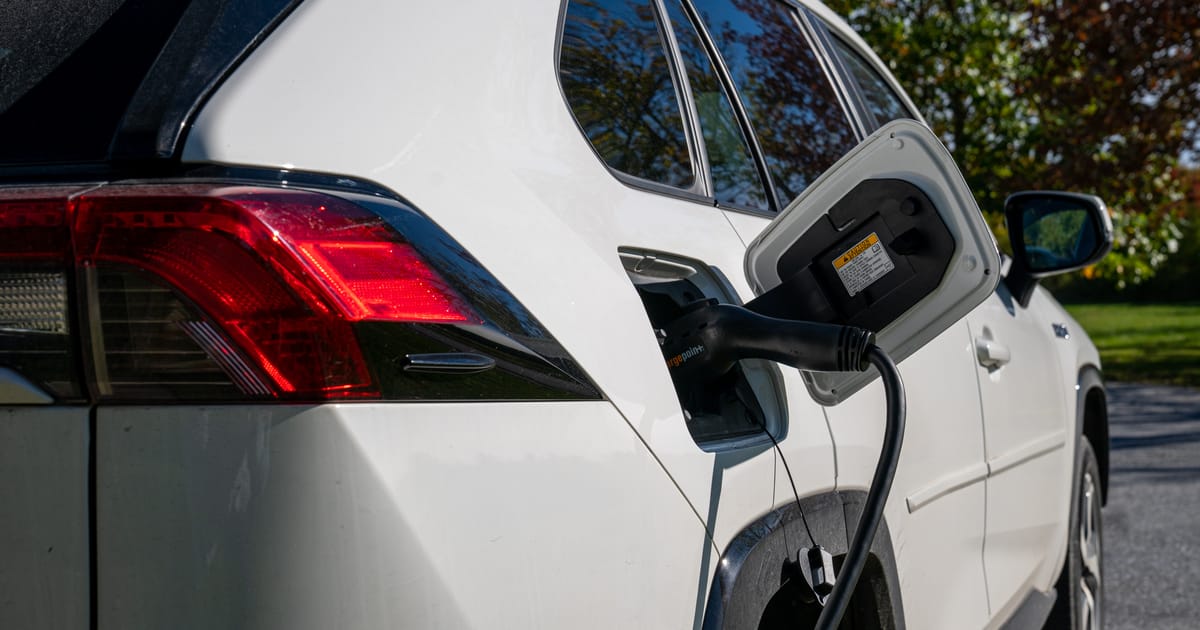
The number-one US state for EV growth, according to the June 22 Yardi report?
Oklahoma.


:eek


It has no ZEV mandates and "minimal" incentives, Yardi says, but also has cheap electricity, high multi-car household rates (so, for example, a non-Lightning Ford F-150 pulls their trailers), and a consumer base willing to switch.
112 Replies · 904 views
navychop
Servant's problem.
  • Like
Reactions: Bobby
meStevo

Never realized that Tesla is losing to BYD at manufacturing too, which IMO is Tesla's biggest accomplishment and area of innovation. Nice writeup about the state of play and how we got here though. I have no faith that we're moving any productive direction though sadly, most changes and efforts feel reactionary rather than rooted in making use of the time being bought by tariffs, with few exceptions.

So: how are the cars so cheap, and what is being cut to get there? The best public accounting comes from the Rhodium Group, which compared BYD, Geely, and Leapmotor against Tesla's Chinese operation, a fair comparison because it removes labor costs and shipping from the equation entirely. Their estimate is that BYD builds a car for about $4,700 less than Tesla builds a Model 3 in Shanghai, roughly 15 percent of the Model 3's price. The breakdown is the interesting part. Direct government grants account for about $292 per vehicle, which is 5 percent of the gap. The biggest single factor is vertical integration: BYD makes about 80 percent of its top-tier components in-house, against 37 percent for Tesla, and that eliminates roughly $2,369 per vehicle in supplier markups. Lower overhead, meaning cheaper engineering talent and administrative cost spread across enormous volume, accounts for another $1,719. And BYD pays its suppliers on 155-day terms, against Tesla's 60, which is worth about $214 per car in float. When people say the Chinese advantage is subsidies, the per-vehicle number says otherwise. When people say it is slave wages, the Tesla Shanghai comparison says otherwise too. The advantage is mostly that BYD decided, twenty years ago, to make its own batteries, its own motors, its own power electronics, and its own semiconductors, and Western automakers decided the opposite.​
harshness
The EV company to watch out for is SAIC. They seem likely to take over Government Motors at some point.

GM originally struck a JV deal with SAIC to gain access to China. Now SAIC has taken China back with the substantial library of technology GM shared and they're looking to export to Mexico, South America, the Middle East, and Asia-Pacific.
osu1991
  • Like
Reactions: Foxbat and AZ.
TWiT Tech Podcast Network
· posted in TWiT Tech Podcast Network
0 Replies · 24 views
Ham Radio 2.0
· posted in Ham Radio 2.0
0 Replies · 19 views
Ramy
Supporting Founder
Last reply · posted in The Sports Section
Really excited for this season with Kentucky having a new coach and some really exciting recruits. Probably won't last long, but here's hoping this season is great.
148 Replies · 1756 views
  • Haha
Reactions: Mike0616
Foxbat
They ought to have fun with this… :devilish
osu1991
They ought to have fun with this… :devilish
Was thinking same thing. It should be a good week for sec shorts and roll call
  • Like
Reactions: Mike0616
R
A lot of upsets yesterday, but my LSU Tigers won.
  • Like
  • Haha
Reactions: Mike0616 and Jimbo
Foxbat
Best fan sign I saw during the ND-BYU game: "Bear ate your Lucky Charms!" (Bear being the Cougars' QB). I was going to suggest, "Have you or your team been involved in a Carr crash?"
  • Haha
Reactions: Jimbo and Mike0616