Social Feed

jmc98
Supporting Founder
Last reply · posted in Free To Air (FTA) Discussion
I have a 1.2m dish that is on a dg380 motor it seems to be tracking the arc but I can only scan in 95w to 99w as these are the only satellites that have good signal and quality How do I fine tune the other satellites or the dish so I can receive the other satellites ?
25 Replies · 4517 views
chaskuchar
I am at 97.4, 41.4 and I have the same setup as you. first check your mounting bracket attached to your pole. mine needed tweaking to make it level. second make sure your south is square. make sure you are at 31 degrees, and zero the dish and then adjusted point it for 97w. then peak the dish for signal with lnb and level adjustment. I have the satav 1.2 and I really like the adjustment with that dish. if you still are having problems, you might have put in the wrong degrees for your position. I get 72w to 125w with no problems, same equipment. charlie
jmc98
I am at 97.4, 41.4 and I have the same setup as you. first check your mounting bracket attached to your pole. mine needed tweaking to make it level. second make sure your south is square. make sure you are at 31 degrees, and zero the dish and then adjusted point it for 97w. then peak the dish for signal with lnb and level adjustment. I have the satav 1.2 and I really like the adjustment with that dish. if you still are having problems, you might have put in the wrong degrees for your position. I get 72w to 125w with no problems, same equipment. charlie


So do I aim the dish at 97w or the dish and motor at 97w my location is 32.750 N 97.488w I set the usals on the receiver to 32.75 N and 97.5W
AcWxRadar
So do I aim the dish at 97w or the dish and motor at 97w my location is 32.750 N 97.488w I set the usals on the receiver to 32.75 N and 97.5W

JMC,

Sorry that the guides confused you. After you have spent more time experimenting with your equipment and have re-read the guides then the directions will become more apparent to you.

I happen to have the same dish (1.2M GeoSat Pro) and the identical motor (DG-380) as you have. My receivers are Coolsat 5K and AZBox Premium Plus.
My longitude is ~96.4°W so I am nearly directly north of your location near the Omaha, NE area.
Chaskuchar is just a short distance away and he also has a similar setup, so he can also give you some valuable hints.

The first two most important items that you must adhere to are the plumb of the dish mast and the elevation (latitude setting) on your motor. Be very critical about both.
The plumb of the mast can be easily verified with your bubble level, but you must also ensure that your bracket that attaches to the mast is square on the mast.

When I first started out as a greenhorn, with a lesser quality motor than the DG-380, I made a mistake that cost me weeks if not months of frustration in tracking the full arc properly.
I unknowingly deformed the motor bracket by overtightening the mounting bolts. My mast was plumb, but the bracket was now off and that really messed things up. There was no repair but to buy a new bracket.

Another stumbling block for me was with my first Winegard 76 cm dish. When I was tweaking the dish elevation the weight of the dish would allow the bracket to warp or twist and that would introduce an error for me. The gauge of the metal was thin enough to allow a twist that through my alignment off.

Therefore, be aware of and look for oddities like this. They are not common, but they could occur and when they do, they will leave you scratching your head.

As for the elevation (latitude) setting of the motor, you should use a dial inclinometer to verify the angle. Placing the inclinometer against the flat surface of the bottom of the motor will read out the elevation (convert the elevation to your latitude by subtracting the elevation from 90°). This allows you to be the most accurate as opposed to relying upon the factory stamped degree scale on the motor bracket.

Your coordinate entries to the USALS system are correct for your location. When you initially align the dish and motor, you should be selecting the satellite at 97°W. That is going to be your HOME or due south satellite. Here, when you command the receiver to drive the dish to this satellite, the motor should be damned close to zero degrees on its reference scale and the dish itself should be pointing in the direction of 97°W.

Ensure that the motor's reference scale is at zero degrees after you have sent the command to move to this satellite. You'll have to look under the motor to view the scale. It might not be really easy to discern if the pointer is reading perfectly zero (actually it should be off zero by about 0.5°) but it should be very close. Please note that this scale is not really a fine resolution scale. If it looks like it is off more than 1° you might need to rezero the motor first. There is a procedure to do that in the manual for the DG motor, but I doubt that you will be required to perform this task.

Once you have a good signal from 97°W and have peaked it by adjusting your azimuth and elevation angles, then you can proceed to fine tuning the entire arc.

Best method I have found to do this is to have all the satellites entered into your receiver and set up to use USALS. Have at least one known strong TP listed for each of these sats.
Command the receiver to drive the dish / motor to the furthest satellite (east or west) that you can still obtain a viable signal from and adjust your DISH ELEVATION to optimize your signal quality. Then command the receiver to drive the dish / motor to the OPPOSITE end of the arc to the furthest satellite that you can still obtain a viable signal from and "tweak" your AZIMUTH alignment to optimize your signal quality. Repeat this process of adjusting the DISH ELEVATION on one side of the arc and the AZIMUTH on the other side of the arc until you can make no further improvement to the signal quality. Just remember, adjust the DISH ELEVATION on one end of the arc ONLY and the AZIMUTH on the other end of the arc ONLY.

From your location, you should easily be able to track the arc from roughly 38°W to 155°W using this method. There is a limit to how far USALS will track as it stops working beyond ~58-59° +/- from your HOME satellite (which would be 97°W). USALS apparently will not calculate beyond this limit and the motor just will not move to a satellite further away than this. For satellites beyond this limit, they have to be set up to utilize DiSEqC 1.2 motor control.

Hope that this information will benefit you in your pursuit to track the arc. Best of luck!

RADAR (aka Gordy)
jmc98
JMC,

Sorry that the guides confused you. After you have spent more time experimenting with your equipment and have re-read the guides then the directions will become more apparent to you.

I happen to have the same dish (1.2M GeoSat Pro) and the identical motor (DG-380) as you have. My receivers are Coolsat 5K and AZBox Premium Plus.
My longitude is ~96.4°W so I am nearly directly north of your location near the Omaha, NE area.
Chaskuchar is just a short distance away and he also has a similar setup, so he can also give you some valuable hints.

The first two most important items that you must adhere to are the plumb of the dish mast and the elevation (latitude setting) on your motor. Be very critical about both.
The plumb of the mast can be easily verified with your bubble level, but you must also ensure that your bracket that attaches to the mast is square on the mast.

When I first started out as a greenhorn, with a lesser quality motor than the DG-380, I made a mistake that cost me weeks if not months of frustration in tracking the full arc properly.
I unknowingly deformed the motor bracket by overtightening the mounting bolts. My mast was plumb, but the bracket was now off and that really messed things up. There was no repair but to buy a new bracket.

Another stumbling block for me was with my first Winegard 76 cm dish. When I was tweaking the dish elevation the weight of the dish would allow the bracket to warp or twist and that would introduce an error for me. The gauge of the metal was thin enough to allow a twist that through my alignment off.

Therefore, be aware of and look for oddities like this. They are not common, but they could occur and when they do, they will leave you scratching your head.

As for the elevation (latitude) setting of the motor, you should use a dial inclinometer to verify the angle. Placing the inclinometer against the flat surface of the bottom of the motor will read out the elevation (convert the elevation to your latitude by subtracting the elevation from 90°). This allows you to be the most accurate as opposed to relying upon the factory stamped degree scale on the motor bracket.

Your coordinate entries to the USALS system are correct for your location. When you initially align the dish and motor, you should be selecting the satellite at 97°W. That is going to be your HOME or due south satellite. Here, when you command the receiver to drive the dish to this satellite, the motor should be damned close to zero degrees on its reference scale and the dish itself should be pointing in the direction of 97°W.

Ensure that the motor's reference scale is at zero degrees after you have sent the command to move to this satellite. You'll have to look under the motor to view the scale. It might not be really easy to discern if the pointer is reading perfectly zero (actually it should be off zero by about 0.5°) but it should be very close. Please note that this scale is not really a fine resolution scale. If it looks like it is off more than 1° you might need to rezero the motor first. There is a procedure to do that in the manual for the DG motor, but I doubt that you will be required to perform this task.

Once you have a good signal from 97°W and have peaked it by adjusting your azimuth and elevation angles, then you can proceed to fine tuning the entire arc.

Best method I have found to do this is to have all the satellites entered into your receiver and set up to use USALS. Have at least one known strong TP listed for each of these sats.
Command the receiver to drive the dish / motor to the furthest satellite (east or west) that you can still obtain a viable signal from and adjust your DISH ELEVATION to optimize your signal quality. Then command the receiver to drive the dish / motor to the OPPOSITE end of the arc to the furthest satellite that you can still obtain a viable signal from and "tweak" your AZIMUTH alignment to optimize your signal quality. Repeat this process of adjusting the DISH ELEVATION on one side of the arc and the AZIMUTH on the other side of the arc until you can make no further improvement to the signal quality. Just remember, adjust the DISH ELEVATION on one end of the arc ONLY and the AZIMUTH on the other end of the arc ONLY.

From your location, you should easily be able to track the arc from roughly 38°W to 155°W using this method. There is a limit to how far USALS will track as it stops working beyond ~58-59° +/- from your HOME satellite (which would be 97°W). USALS apparently will not calculate beyond this limit and the motor just will not move to a satellite further away than this. For satellites beyond this limit, they have to be set up to utilize DiSEqC 1.2 motor control.

Hope that this information will benefit you in your pursuit to track the arc. Best of luck!

RADAR (aka Gordy)

So I went to try to make sure I was tracking the arc on the western sats and my quality was jumping around on 97w so I started messing with the dish and now I can't find the satellite anymore I know I am aimed in the general area what should I look for next ?
AcWxRadar
So I went to try to make sure I was tracking the arc on the western sats and my quality was jumping around on 97w so I started messing with the dish and now I can't find the satellite anymore I know I am aimed in the general area what should I look for next ?

JMC,

OK. You know that you had the signal from 97W locked in originally, albeit a little shaky, right? Then you tweaked on the dish (and/or the motor) and you lost contact with that signal. Therefore, you should simply realize that you are merely just misaligned. You could attempt to retrace all your steps to get back to square one, but probably the better method would be to just start from scratch with this:

Take a small, portable TV and your receiver out to the dish with you so that you can monitor your signal quality in real time.
Use short cables and NO switches to eliminate any errors and bad connections there.
Select your receiver's dish set up menu (or the manual scan mode if you have such). Some menu that allows you to select one specific TP and view the signal quality meter.
Select sat 97W and a good strong TP to monitor.

Loosen the motor clamps where it attaches to the mast and gently swing the motor east and west on the mast within the general direction where you know you should be.
Move the motor extremely slowly and in very, VERY small increments - then stop and wait just a short while before moving it more to allow time for your system to detect a signal.
If you move approx 3° east and west of where you started from, and you haven't pinged on the signal yet, then...
Raise your DISH ELEVATION 1° and try swinging the motor east and west once again. No signal pinged yet? Try going 1° higher. If still nothing, start going lower.
Repeat this process until you relocate 97W. I doubt you are off very far, so it shouldn't take too much effort to reacquire the signal. Just remember to be methodical and patient.

Once you have reacquired the signal from 97W, go ahead and tweak your adjustments to optimize the signal quality on that one TP. Write down what your signal QUALITY meter shows.
Then go through all the TPs on 97W and pick out the five or ten highest (signal quality) TPs and write down what the signal QUALITY readings are from each of them. You might also scan the entire 97W satellite and use the total TP count as a guide for comparison. You can use this information later as a guideline as to what the best quality readings you might expect, but also to possibly compare to other's readings with the identical receiver and similar equipment. If someone else is getting 80% Q with a PROF 7500 tuner on the same sat/TP and you are only getting 50% max, or if you are missing a lot of TPs, then we have to look at other problem areas, but don't worry about that now. Just get 97W back on the radar (no pun intended).

RADAR

(PS Nice avatar!)
jmc98
JMC,

OK. You know that you had the signal from 97W locked in originally, albeit a little shaky, right? Then you tweaked on the dish (and/or the motor) and you lost contact with that signal. Therefore, you should simply realize that you are merely just misaligned. You could attempt to retrace all your steps to get back to square one, but probably the better method would be to just start from scratch with this:

Take a small, portable TV and your receiver out to the dish with you so that you can monitor your signal quality in real time.
Use short cables and NO switches to eliminate any errors and bad connections there.
Select your receiver's dish set up menu (or the manual scan mode if you have such). Some menu that allows you to select one specific TP and view the signal quality meter.
Select sat 97W and a good strong TP to monitor.

Loosen the motor clamps where it attaches to the mast and gently swing the motor east and west on the mast within the general direction where you know you should be.
Move the motor extremely slowly and in very, VERY small increments - then stop and wait just a short while before moving it more to allow time for your system to detect a signal.
If you move approx 3° east and west of where you started from, and you haven't pinged on the signal yet, then...
Raise your DISH ELEVATION 1° and try swinging the motor east and west once again. No signal pinged yet? Try going 1° higher. If still nothing, start going lower.
Repeat this process until you relocate 97W. I doubt you are off very far, so it shouldn't take too much effort to reacquire the signal. Just remember to be methodical and patient.

Once you have reacquired the signal from 97W, go ahead and tweak your adjustments to optimize the signal quality on that one TP. Write down what your signal QUALITY meter shows.
Then go through all the TPs on 97W and pick out the five or ten highest (signal quality) TPs and write down what the signal QUALITY readings are from each of them. You might also scan the entire 97W satellite and use the total TP count as a guide for comparison. You can use this information later as a guideline as to what the best quality readings you might expect, but also to possibly compare to other's readings with the identical receiver and similar equipment. If someone else is getting 80% Q with a PROF 7500 tuner on the same sat/TP and you are only getting 50% max, or if you are missing a lot of TPs, then we have to look at other problem areas, but don't worry about that now. Just get 97W back on the radar (no pun intended).

RADAR

(PS Nice avatar!)

Thanks for the help got it tracking ku 30W to 125w

Jeremy
Go Big Red from a Texas huskers fan
AcWxRadar
Excellent!!

RADAR
Kraven
Another day, another adjustment and another scan. Story of my day so far too.

Cheers, K
jamieh1
Last reply · posted in DIRECTV Programming Forum
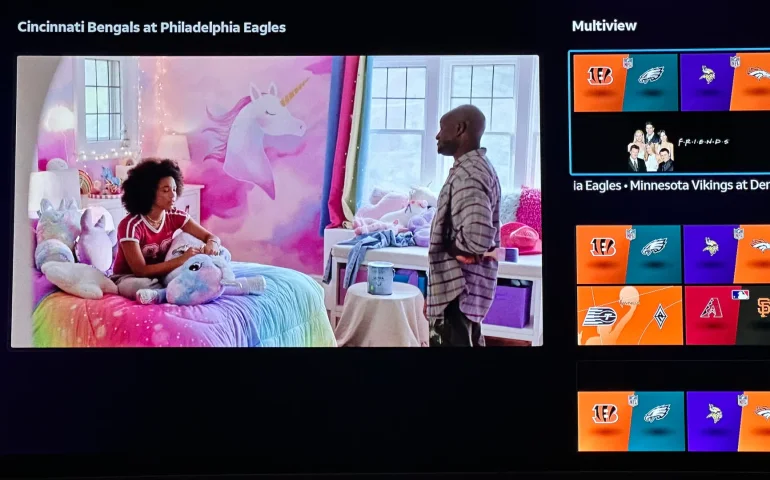
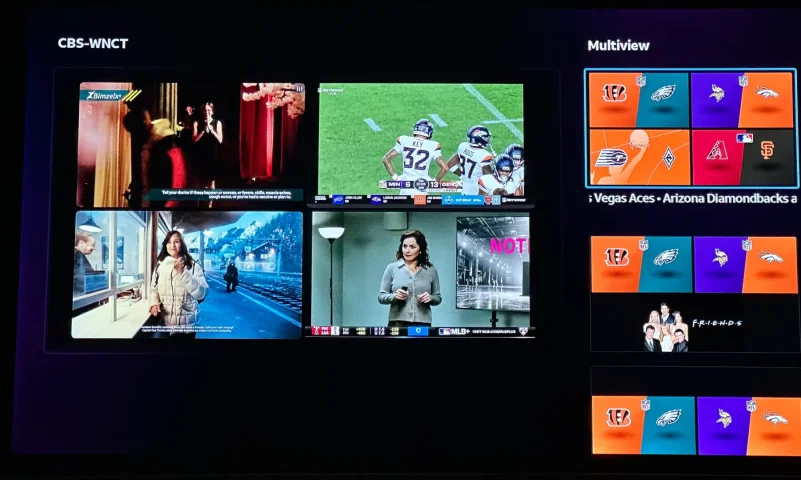
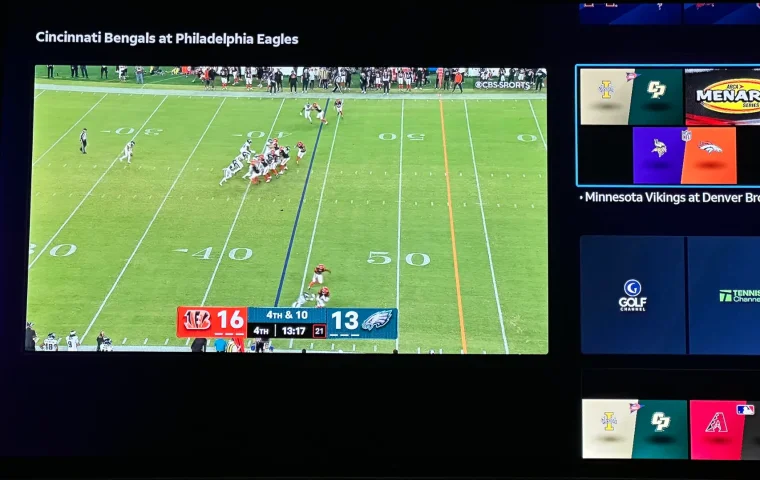
The new curated multiview is now live.
While on many of the sports channels and non sports channels there is a multi view option button. It will pull up a side bar with many different multi view options.
4 Replies · 179 views
K
It's now expanded to a Build Your Own Multiview, currently available to streaming customers with Geminis and Roku, and coming soon to Android TV, Fire TV, Vizio, LG, Apple TV and Tizen.
b4pjoe
It's now expanded to a Build Your Own Multiview, currently available to streaming customers with Geminis and Roku, and coming soon to Android TV, Fire TV, Vizio, LG, Apple TV and Tizen.
But not on the only device they ship out right now which is the Gemini Air.
  • Sad
Reactions: Jimbo
TheRatPatrol
It's now expanded to a Build Your Own Multiview, currently available to streaming customers with Geminis and Roku, and coming soon to Android TV, Fire TV, Vizio, LG, Apple TV and Tizen.
How soon will it be available on Apple TV? Thanks
I WANT MORE
But not on the only device they ship out right now which is the Gemini Air.
It's on my Air's.
"MysteryMan"
Pub Member / Supporter Cutting Edge
Last reply · posted in Computers and Gadgets
I created this thread on the original Edgecutter Cutting Edge Forums site. It's simply a place for those to review the latest software available for those using Windows 10 and Windows 11. To date it has received 112,559 views. I have been asked by staff to continue this thread here.
522 Replies · 47232 views
EarDemon
If it wasn't for what I want, I wouldn't need any of this.

Do I need a collection of handheld radios, scanners and speed enforcement countermeasures? Nope, but I want them. Very little, if any of the software used to interface with these devices is available on Linux.
WhiteBeard
If it wasn't for what I want, I wouldn't need any of this.

Do I need a collection of handheld radios, scanners and speed enforcement countermeasures? Nope, but I want them. Very little, if any of the software used to interface with these devices is available on Linux.
To each there own but I've found that Windows can't do much more than Linux can. Can't have everything. ☹️
  • Haha
Reactions: meStevo
EarDemon
To each there own but I've found that Windows can't do much more than Linux can. Can't have everything. ☹️
For niche use cases, yes I agree. Kali for ethical hacking and security testing, and running a Cacti server for network monitoring are the two things I have experience in. Plus thousands and thousands of other things, but for every day use I just can't see it. The owner of the GMRS repeater that I pay to access is changing the Tx DPL tones tomorrow, while Chirp is available on Linux, the software to program my MXT500 is not.

I run Fedora and Ubuntu in VMWare, honestly I don't care much for the UI of either of them and I don't feel like spending days/weeks to customize the UI to make it look Windows-like when I could just use Windows. The cartoonish dock at the bottom of the screen reminds me of Apple products.
harshness
I don't care much for the UI of either of them and I don't feel like spending days/weeks to customize the UI to make it look Windows-like when I could just use Windows.
What is so fantabulous about the Windows UI? By many accounts, it has been going downhill since Windows 7.

There are Linux desktops that offer Windows or Mac UIs, yet you don't hear much chatter about them outside of questions about when the creators might get sued.
  • Like
Reactions: HipKat
EarDemon
What is so fantabulous about the Windows UI?
Because it's what I prefer. I know I've said this a few times, I use Open Shell to give me the cascading start menu a la WIN 95 and NT4.0. The only reason I went from Windows Vista to 7 back in the day was because of Classic Shell. I cannot stand anything other than the OG start menu from 30+ years ago. I'm using ExplorerPatcher to give me Windows 10 UI elements of the taskbar and right click context menus.

If you could take a look at how I set up Windows 95, you'd find many similarities to how I use 11.
  • Like
Reactions: cp2k
EarDemon
I could probably use that as a starting point, but I don't like the full size icons. If you have to click on each folder that's also a no-go for me, it has to be cascading.

I used to have Peppermint Linux in a VM, that was about as close as I could get to recreating a Windows NT4.0 style of menu structure, but I could never get it to scale properly in VMWare on a 4K display and eventually gave up.

Whatever the boot up time it's fine with me. The longest part of my bootup is the HP SureStart BIOS integrity check. Once that is done, it's only a few more seconds. I haven't done this reg tweak yet since the reformat, but I switched the bootup animation to the Windows 10 style spinning circle of dots, and it's two and a half rotations. I can live with that.
harshness
Because it's what I prefer.
I hope you don't believe that makes it wonderful (especially when you're using workarounds for Microsoft's malfeasance).

I use LibreOffice as opposed to Microsoft office (even in Windows) because it's UI is like the Office of old, so I'm putting my money where my mouth is (in a manner of speaking). The ribbon was one of the worst ideas to come out Redmond.
HipKat
I could probably use that as a starting point, but I don't like the full size icons. If you have to click on each folder that's also a no-go for me, it has to be cascading.

I used to have Peppermint Linux in a VM, that was about as close as I could get to recreating a Windows NT4.0 style of menu structure, but I could never get it to scale properly in VMWare on a 4K display and eventually gave up.

Whatever the boot up time it's fine with me. The longest part of my bootup is the HP SureStart BIOS integrity check. Once that is done, it's only a few more seconds. I haven't done this reg tweak yet since the reformat, but I switched the bootup animation to the Windows 10 style spinning circle of dots, and it's two and a half rotations. I can live with that.
I used to pin the C: drive to the Win Taskbar and it would open in cascading style
Former member 209992
Last reply · posted in SatelliteGuys Support Center
For some reason, the satelliteguys.us site is loading a lot slower than usual on both Chrome on my Asus laptop and Safari on my iPhone.
I'm also seeing longer appearances of the blue bar at the top and the "3 blue bars" loading symbol.
Is anyone else also having the same problem? Thanks in advance.
528 Replies · 17958 views
  • Like
Reactions: charlesrshell
Scott Greczkowski
Remember folks... just like DNS... its always Foxbat. :D
Foxbat
Remember folks... just like DNS... its always Foxbat. :D
WTF… …What the Foxbat!😱
S
zipping right along here
S
WTF… …What the Foxbat!😱
wow what a kick in the balls!!! the wife blames you when things don't work now scott's blaming you :biggrin
Foxbat
wow what a kick in the balls!!! the wife blames you when things don't work now scott's blaming you :biggrin
I know. Here's what Scott has in store for me if I get out of line:
IMG_1990.webp
IMG_1989.webp
S
I know. Here's what Scott has in store for me if I get out of line:
OMG to freaking funny :biggrin
cpdretired
Supporting Founder
Last reply · posted in DISH Network Support Forum
Several Dish offers showed up today in my account. Once you choose one the rest are removed. Offers were Showtime, Starz, AMC and others.
33 Replies · 1593 views
  • Like
Reactions: ewindowman and LQQK
B
Just checked my account and it shows mgm+ at 8.00 per month, but that has red line drawn thru it and shows 0.00 per month. But it doesn't say how long this lasts,...... 1 month, 3 months, forever. I called customer service to get an answer, and they said nothing like that exists. Should I add the offer or not? Already paying them too much, but want to take advantage of something free.
ewindowman
Lots of offers on the hopper account app . On the website there are only a few.
Almighty1
Lots of offers on the hopper account app . On the website there are only a few.
Never had time to use the Hopper 3 account app yet. I also have a Hopper Plus so it's not the same as the Hopper 3 standalone. Will try it when I have more time, need to beat the taxes extension filing deadline first as I am still working on entering the data into the tax software.
Almighty1
This is what I see when it comes to offers on My Account on the Hopper 3 with Hopper Plus and dish.com:

AMC+ 50% off for 3 months (My Account Hopper 3 with Hopper Plus)
AMC+ Free for 3 months (My Account Hopper 3 with Hopper Plus and dish.com)
AMC+ 1 month free (My Account Hopper 3 with Hopper Plus)

Cine y Entretenimie 50% off for 3 months

DOGTV 1 month free (My Account Hopper 3 with Hopper Plus)

DISH Movie Pack 50% off for 6 months (My Account Hopper 3 with Hopper Plus and dish.com)

DOGTV 50% off for 6 months (My Account Hopper 3 with Hopper Plus)
DOGTV 1 month free (My Account Hopper 3 with Hopper Plus)

Gallery First Month Free (My Account Hopper 3 with Hopper Plus)

Heartland Pack 50% off for 6 months (My Account Hopper 3 with Hopper Plus and dish.com)

Mexico y Mas 50% off for 3 months (My Account Hopper 3 with Hopper Plus)

MGM+ $0.00/Month not saying how long (My Account Hopper 3 with Hopper Plus)

Multi-Sport Pack 50% off for 6 months (My Account Hopper 3 with Hopper Plus)

Netflix Standard with Ads, $7.99/month credit toward Netflix Standard with Ads ($.99) month with 24 month DISH commitment
(Only on My Account Hopper 3 with Hopper Plus)

Outdoor Pack 50% off for 6 months (My Account Hopper 3 with Hopper Plus)

Paramount+ with SHOWTIME 50% off for three months (My Account Hopper 3 with Hopper Plus and dish.com)
Paramount+ with SHOWTIME 2 months free (My Account Hopper 3 with Hopper Plus)

Playboy TV 50% off for 6 months (My Account Hopper 3 with Hopper Plus)

Republica Dominicana 50% off for 3 months (My Account Hopper 3 with Hopper Plus)

STARZ 50% off for 3 months (My Account Hopper 3 with Hopper Plus)
STARZ $1.99/month for 2 months (My Account Hopper 3 with Hopper Plus and dish.com)

Sudamerica y Mas 50% off for 3 months (My Account Hopper 3 with Hopper Plus)

UP Faith & Family 1 month free (My Account Hopper 3 with Hopper Plus)
S
Just checked my account and it shows mgm+ at 8.00 per month, but that has red line drawn thru it and shows 0.00 per month. But it doesn't say how long this lasts,...... 1 month, 3 months, forever. I called customer service to get an answer, and they said nothing like that exists. Should I add the offer or not? Already paying them too much, but want to take advantage of something free.
look again mine says free for 1 month
Almighty1
look again mine says free for 1 month
Not for me, mines has no mention of how long aka the offer period and the Terms and conditions the $0.00 is good for. All I see is one can lose $5.00 if you decide to remove it before day 31 after you add it to the account.

1792131071109.webp
  • Wow
Reactions: slow_poke_pete
S
Not for me, mines has no mention of how long aka the offer period and the Terms and conditions the $0.00 is good for. All I see is one can lose $5.00 if you decide to remove it before day 31 after you add it to the account.

View attachment 194817
wonder why it says that
Scott Greczkowski
Staff member HERE TO HELP YOU! Cutting Edge
Last reply · posted in The Chit Chat Club
Sometimes a thread gets so many posts in it that is can cause issues for the server so that why today we introduce The Song Name Game Part 3!

So let the game continue!

The last song was added by Bobby who posted...

One Meat Ball - Andrews Sisters

CONTINUE ON AND HAVE FUN! WELCOME HOME TO SATELLITEGUYS.US!

Here are the original rules for the game as posted by WebbyDude back in 2006. http://www.satelliteguys.us/threads/68645-Song-Name-Game

Just name a song title and the band who performed it. The next person does the same thing, but needs to list a song title or band name which includes a word from the previous entry. Pick songs from any genre.

Example:

Long Live Rock and Roll -- Rainbow

Rainbow in the Dark -- Dio

Another example:

Ride the Lightning -- Metallica

Lightning Strikes -- Ozzy Osbourne


Get it?


An additional note: we all know that song titles, sometimes, use profane words. Because this is a family friendly website it is advised that you clean up that title up a bit. This is accomplished by using something like sh!t instead of the real word. Thanks....
68496 Replies · 2670689 views
  • Like
Reactions: c-spand
sdfntx
White Noise - Jessie Baylin
  • Like
Reactions: Bobby
dishstaller
White Rabbit - Jefferson Airplane
  • Like
Reactions: ClarkGable
long_time_Dish
White Sun - The Doobie Brothers
H
White Room-Cream
  • Like
Reactions: ClarkGable
ClarkGable
White Wedding - Billy Idol
jannah
Last reply · posted in DISH Network Support Forum
Help, I'm a little confjused on the activation process.
I purchased the Joey 4 from Solid Signal and shipping box has Call 866 726-4282 to Avtivate new Receiver. That number is Solid Signals number.
I googled and that search said call Dish to activate. I assume that is correct unless this requires a 2 step process.
Please let me know.
Thanks
6 Replies · 213 views
jannah
All good called Dish and new Joey 4 is activated and working.
Old Joey 2 deactivated and no need to return. 🙂
S
All good called Dish and new Joey 4 is activated and working.
Old Joey 2 deactivated and no need to return. 🙂
i bought mine straight from dish as it was only $ 100.00 bucks!!! had the protection plan they came out removed and deactivated the 4k joey and activated and installed the joey 4.
zcrayfish
Solid signal has provided the wrong number on their website to activate Dish boxes for years now.
  • Like
Reactions: charlesrshell
Nominal
I don't know if things are different with Dish but when I first rejoined DirecTV a few years ago Solid Signal was able to create my account and activate the equipment I got from them on a self-install without a truck roll.
S
Solid signal has provided the wrong number on their website to activate Dish boxes for years now.
1-800-333-3474. billing or tech support should be able to do it!!!
S
Help, I'm a little confjused on the activation process.
I purchased the Joey 4 from Solid Signal and shipping box has Call 866 726-4282 to Avtivate new Receiver. That number is Solid Signals number.
I googled and that search said call Dish to activate. I assume that is correct unless this requires a 2 step process.
Please let me know.
Thanks
just call dish and iggy the number from solid signal!!
Foxbat
Supporting Founder Pub Member / Supporter Lifetime Supporter
Last reply · posted in Internet Television (IPTV) Discussion Forum
Apple has finally released their Apple TV 4K with built-in Siri and a microphone so it can respond to your queries even if you don't have the remote. It also increases in price, to $299. I had been planning on updating my current Apple TV 4K streamers, but that's $600 for the two of them, and that's a pass at this point.

At $299, it had better come with 256 GB of Storage, Gigabit (or better) Ethernet, the latest HDMI tech and standards, and one year of free Apple One. But it probably won't…

14 Replies · 197 views
Ronnie-
Meh. The 4Ks I have will do everything that these do that I need them to do.


Which that's most tech these days for anything released the last four to five years.


It's honestly a testament to how good the previous gen Apple TVs were and are.
navychop
It's honestly a testament to how good the previous gen Apple TVs were and are.

Don't tell them that. They'll adopt planned obsolescence.
Foxbat
The only thing I can see that is compelling is the AV1 decoding done in the A19's hardware instead of the current ATV4K's processor.
navychop
Outside of gaming, would Joe Sixpack notice any difference?
KAB
KAB
Outside of gaming, would Joe Sixpack notice any difference?
Not a bit. IMO, Apple's are slow to boot up. Time is about the same with 1st gen and 3rd. Roku runs rings around them in that department. I only reason I stuck, is the Apple infrastructure, which has it's definite advantages. But $300 is a deal breaker. Later, Apple!
S
Don't tell them that. They'll adopt planned obsolescence.
they all do that anyways.. ever notice your cell phone slows down when you come up for an upgrade.. :what. apple's been making money off of software and not hardware for a while
Ramy
Supporting Founder
Last reply · posted in The Sports Section
Really excited for this season with Kentucky having a new coach and some really exciting recruits. Probably won't last long, but here's hoping this season is great.
141 Replies · 1369 views
  • Haha
Reactions: Mike0616
Y
24 team playoff seems to be real close.

Are we really that far from a 64-team tournament?

The benefit of the 24 team playoff:
  • All the cartel teams that cartels want in playoff are in playoff
    • Independent of record too! Bonus.
  • MONEY!!!!! for the cartels.
  • I'm out of ideas.
Cons
  • Regular season really doesn't matter now other than the rivalry games
    • Top cartel teams can lose three games and still make the playoff
  • Going to start resting players?
    • The playoff is going to be *checks notes* several games!
    • Resting players could make games dumb.
    • Maybe even restrict NIL players from games played.
  • How much are streaming sub costs going up a month to pay for this?!
AZ.
AZ.
24 team playoff seems to be real close.

Are we really that far from a 64-team tournament?

The benefit of the 24 team playoff:
  • All the cartel teams that cartels want in playoff are in playoff
    • Independent of record too! Bonus.
  • MONEY!!!!! for the cartels.
  • I'm out of ideas.
Cons
  • Regular season really doesn't matter now other than the rivalry games
    • Top cartel teams can lose three games and still make the playoff
  • Going to start resting players?
    • The playoff is going to be *checks notes* several games!
    • Resting players could make games dumb.
    • Maybe even restrict NIL players from games played.
  • How much are streaming sub costs going up a month to pay for this?!
One of the pro's I see is in a year with so many undefeated teams they have a good chance of an opening. Few years back you had lower divisions that didnt get a shot. I love collage football and I have no problem with that addition.

We are in what week 5 now? Been two real good ranked games to watch.....Other than that top 25 teams are playing nothing.
Jimbo
One of the pro's I see is in a year with so many undefeated teams they have a good chance of an opening. Few years back you had lower divisions that didnt get a shot. I love collage football and I have no problem with that addition.

We are in what week 5 now? Been two real good ranked games to watch.....Other than that top 25 teams are playing nothing.
There are 68 Power 4 teams, so eventually they will get there I wouldn't imagine ...
AZ.
AZ.
There are 68 Power 4 teams, so eventually they will get there I wouldn't imagine ...
Far from it but you know that....You dont like the larger playoff.....Its ok.....
Jimbo
Far from it but you know that....You dont like the larger playoff.....Its ok.....
Oh, I Hate the idea ...

It would be different if it was a game that you could play 2 or games each week, but when you only play 1 game a week, the larger playoff is Not a good thing ...

The season has how many games now, is it 14 ... then you want to play another 5 (with more to come) against Top 12 (eventually 24 teams) ... remember, the 5 games in the playoffs will be the hardest games all year and back to back.

For example, IF Ohio State should win it all this year ... they play 5 teams in the Top 25, plus they would play 5 more to win it all, depending on how the ranking shake out and if Bye weeks are given.

Thats 10 Ranked teams ... in one year ...
I don't see that happening very often ...
Edit, Bama plays 4, Georgia plays 3, But Ole Miss plays 5 (didn't expect to see that)

That said, I don't see the Buckeyes winning it all this year.
  • Like
Reactions: AZ.
AZ.
AZ.
Oh, I Hate the idea ...

It would be different if it was a game that you could play 2 or games each week, but when you only play 1 game a week, the larger playoff is Not a good thing ...

The season has how many games now, is it 14 ... then you want to play another 5 (with more to come) against Top 12 (eventually 24 teams) ... remember, the 5 games in the playoffs will be the hardest games all year and back to back.

For example, IF Ohio State should win it all this year ... they play 5 teams in the Top 25, plus they would play 5 more to win it all, depending on how the ranking shake out and if Bye weeks are given.

Thats 10 Ranked teams ... in one year ...
I don't see that happening very often ...

That said, I don't see the Buckeyes winning it all this year.
Yes anyone here knows you 100%....Astros failed no posting...Ohio state loses we hear it.....Its ok....Its called an opinion....I have one so do you.....Problem is?
Jimbo
Yes anyone here knows you 100%....Astros failed no posting...Ohio state loses we hear it.....Its ok....Its called an opinion....I have one so do you.....Problem is?
Seeing theres very little activity in the MLB threads, it wouldn't matter if I posted that the Astros didn't make the Playoffs ...

Theres more NFL info in the Pub section than in the Sports/NFL thread.
  • Like
Reactions: AZ.
Jimbo
IF they go to 24 teams, and it looks like they will soon ....
Do we Really want Teams with 3 and 4 losses in the Playoffs ?
Is a 3-4 Loss team one thats able to win 4-5 more games against Top teams ?