

Social Feed

Review of Pansat 2700a
The Pansat 2700a receiver physically is very small, but dont let that fool you, its a very feature packed reciever. The front of the unit is simple, with power standby, channel up/ down buttons and a very easy to see digital display. On the back of the box is power on/off, LNB in, ANT in, TV out, Loop out, a set of RCA AV outputs, Svideo out, SPDIF AC-3 out, RS 232 input, a plug in for the optional RF remote add-on, and +5/-5/ pulse output for skew control.
Here are the specs on this receiver, annotated as I saw fit:
Full Compliant of MPEG-2 Digital & DVB broadcasting
950-2,150 MHz input Frequency (IF Loop Throughout)
Variable Input Symbol Rate (1-45 Msps)
Automatic PAL/NTSC Conversion
Fast Channel Change- They are not kidding, the 2700a changes channels quickly.
5,000 Channels TV & Radio Program
To manage all of these channels you can have up to 5 favorite channel lists, with unlimited channels in each list. Naming channels is easy via the remote, you can use the keypad to select letters the same as you would to use a cell phone to "text" a message. Channel names can be up to 20 characters in length, which allows for a very descriptive name, i.e.: ASN_on_Anikf1. Channels can also be sorted by 4 criteria- alphabetic, satellite, FTA /scramble and parental lock. Channels can be moved, deleted, skipped and parental locked. One drawback of this unit is that channels can only be deleted one at a time, and there is no way I have found to view channels as you are deleting them.
Universal Remote
I really like this remote. While smaller than most universals, the layout of the keys is very easy to use, and the remote is shaped to fit your hand. This remote controls not only the 2700a, but also controls most of the everyday functions of my TV and VCR, including switching video inputs on the TV. This has enabled us to use only 1 remote to control channel changing, moving the BUD etc., which is much better than the 3 remotes we needed to use before to achieve the same results.
Flexible reception of SCPC & MCPC from C/Ku-Band Satellites
S/PDIF (Digital Audio or Dolby AC3 Stream out)
This is a feature I really wish my Satworks had, and the main reason I chose this receiver over the Satworks 3866. There are several channels out there that have AC3 audio, including some of my favorites.
Timer Function (Automatic Turn On/Off by Setting Function)
This would be a great function if the clock would keep time properly.
Multi Language OSD / 256 Colors (Graphic User Interface)
The graphic interface for this box is easy on the eyes and the menu's are very easy to understand. The opacity of the OSD can be set from 25,50, 75%.
Manual PID / Satellite & TP scan / Network Scan / Smart Scan
There are several ways to enter channels into the 2700a. Channels may be entered manually, or scanned in. All scan modes may be scanned FTA or FTA/Scrambled.
Smart Scan- Pansats term for blind scan, this works very well on this model. Smart scan is fairly quick, about 2x as fast as my Satworks 3618 is. The one problem with smart scan is when you scan a DBS satellite you get thirteen "dummy" channels per transponder. That means deleting a lot of channels.
TP Scan- allows you to manually enter in a tp to be scanned.
Network scan- this is supposed to pick up new tps on a satellite, I haven't really tried it yet
Satellite Scan- this will scan all the tps that the receiver knows are on a given sat.
Advanced scan -this allows you to manually enter in frequency, symbol rate and PID's,
DiSEqC 1.3 Control Compatible (STAB USALS)
I haven't had a chance to use this feature, so i cant comment on how well it works.
DiSEqC 1.0 and 1.2 compatable
Software Upgrade via RS-232C (Receiver to Receiver, PC to Receiver)
Using the pansat 2700a with the remote.
The universal remote can control a TV, VCR, DVD player and of course the pansat 2700a. What device you are controlling is determined by pressing the TV, VCR, AUX or STB buttons. For example to select video input on the TV I press "TV" and then press the "tv/sat" button.
Selecting channels may be done via the keypad on the remote or the up/down buttons on the remote.
Pressing the "ok" button on the remote displays a list of channels with the current channel viewable in a box. Use up/ down keys to select a channel then press ok. As you highlight channels in the channel list the channel info is shown in a box at the bottom of the channel list including satellite, freq, symb. rate, a tiny signal quality bar, and type of encryption (if any).
You can go back to the last channel viewed by pressing the "last" button.
Volume can be controlled via the left/ right buttons on the remote.
You can have a signal meter display at any time by pressing the signal button. One push on the signal button pops up a signal strength / quality meter, and second push gives you a signal quality meter with tone (VERY LOUD). The faster the tone the better the signal.
Pressing that "sat" button give you a list of satellites that has been programmed into the receiver and allows you to select a satellite to move the dish to.
Audio information can be checked by pressing the button labeled with a speaker and a question mark. Select audio left/right or subcarriers (if available).
Change between TV and Radio with the "tv/rad" button
Channel information including sat., frequency, symbol rate, audio type is displayed by pushing the "I" button on the remote.
Pressing the "menu" button on the remote gives you the following menus:
Installation- this is where you tell the Pansat 2700a what dishes you have and how they are setup/ pointed. All modes of scanning are also done under this menu, which is password protected..
Channel edit- move, edit, rename, sort and delete channels are all done under this menu which is password protected.
User setup- this allows you to select PALS or NTSC. TV Aspect ratio can also be changed in this menu. Demodulator output is set here, as is the opacity of the onscreen display.
Restore to factory defaults- self explanatory
Software transfer- for transferring/ updating software from another STB or computer.
Conclusion
All in all I am very happy with this receiver. The picture quality is excellent. The remote is very useful and easy to use. The only drawbacks I have found is the signal quality meter is not steady, there is no way to delete multiple channels at once or view channels as you are getting ready to delete them, and the issue with dummy channels on DBS satellites.
This is an excellent FTA receiver for us BUD owners who are tired of slaving a FTA receiver to your analog receiver/positioner. The Pansat 2700a will control the Vbox diseqc BUD positioner, and will also control polarity on your BUD, which most of the FTA receivers wont do. This is an excellent unit and I highly recommend it. On a scale of 1-10 I would rate this receiver a 9.
The Pansat 2700a receiver physically is very small, but dont let that fool you, its a very feature packed reciever. The front of the unit is simple, with power standby, channel up/ down buttons and a very easy to see digital display. On the back of the box is power on/off, LNB in, ANT in, TV out, Loop out, a set of RCA AV outputs, Svideo out, SPDIF AC-3 out, RS 232 input, a plug in for the optional RF remote add-on, and +5/-5/ pulse output for skew control.
Here are the specs on this receiver, annotated as I saw fit:
Full Compliant of MPEG-2 Digital & DVB broadcasting
950-2,150 MHz input Frequency (IF Loop Throughout)
Variable Input Symbol Rate (1-45 Msps)
Automatic PAL/NTSC Conversion
Fast Channel Change- They are not kidding, the 2700a changes channels quickly.
5,000 Channels TV & Radio Program
To manage all of these channels you can have up to 5 favorite channel lists, with unlimited channels in each list. Naming channels is easy via the remote, you can use the keypad to select letters the same as you would to use a cell phone to "text" a message. Channel names can be up to 20 characters in length, which allows for a very descriptive name, i.e.: ASN_on_Anikf1. Channels can also be sorted by 4 criteria- alphabetic, satellite, FTA /scramble and parental lock. Channels can be moved, deleted, skipped and parental locked. One drawback of this unit is that channels can only be deleted one at a time, and there is no way I have found to view channels as you are deleting them.
Universal Remote
I really like this remote. While smaller than most universals, the layout of the keys is very easy to use, and the remote is shaped to fit your hand. This remote controls not only the 2700a, but also controls most of the everyday functions of my TV and VCR, including switching video inputs on the TV. This has enabled us to use only 1 remote to control channel changing, moving the BUD etc., which is much better than the 3 remotes we needed to use before to achieve the same results.
Flexible reception of SCPC & MCPC from C/Ku-Band Satellites
S/PDIF (Digital Audio or Dolby AC3 Stream out)
This is a feature I really wish my Satworks had, and the main reason I chose this receiver over the Satworks 3866. There are several channels out there that have AC3 audio, including some of my favorites.
Timer Function (Automatic Turn On/Off by Setting Function)
This would be a great function if the clock would keep time properly.
Multi Language OSD / 256 Colors (Graphic User Interface)
The graphic interface for this box is easy on the eyes and the menu's are very easy to understand. The opacity of the OSD can be set from 25,50, 75%.
Manual PID / Satellite & TP scan / Network Scan / Smart Scan
There are several ways to enter channels into the 2700a. Channels may be entered manually, or scanned in. All scan modes may be scanned FTA or FTA/Scrambled.
Smart Scan- Pansats term for blind scan, this works very well on this model. Smart scan is fairly quick, about 2x as fast as my Satworks 3618 is. The one problem with smart scan is when you scan a DBS satellite you get thirteen "dummy" channels per transponder. That means deleting a lot of channels.
TP Scan- allows you to manually enter in a tp to be scanned.
Network scan- this is supposed to pick up new tps on a satellite, I haven't really tried it yet
Satellite Scan- this will scan all the tps that the receiver knows are on a given sat.
Advanced scan -this allows you to manually enter in frequency, symbol rate and PID's,
DiSEqC 1.3 Control Compatible (STAB USALS)
I haven't had a chance to use this feature, so i cant comment on how well it works.
DiSEqC 1.0 and 1.2 compatable
Software Upgrade via RS-232C (Receiver to Receiver, PC to Receiver)
Using the pansat 2700a with the remote.
The universal remote can control a TV, VCR, DVD player and of course the pansat 2700a. What device you are controlling is determined by pressing the TV, VCR, AUX or STB buttons. For example to select video input on the TV I press "TV" and then press the "tv/sat" button.
Selecting channels may be done via the keypad on the remote or the up/down buttons on the remote.
Pressing the "ok" button on the remote displays a list of channels with the current channel viewable in a box. Use up/ down keys to select a channel then press ok. As you highlight channels in the channel list the channel info is shown in a box at the bottom of the channel list including satellite, freq, symb. rate, a tiny signal quality bar, and type of encryption (if any).
You can go back to the last channel viewed by pressing the "last" button.
Volume can be controlled via the left/ right buttons on the remote.
You can have a signal meter display at any time by pressing the signal button. One push on the signal button pops up a signal strength / quality meter, and second push gives you a signal quality meter with tone (VERY LOUD). The faster the tone the better the signal.
Pressing that "sat" button give you a list of satellites that has been programmed into the receiver and allows you to select a satellite to move the dish to.
Audio information can be checked by pressing the button labeled with a speaker and a question mark. Select audio left/right or subcarriers (if available).
Change between TV and Radio with the "tv/rad" button
Channel information including sat., frequency, symbol rate, audio type is displayed by pushing the "I" button on the remote.
Pressing the "menu" button on the remote gives you the following menus:
Installation- this is where you tell the Pansat 2700a what dishes you have and how they are setup/ pointed. All modes of scanning are also done under this menu, which is password protected..
Channel edit- move, edit, rename, sort and delete channels are all done under this menu which is password protected.
User setup- this allows you to select PALS or NTSC. TV Aspect ratio can also be changed in this menu. Demodulator output is set here, as is the opacity of the onscreen display.
Restore to factory defaults- self explanatory
Software transfer- for transferring/ updating software from another STB or computer.
Conclusion
All in all I am very happy with this receiver. The picture quality is excellent. The remote is very useful and easy to use. The only drawbacks I have found is the signal quality meter is not steady, there is no way to delete multiple channels at once or view channels as you are getting ready to delete them, and the issue with dummy channels on DBS satellites.
This is an excellent FTA receiver for us BUD owners who are tired of slaving a FTA receiver to your analog receiver/positioner. The Pansat 2700a will control the Vbox diseqc BUD positioner, and will also control polarity on your BUD, which most of the FTA receivers wont do. This is an excellent unit and I highly recommend it. On a scale of 1-10 I would rate this receiver a 9.
6 Replies
·
27388 views


Supporting Founder
Lifetime Supporter
For the naysayers who did not think this service would make it, just added another 4.9M subscribers and that was after the removal of 1.2M Russia subscribers.
This is even better, Paramount+ revenue grew 120% and Subscription revenue grew 74% year-over-year ( 2nd quarter 2021/ 2nd quarter 2022) to $830M, principally reflecting paid subscriber growth on Paramount+.
Now compare that to Peacock with only 13 million paid, 13 million free.
This is even better, Paramount+ revenue grew 120% and Subscription revenue grew 74% year-over-year ( 2nd quarter 2021/ 2nd quarter 2022) to $830M, principally reflecting paid subscriber growth on Paramount+.
Now compare that to Peacock with only 13 million paid, 13 million free.
664 Replies
·
61545 views


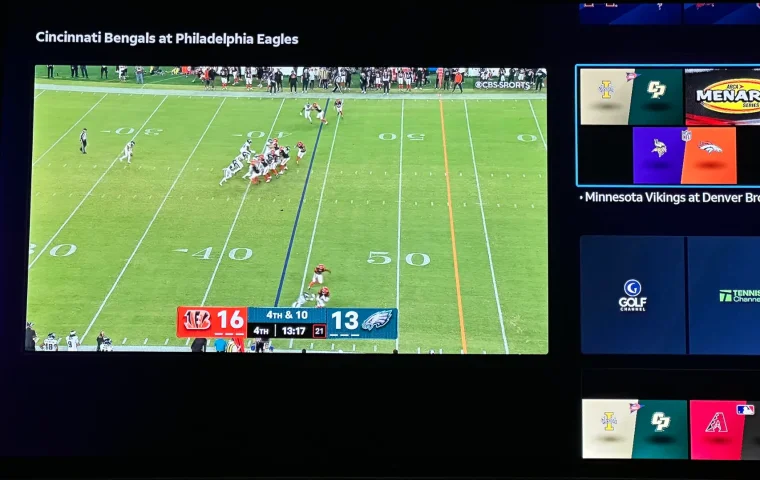
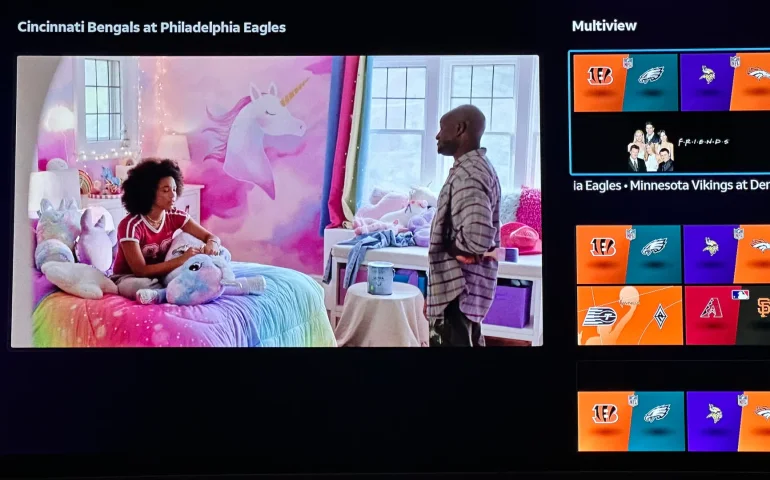
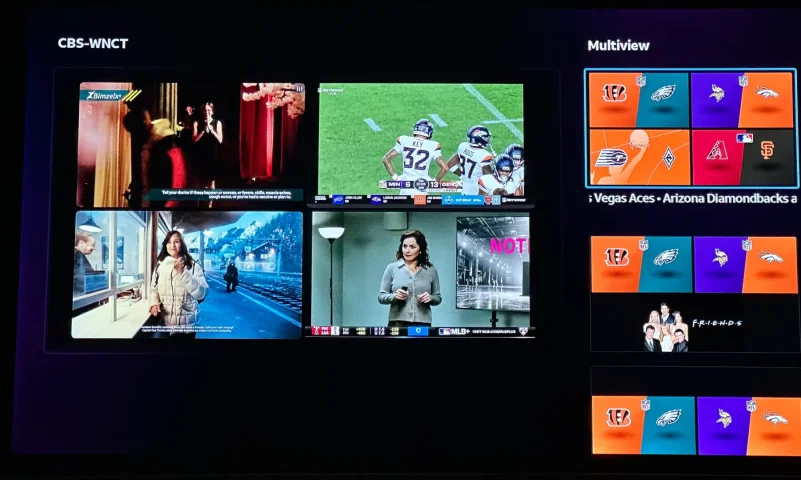
The new curated multiview is now live.
While on many of the sports channels and non sports channels there is a multi view option button. It will pull up a side bar with many different multi view options.
While on many of the sports channels and non sports channels there is a multi view option button. It will pull up a side bar with many different multi view options.
4 Replies
·
182 views


Pub Member / Supporter
Cutting Edge
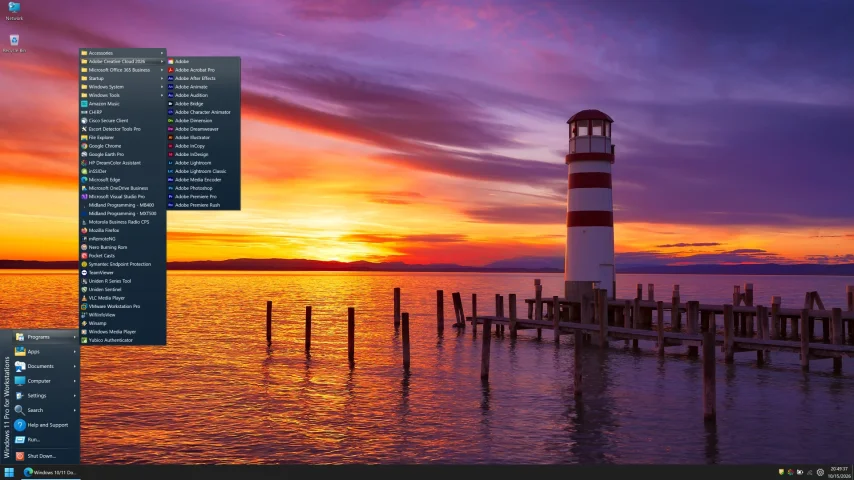
I created this thread on the original Edgecutter Cutting Edge Forums site. It's simply a place for those to review the latest software available for those using Windows 10 and Windows 11. To date it has received 112,559 views. I have been asked by staff to continue this thread here.
522 Replies
·
47232 views




For some reason, the satelliteguys.us site is loading a lot slower than usual on both Chrome on my Asus laptop and Safari on my iPhone.
I'm also seeing longer appearances of the blue bar at the top and the "3 blue bars" loading symbol.
Is anyone else also having the same problem? Thanks in advance.
I'm also seeing longer appearances of the blue bar at the top and the "3 blue bars" loading symbol.
Is anyone else also having the same problem? Thanks in advance.
528 Replies
·
17961 views


Supporting Founder
Several Dish offers showed up today in my account. Once you choose one the rest are removed. Offers were Showtime, Starz, AMC and others.
33 Replies
·
1594 views


Staff member
HERE TO HELP YOU!
Cutting Edge
Sometimes a thread gets so many posts in it that is can cause issues for the server so that why today we introduce The Song Name Game Part 3!
So let the game continue!
The last song was added by Bobby who posted...
One Meat Ball - Andrews Sisters
CONTINUE ON AND HAVE FUN! WELCOME HOME TO SATELLITEGUYS.US!
Here are the original rules for the game as posted by WebbyDude back in 2006. http://www.satelliteguys.us/threads/68645-Song-Name-Game
Just name a song title and the band who performed it. The next person does the same thing, but needs to list a song title or band name which includes a word from the previous entry. Pick songs from any genre.
Example:
Long Live Rock and Roll -- Rainbow
Rainbow in the Dark -- Dio
Another example:
Ride the Lightning -- Metallica
Lightning Strikes -- Ozzy Osbourne
Get it?
An additional note: we all know that song titles, sometimes, use profane words. Because this is a family friendly website it is advised that you clean up that title up a bit. This is accomplished by using something like sh!t instead of the real word. Thanks....
So let the game continue!
The last song was added by Bobby who posted...
One Meat Ball - Andrews Sisters
CONTINUE ON AND HAVE FUN! WELCOME HOME TO SATELLITEGUYS.US!
Here are the original rules for the game as posted by WebbyDude back in 2006. http://www.satelliteguys.us/threads/68645-Song-Name-Game
Just name a song title and the band who performed it. The next person does the same thing, but needs to list a song title or band name which includes a word from the previous entry. Pick songs from any genre.
Example:
Long Live Rock and Roll -- Rainbow
Rainbow in the Dark -- Dio
Another example:
Ride the Lightning -- Metallica
Lightning Strikes -- Ozzy Osbourne
Get it?
An additional note: we all know that song titles, sometimes, use profane words. Because this is a family friendly website it is advised that you clean up that title up a bit. This is accomplished by using something like sh!t instead of the real word. Thanks....
68496 Replies
·
2670694 views


TWiT Tech Podcast Network
Time for another AWESOME video from the TWIT Network!
View: https://www.youtube.com/shorts/z72cjoZP83E
Direct YouTube Link - AI Can Self-Replicate: Unplugging the Threat! #shorts
TWIT's Website
TWIT Live Feed
View: https://www.youtube.com/shorts/z72cjoZP83E
Direct YouTube Link - AI Can Self-Replicate: Unplugging the Threat! #shorts
TWIT's Website
TWIT Live Feed
0 Replies
·
19 views
TWiT Tech Podcast Network
Time for another AWESOME video from the TWIT Network!
View: https://www.youtube.com/shorts/w5TOILSc_U8
Direct YouTube Link - AI Model Poisoning: The Hidden Threat on Hugging Face #shorts
TWIT's Website
TWIT Live Feed
View: https://www.youtube.com/shorts/w5TOILSc_U8
Direct YouTube Link - AI Model Poisoning: The Hidden Threat on Hugging Face #shorts
TWIT's Website
TWIT Live Feed
0 Replies
·
16 views

Help, I'm a little confjused on the activation process.
I purchased the Joey 4 from Solid Signal and shipping box has Call 866 726-4282 to Avtivate new Receiver. That number is Solid Signals number.
I googled and that search said call Dish to activate. I assume that is correct unless this requires a 2 step process.
Please let me know.
Thanks
I purchased the Joey 4 from Solid Signal and shipping box has Call 866 726-4282 to Avtivate new Receiver. That number is Solid Signals number.
I googled and that search said call Dish to activate. I assume that is correct unless this requires a 2 step process.
Please let me know.
Thanks
6 Replies
·
214 views


Supporting Founder
Pub Member / Supporter
Lifetime Supporter
Apple has finally released their Apple TV 4K with built-in Siri and a microphone so it can respond to your queries even if you don't have the remote. It also increases in price, to $299. I had been planning on updating my current Apple TV 4K streamers, but that's $600 for the two of them, and that's a pass at this point.
At $299, it had better come with 256 GB of Storage, Gigabit (or better) Ethernet, the latest HDMI tech and standards, and one year of free Apple One. But it probably won't…
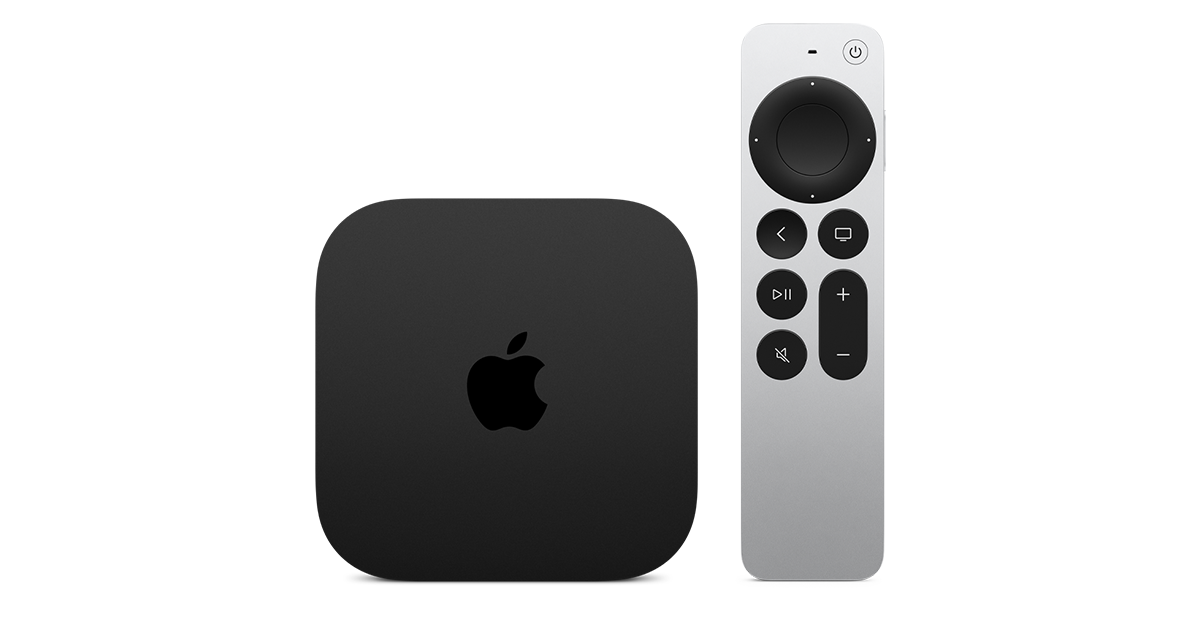
At $299, it had better come with 256 GB of Storage, Gigabit (or better) Ethernet, the latest HDMI tech and standards, and one year of free Apple One. But it probably won't…
Apple TV 4K
Apple TV 4K. New Siri AI and hands-free control. Stunning picture and immersive HomePod surround sound. Works with your Apple and smart home devices.
www.apple.com
14 Replies
·
198 views


 . apple's been making money off of software and not hardware for a while