

Social Feed

xfoneguy
Last reply · posted in DISH Network Support Forum
:helpsigne
Here's a strange one - I'm wondering if anyone else has experienced anything like this and whether or not I'm just overlooking something:
I did a search this morning for "Hardcore Pawn" - in addition to the "to be recordeds", the list had 8 recordings from this past Monday. I tried playing a few minutes from each one so I know they work and watched one full episode. The strange this is that I cannot find their "home". I was doing my search and watching them from a Joey. I cannot find them anywhere on the Hopper or EHD. How could that be? Also, one of the episodes starts with the "AutoHop" dialog though of course it doesn't actually work. Maybe I'm overlooking the obvious?
18 Replies · 2714 views
beetle02
I looked in the trash and found the recordings, at least I thought I did. The number of recordings was right so I restored them. The folder shows the correct number of recordings but when I open the folder only 8 recordings are shown. I rebooted and no luck.
xfoneguy
I looked in the trash and found the recordings, at least I thought I did. The number of recordings was right so I restored them. The folder shows the correct number of recordings but when I open the folder only 8 recordings are shown. I rebooted and no luck.
did you restore them to wherever they were before? A folder for instance (if that's where they were).
beetle02
did you restore them to wherever they were before? A folder for instance (if that's where they were).

When I restored them they went back to the folder they were originally in. It's odd that the program count on the folder shows the number of programs that should be there but only 8 programs in the folder.
xfoneguy
When I restored them they went back to the folder they were originally in. It's odd that the program count on the folder shows the number of programs that should be there but only 8 programs in the folder.
There are definitely some issues with folders - not yet ready for "prime time" (so to speak)
beetle02
Last night I decided to move my programs I wanted to keep back on my hard drive. When I did a Select All I noticed the count included my missing programs. After the transfer was complete all the missing programs were on the hard drive. I think I will leave them there.
xfoneguy
Last night I decided to move my programs I wanted to keep back on my hard drive. When I did a Select All I noticed the count included my missing programs. After the transfer was complete all the missing programs were on the hard drive. I think I will leave them there.
good idea - i've run into some really weird problems when I've moved programs around on my new Hopper.
Almighty1
Last reply · posted in DISH Network Support Forum
As of the time of this post, these are the latest software versions for the following Android TV (ATV) devices:
Joey 4 P53301
Wireless Joey 4 P63301
Hopper Plus P13301

I upgraded my Hopper Plus from P13113 to P13301
77 Replies · 4740 views
J
As of the time of this post, these are the latest software versions for the following Android TV (ATV) devices:
Joey 4 P53301
Wireless Joey 4 P63301
Hopper Plus P13301

I upgraded my Hopper Plus from P13113 to P13301
I have never did an update on my Joey 4s ever
  • Like
Reactions: charlesrshell
Scott Greczkowski
I have never did an update on my Joey 4s ever
Yoou don't do them. It just happens. The software is sent to the Hopper and when the Joey sees the new software it just grabs it.
Almighty1
I have never did an update on my Joey 4s ever
It's a YMMV situation and the Joey 4s do not have the manual update option available according to others in this thread. My Hopper Plus in the last 3 years 3 months and 3 days exactly since I have had it had only updated the software once on February 27, 2026, all the other times, I had to update it manually. With that said, no one said you had to do it manually, whether you are up to date and not seriously behind is another issue altogether which you would not know without downloading ATV software on the Hopper 3's Technician Settings or look at the Hopper 3's Diagnostics screen in the Available Joey Software section to see if the P version number with the 5 digits after the P is bigger than what's installed. With that said, having Aspect Ratios and Multi-View features available sooner rather than later is a benefit but there can be risks in newer bugs or features that can be introduced. I only listed what version I updated from because there are times when I don't even check to see if I am on the latest version of software on the Hopper 3 and/or Hopper Plus which can be months or even years as it's low priority. I don't even use DISH except to check what chapter(s) the shows are broadcasting daily and actually watch it using TVBAnywhere North America from my phone by casting it to the Google Chromecast Ultra 4K since both the audio and the video is higher quality than DISH and I don't have to sit there within 45 minutes of it being streamed.
S
I have never did an update on my Joey 4s ever
the joey 4 reboots on it's own;)
  • Like
Reactions: charlesrshell
Almighty1
As of the time of this writing, these are the latest software versions for the following Android TV (ATV) devices:
Joey 4 - P55403
Wireless Joey 4 - P65403
Hopper Plus - P15403
osu1991
Pub Member / Supporter
Last reply · posted in TV Shows
8 Replies · 73 views
Ronnie-
I actually think it looks pretty good tbh.
meStevo
First 2 eps out and it's unsurprisingly great to watch Paul Bettany and James Spader work.
osu1991
Watched the first episode and enjoyed it.
  • Like
Reactions: Foxbat and Ronnie-
Foxbat
James Spader gets the best lines so far. I'm enjoying this series.
osu1991
Finished the 2nd episode tonight. I'm really liking it so far.

Still hate weekly releases though, especially the way Disney and HBO do it waiting until 8pm to premiere it.
b4pjoe
Pub Member / Supporter Cutting Edge
Last reply · posted in Internet Television (IPTV) Discussion Forum
HBO Max and Paramount+ to Combine Into One Streaming Platform, Paramount Says HBO Brand Will 'Operate With Independence'

Paramount+ right now is at $13.99 for the ad-free with Showtime content and HBO MAX is now $22.99 for the 4K ad-free plan so together they are $36.98. By the time this goes through the approval process which I am sure will fly right through you would probably looking at $50 per month for the ad-free 4K plan combined. :mad:
58 Replies · 1279 views
b4pjoe
So there is no chance of a deal for Paramount+ and HBO Max? I have Paramount+ already.
The name is being changed to Skydance and all of Paramount+, Showtime, DIscovery+, and HBO MAX streaming content is rumored to be merged into one streaming service.
  • Like
Reactions: Howard Simmons
Jimbo
The name is being changed to Skydance and all of Paramount+, Showtime, DIscovery+, and HBO MAX streaming content is rumored to be merged into one streaming service.
So, what happens if you only want 1 or 2 of those, can you still get them individually ?
Juan
So, what happens if you only want 1 or 2 of those, can you still get them individually ?
The samething when you only wanted one or 2 channels on cable
Jimbo
The samething when you only wanted one or 2 channels on cable
Not hardly ....
I'm not trying to get 200 channels.
Juan
Not hardly ....
I'm not trying to get 200 channels.
But Paramount has a different agenda..to empty your wallet
dishstaller
But Paramount has a different agenda..to empty your wallet
There's a lot of that going around these days. It seems every time I turn around my Youtube Premium is going up another dollar.
S
There's a lot of that going around these days. It seems every time I turn around my Youtube Premium is going up another dollar.
use an adblocker :biggrin ;)
b4pjoe
use an adblocker :biggrin ;)
There on no ad blockers on my TV. Some people prefer watching content on a TV. :eeek
ncted
There on no ad blockers on my TV. Some people prefer watching content on a TV. :eeek
There are ways to block ads for your TV and other devices on your home network if you are willing to put in the effort.
  • Like
Reactions: slow_poke_pete
MikeD-C05
There are ways to block ads for your TV and other devices on your home network if you are willing to put in the effort.
Do say, How?
b4pjoe
There are ways to block ads for your TV and other devices on your home network if you are willing to put in the effort.
I am not willing as they keep changing the data and you keep having to block everything all over again. That is why I get the ad-free versions of the streaming services I use which includes Youtube.
dishstaller
I am not willing as they keep changing the data and you keep having to block everything all over again. That is why I get the ad-free versions of the streaming services I use which includes Youtube.
That is pretty much my take as well. At this point in my life I am willing to spend $$ to make my life more simple.
  • Like
Reactions: osu1991 and Bobby
osu1991
Do say, How?
Pihole
Foxbat
Supporting Founder Pub Member / Supporter Lifetime Supporter
Last reply · posted in Internet Television (IPTV) Discussion Forum
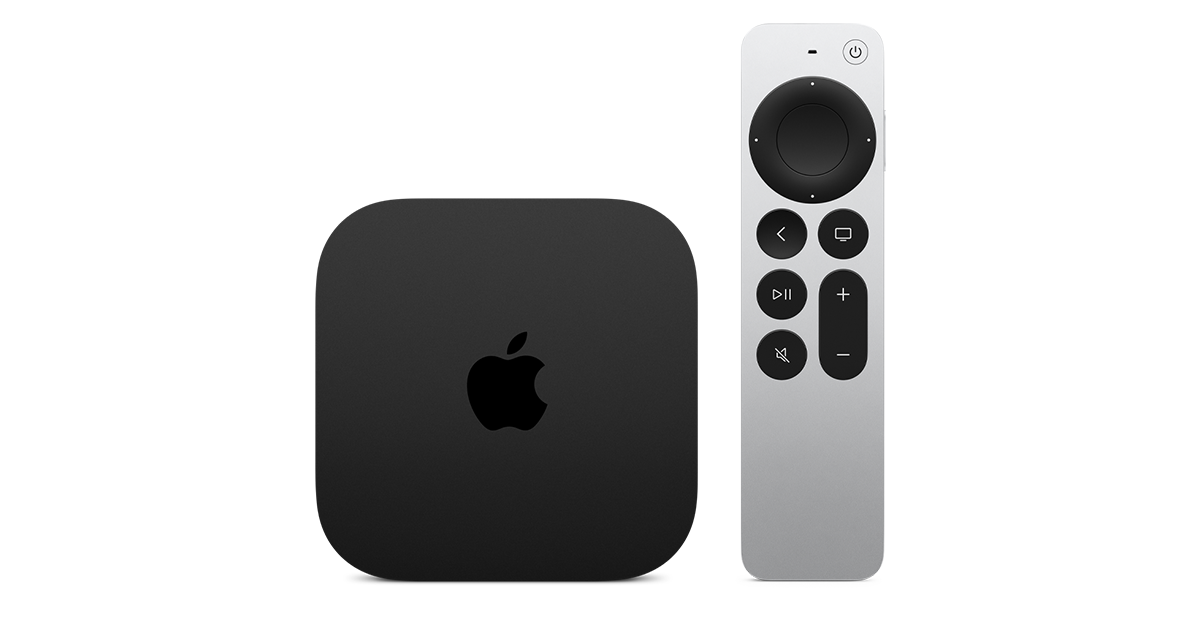
Apple has finally released their Apple TV 4K with built-in Siri and a microphone so it can respond to your queries even if you don't have the remote. It also increases in price, to $299. I had been planning on updating my current Apple TV 4K streamers, but that's $600 for the two of them, and that's a pass at this point.

At $299, it had better come with 256 GB of Storage, Gigabit (or better) Ethernet, the latest HDMI tech and standards, and one year of free Apple One. But it probably won't…
11 Replies · 93 views
b4pjoe
Apple has finally released their Apple TV 4K with built-in Siri and a microphone so it can respond to your queries even if you don't have the remote. It also increases in price, to $299. I had been planning on updating my current Apple TV 4K streamers, but that's $600 for the two of them, and that's a pass at this point.

At $299, it had better come with 256 GB of Storage, Gigabit (or better) Ethernet, the latest HDMI tech and standards, and one year of free Apple One. But it probably won't…
It has 128 gb of storage and one gigabit ethernet both just like the Gen 3. I would not have upgraded at the current $249 price of the gen 3 so I surely will not be getting the $299 gen 4 device. I will ride my gen 3 that I paid $149 for until it dies. This is the most underwhelming device I have ever seen Apple release.
comfortably_numb
This is the most underwhelming device I have ever seen Apple release

That could be said for most of their hardware and software these days. They don't innovate anymore.
navychop
They don't innovate anymore.

They're putting all their efforts into the Holosuite.
:whistle
Ronnie-
Meh. The 4Ks I have will do everything that these do that I need them to do.


Which that's most tech these days for anything released the last four to five years.


It's honestly a testament to how good the previous gen Apple TVs were and are.
navychop
I've saved a boatload of money!
navychop
It's honestly a testament to how good the previous gen Apple TVs were and are.

Don't tell them that. They'll adopt planned obsolescence.
Foxbat
The only thing I can see that is compelling is the AV1 decoding done in the A19's hardware instead of the current ATV4K's processor.
dfergie
Staff member HERE TO HELP YOU!
Last reply · posted in The Chit Chat Club
Stumbled across this ... http://www.gaspricewatch.com/USGas_ZipSearch.asp
I found no local prices, although it did show stations at my location...
Added these to this post...
USA National Gas Temperature Map
State By State Gasoline Taxes
Gas Buddy

Ethanol Free Stations

5545 Replies · 460318 views
osu1991
back up to $4 this morning
Bobby
Regular$6.299​
Premium$6.699​
Diesel$7.999​
at Costco, Rohnert Park.​
  • Like
Reactions: harshness
Bobby
Regular$6.199​
Premium$6.599​
Diesel$7.999​
at Costco, Rohnert Park.​
  • Like
Reactions: harshness
dfergie
Allsups on south end was $4.21 this morning (a drop), Monday prices were $4.19 - $4.35.
WhiteBeard
Today.
1792023537020.webp
  • Haha
Reactions: meStevo
Peter Parker
Supporting Founder Lifetime Supporter
Last reply · posted in DISH Network Support Forum
No idea what improvements might be involved.
9 Replies · 438 views
  • Like
Reactions: LQQK and reubenray
cpdretired
Two bugs out and three new bugs in.🐞
Almighty1
Updated to H713 on a Hopper 3 from H712 with Hopper Plus a few hours earlier.

It brought a old problem back:

One of the problems I am seeing is that the Available Joey Software section no longer is showing the Android TV versions even after a manual software reset twice and the nightly reboot. Until it does, nether Technician Android TV download and Hopper Plus is able to check, download and update the Android TV software.

This was a major problem with H703.

H710 removed that dependency but it's broken again.

Rick Durham and brittanygarden
  • Like
Reactions: charlesrshell
dishstaller
Two bugs out and three new bugs in.🐞
Yep. Just got a call from a customer who said her DVR buttons stopped working. Told her about the new software and had her reboot her H3, problem solved.
  • Like
Reactions: charlesrshell
Almighty1
brittanygarden and Rick Durham

Two more issue(s) with H713:

#1
H713, H712, H711 and earlier version(s) is that there are times when a streaming channel has failed and going to another streaming channel will only show the DISH icon downloading but it never gets past that. The fix is to view a satellite channel first and then the streaming channels will work again. This is on a Hopper 3 (Software H712) with Hopper Plus (Software P15317).

#2
Still cannot cast to Hopper 3 with Hopper Plus(Software P15317) with the Hopper Plus "Google Chromecast Built-In" feature" as it shows up as a casting device when the Hopper Plus is online and disappears when the Hopper 3 and Hopper Plus does it's nightly reboots but times out when one tries to cast to it and always shows up as Not available in the Google Home app on Android phone. No one else anywhere on the internet had confirmed whether it is working for them or not.
  • Like
Reactions: charlesrshell
S
Updated to H713 on a Hopper 3 from H712 with Hopper Plus a few hours earlier.

It brought a old problem back:

One of the problems I am seeing is that the Available Joey Software section no longer is showing the Android TV versions even after a manual software reset twice and the nightly reboot. Until it does, nether Technician Android TV download and Hopper Plus is able to check, download and update the Android TV software.

This was a major problem with H703.

H710 removed that dependency but it's broken again.

Rick Durham and brittanygarden
i can still see my joey software version with H713.. i am starting to think it's time to get rid of the hopper plus. i just have 2 joey 4's and the hopper 3 with no issues. it seem like the people that have the hopper plus have issues!!!
  • Like
Reactions: charlesrshell
Almighty1
i can still see my joey software version with H713.. i am starting to think it's time to get rid of the hopper plus. i just have 2 joey 4's and the hopper 3 with no issues. it seem like the people that have the hopper plus have issues!!!
Are you talking about the Available Joey Software section which goes something like this:
Available Joey W153 W209 J613 J713 J813 K113 J913
Software
in H713 in diagnostics which is directly below the "Switch" section which is what I am referring to that should have a number starting with P which is needed for the
Hopper Plus, Joey 4 and Wireless Joey 4
or the top area where it shows what the current version of the software is for the Hopper 3?

Seeing what your Joey 4/Wireless Joey 4 software version just tells you what is the current software version already installed, until the P version(s) shows up in "Available Joey Software" section which is different for the Hopper Plus, Joey 4, Wireless Joey 4 and it will only list one for the device(s) that exist in one's own configuration which lists what's the latest available, those devices will not be able to check or update their software as it will say "Failed: No Tgt" while "Download ATV Files" in TECHNICIAN SETTINGS under tools will respond with:
"Download ATV Files 3000
This device is not currently targeted for
Android software"
as both are dependent on the P version being listed in the "Available Joey Software" section. It usually takes a few minutes before it shows up. I know with H710-H712, it was not shown and the Download ATV Files worked except since H710, even if you selected everything shown which for me would be the Hopper Plus, Joey 4 and Wireless Joey 4 versions, the first download will as a end result only download the Hopper Plus's versions even though it shows all three as downloaded based on what Available Joey Software shows which is always two P numbers P153 and P15317. After the first successful download, the next download will actually download all three and Available Joey Software will reflect that. In H708 (H709 was skipped as no one mentioned it on the forums) and earlier, it always downloaded everything selected and would show 6 P versions in the Available Joey Software area. The Available Joey Software section is how I tell if there is a newer software available for the Hopper Plus and when I see that, I do the Download ATV files first which is where I get my information to post in my other thread, "Latest available software version for Android TV devices - Hopper Plus, Joey 4, Wireless Joey 4". The Download ATV files does not do any install or update the Hopper Plus as I still need to manually hit Menu, Settings, Device Preferences, About, Software Update to update the software.

So with any new Hopper 3 software update, the first things I will check is the Notifications in Settings to see if any of the settings were reset. For the "Remote Control Mode Reminder" setting, I would try it with off, exit notifications then hit TV on the side of the remote to make sure it does not show the reminder before going to notifications andputting it back to on, exit to see if it works correctly before going back to notifications for the other settings. Then I would look at Available Joey Software and regardless if the 2 P versions, one appears to be the 3 digit major version number and the other is the full 5 digit number which is the 3 digit major version number with 2 more digits, exists or not. Attempt to do the Download ATV Software for all 3 Android TV devices Hopper Plus, Joey 4 and Wireless Joey 4 until all of them is downloaded and shown in Available Joey Software which should be a total of 6 things added. If Download ATV Software has the no target like since H713, I will wait until I see a P version before I do it.

For reference, it's in the following threads:
  • Like
Reactions: charlesrshell
bookworm370
Yep. Just got a call from a customer who said her DVR buttons stopped working. Told her about the new software and had her reboot her H3, problem solved.
Reboot just fixes it for a short time and then it's back to messed up

Try going exclusively to an IR remote and you will see the pain
Almighty1
Updated to H713 on a Hopper 3 from H712 with Hopper Plus a few hours earlier.

It brought a old problem back:

One of the problems I am seeing is that the Available Joey Software section no longer is showing the Android TV versions even after a manual software reset twice and the nightly reboot. Until it does, nether Technician Android TV download and Hopper Plus is able to check, download and update the Android TV software.

This was a major problem with H703.

H710 removed that dependency but it's broken again.

Rick Durham and brittanygarden

Within the last few hours as I did check earlier today when it was still missing, the Available Joey Software line now has added "P154 P15403" which is for the Hopper Plus that I have but my Hopper Plus software is still on P15317, I will do a Download Android TV (ATV) Software for the Hopper Plus, Joey 4 and Wireless Joey which are all Android TV devices and then manually do a check update on the Hopper Plus to update the software shortly.
  • Like
Reactions: charlesrshell
J
Last reply · posted in DISH Network Support Forum
This started a couple months ago. I have 2 H3s on one network, both with 2 EHD identical 3 TB seperately powered so all recordings are accessible by all 4k & J4s (8 of them).

On one H3 (not the main one that controls the MOCA network), after it reboots, it doesn't recognize it has two EHDs plugged into it. Rebooting the EHD by their power source doesn't fix it. Resetting the network doesn't. Software h3 reset doesn't fix it. Rebooting MOCA h3 doesn't fix it but so far, after 3+ cold boots (unplug pwr to H3 with unrecognized EHDs), it finally it figures out they are plugged into it. BUT.... Then when you open a program it only partially shows series and episodes, but instead of showing recordings, it only shows upcoming airings. HELP!!!!
9 Replies · 146 views
Almighty1
That would pinpoint it to the H3 that is the problem. Are both H3's on the same software version now and before? Did the system check actually do the full EHD test like the one below?

1792005788136.webp
  • Like
Reactions: charlesrshell
J
That would pinpoint it to the H3 that is the problem. Are both H3's on the same software version now and before? Did the system check actually do the full EHD test like the one below?

View attachment 194781
That didn't appear on the system check I ran on it. How do you trigger that test?
  • Like
Reactions: charlesrshell
J
That didn't appear on the system check I ran on it. How do you trigger that test?
They are both currently listed at V. H711 bootstrap V 1117 but the dates (are those install dates or V dates?) Are 9/5/2026 on naughty H3 and 8/15/2026 on nice one.
  • Like
Reactions: charlesrshell
Almighty1
That didn't appear on the system check I ran on it. How do you trigger that test?
Not sure but it's supposed to do it periodically even though some people have been complaining on reddit for a few months that it's doing it on every nightly reboot and it's causing them to not sleep.
  • Like
Reactions: charlesrshell
Almighty1
They are both currently listed at V. H711 bootstrap V 1117 but the dates (are those install dates or V dates?) Are 9/5/2026 on naughty H3 and 8/15/2026 on nice one.
The current version is H713 but many people had been having issues with versions H711, H712, H713 which includes Remote issues - both the original DISH branded remotes and also when they use third party remotes that uses IR. There is also the support for the OTA single tuner dongle that stopped working, I forgot if that problem started with H710 or was it H711.
  • Like
Reactions: charlesrshell
Scott Greczkowski
Staff member HERE TO HELP YOU! Cutting Edge
Last reply · posted in Free To Air (FTA) Discussion
10 Replies · 68 views
R
I had a BUD in the 80's before the little small dishes started showing up. The signals were unsrambled and then I had to get a monthly code.
  • Like
Reactions: dfergie
dfergie
Hand crank 10' fiberglass dish with the satellites marked with pencil on the jack, LNA ... (after a while I'd have to move my pencil marks)
dishstaller
This is an ad a local satellite company ran back in the day. The guy doing the talking was Red Holland. He was a serious cut-up and made this guy a fortune with these looney ads.


View: https://www.youtube.com/watch?v=lWTxaPkh21E
  • Like
Reactions: dfergie
R
Hand crank 10' fiberglass dish with the satellites marked with pencil on the jack, LNA ... (after a while I'd have to move my pencil marks)
I had it made then I had a power actuator. I just had to push the buttons. I lived in a mobile home when I first got the BUD and when I built a new house on the same lot I wired everything from the BUD to the house. I was the envy of the neighborhood.
  • Like
Reactions: Jimbo and dfergie
FTA4PA
dfergie
I forgot about the tv antenna rotator to change polarity…
T
I had a BUD in the 80's before the little small dishes started showing up. The signals were unsrambled and then I had to get a monthly code.
You mean you were pirating the VCII and entering "Wizard numbers" every month after key change? GI finally resorted to changing out the keys twice as often, then even more often, down to just hours, making it mostly untenable?
  • Like
Reactions: reubenray
dishstaller
Pub Member / Supporter Lifetime Supporter
· posted in The Chit Chat Club
I bought the fixed color version of these bulbs for my store several years ago...work great and no more replacing ballast. Finally had one go out and when I went back to Amazon I saw that now they come in selectable versions so no more guess work as to what color light would do best in a certain area. They are now double OR single ended...used to be strictly one way or the other. If any of you are looking at replacing the old style 4 or 8 ft bulbs, you might want to give these a try. The 8 footers are BRIGHT. I put 5 in my shooting/target shed and you can get a decent tan if you are in there long enough.

0 Replies · 7 views
TWiT Tech Podcast Network
· posted in TWiT Tech Podcast Network
0 Replies · 0 views