Dish Network Guide

Advertisements

WickedStepMom

SatelliteGuys Family
Original poster
Feb 24, 2019
116
111
Missouri
I noticed the guide changed last week and I am hoping someone knows how to change it back.

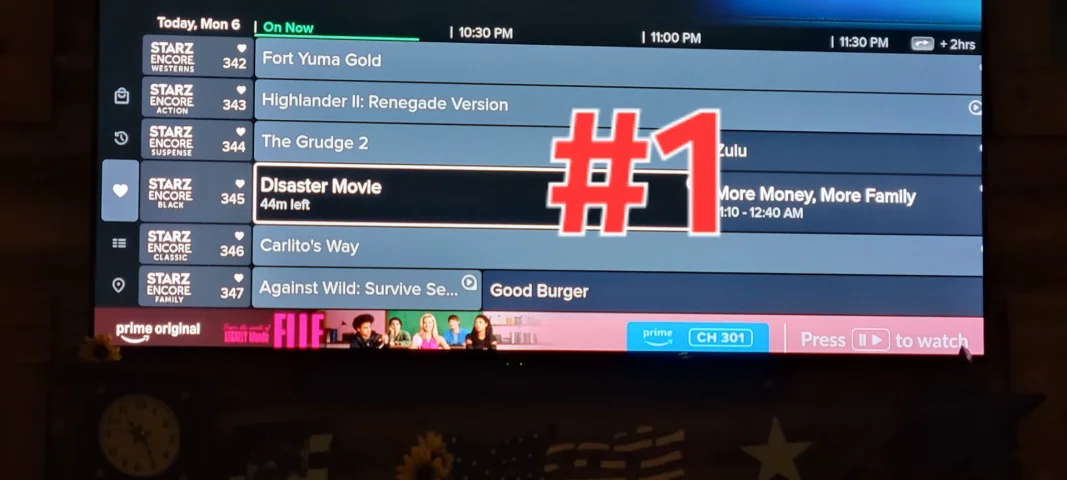
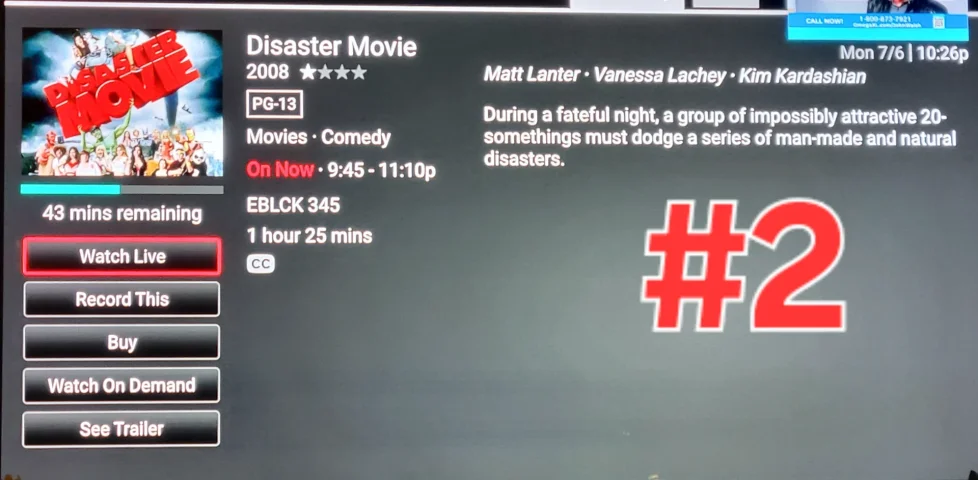
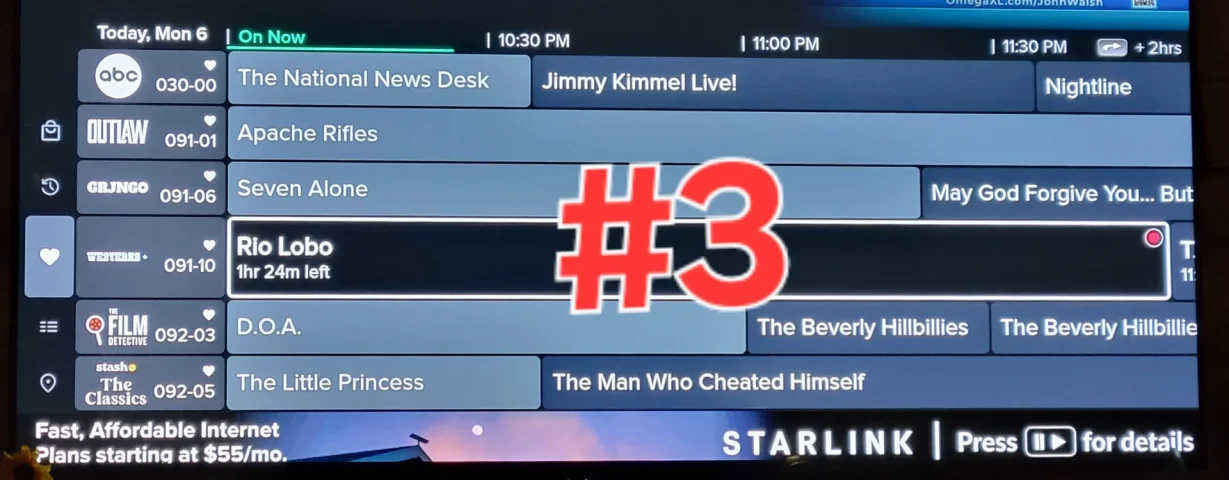
When I scroll through the guide and stop at a show or movie and select the INFO button, regardless if I hit the BACK button or the INFO button to go back to the guide, it no longer takes me back to the area where that particular movie or show I was checking on for information. Instead it takes me back to the guide area for whatever is currently playing. See the screenshots.

Any solution available?
 

Attachments

  • 20260706_222600.webp
    20260706_222600.webp
    96.5 KB · Views: 43
  • 20260706_222610.webp
    20260706_222610.webp
    134.3 KB · Views: 47
  • 20260706_222620.webp
    20260706_222620.webp
    114.9 KB · Views: 44
I noticed the guide changed last week and I am hoping someone knows how to change it back.

When I scroll through the guide and stop at a show or movie and select the INFO button, regardless if I hit the BACK button or the INFO button to go back to the guide, it no longer takes me back to the area where that particular movie or show I was checking on for information. Instead it takes me back to the guide area for whatever is currently playing. See the screenshots.

Any solution available?
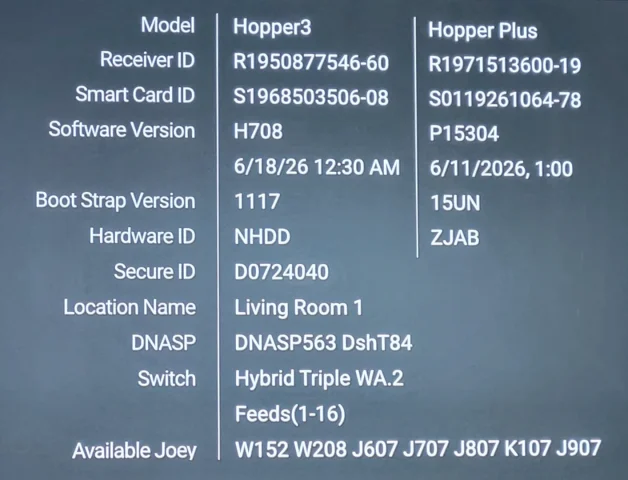
This is on a Joey4, right? Or, a Hopper with the plus?
(Could be different than a Hopper 3 by itself?)
 
  • Like
Reactions: charlesrshell
I noticed the guide changed last week and I am hoping someone knows how to change it back.

When I scroll through the guide and stop at a show or movie and select the INFO button, regardless if I hit the BACK button or the INFO button to go back to the guide, it no longer takes me back to the area where that particular movie or show I was checking on for information. Instead it takes me back to the guide area for whatever is currently playing. See the screenshots.

Any solution available?
There is no changing it back and for some reason, not every hopper or Joey is getting the new Guide or at least not at the same time but it's been rolling out for months now
 
  • Like
Reactions: charlesrshell
Just discovered that my issue (When I scroll through the guide and stop at a show or movie and select the INFO button, regardless if I hit the BACK button or the INFO button to go back to the guide, it no longer takes me back to the area where that particular movie or show I was checking on for information. Instead it takes me back to the guide area for whatever is currently playing.) is only for all the channels I've listed as FAVORITES to keep me from having to scroll through ALL CHANNELS or news, movies, locals, kids, tv shows, music, etc). If I go to ALL CHANNELS for example, I have no problem. I do prefer the old guide where I could create 3 or 4 "guides" of my own but realized the only way I can have that again is to remove the Hopper Plus and switch the Joey 4 back to a Joey 3 but I really like the option in the Hopper Plus (and the Joey 4) where I can easily watch a favorite streaming show that I subscribe to.
 
If you have a smart t.v. and don't mind using more than one remote ( if ) you stream you don't need the hopper plus. it's just an android streaming box that can access dish programming to. My hopper still has the old guide running on it:).
Thank you for the tip but I have all but one television (it has a Joey4) connected by coax to the Hopper3/Hopper Plus. This way the same programing (regardless of it being from Dish Network or a streaming sevice via the Hopper Plus) can be seen from wherever I am (living room, kitchen, laundry room, office, etc).
I did discover that the guide issue is ONLY where I have saved channels as FAVORITES. In the other system saved channel guides, this issue does not exist.
 

Hopper H3 Software version H708 out

Question about a dual Hopper 3 installation...