How to Format a Drive to FAT32 with SwissKnife v3

  • Thread starter Thread starter SatelliteAV
  • Start date Start date
  • Replies Replies 0
  • Views Views 9K

SatelliteGuys Fund Raiser

Total amount
$905.00
Goal
$350.00
Donation ends:
Status
Not open for further replies.

SatelliteAV

SatelliteGuys Master
Original poster
Lifetime Supporter
Sep 3, 2004
6,486
186
Roseville, CA
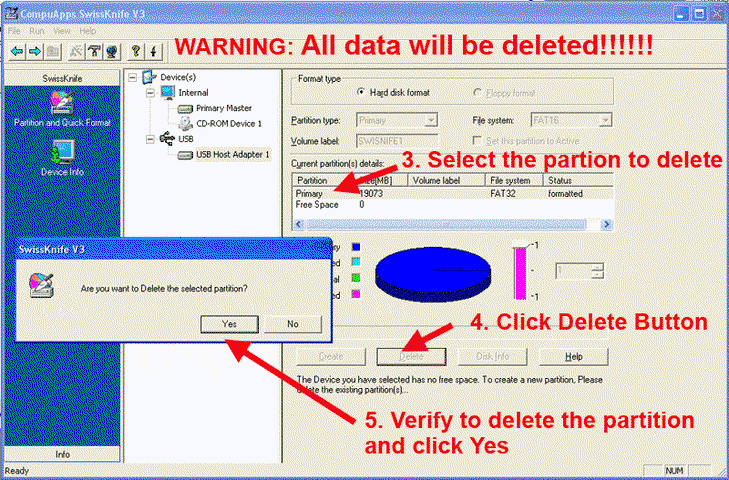
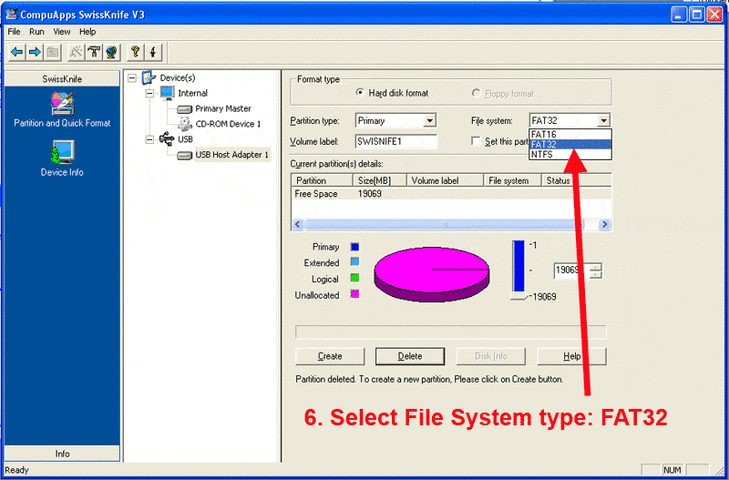
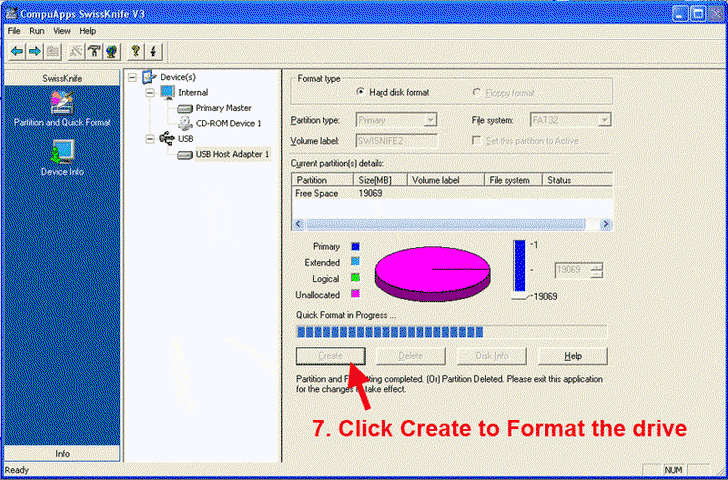
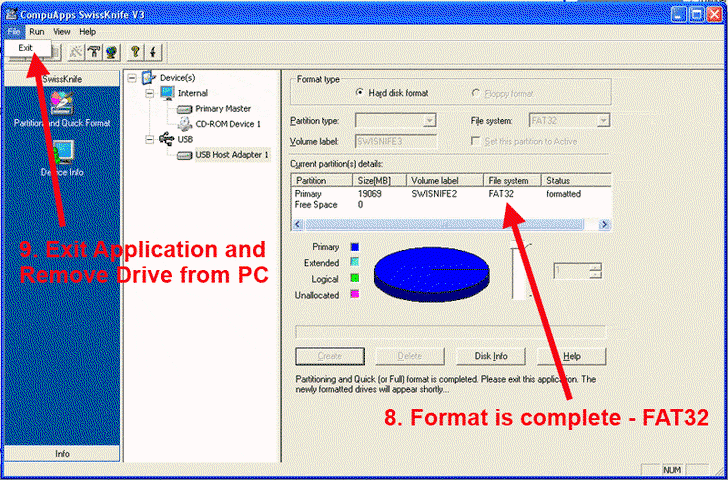
How to Format a Drive to FAT32 using SwissKnife
Version 3.0

Be sure to format any drive prior to recording.
Warning: All data will be erased and all recordings will be lost.

Always format a drive a second time with the USB Format menu function in the GEOSATpro DVR1100c receiver

Download SwissKnife
 

Attachments
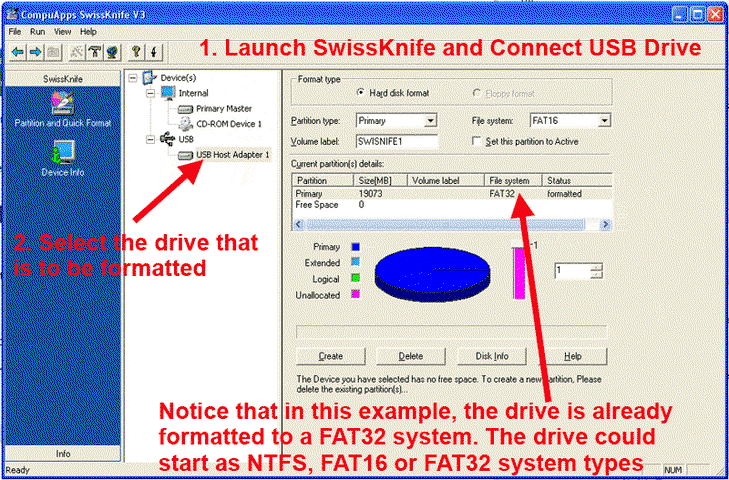
  • SwissKnife1.gif
    SwissKnife1.gif
    46.9 KB · Views: 1,223
  • SwissKnife2.gif
    SwissKnife2.gif
    46.3 KB · Views: 1,146
  • SwissKnife3.gif
    SwissKnife3.gif
    37.4 KB · Views: 1,093
  • SwissKnife4.gif
    SwissKnife4.gif
    37.1 KB · Views: 994
  • SwissKnife5.gif
    SwissKnife5.gif
    39.5 KB · Views: 1,172
Last edited by a moderator:
Status
Not open for further replies.

Hitachi Hard Drive Compatibility

GEOSATpro Receiver Won't Tune Some Channels

Users Who Are Viewing This Thread (Total: 1, Members: 0, Guests: 1)

Who Read This Thread (Total Members: 1)