
How do I turn on the WiFi on my Hopper 3? There are no WiFi options listed in the internet settings.



There is no option for wireless setup in the internet settings. Just "network details" and "reset network". Any suggestions? There is absolutely nothing in the internet settings for Wireless Setup.Home three times, Network, Internet Settings, Wireless Setup, Wifi Setup Wizard…
It is the Hopper 3. I have tried a reboot but there is no option whatsoever under internet settings for Wireless Setup.Are you sure you have a Hopper 2/3? Other that the Wi-Fi chip not responding (something that may or may not be fixed with a reboot) there is no way to enable/disable Wi-Fi on a Hopper, only exception being when there is an alternative connection method (HIC, Ethernet). And even then you would still see the option to connect via Wi-Fi, just with a yellow banner saying "Wireless is connected but disabled" or something

Is your H3 connected to internet now by ethernet cable? If so disconnect the cable-reboot and look again.It is the Hopper 3. I have tried a reboot but there is no option whatsoever under internet settings for Wireless Setup.
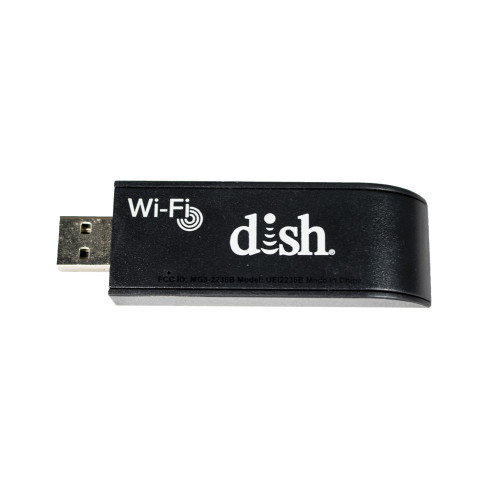
 www.dishformyrv.com

DISh will replace an owned Hopper or Joey, or any receiver for that matter, free of charge if your owned receiver is deemed faulty.One thing I like about Dish support is whatever they suggest does not work they replace it with no cost to you. They probably won't do that if you own your Hopper or Joey. My replacement remote 54 arrived so fast. They told me to recycle the old one.
You always paid a monthly fee whether you own it or not. One of the few advantages of ownership is the ability to turn the lesser used receiver off without the need to return it to DISH.Bobby, that sounds fantastic if you own it. they surely would expect you to pay monthly fee for their equipment. Right?
I have no WiFi setup wizard ootiobHome three times, Network, Internet Settings, Wireless Setup, Wifi Setup Wizard…
I have no WiFi setup wizard on my dish receiverI have no WiFi setup wizard ootiob
My dish receiver should be set on satellite 72 but someone has added a satellite 119 when I have eastern arc and twin hybrid lnbI have no WiFi setup wizard on my dish receiver
Someone illegally accessing my dish account as I have different software on my main tv as compared to my other TVs which have Joey'sMy dish receiver should be set on satellite 72 but someone has added a satellite 119 when I have eastern arc and twin hybrid lnb


