

Social Feed

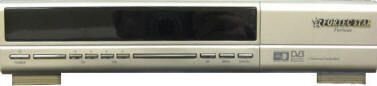
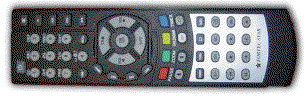
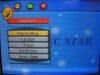
I have seen today where the Dynamic was a short lived receiver and Fortec Star is calling the Dynamic now, retired! The new model to come from the Fortec Star People is the Fortec Star Fortune! The things I noticed about this new STB were all the buttons on the front of the box itself! Seems like if you lost your remote control you could pretty much set this thing up just by the buttons on the front! I would have given you a link to see it but found it at another site that would conflict with our Gold sponsors so do a Google search for it! The remote is the same as the Dynamic so it looks again that it is the same OSD as the Mercury II and Dynamic but cosmetic looking better! I have seen screenshots of the OSD and yes you guessed it, it looks like the Dynamic!
Here are the Features and Specs of the new Fortec Star Fortune:
Fortec Star Fortune
High-End Digital Satellite Receiver for Free To Air reception
Component Video Output
Made In Korea
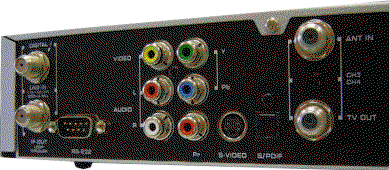
Fortune is a powerful satellite receiver ideal for satellite enthusiast. This new model has component out. The receiver has an easy-to-use Menu, yet is feature-rich. Fortune comes with a comprehensive Power Scan for blind searching satellites. Users can back up their channel list before upgrading the software, and then restore the channel list, all from within the receiver's own menu. The front panel has 8 buttons allowing complete control of the receiver's functions without the use of the remote. The back panel has all the connection options you would need, with RCA composite jacks, component jacks (Y,Pb,Pr), and an S-video connection.
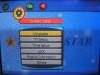
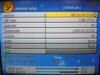
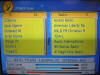
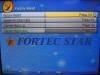
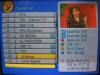
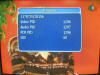
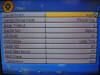
Fortec Star is one of the most popular satellite brands on the market, not only in the USA, but also in Europe, Asia, and the Middle East. The Fortec Star Fortune is made in Korea with quality components, supplies and parts and comes with a full 1-year warranty. This receiver is the most user-friendly satellite receiver and easy to setup. Hobbyist's favorite. Its customers number 1 choice because of the component video output and excellent picture quality. Below are some screen shots and brief explanation of the menu and the receiver functions.
Features
Channel Back-up and Channel recovery function
8-button Menu Control on the front panel
Component video (Y,Pb,Pr) and S-Video connections
3 RCA connections (1 Video, 2 Audio L/R)
POWER Scan (blind search) with complete parameter control
One-button quick start Power Scan on the remote
One-button jump to Channel Edit function
Dolby Digital 5.1 audio pass-through (optical)
100 programmable satellites and 6,000 programmable channels
Timer function for Sleep / Wake Up / VCR Record and Channel Reminder
Fully MPEG 2 / DVB compliant, MCPC/SCPC, C/KU reception
1 LNB input with IF loop through for 2nd receiver
Manual PID scan function
DiSEqC 1.2 and USALS supported
Picture-In-Graphics function
Multi-Picture (4,9, 13 or 16 pictures) function
ZOOM In/Out
Electronic Program Guide
Multi language menu
8 favorite channel group selection and parental lock
Close Caption Supported
Data transfer: receiver-to-receiver or PC-to-receiver
IF / Tuner
Input Frequency
950 MHz to 2150 MHz
Input Signal Level
-30 to -65dBm
Input Impedance
75 ohm nominal
Input Connector
F-type, IEC 169-24, Female
FEC Decoder
Convolution Code Rate l/2, 2/3, 3/4,
5/6 and 7/8 with Constraint Length K=7
Demodulation
QPSK
Symbol rate
1-45 Ms/s SCPC/MCPC
IF Frequency
Zero IF
LNB Power & Polarization
V13 / H18, 500mA MAX. overload protection
DiSEqC Control
DiSEqC. 1.0, 1.1 / DiSEqC 1.2 Compatible
Positioner
USALS compatible
Memory
Processor
NEC 61114
Flash Memory
2 Mbytes
SDRAM
16 Mbytes
Satellite Capacity
100
Channel Capacity
6,000
Audio / Video Decoding
Video Decoder
MPEG-2 MP@ML (ISO/IEC 13818-2)
Input Rate
60Mbit/s Max
Video Resolution
720 x 480(NTSC)
Aspect Ratio
4:3, 16:9 (Letter Box)
Audio Decoder
MPEG Layer I &II
Audio Mode
Mono L/R, Dual Channel, Joint Stereo, Stereo
Audio Sampling Frequency
32, 44.1, 48 KHz
Audio / Video Output
Video
RCA composite, component (Y,Pb,Pr), S-Video
Audio R/L
RCA/Cinch Volume & Mute Control
S/PDIF
Digital Audio Output
DOLBY DIGITAL 5.1 Pass-through
Serial Data Interface
Connector Type
9 Pin D-Sub (male)
Signal
RS-232C, Max. 115200Bps
Power Supply
Supply Voltage
100VAC ~ 120VAC 60Hz(SMPS)
Power Consumption
Max. 30W
General
Weight
Approx. 2.52 Kg
Dimensions
300(W) x 210(D) x 60(H)mm
Colorful & Interactive screen with over 20 languages. These languages are:
English
Finish
Swedish
Turkish
German
Portuguese
Greek
Romanian
Hungarian
Russian
Indonesian
Spanish
Italian
Serbian
Farsi
Norwegian
Croatian Czech
Danish Dutch
More On Features:
 You are prompted to choose your choice of language the first time you turn the receiver on.
Under System Setup, you can change your language of choice to any of the languages listed above; you can choose your TV type, like PAL or NTSC. In the USA, we use NTSC. You can also take advantage of the Parental Lock option to lock a certain channel or the menus. You can setup your time for the front panel of the receiver. More details on this function is below.
Under channel manager, you can edit your channel list, you can rename, change its specifications and much more. You can also sort your channel list according to different criteria. You can also create a favorite channel list by different categories like Movies, Sports, Etc...
The receiver comes with 100 programmable satellites and 6000 programmable TV and Radio stations.
By pressing a single button, the user has access to the full channel list and can sort the list according to satellite, network, etc...
Similar to POWER Scan, this function will scan in the TV stations, but it only scans them based on the transponder parameters (Frequency, Symbol Rate, & Polarization) that are already programmed in the satellite receiver.
One of the most popular features of this receiver is its Channel Backup & Recovery system. When you setup your channel list, simply back up the list. When and if you accidentally erase the channel list, you can simply go to Channel Recovery and bring the exact same channels back according to the way they were previously programmed. No need to program the receiver again!
Excellent sound and picture quality.
Simply press the "info" button on the remote to display the channel parameters including Audio PID, Video PID, and PCR, broadcasting transponder frequency, symbol rate and polarization.
Another useful function which is not abundant on other satellite receivers is that not only does the clock of the receiver function according to the satellite, but you can also offset the time by the exact minutes. This is important as the satellite times are not always correct.
Excellent installation choices under the Installation Menu. Your options are Setup, Auto Scan, TP Scan, Factory Reset and most important the powerful POWER Scan | Blind Search Function.
Under channel manager, you can edit your channel list, you can rename, change its specifications and much more. You can also sort your channel list according to different criteria. You can also create a favorite channel list by different categories like Movies, Sports, Etc...
This is where you setup your antenna. You have a full list of pre-programmed satellites. You choose your LNB type and frequency here also. You can choose your DiSEqC ports and 0/22 KHz switching. The receiver also recognizes the carrier automatically. The receiver has DiSEqC1.2 (Motor Control) also which allows you to automatically turn your dish from one satellite to another.
The receiver comes with a powerful POWER Scan function with editable parameters controlled by the user. User can set starting frequency, ending frequency, and a full range of Symbol Rate. Also you can choose the type of stations you'd like to scan, Scrambled, FTA, or both. You can also change the polarity to Vertical, Horizontal or Both. Blind Search or POWER Scan allows you to find new Transponder frequencies and new channels for you.
By pressing a single button the user can check the quality and level of the signal and also can use it as a signal meter to help align the satellite dish
Similar to Auto Scan, TP scan only scans 1 Transponder that is already programmed into the receiver.
One of the better futures is the timer on this receiver. Simply program your VCR and Receiver to turn on at a certain time and turn off at a certain time to record your favorite shows. Choose how often, and choose for the receiver to turn on, turn off, or change channels to a certain station.
The Fortune receiver also offers 4 different multi-channel functions. Click here for a video demonstration modes of channel. This is great to still watch your programming in the center of the screen while seeing what else is on other stations.
Another great feature of the receiver is the Signal Beep Sound. When turned on, this function beeps as you lock on to your satellite signal. It's an excellent and useful tool to use when you can not physically look at the monitor while aligning your satellite dish.
The Dynamic never even had a year run in the US before retirement!
Sorry for the long post, but this is the first time I have seen the new model and heard that the Dynamic is on its way out already and thought I would post the new model that is replacing it!
K E V I N

Here are the Features and Specs of the new Fortec Star Fortune:
Fortec Star Fortune
High-End Digital Satellite Receiver for Free To Air reception
Component Video Output
Made In Korea
Fortune is a powerful satellite receiver ideal for satellite enthusiast. This new model has component out. The receiver has an easy-to-use Menu, yet is feature-rich. Fortune comes with a comprehensive Power Scan for blind searching satellites. Users can back up their channel list before upgrading the software, and then restore the channel list, all from within the receiver's own menu. The front panel has 8 buttons allowing complete control of the receiver's functions without the use of the remote. The back panel has all the connection options you would need, with RCA composite jacks, component jacks (Y,Pb,Pr), and an S-video connection.
Fortec Star is one of the most popular satellite brands on the market, not only in the USA, but also in Europe, Asia, and the Middle East. The Fortec Star Fortune is made in Korea with quality components, supplies and parts and comes with a full 1-year warranty. This receiver is the most user-friendly satellite receiver and easy to setup. Hobbyist's favorite. Its customers number 1 choice because of the component video output and excellent picture quality. Below are some screen shots and brief explanation of the menu and the receiver functions.
Features
Channel Back-up and Channel recovery function
8-button Menu Control on the front panel
Component video (Y,Pb,Pr) and S-Video connections
3 RCA connections (1 Video, 2 Audio L/R)
POWER Scan (blind search) with complete parameter control
One-button quick start Power Scan on the remote
One-button jump to Channel Edit function
Dolby Digital 5.1 audio pass-through (optical)
100 programmable satellites and 6,000 programmable channels
Timer function for Sleep / Wake Up / VCR Record and Channel Reminder
Fully MPEG 2 / DVB compliant, MCPC/SCPC, C/KU reception
1 LNB input with IF loop through for 2nd receiver
Manual PID scan function
DiSEqC 1.2 and USALS supported
Picture-In-Graphics function
Multi-Picture (4,9, 13 or 16 pictures) function
ZOOM In/Out
Electronic Program Guide
Multi language menu
8 favorite channel group selection and parental lock
Close Caption Supported
Data transfer: receiver-to-receiver or PC-to-receiver
IF / Tuner
Input Frequency
950 MHz to 2150 MHz
Input Signal Level
-30 to -65dBm
Input Impedance
75 ohm nominal
Input Connector
F-type, IEC 169-24, Female
FEC Decoder
Convolution Code Rate l/2, 2/3, 3/4,
5/6 and 7/8 with Constraint Length K=7
Demodulation
QPSK
Symbol rate
1-45 Ms/s SCPC/MCPC
IF Frequency
Zero IF
LNB Power & Polarization
V13 / H18, 500mA MAX. overload protection
DiSEqC Control
DiSEqC. 1.0, 1.1 / DiSEqC 1.2 Compatible
Positioner
USALS compatible
Memory
Processor
NEC 61114
Flash Memory
2 Mbytes
SDRAM
16 Mbytes
Satellite Capacity
100
Channel Capacity
6,000
Audio / Video Decoding
Video Decoder
MPEG-2 MP@ML (ISO/IEC 13818-2)
Input Rate
60Mbit/s Max
Video Resolution
720 x 480(NTSC)
Aspect Ratio
4:3, 16:9 (Letter Box)
Audio Decoder
MPEG Layer I &II
Audio Mode
Mono L/R, Dual Channel, Joint Stereo, Stereo
Audio Sampling Frequency
32, 44.1, 48 KHz
Audio / Video Output
Video
RCA composite, component (Y,Pb,Pr), S-Video
Audio R/L
RCA/Cinch Volume & Mute Control
S/PDIF
Digital Audio Output
DOLBY DIGITAL 5.1 Pass-through
Serial Data Interface
Connector Type
9 Pin D-Sub (male)
Signal
RS-232C, Max. 115200Bps
Power Supply
Supply Voltage
100VAC ~ 120VAC 60Hz(SMPS)
Power Consumption
Max. 30W
General
Weight
Approx. 2.52 Kg
Dimensions
300(W) x 210(D) x 60(H)mm
Colorful & Interactive screen with over 20 languages. These languages are:
English
Finish
Swedish
Turkish
German
Portuguese
Greek
Romanian
Hungarian
Russian
Indonesian
Spanish
Italian
Serbian
Farsi
Norwegian
Croatian Czech
Danish Dutch
More On Features:
You are prompted to choose your choice of language the first time you turn the receiver on. Under System Setup, you can change your language of choice to any of the languages listed above; you can choose your TV type, like PAL or NTSC. In the USA, we use NTSC. You can also take advantage of the Parental Lock option to lock a certain channel or the menus. You can setup your time for the front panel of the receiver. More details on this function is below. Under channel manager, you can edit your channel list, you can rename, change its specifications and much more. You can also sort your channel list according to different criteria. You can also create a favorite channel list by different categories like Movies, Sports, Etc... The receiver comes with 100 programmable satellites and 6000 programmable TV and Radio stations. By pressing a single button, the user has access to the full channel list and can sort the list according to satellite, network, etc... Similar to POWER Scan, this function will scan in the TV stations, but it only scans them based on the transponder parameters (Frequency, Symbol Rate, & Polarization) that are already programmed in the satellite receiver. One of the most popular features of this receiver is its Channel Backup & Recovery system. When you setup your channel list, simply back up the list. When and if you accidentally erase the channel list, you can simply go to Channel Recovery and bring the exact same channels back according to the way they were previously programmed. No need to program the receiver again! Excellent sound and picture quality. Simply press the "info" button on the remote to display the channel parameters including Audio PID, Video PID, and PCR, broadcasting transponder frequency, symbol rate and polarization. Another useful function which is not abundant on other satellite receivers is that not only does the clock of the receiver function according to the satellite, but you can also offset the time by the exact minutes. This is important as the satellite times are not always correct. Excellent installation choices under the Installation Menu. Your options are Setup, Auto Scan, TP Scan, Factory Reset and most important the powerful POWER Scan | Blind Search Function. Under channel manager, you can edit your channel list, you can rename, change its specifications and much more. You can also sort your channel list according to different criteria. You can also create a favorite channel list by different categories like Movies, Sports, Etc... This is where you setup your antenna. You have a full list of pre-programmed satellites. You choose your LNB type and frequency here also. You can choose your DiSEqC ports and 0/22 KHz switching. The receiver also recognizes the carrier automatically. The receiver has DiSEqC1.2 (Motor Control) also which allows you to automatically turn your dish from one satellite to another. The receiver comes with a powerful POWER Scan function with editable parameters controlled by the user. User can set starting frequency, ending frequency, and a full range of Symbol Rate. Also you can choose the type of stations you'd like to scan, Scrambled, FTA, or both. You can also change the polarity to Vertical, Horizontal or Both. Blind Search or POWER Scan allows you to find new Transponder frequencies and new channels for you. By pressing a single button the user can check the quality and level of the signal and also can use it as a signal meter to help align the satellite dish Similar to Auto Scan, TP scan only scans 1 Transponder that is already programmed into the receiver. One of the better futures is the timer on this receiver. Simply program your VCR and Receiver to turn on at a certain time and turn off at a certain time to record your favorite shows. Choose how often, and choose for the receiver to turn on, turn off, or change channels to a certain station. The Fortune receiver also offers 4 different multi-channel functions. Click here for a video demonstration modes of channel. This is great to still watch your programming in the center of the screen while seeing what else is on other stations. Another great feature of the receiver is the Signal Beep Sound. When turned on, this function beeps as you lock on to your satellite signal. It's an excellent and useful tool to use when you can not physically look at the monitor while aligning your satellite dish.The Dynamic never even had a year run in the US before retirement!
Sorry for the long post, but this is the first time I have seen the new model and heard that the Dynamic is on its way out already and thought I would post the new model that is replacing it!
K E V I N




22 Replies
·
8440 views


Pub Member / Supporter
2 Replies
·
51 views


I thought I would come here and find lots of complaints about the update to the dish anywhere mobile app, but am not seeing any. It used to look just like the desktop webpage. Now you can no longer filter by sports channels or movie channels. Plus that they made it look like a big button telephone and you see fewer channels in the screen which requires more scrolling. Yes I realize you can look at sports then select which sport you want to look at, I just liked being able to see all sporting events in the guide with all other channels being filtered out. Am I alone in the wilderness on this?
3 Replies
·
38 views


Anyone else watch this show? Any guesses as to what was in the box Gibbs gave to Abby that was on her desk? It look liked it was glowing.
I also heard that someone was leaving the show at the end of this season. Any guesses as to who thats going to be?
I also heard that someone was leaving the show at the end of this season. Any guesses as to who thats going to be?
2132 Replies
·
214677 views


 Tony is not serious enough for me. Parker is too close to the team and Tim is too young to take over IMO.
Pub Member / Supporter
Lifetime Supporter
Might be worth a watch when it comes out. Looks like typical big corp against the little guy movie BUT....there is a reason this plot type is so oft repeated, it draws audiences.
View: https://www.youtube.com/watch?v=_-f9OGsKHd4
View: https://www.youtube.com/watch?v=_-f9OGsKHd4
1 Replies
·
6 views

Lifetime Supporter
If you're going try to read / listen to the book (can't recommend the audio book enough) before this comes out, I'd avoid trailers.
Trailer below, spoiling it to make sure you read the above bold message first. The book / audio book are fantastic. Go into this blind if you can IMO!
Kind of disappointed at how much they show. A lot still to see, but man, some good reveals in the book that are just served up here.
Trailer below, spoiling it to make sure you read the above bold message first. The book / audio book are fantastic. Go into this blind if you can IMO!
Kind of disappointed at how much they show. A lot still to see, but man, some good reveals in the book that are just served up here.
21 Replies
·
712 views


Lifetime Supporter
Schedule drops tomorrow. Mandatory mini camps in June. Hall of Fame game August 6th.
110 Replies
·
1610 views



Pub Member / Supporter
Lifetime Supporter
I had quit watching this show years ago because I ended up more annoyed than entertained. Well......I'm STILL more annoyed than entertained. I DO find it interesting to see how things work behind the scenes at many businesses. What annoys me is how utterly out of touch CEOs are with the companies they run. At the end of almost every episode the head of the company is amazed at how hard the employees have to work and many times have to work around impossible guidelines set forth from headquarters.
I found this one interesting because the new CEO had big plans for this company, Muscle Maker Grill, and it looked like the stores were all pretty busy. Recent history hasn't been good to this company however. I bet the covid lockdowns were the real killer.
View: https://www.youtube.com/watch?v=yIhZm0qkz0o
I found this one interesting because the new CEO had big plans for this company, Muscle Maker Grill, and it looked like the stores were all pretty busy. Recent history hasn't been good to this company however. I bet the covid lockdowns were the real killer.
View: https://www.youtube.com/watch?v=yIhZm0qkz0o
0 Replies
·
3 views

Staff member
HERE TO HELP YOU!
Cutting Edge
Sometimes a thread gets so many posts in it that is can cause issues for the server so that why today we introduce The Song Name Game Part 3!
So let the game continue!
The last song was added by Bobby who posted...
One Meat Ball - Andrews Sisters
CONTINUE ON AND HAVE FUN! WELCOME HOME TO SATELLITEGUYS.US!
Here are the original rules for the game as posted by WebbyDude back in 2006. http://www.satelliteguys.us/threads/68645-Song-Name-Game
Just name a song title and the band who performed it. The next person does the same thing, but needs to list a song title or band name which includes a word from the previous entry. Pick songs from any genre.
Example:
Long Live Rock and Roll -- Rainbow
Rainbow in the Dark -- Dio
Another example:
Ride the Lightning -- Metallica
Lightning Strikes -- Ozzy Osbourne
Get it?
An additional note: we all know that song titles, sometimes, use profane words. Because this is a family friendly website it is advised that you clean up that title up a bit. This is accomplished by using something like sh!t instead of the real word. Thanks....
So let the game continue!
The last song was added by Bobby who posted...
One Meat Ball - Andrews Sisters
CONTINUE ON AND HAVE FUN! WELCOME HOME TO SATELLITEGUYS.US!
Here are the original rules for the game as posted by WebbyDude back in 2006. http://www.satelliteguys.us/threads/68645-Song-Name-Game
Just name a song title and the band who performed it. The next person does the same thing, but needs to list a song title or band name which includes a word from the previous entry. Pick songs from any genre.
Example:
Long Live Rock and Roll -- Rainbow
Rainbow in the Dark -- Dio
Another example:
Ride the Lightning -- Metallica
Lightning Strikes -- Ozzy Osbourne
Get it?
An additional note: we all know that song titles, sometimes, use profane words. Because this is a family friendly website it is advised that you clean up that title up a bit. This is accomplished by using something like sh!t instead of the real word. Thanks....
68500 Replies
·
2670799 views


For quite a while now, people with a VIP211k have been losing their recordings on their activated external HDDs... even when there's nothing physically wrong with HDD. I believe this is an intentional and underhanded tactic that Dish is pulling in an attempt to force users away from the VIP211k.
They are obviously regretting that they ever let users have a "non-dvr" dvr in the first place. You would think they would be happy charging you a $40 one time fee... and then be happy letting the customer be the one responsible for HDD failures.
Dish clearly hates the 211k bitter-clingers. This recording deletion problem is intentional (IMO), and I think it is just one more tool that they are using. Hopper and a 2-year agreement... that's what they want you to have. Think about that... a 2-year agreement... with a company $30 Billion in debt (that's with a B). What happens when all that debt causes them to drop the channel that may have been your whole reason for having Dish in the first place? Guess who's stuck with a service that no longer suits their needs... for the remainder of the 2-year agreement.
On top of that, they don't want you to install it yourself. I purchased and installed all my equipment myself. That used to be common. Now, they lie to me and tell me that my dish must be updated to use a Hopper. Funny thing is... they don't even know what dish I have because they didn't install it, and I didn't tell them. If you ask what type of dish/LNBs the hopper needs... good luck getting an answer. All they know is that whatever you have needs to be upgraded by an installer.
It is quite apparent to me that they care much more about staying in their box, than they do working with the customer. That's too bad, because it hasn't always been that way. It's like they are totally unaware of the current business environment that they are trying to compete in.
I have been a customer since 2010. I will be cancelling my service before the next period. Yeah, I know, my $1,200 a year won't make a difference to them. It just seems like they have forgotten who needs who, especially when you consider the competition in today's streaming world. But hey, they will have succeed in forcing me off the 211k.
They are obviously regretting that they ever let users have a "non-dvr" dvr in the first place. You would think they would be happy charging you a $40 one time fee... and then be happy letting the customer be the one responsible for HDD failures.
Dish clearly hates the 211k bitter-clingers. This recording deletion problem is intentional (IMO), and I think it is just one more tool that they are using. Hopper and a 2-year agreement... that's what they want you to have. Think about that... a 2-year agreement... with a company $30 Billion in debt (that's with a B). What happens when all that debt causes them to drop the channel that may have been your whole reason for having Dish in the first place? Guess who's stuck with a service that no longer suits their needs... for the remainder of the 2-year agreement.
On top of that, they don't want you to install it yourself. I purchased and installed all my equipment myself. That used to be common. Now, they lie to me and tell me that my dish must be updated to use a Hopper. Funny thing is... they don't even know what dish I have because they didn't install it, and I didn't tell them. If you ask what type of dish/LNBs the hopper needs... good luck getting an answer. All they know is that whatever you have needs to be upgraded by an installer.
It is quite apparent to me that they care much more about staying in their box, than they do working with the customer. That's too bad, because it hasn't always been that way. It's like they are totally unaware of the current business environment that they are trying to compete in.
I have been a customer since 2010. I will be cancelling my service before the next period. Yeah, I know, my $1,200 a year won't make a difference to them. It just seems like they have forgotten who needs who, especially when you consider the competition in today's streaming world. But hey, they will have succeed in forcing me off the 211k.
165 Replies
·
7368 views


For some reason, the satelliteguys.us site is loading a lot slower than usual on both Chrome on my Asus laptop and Safari on my iPhone.
I'm also seeing longer appearances of the blue bar at the top and the "3 blue bars" loading symbol.
Is anyone else also having the same problem? Thanks in advance.
I'm also seeing longer appearances of the blue bar at the top and the "3 blue bars" loading symbol.
Is anyone else also having the same problem? Thanks in advance.
529 Replies
·
18024 views

