Picture Rotation

  • ENJOY SATELLITEGUYS AD FREE THIS FEBRUARY!

    Thank you to the very generous support we got from our members in December we have decided to make the month of February AD FREE for everyone!

    We want to see the true speed of our site and enjoy SatelliteGuys the way it was meant to be enjoyed!

    If you would like to help us keep the lights on and keep enjoying the site AD FREE consider becoming a PUB MEMBER by CLICKING HERE.

    THANK YOU TO EVERYONE FOR YOUR SUPPORT!
Upload a image to a post. The picture was taken with my camera turned sideways. When i upload the picture, it shows the picture sideways, i want to rotate it so it shows visually correct.

In windows it shows it right side up, so, i cannot rotate it within windows explorer, it seems to have no effect.

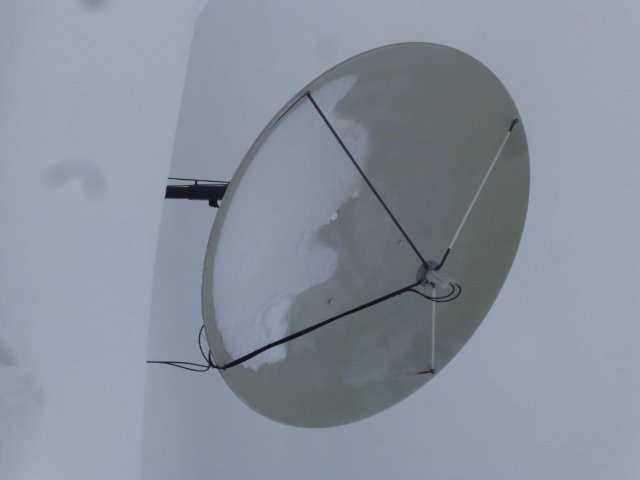
Example picture :
 

Attachments

  • P1050298 (Large).JPG
    P1050298 (Large).JPG
    45.3 KB · Views: 5
  • Like
Reactions: charlesrshell
Upload a image to a post. The picture was taken with my camera turned sideways. When i upload the picture, it shows the picture sideways, i want to rotate it so it shows visually correct.

In windows it shows it right side up, so, i cannot rotate it within windows explorer, it seems to have no effect.

Example picture :

You should be able to rotate it 90 degrees and save with an image editing program then upload it. I use GIMP myself but there are many out there.
 
You should be able to rotate it 90 degrees and save with an image editing program then upload it. I use GIMP myself but there are many out there.
I figured it out.. Seems crazy. i didn't have this problem in windows7. Rotate left/rotate right would physically rotate the image. Now, it just visually rotates it. I have to send the picture to Paint, and its automatically oriented correctly, so, i just have to load it into paint, and hit the save button.. Seems like a long work around.
 
Now, it just visually rotates it. I have to send the picture to Paint, and its automatically oriented correctly, so, i just have to load it into paint, and hit the save button.. Seems like a long work around.
It is compared to using something like Irfanview that can rotate the image by pressing the R or L keys and save it without having to fire up Paint and any of its AI accoutrements.
 

Ad Free for February